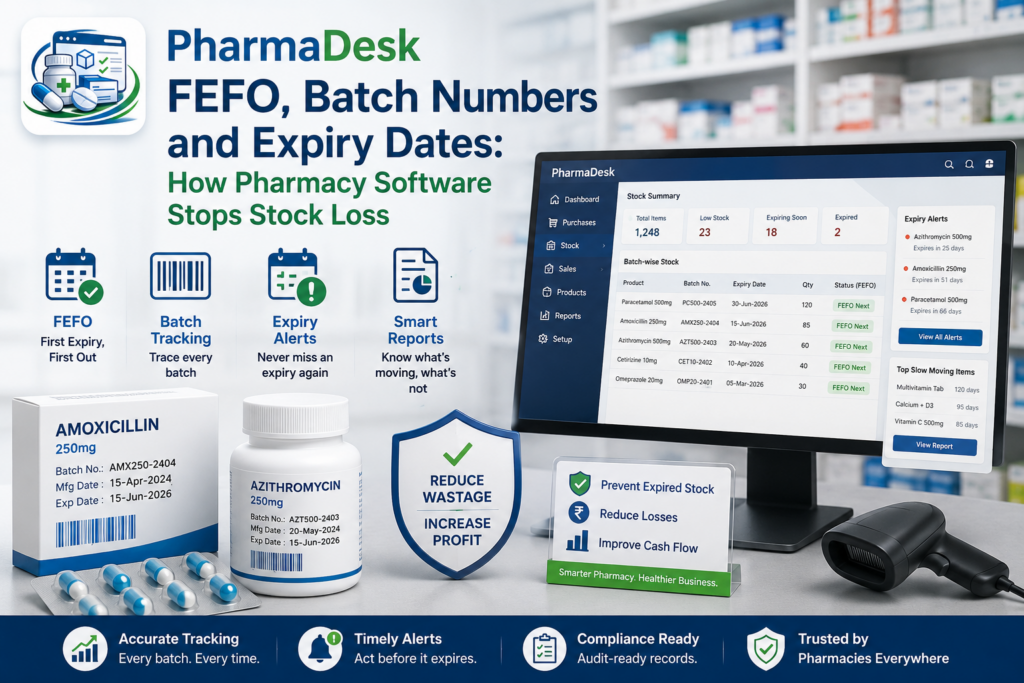
Every pharmacy loses stock to expiry. The question is only how much, and whether anyone notices before the box is worthless. Unlike most retail shrinkage, this loss is entirely preventable — the medicine was there, it was sellable, and it simply sat behind a newer box until the date on it passed. The mechanism that prevents it is batch-level inventory with First Expiry, First Out dispensing. It is the single clearest dividing line between real pharmacy management software and a till that happens to count boxes.
Why counting units is not enough
A general-purpose retail system thinks about a product as a number: you have 48 boxes of a given medicine. That is fine for stationery. It is wrong for pharmacy, because those 48 boxes are not interchangeable. They arrived in different batches, from different purchase invoices, possibly at different costs, and — critically — with different expiry dates. Twelve of them may expire in five weeks. The system that only knows “48” cannot tell you that, cannot warn you, and cannot stop your counter staff from reaching for the newest box on the shelf.
Batch tracking replaces one number with a structured picture: quantity per batch, each with its batch number, expiry date and purchase cost. From that, three things become possible that were impossible before — expiry warnings, accurate stock valuation, and correct dispensing order.
FEFO vs FIFO: a distinction that matters
Retail inventory usually runs on FIFO — First In, First Out — meaning the oldest received stock is sold first. For most goods that is a reasonable proxy for freshness. For medicines it is not, because receipt order and expiry order routinely disagree: a delivery that arrived last month may carry a longer shelf life than one that arrived two months ago, depending on when each batch was manufactured.
FEFO — First Expiry, First Out — sorts by the date that actually matters. Dispense from the batch that expires soonest, regardless of when it arrived.
| FIFO | FEFO | |
|---|---|---|
| Sorts by | Date received | Expiry date |
| Assumption | Older stock expires sooner | None — it reads the actual date |
| Fails when | A newer delivery has a shorter shelf life | Batch data is missing or wrong |
| Right for | General retail | Pharmacy, food, chemicals, anything dated |
The practical consequence is simple. Under FIFO you can hold a short-dated batch behind a long-dated one for months and never know. Under FEFO that batch goes out the door first, while it still has value.
Automate it, because manual FEFO does not survive a busy counter
Plenty of pharmacies “do FEFO” as a policy: staff are told to check dates and pick the shortest. It works on a quiet Tuesday. It does not survive a queue of eleven people, a locum who does not know the shelf, or a batch tucked at the back. Policy is not a control; software is.
The right behaviour is for the system to select the batch automatically at the moment of sale. Nobody has to remember, nobody has to check, and the correct outcome is the default rather than the diligent one.
PharmaDesk — Pharmacy Management System for Windows
PharmaDesk tracks stock at batch level with expiry dates, dispenses oldest-expiry-first automatically, and surfaces low-stock and expiry warnings on the dashboard the moment you log in. Add a two-role sales counter, a searchable medicine catalogue, supplier and purchase management, stock adjustments with a full audit trail, and browser reports for sales, margin, stock valuation and expiry. Runs on one Windows PC; staff work from any browser on the network. 30-day free trial.
How PharmaDesk handles batches and expiry
PharmaDesk tracks stock at batch level throughout. Every purchase records the batch number and expiry date, so stock is never just a total. When a sale is made, PharmaDesk automatically selects the oldest batch first — FEFO — reducing waste and supporting compliance without asking the person at the counter to think about it. Stock levels update in real time with every sale, purchase, return and adjustment, and a batch breakdown view highlights days-to-expiry so a short-dated batch is visible long before it becomes a write-off.
The dashboard closes the loop. Log in and the system surfaces low-stock alerts and expiry warnings straight away, live against current inventory rather than a report someone has to remember to run. Acting on a warning is a decision — return it to the supplier, discount it, transfer it, prioritise it — but you get to make that decision while options still exist.
The rest of the chain has to be batch-aware too
Batch tracking only works if every movement of stock respects it. That means purchasing, returns and corrections all have to carry the same detail.
- Purchasing. PharmaDesk records supplier purchases with full invoice details, payment status and per-batch expiry tracking, alongside a supplier directory with credit terms. Purchase returns are logged with a full audit trail and automatically adjust both stock and supplier balances.
- Adjustments. Damaged goods, count discrepancies and expired units pulled from the shelf are recorded through a dedicated Adjustments module — each change carrying a reason and an audit trail. A live session audit log shows adjustments in real time, so administrators always know what changed and who changed it.
- The catalogue. Form, strength, generic name, category, supplier, reorder level and shelf location are all held per medicine, so staff find products in seconds and reorder levels trigger low-stock alerts automatically.
What batch data gives you at month end
The same structure that prevents expiry loss also produces better numbers. Because every unit is tied to a batch with a known cost, PharmaDesk’s reporting covers stock valuation by batch and cost, plus profit and margin breakdowns, sales summaries, purchase summaries and dedicated expiry reports — all with summary totals, filterable by date range, staff member and product, and served as browser pages from any device on the network.
That combination answers questions a unit-count system cannot: what is my stock actually worth at cost, how much of it expires this quarter, and which products are making margin rather than merely turning over.
Keeping the counter itself honest
Stock control is only half of a pharmacy’s risk. The other half is cash and dispensing, and PharmaDesk separates them deliberately with a two-role sales workflow. The salesman searches the catalogue, builds the bill and applies discounts, then marks it ready for payment; the cashier picks up the pending bill, takes payment by cash, card or bank transfer, applies any final discount and confirms the sale, at which point the receipt prints automatically. Dispensing and cash handling never mix — the same segregation-of-duties principle that governs a well-run set of books.
Four roles — admin, pharmacist, salesman and cashier — define what each user can see and do, and every protected endpoint and form enforces the role check on the server, not merely in the interface. Salesmen can also hold multiple draft bills at once, switching between them when a customer steps away, so the queue keeps moving without anyone losing work.
Frequently asked questions
What is FEFO in pharmacy inventory?
First Expiry, First Out: when dispensing, the batch with the nearest expiry date is used first, regardless of when it was received. It minimises expiry write-offs and is the correct ordering rule for any dated product.
Is FEFO the same as FIFO?
No. FIFO orders by receipt date and only approximates expiry order. Whenever a newer delivery carries a shorter shelf life than an older one — which happens routinely — FIFO dispenses the wrong box.
Do I need to enter expiry dates for every purchase?
Yes, and it is the whole point. The batch number and expiry captured at purchase are what make automatic FEFO selection, expiry alerts and batch-level stock valuation possible. It takes seconds per line and it is the input that pays for itself.
Does PharmaDesk need an internet connection?
No. It runs on a Windows machine in your pharmacy with no reliance on external cloud services or third-party APIs, and staff reach it over your own network in a browser. It can also be installed on a VPS with a public IP if you run multiple branches and need one shared system.
Key takeaways
- Expiry loss is preventable inventory loss — but only if stock is tracked per batch with its expiry date, not as a single total.
- FEFO beats FIFO for medicines: receipt order and expiry order disagree often enough to cost you real money.
- FEFO must be automatic at the point of sale. A policy that depends on busy staff checking dates is not a control.
- PharmaDesk records batch numbers and expiry on every purchase, dispenses oldest-expiry-first automatically, shows days-to-expiry per batch, and raises low-stock and expiry alerts on the dashboard.
- Batch data also produces better reporting — stock valuation at cost, margin analysis and expiry reports — that unit-count systems simply cannot generate.
PharmaDesk — Pharmacy Management System for Windows
PharmaDesk tracks stock at batch level with expiry dates, dispenses oldest-expiry-first automatically, and surfaces low-stock and expiry warnings on the dashboard the moment you log in. Add a two-role sales counter, a searchable medicine catalogue, supplier and purchase management, stock adjustments with a full audit trail, and browser reports for sales, margin, stock valuation and expiry. Runs on one Windows PC; staff work from any browser on the network. 30-day free trial.
Leave a Reply