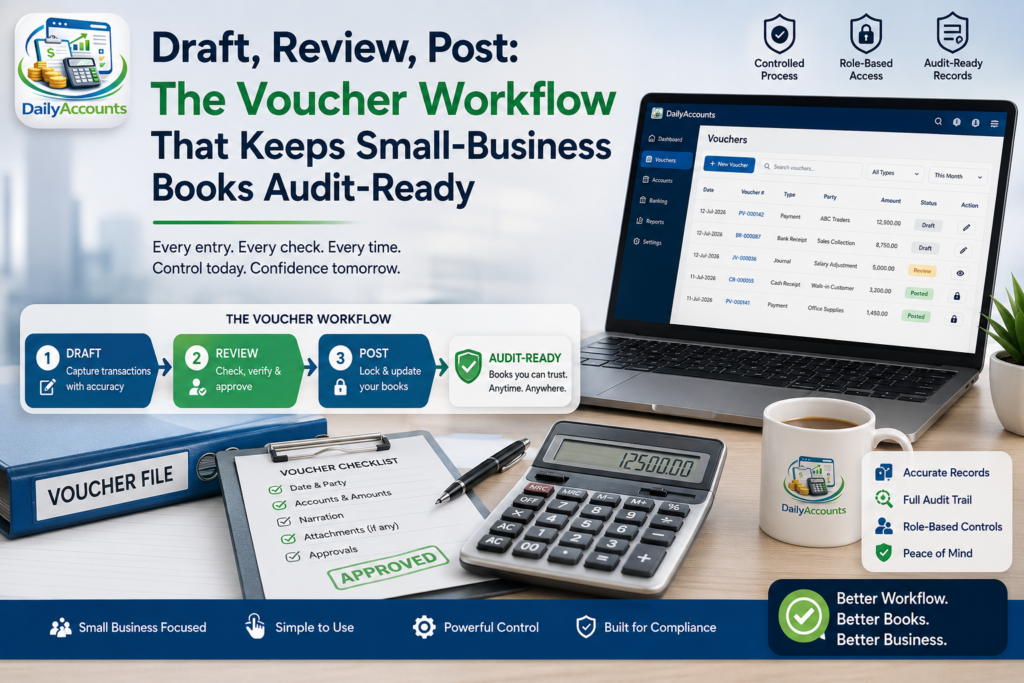
Ask any accountant what actually goes wrong in small-business books and you will rarely hear “fraud”. You will hear about the invoice keyed to the wrong account code, the duplicate entry made by two people on the same afternoon, the correction posted twice, the journal nobody reviewed. None of these are dramatic. All of them quietly make the year-end figures wrong. The discipline that prevents them is not more software features — it is a workflow: every entry is drafted, reviewed and only then posted. This article explains that workflow, why it matters more than any report, and what to look for in accounting software that supports it properly.
Why entries need a review stage at all
In a paper ledger, an entry was permanent the moment ink hit the page. Software made entries easy to change, which is a genuine improvement — and a genuine hazard. If any user can create, edit and finalise a financial entry in one motion, with nothing standing between a typo and the trial balance, then your accounts are only ever as accurate as the least careful keystroke of the busiest day.
The fix is borrowed straight from the accounting profession: separate entry from approval. A clerk records what happened. Someone with authority checks it and posts it. Until it is posted, the entry does not affect the accounts at all. This one boundary delivers three things at once:
- Error interception. A wrong account code or a transposed figure is caught while it is still cheap to fix — before it has propagated into the ledger, the trial balance and the statements.
- Segregation of duties. The person who records a transaction is not the person who blesses it. This is the single most effective internal control a small business can adopt, and it costs nothing.
- A clean audit position. When your accountant or auditor asks how entries get into the books, “anyone can type one” is a bad answer. “Drafted by staff, posted by a supervisor, logged with a timestamp” is a good one.
The four stages of a sound voucher workflow
1. Choose the right voucher type
Sound systems do not offer one generic “transaction” box. They offer debit vouchers (money or value going out — a payment, an expense), credit vouchers (money or value coming in — a receipt), and journal vouchers for everything that is neither: depreciation, accruals, corrections, opening balances, transfers between accounts. Picking the right type is not bureaucracy; it makes the day book readable and makes month-end reconciliation possible.
2. Enter it and let the software enforce the balance
Double-entry’s core rule is that total debits must equal total credits on every single entry. Software should refuse to save an unbalanced voucher, full stop. This is a small guard rail with an outsized effect: it makes the entire class of “the trial balance does not tie out” problems impossible by construction. If your system lets a lopsided entry through and expects you to notice later, it is working against you.
3. Review the drafts as a batch
Drafts should sit in a queue — visible, listable, and clearly not yet part of the accounts. Reviewing them as a batch (end of day, end of week) is faster and far more effective than trying to review them one at a time as they arrive, because patterns become obvious: the same expense entered twice, three payments all coded to a suspiciously generic account, a figure an order of magnitude out from its neighbours.
4. Post — and only then does it count
Posting is the moment the entry becomes real. Afterwards, the reports reflect it. The distinction between entered and posted is what lets a business keep the counter moving all day while still maintaining a set of accounts that a supervisor has actually looked at.
DailyAccounts — Multi-User Double-Entry Accounting for Windows
DailyAccounts runs on one Windows machine and serves your whole team over the network through a browser. Debit, credit and journal vouchers with enforced balancing; a draft-then-post review workflow; a full chart of accounts; and ten browser-accessible reports including Trial Balance, Balance Sheet, Income Statement, Account Ledger, Cash Book, Day Book and Bank Reconciliation. Per-feature role permissions, server-side sessions, no subscription and no ads.
How DailyAccounts implements it
DailyAccounts is built around exactly this sequence. Vouchers come in three flavours — Debit, Credit and Journal — each with separate debit and credit entry grids, and each one enforcing balanced entries before it can be saved. Vouchers are entered in draft mode. A dedicated Post Vouchers screen then lets authorised users review and post batches of drafts, keeping unposted entries cleanly separated from finalised accounts. Vouchers remain searchable and can be reopened and edited after entry, so correcting a mistake does not mean starting again.
Underneath sits a proper chart of accounts you create and organise yourself — account codes and names that flow through every voucher and every report, rather than a fixed list somebody else decided on.
The reports that prove the workflow is working
A review workflow is only as good as your ability to check the result. DailyAccounts serves all of its financial reports as interactive pages from the server’s built-in web engine — open them in any browser on the network with a single click, no export step and no spreadsheet round-trip. The set covers the full ladder from detail to summary:
| Report | What it answers | When you use it |
|---|---|---|
| Day Book / Journal Book | Everything that happened, in order | Daily audit trail; “what did we post yesterday?” |
| Account Ledger | Every entry against one account with a running balance | Chasing a single account’s history and voucher references |
| Trial Balance | Do total debits equal total credits? | The first sanity check before any statement |
| Balance Sheet | Assets, liabilities and equity at a point in time | Position: what the business owns and owes |
| Income Statement | Revenue and expenses over a period | Performance: did we make money this month? |
| Cash Book & Petty Cash | Cash in and cash out | Reconciling the till and the small-expenses float |
| Bank Reconciliation | Which recorded items have not cleared | Matching your books against the bank statement |
All of them are filterable by date range, with paginated results and account-code filtering where it applies. The Trial Balance is generated in real time from live data, which is the point: you should be able to check whether the books tie out at any moment, not only at month-end.
Multi-user, without the multi-user chaos
A draft-and-post workflow presumes more than one person. That means the software has to handle several people working at once without one overwriting another, and it has to know who is allowed to do what.
DailyAccounts handles both. Multiple users connect simultaneously, each login creating a server-side session — the session ID is required for every API call and every report page, so nothing is reachable simply by knowing a URL. Last-login timestamps are recorded per user, and every user can change their own password from the client.
Permissions are granular rather than all-or-nothing. Every feature — Chart of Accounts, Debit Vouchers, Credit Vouchers, Journal Vouchers, User Management, Security Management and System Options — is individually permission-controlled per user level, and each security rule can be assigned a minimum user level so sensitive operations stay with senior staff. Security rules are loaded from the server and refreshed automatically every 60 seconds, so a permission change takes effect across the business almost immediately rather than at the next restart. That is what makes “only supervisors may post” enforceable rather than merely agreed.
Frequently asked questions
Is double-entry overkill for a small business?
No — it is the reason your figures can be trusted. Single-entry lists money in and out; only double-entry produces a balance sheet, and only double-entry gives you an internal consistency check (debits equal credits) that catches errors automatically. The learning curve is a couple of hours; the payoff is books that reconcile.
Do I need an accountant to use a voucher-based system?
You need one to set up a sensible chart of accounts and to review the year end. Day-to-day entry is data entry: pick the voucher type, choose the accounts, enter the amounts, save. The posting review is where an owner or supervisor adds the value.
Can several people use it at the same time?
With DailyAccounts, yes — that is the design. One Windows machine runs the server; everyone else works in a browser over the network, with concurrent access and per-user permissions. There is nothing to install on the client machines.
Where does the data live?
On the machine running the server, which is yours. No cloud subscription, no per-seat monthly fee, no third party holding your ledger. Backing up that machine is your responsibility — do it, and do it on a schedule.
Key takeaways
- Most bookkeeping errors are unreviewed entries, not dishonesty — a draft-then-post workflow is the cheapest control that catches them.
- Use the right voucher type (debit, credit, journal) and insist that the software enforces balanced entries before saving.
- Review drafts as a batch, then post — only posted entries should affect the accounts.
- DailyAccounts implements the full sequence for Windows, with a dedicated Post Vouchers screen, a real chart of accounts, and ten browser-accessible reports from Day Book up to Balance Sheet.
- Granular per-feature permissions and server-side sessions are what turn “only supervisors post” from a policy into a rule the system enforces.
DailyAccounts — Multi-User Double-Entry Accounting for Windows
DailyAccounts runs on one Windows machine and serves your whole team over the network through a browser. Debit, credit and journal vouchers with enforced balancing; a draft-then-post review workflow; a full chart of accounts; and ten browser-accessible reports including Trial Balance, Balance Sheet, Income Statement, Account Ledger, Cash Book, Day Book and Bank Reconciliation. Per-feature role permissions, server-side sessions, no subscription and no ads.
Leave a Reply