
PharmaDesk – Pharmacy Management Software for Windows
Counter • Batches • Expiry • Reports
PharmaDesk runs the whole counter: a salesman builds a bill, a cashier collects the money, stock comes off the batch nearest to expiry, and the day’s takings and margin are a report rather than a guess. It installs on one Windows machine in the pharmacy — that machine holds the database and serves the screens to everyone else over your own network through a browser, so a second till or a stock tablet needs nothing installed on it. Nothing is hosted by us; the only copy of your data that ever leaves the shop is the backup you choose to send to your own Google Drive.
Download PharmaDesk v2.1.0
Available for Windows — 30 day free trial. Nothing to install first: the package carries everything it needs.
Every role opens on the three things that role actually does
A cashier signs in to Collect Payment, Find a Receipt and Today’s Takings, with the queue of bills waiting for money underneath and a Collect button on each one. A salesman gets Start a Bill, Find a Medicine and Reprint a Slip. A pharmacist gets Dispense Medicines, Receive Stock and Pull Expiring Stock, over a list of short-dated batches with the days left on each. Nobody has to learn which menu their job lives under.
Changelog — what changed in each release
Release notes from 2.0.0, the rebuilt PharmaDesk, through 2.1.0 — Google Drive backup, the role dashboards, and a run of counter fixes including case-sensitive medicine search and blank printed slips.
View the full changelogUser Guide — setup, the four roles, and every workflow
Step-by-step — getting the server running, what each of the four roles can do, the sale and payment flow, returns and adjustments, the nine reports, and setting up Google Drive backup.
Read the User GuideFeatures
🛒 A Counter That Separates Dispensing From Cash
The salesman searches the catalogue, builds the bill, applies item discounts and hands over the medicines — the bill is saved unpaid. The cashier picks it up from the Pending Bills queue, can apply a further discount within a limit and with a stated reason, takes the money by cash, card, bank transfer or other, and confirms. Two people, two records, one receipt.
💊 Batches, Expiry Dates and FEFO
Stock is held per batch, with the batch number and expiry captured when the goods are received. Adding a medicine to a bill picks the earliest-expiring batch that is still valid automatically — already-expired batches stay visible for stock corrections but are never auto-selected. The Stock page’s Expiring tab lists what is short-dated, with the days remaining on each.
📋 Role Dashboards Built Around the Job
Four roles, four dashboards. Everyday-task tiles name what the person came to do rather than which table it lives in, and the numbers beneath each one are the numbers that role is judged on — bills today and awaiting payment for a salesman; bills waiting, still to collect and today’s takings for a cashier; expiring soon, already expired and low stock for a pharmacist.
☁️ Automatic Backup to Your Own Google Drive
Connect the pharmacy’s own Google account and a copy of the live database goes to its Drive hourly, daily, weekly or monthly, with older copies rotated out. PharmaDesk asks only for access to the files it created itself, so it can see nothing else in that Drive, and the sign-in it stores is locked to the Windows user on that machine. If the computer was off when a backup was due, it runs shortly after the app next opens and says it was late rather than pretending it was on time.
🔄 Restoring Adds, It Never Replaces
The backup window lists every copy in your Drive — including ones from a database this computer no longer has — and brings the chosen one back as an additional database. The one in use is not touched. Switching to the restored copy stays a separate, deliberate act, because someone restoring a backup is already having a bad day and a button that silently overwrote live data would be one keystroke from making it much worse.
💳 Pending Bills, Discounts and Takings
Every unpaid bill sits in one queue with the customer, the amount due and who raised it. A cashier discount is capped as a percentage of the bill and always requires a reason, and it is recorded separately from the salesman’s item discounts so a report can tell them apart. Today’s Takings opens into a per-bill list split by payment mode — what you actually need when the cash drawer disagrees with the screen.
🏭 Purchases, Suppliers and Purchase Returns
Record goods received against a supplier with per-line batch number, expiry, cost and quantity — that entry is what creates the batch. Payments against a purchase are tracked, so what you owe each supplier is a number rather than a pile of invoices. A purchase return reduces the stock and records a refund against the purchase, lowering the payable in the same step.
↩️ Sales Returns and Stock Adjustments
A sales return is tied to the original bill, can be partial, and puts the units back on the batch they came from automatically. A stock adjustment is the other thing — damage, theft, expiry pulled off the shelf, or a count correction — recorded with a type, a direction, a quantity and a reason, and applied immediately.
🔒 Four Roles, Enforced on the Server
Pharmacist is the licensed role with authority over the shelf — the catalogue, purchases, suppliers, stock adjustments, sales returns and every report — and may dispense. Salesman is the counter and nothing more: build a bill, hand over the medicines, and that is where it ends. Cashier collects the money, and only that. Admin is in all of them, plus users, settings and deletions, so a one-person pharmacy just uses that login. The check happens on the server, not just in the menu — hiding a button is not access control.
📊 Nine Reports, Printable and Exportable
Sales summary, profit and margin per medicine (net of returns), stock valuation at cost and retail, purchase summary, payables ageing in 30-day buckets, customer debtors, sales by salesman, per-batch stock movement, and discounts given. Each filters by date range, prints from the browser, and exports to CSV for a spreadsheet.
🔢 Data That Cannot Be Quietly Rewritten
A medicine or supplier that has never been used is deleted outright; one that appears in a transaction is deactivated instead, so it leaves the pickers but every past report still adds up. A settled bill is frozen for everyone including the administrator — correcting one is what a sale return is for. An unpaid bill can be corrected by any counter role, since nobody has been paid yet.
⚙️ A Server You Actually Control
The server window on the shop machine starts and stops the service, shows the address to hand out to staff, and sets the ports, which network addresses to listen on, HTTPS with your own or a self-signed certificate, and firewall rules by address. Databases are created, imported, switched and backed up from the same window. Set the pharmacy name, currency symbol and position, low-stock threshold and expiry warning window once, and receipts and every screen follow.
Please note — what this deliberately is not
- It is one pharmacy per installation. This is not a chain system for running several branches out of one database.
- Scheduled backups run while the server window is open — there is no separate background Windows service. A machine that gets switched off backs up shortly after someone next opens the app, and says the backup was late.
- There is no separate mobile app. The browser client works on a phone or tablet, but only on the same network as the shop machine (or a server you have chosen to expose).
- Version 2 does not carry data forward from the pre-2.0 PharmaDesk, which was a different application; there is no migration path from it.
Screenshots
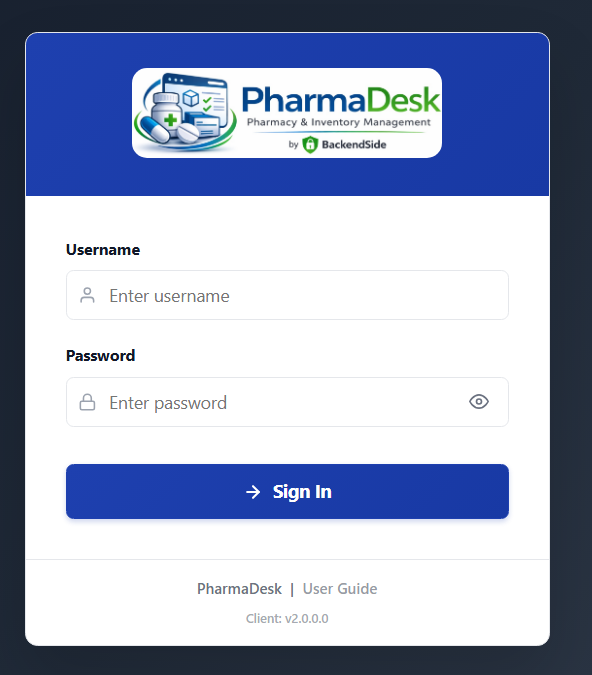
Sign in from any browser on the shop network
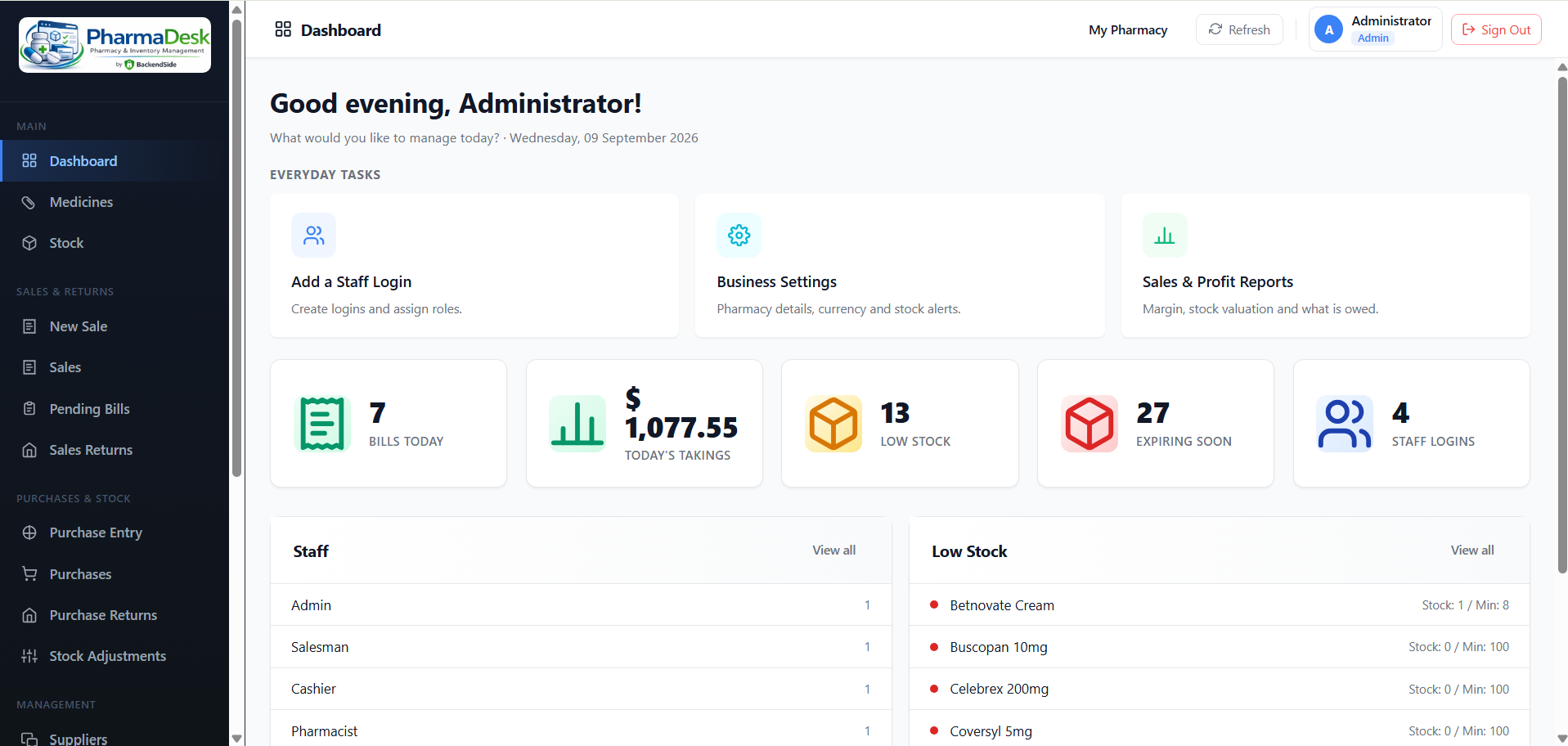
Administrator dashboard — the whole shop at a glance
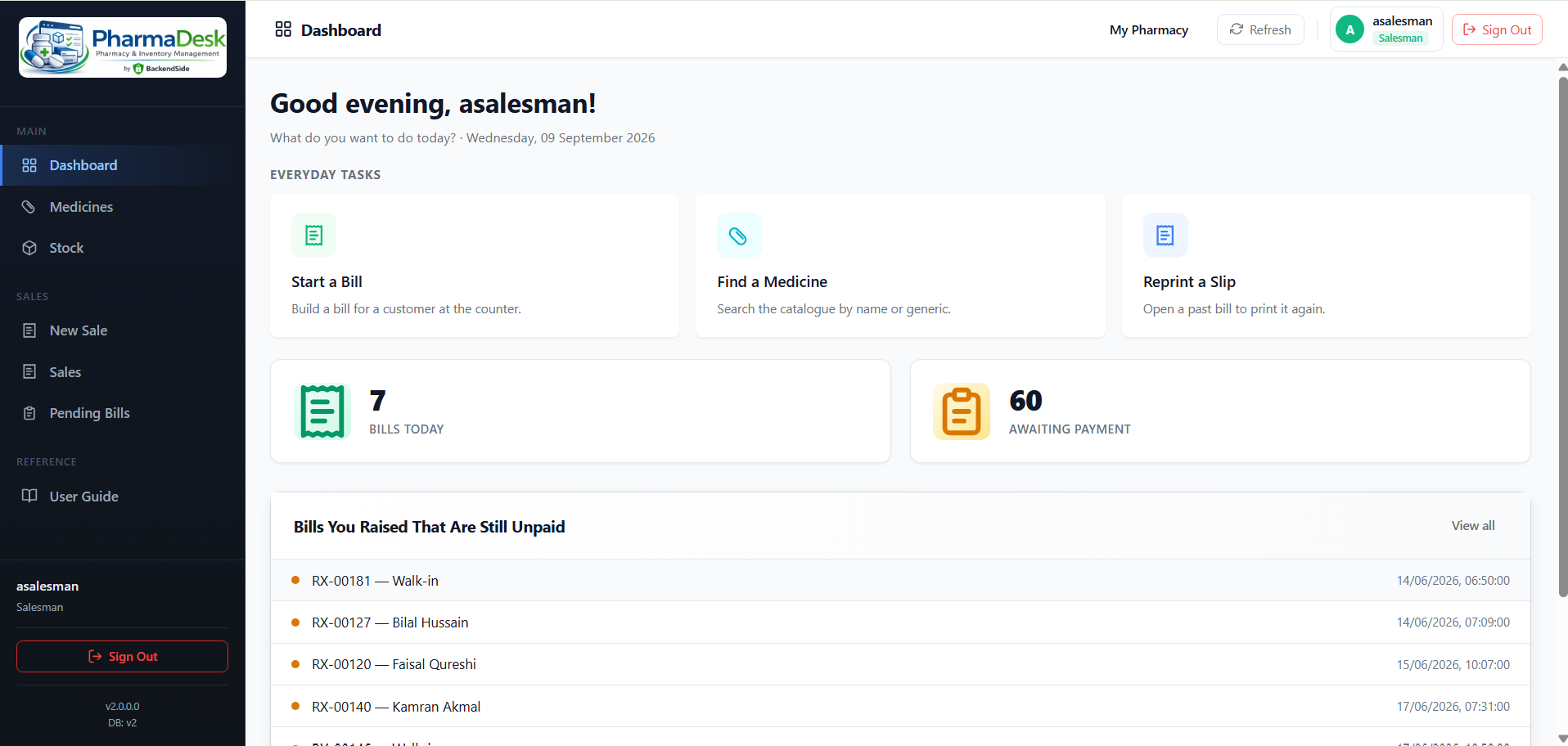
Salesman — start a bill, and see which of yours are still unpaid
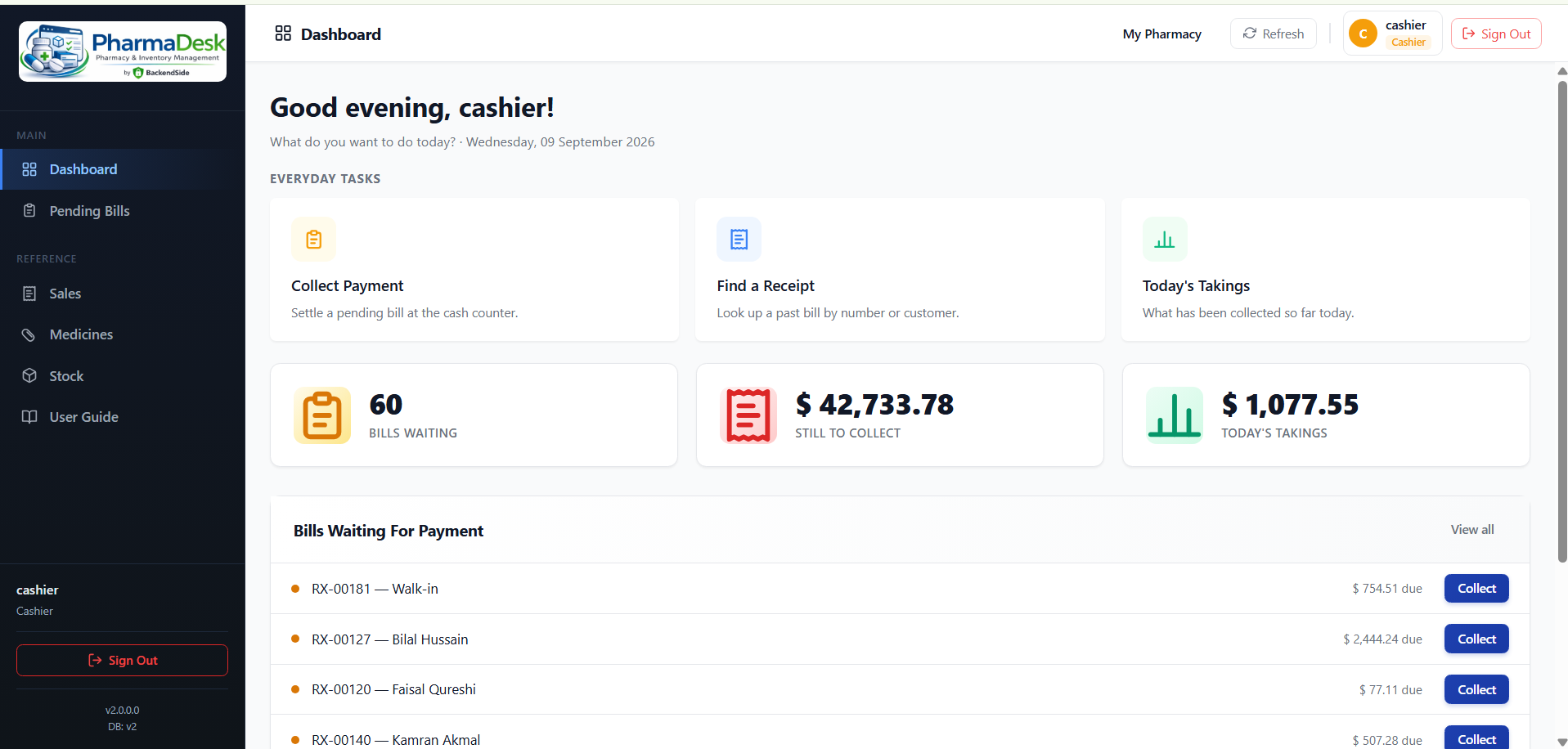
Cashier — the payment queue, with Collect on every row
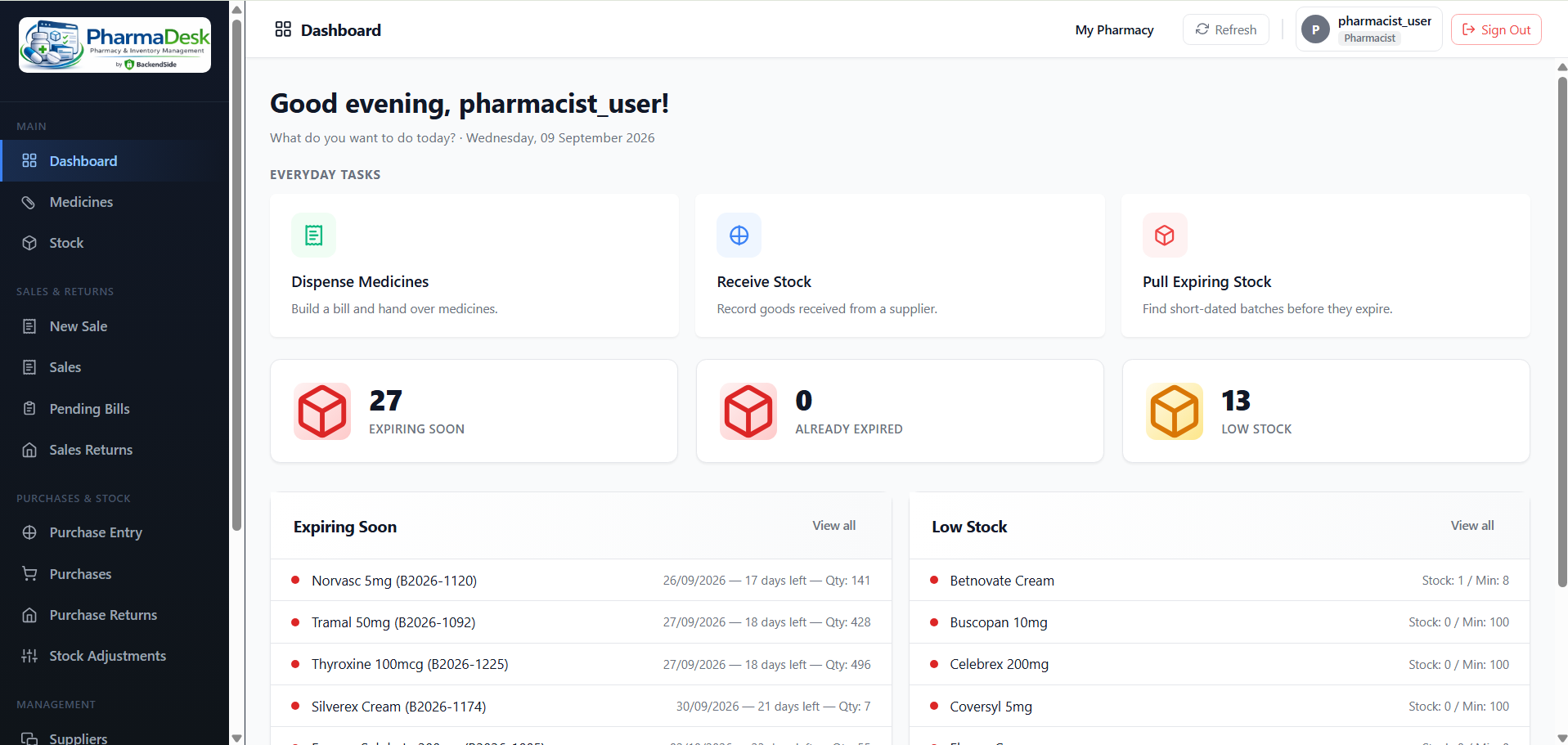
Pharmacist — short-dated batches with the days left on each
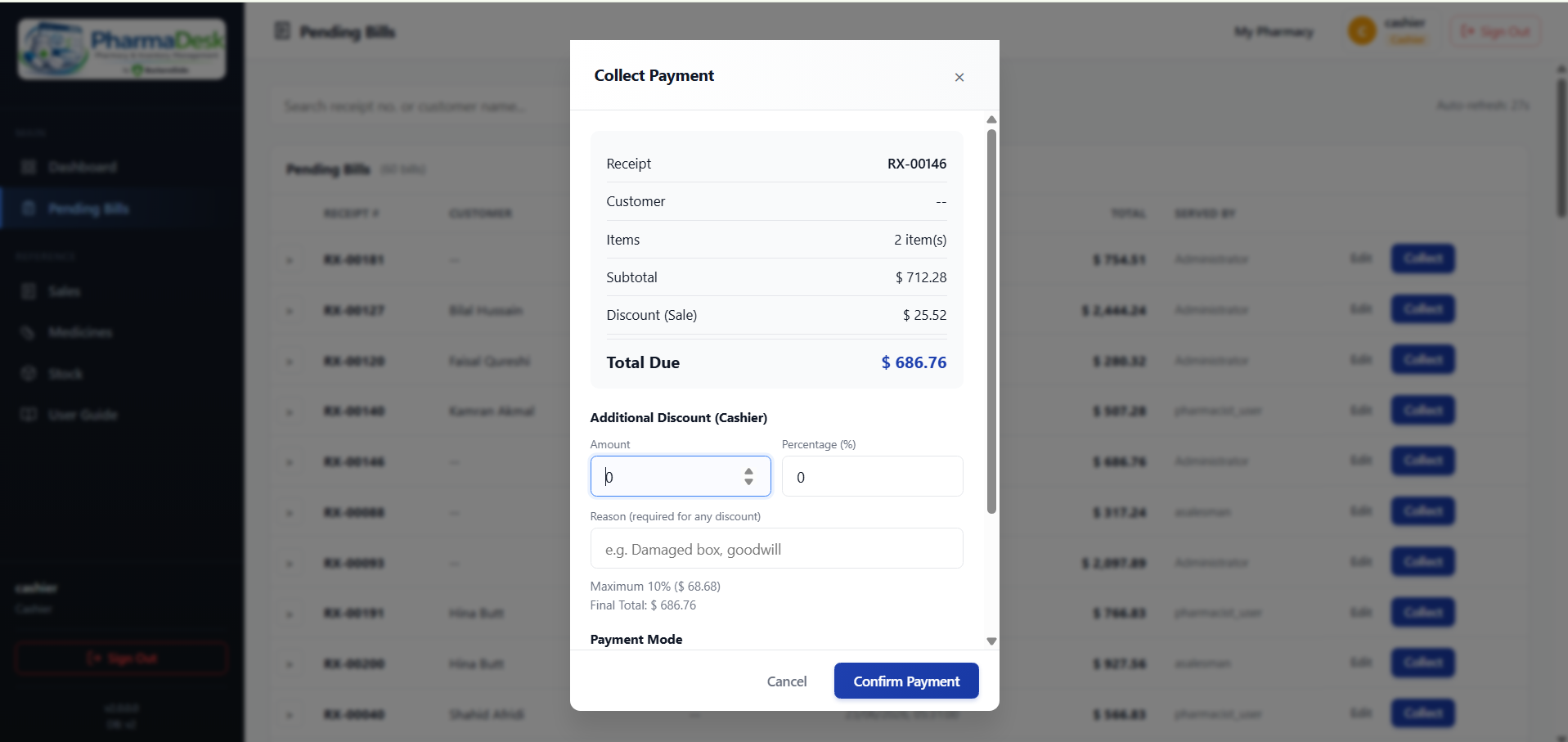
Collect Payment — capped discount, stated reason, payment mode
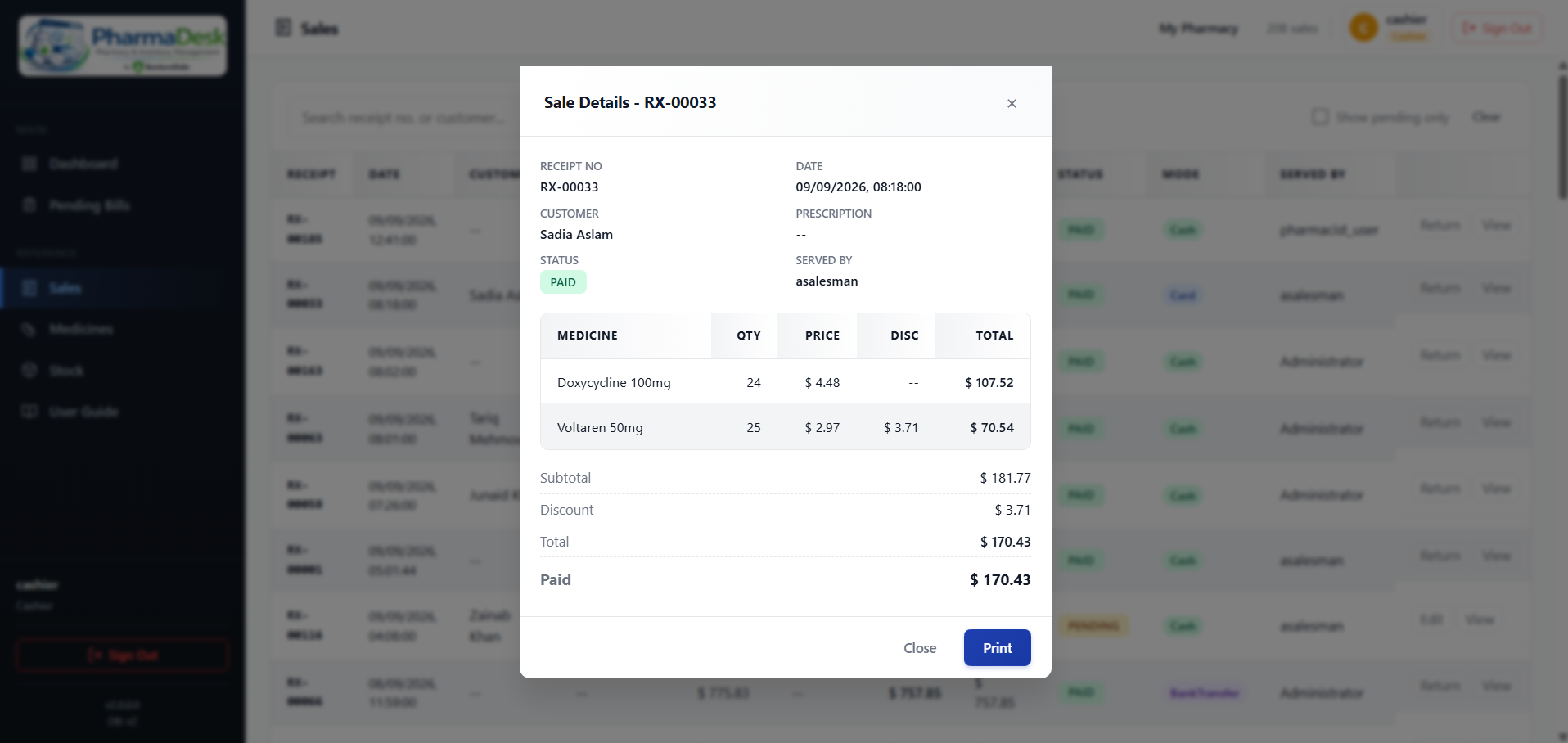
Any past bill — every line, who served it, ready to reprint
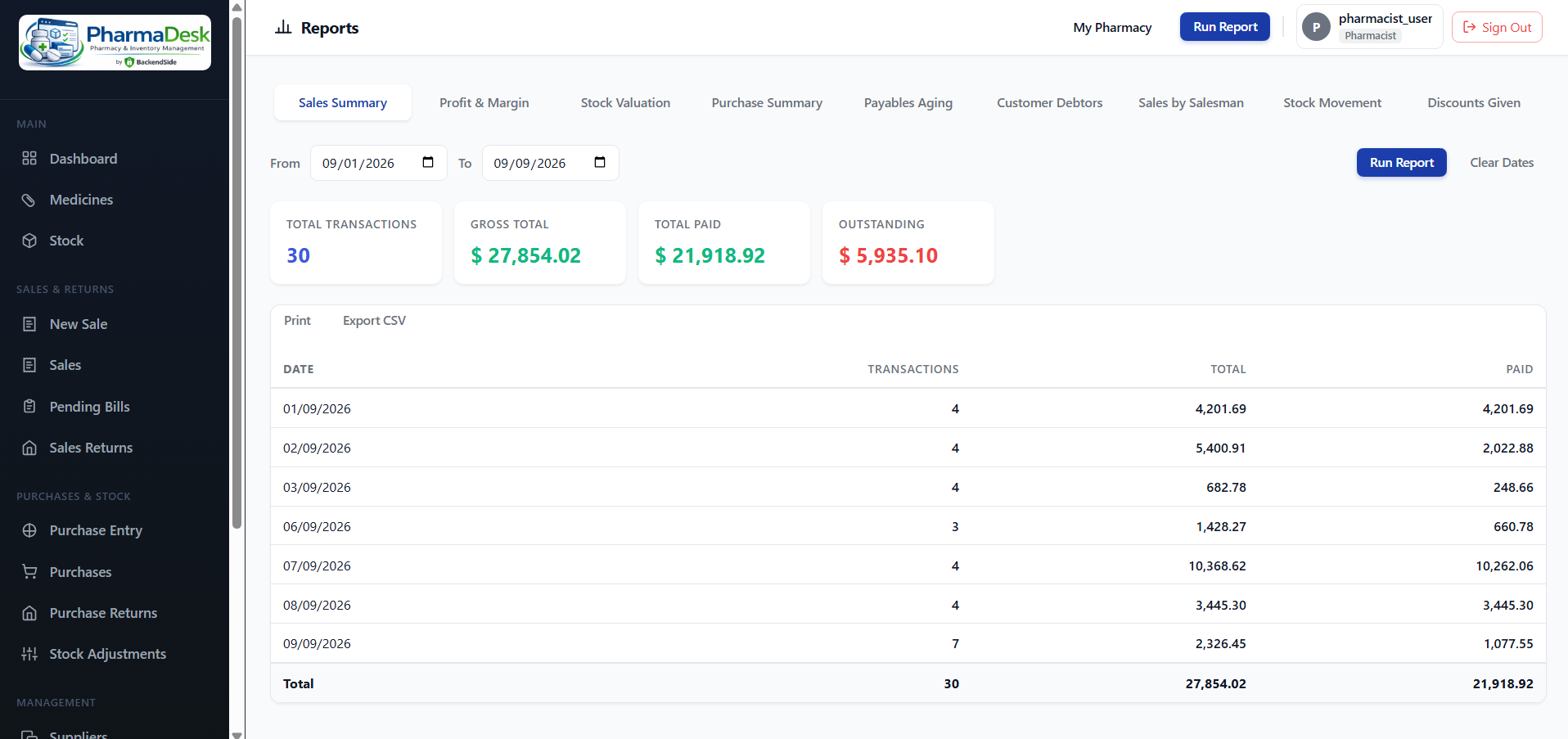
Reports — nine of them, each printable and exportable
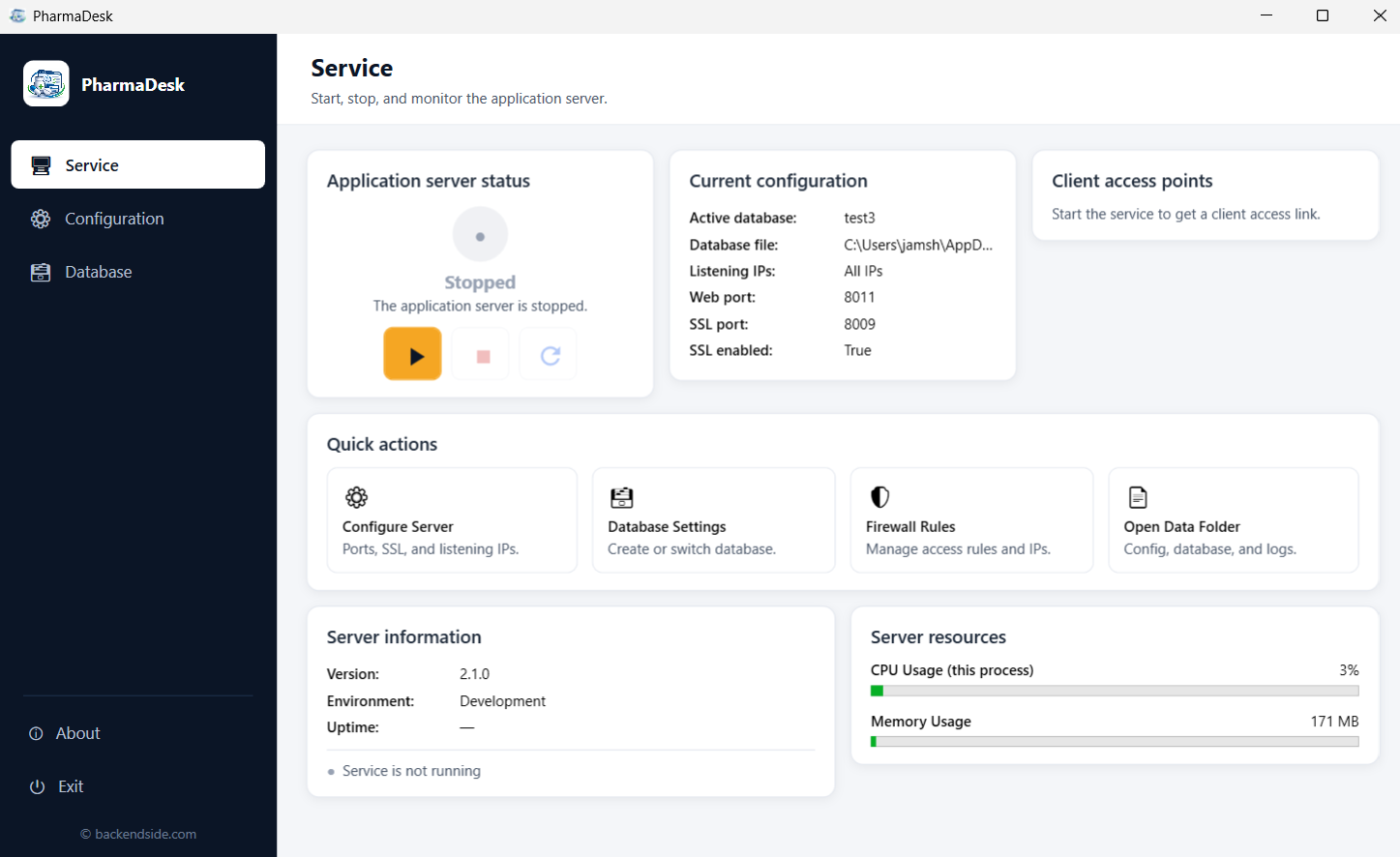
Service — start the server and hand out the address staff will use
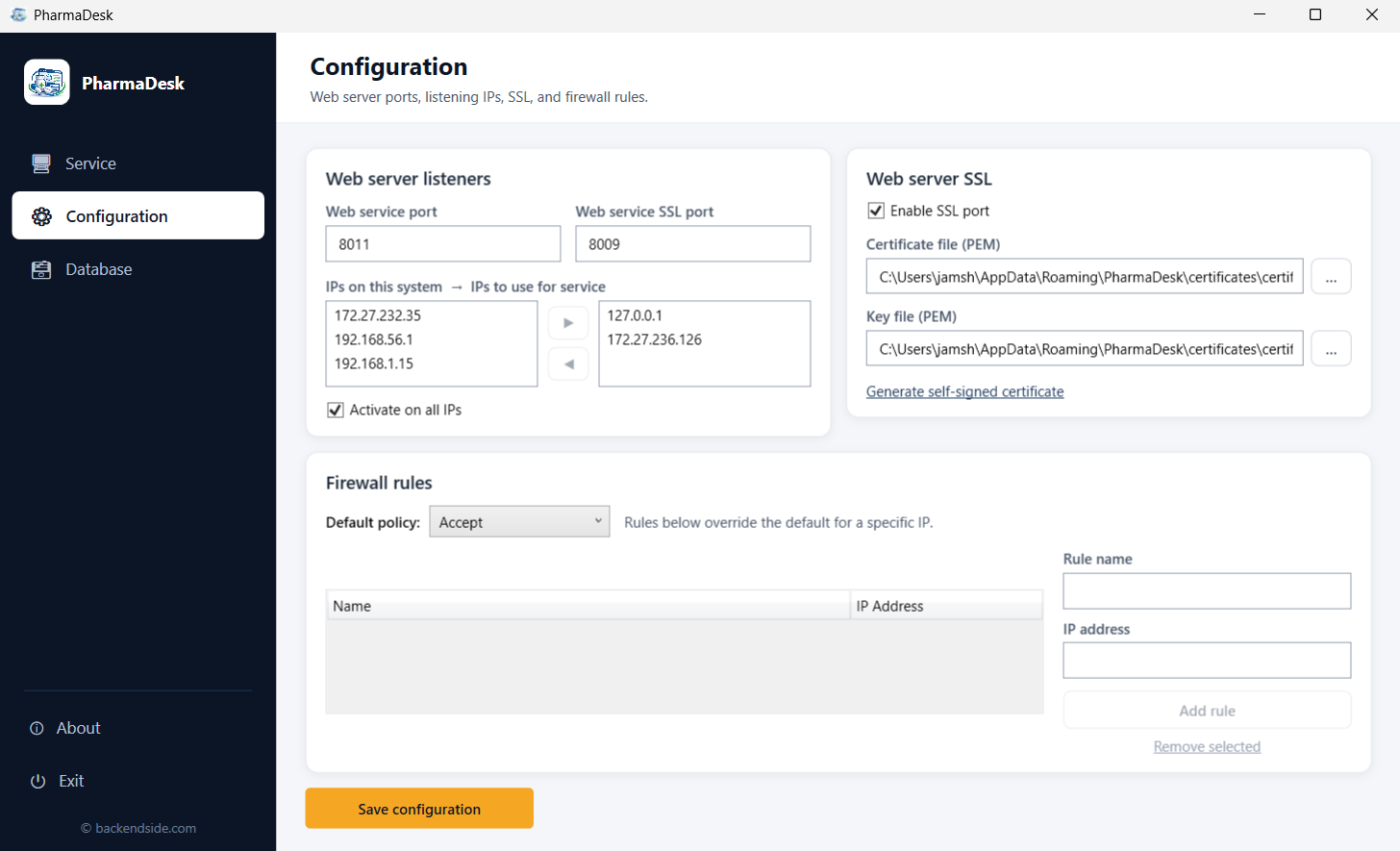
Configuration — ports, listening addresses, HTTPS, firewall rules
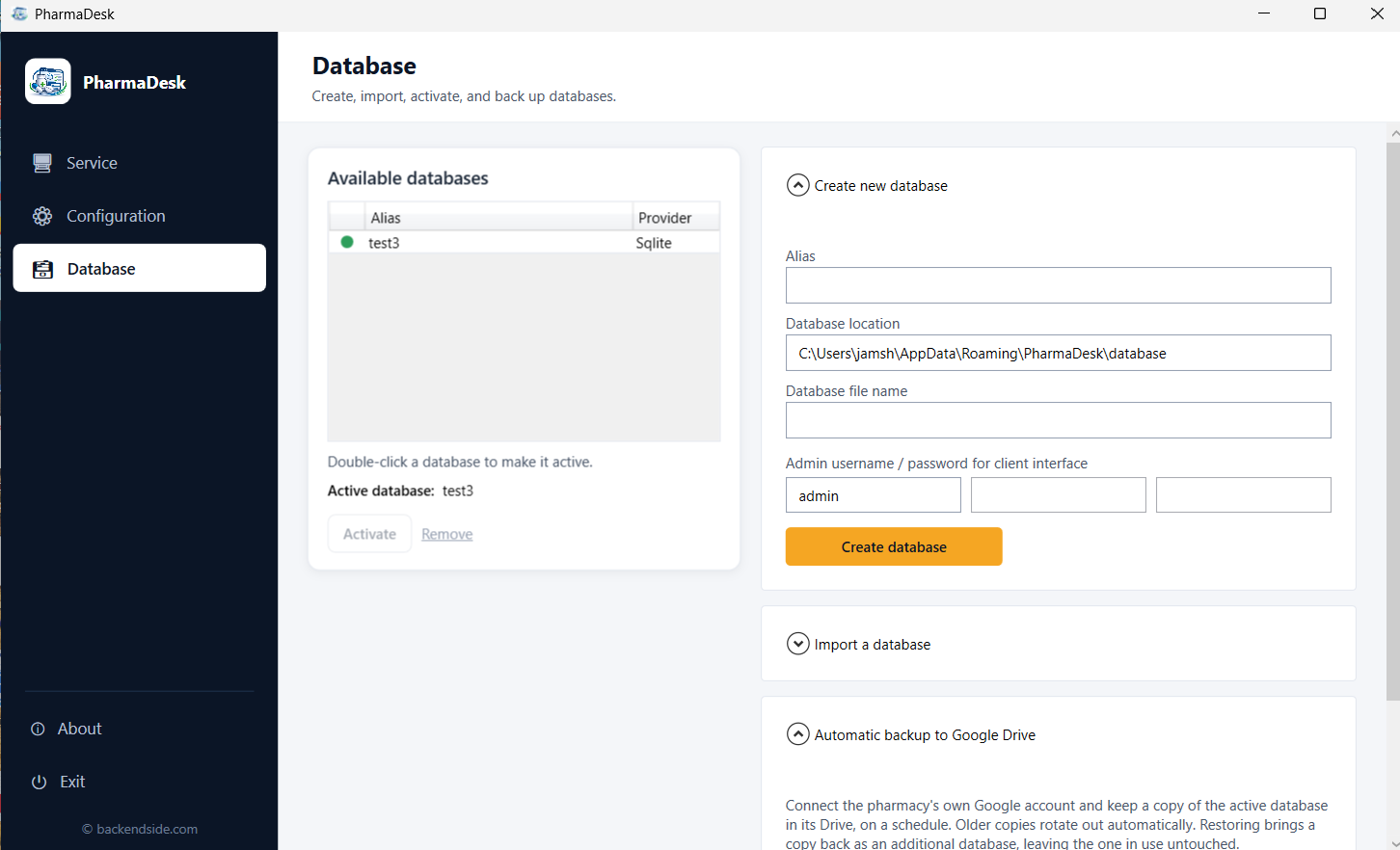
Database — create, import, switch, and set up Drive backup
Latest Release
Version 2.1.0 — September 9, 2026
Automatic backup to your own Google Drive and restore-as-a-copy, a search box on the Sales screen, Collect Payment on each pending bill and a Today’s Takings breakdown, unpaid bills correctable by any counter role — plus case-insensitive search everywhere, working printed slips, and a package that no longer needs a runtime installed first.