
MemoDesk – Visual Notes & Boards for Windows
Visual notes • Ideas • Projects
MemoDesk is a notepad built on a canvas instead of a page. Every tab is a board, and every shape on that board is a small text editor — which turns out to cover a lot of ground: a scratch pad of sticky notes, a project wall with statuses and due dates, a diagram with labelled connectors, or a reference sheet you keep open beside your work. Type past the edge of a shape and it grows to fit rather than refusing the keystroke. And any shape can be pinned to your desktop as a floating note that stays while you work in something else.
Download Version 1.0
Available on the Microsoft Store — free trial included, no subscription, no ads.
Or view the listing at apps.microsoft.com.
Pin a note to your desktop — and it is still the same note
Right-click any shape and pin it, and it lifts out of the board into a small window of its own that floats above your other apps. It is not a copy. Type into the pinned note and the board updates as you type; a single undo in the main window reaches the edit you made on the desktop. Fade a pinned note down to 40% opacity, take it off always-on-top, or make it click-through so it sits there like a heads-up display while your clicks land on whatever is behind it.
Changelog — what's new in each release
Full release notes for MemoDesk, starting with the first public release, 1.0.
View the full changelogUser Guide — every screen, every workflow
Step-by-step walkthrough of MemoDesk — boards and files, shapes and widgets, arranging and linking, properties, filter and search, pinning to the desktop, reminders, export and revision history.
Read the User GuideFeatures
🖉 Shapes You Type Straight Into
Click a tool and click the canvas, or drag to size it. Rectangle, ellipse and triangle, cycling through five soft fill colours so a fresh board is not monochrome. Double-click to edit — and typing past the shape’s size grows the shape, both dimensions together so the proportions hold. The growth and the text change are one step, so a single undo takes back both.
🧩 Six Kinds of Widget
A shape can hold a checklist, a code block with monospaced text, an image, a bookmark with an Open link button, a table with editable headings, or a month calendar you can write a note against each day. A widget is still an ordinary shape — it moves, resizes, groups, snaps, links, takes a style and carries properties like any other.
📌 Pin to Desktop
Lift any shape onto the desktop as a floating window with no title bar and no taskbar button. It is the same shape, so edits flow both ways and undo reaches both. Always-on-top, opacity down to 40%, and click-through are all per note. Minimise MemoDesk to the notification area and your pinned notes stay on screen.
🔗 Links That Reroute Themselves
Connect two shapes and both ends attach to the shape rather than to a fixed point, so links reroute as you move or resize things — there is nothing to reconnect. Three routings (straight, bezier, orthogonal), three arrow styles, and a label you type by double-clicking the link itself.
📏 Arranging & Grouping
Align six ways and distribute along either axis. Drag or resize and edges and centres snap to nearby shapes with a dashed guide showing the line being matched — measured on screen, so snapping feels identical at any zoom. Grouping parents shapes under the front-most one, so a group is still a normal shape you can edit, style and collapse.
🏷️ Properties on Every Shape
Title, description, status (free-form, so a board defines its own workflow), priority, due date, reminder, tags, an accent colour drawn as a strip across the shape’s top edge, and any number of your own custom fields. Changes commit when you leave a field — one undo step per commit, not one per keystroke.
🔍 Filter One Board, Search Them All
Filter by text, status, minimum priority and tags — and shapes that do not match are dimmed, not hidden, because on a canvas where something sits is part of what it means. Search reaches every board this installation has opened or saved, from memory for open ones so unsaved edits are findable. Both read inside checklists, tables, code blocks and bookmarks.
📜 The Outline Panel
The board as a tree, nested by group. Each row shows the shape’s name — its title, else its first line, else what kind of shape it is — with its status beside it and a coloured pip for Medium priority and above. Click a row to select that shape and scroll the canvas to it.
⏰ Reminders
Give a shape a date and a time and MemoDesk tells you when it arrives, through a notification from the tray — clicking it opens the board and takes you to the shape. Pick a date and leave the time empty and the reminder is for 9am; the line under the field always says which moment will be used.
🎨 Styles, Backgrounds & Formatting
Four shape presets — Default, Sticky Note, Glass Card and Neon Outline. Bold, italic, font size from 4 to 300, text colour and alignment, applied to every selected shape as one undo step. Board backgrounds can be solid, gradient, dots, grid or an image, and the background belongs to the board rather than the app theme, so a light board stays light in dark mode.
🖨️ Export & Print
Export the board as a PNG image, print it, or send it to PDF. Always the whole board at full detail, no matter where the canvas is scrolled or how far out you are zoomed — the background comes along, the selection outline does not. Printing scales down to fit the page but never blows a small board up past its real size.
💾 One File, With Its Own History
A board is a single .memodesk file you save wherever you like — and every save adds a revision inside it. Browse them and restore one; restoring never deletes anything, so you can always go forward again. Images are embedded in the file, so a board keeps working after you move or delete the original picture.
📂 Templates & Tabs
Start from an empty canvas or from a Kanban board, weekly planner or brainstorm map — a template is only a head start, giving you ordinary shapes to change or delete. Boards open in tabs, and MemoDesk reopens the ones you had open when you last closed it. Launching it again focuses the existing window instead of opening a second copy.
🔒 Offline & Private
MemoDesk contains no networking code at all — it cannot send your writing anywhere, because there is nothing in it that opens a connection. No account, no sign-in, no sync, no cloud, no telemetry. Light and dark themes that follow Windows, a Mica title bar on Windows 11, per-monitor DPI awareness, and a notification-area icon.
Two things worth knowing
- Reminders are announced while MemoDesk is running, with the board open — minimised to the notification area is fine. A reminder on a closed board, or with the app shut down, will not interrupt you.
- PDF export goes through Windows’ own PDF printer, so the text in the PDF is a picture rather than something you can select. PNG export and printing are direct.
Screenshots
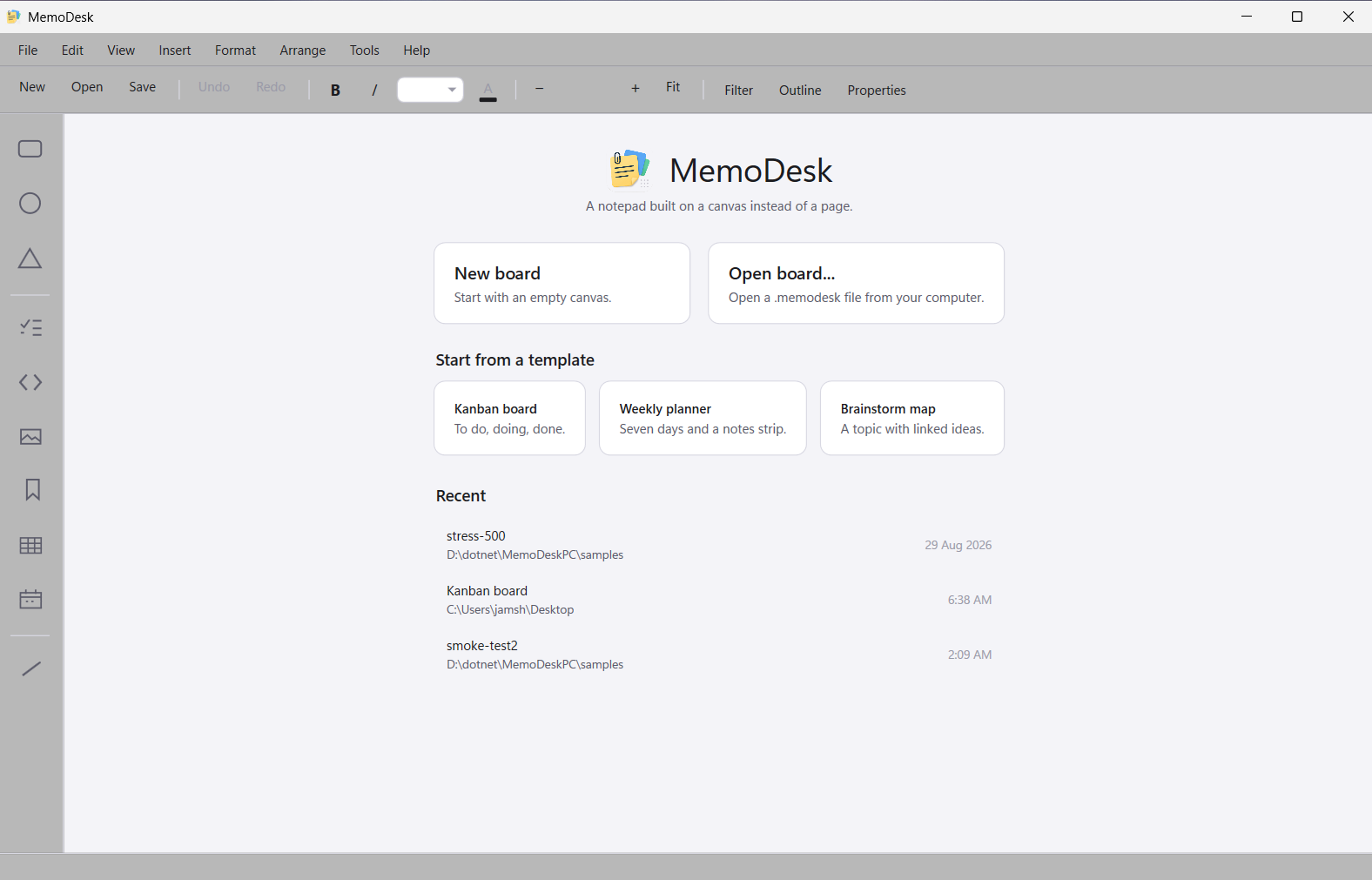
Start screen — templates and recent boards
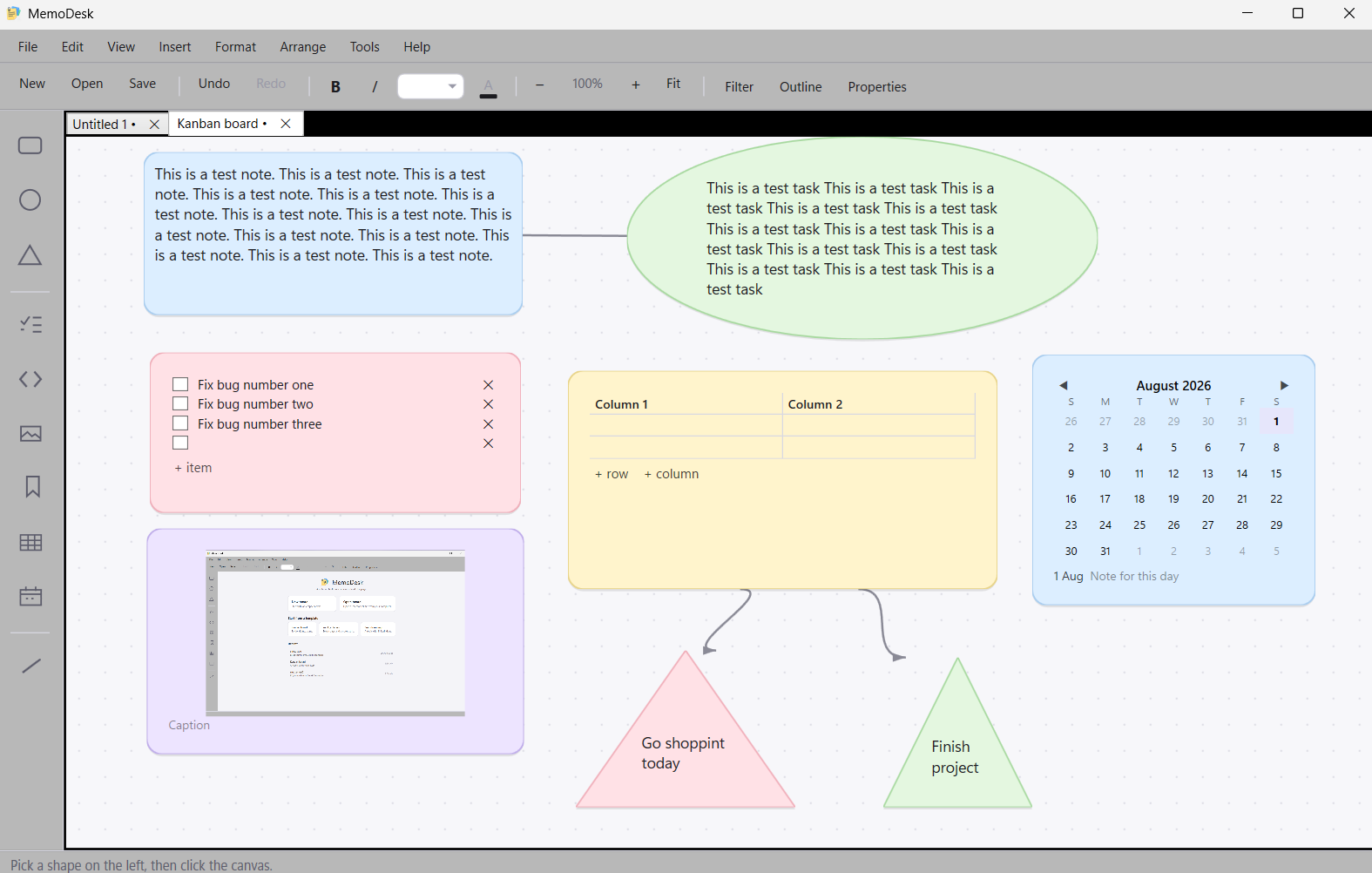
One board, many kinds of shape — text, checklist, table, image, calendar
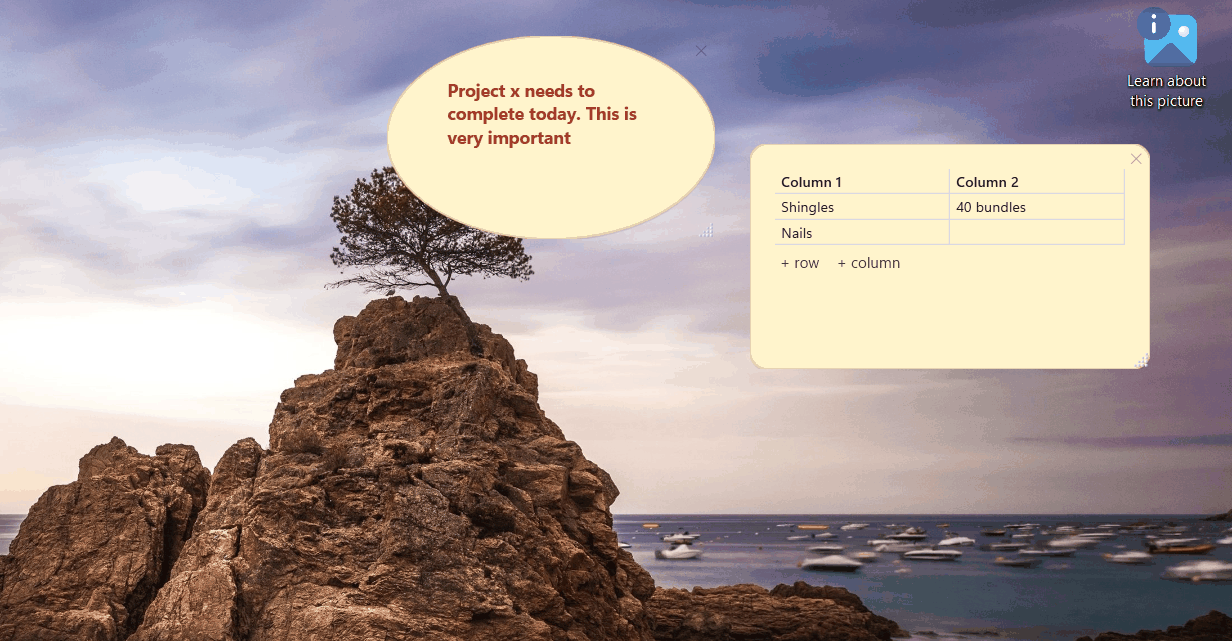
Notes pinned to the desktop, floating above everything else
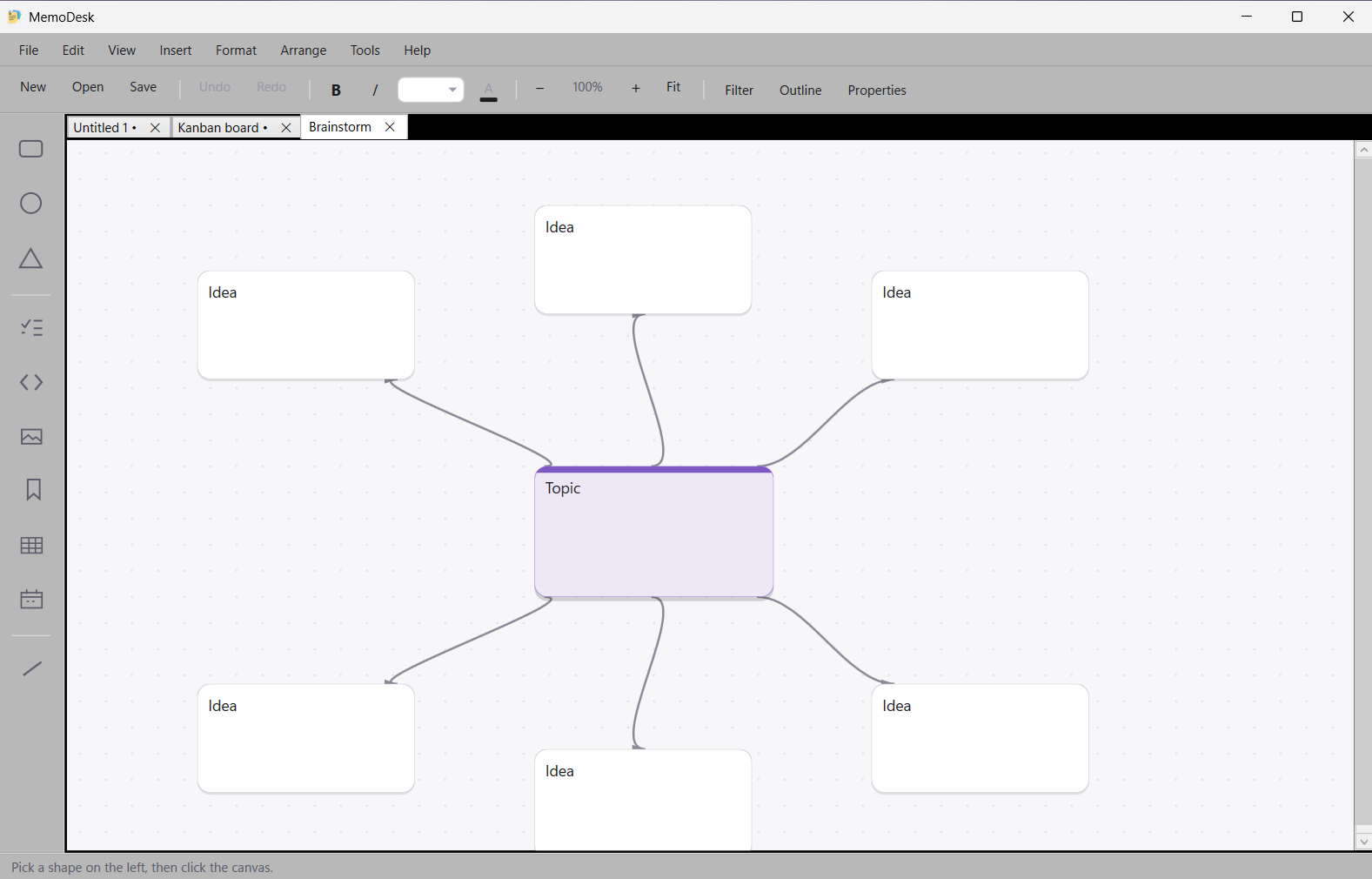
The brainstorm map template — a topic and its linked ideas
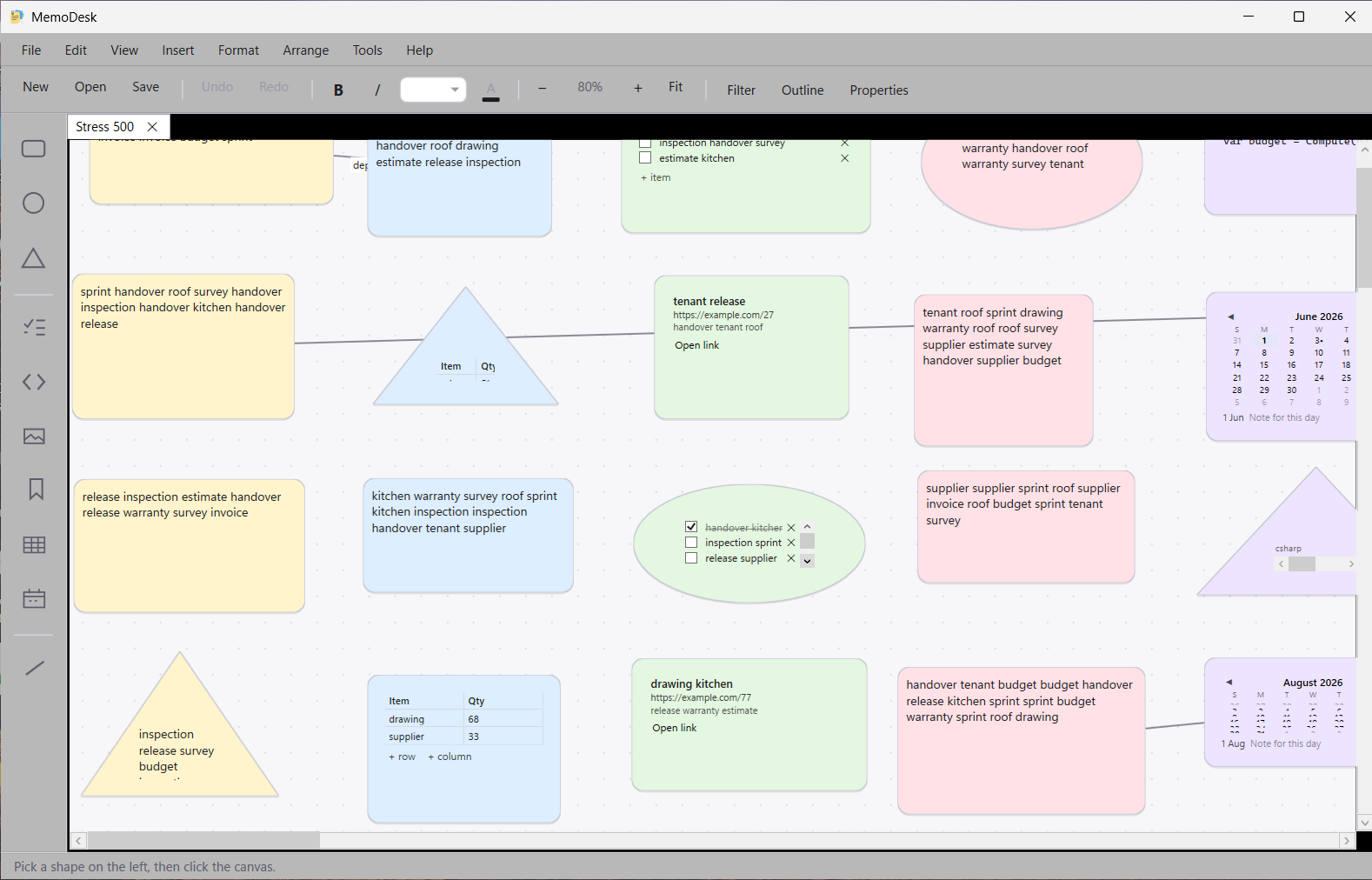
A big board at 80% — zoom runs from 10% to 400%
Also on Android
MemoDesk for Android is a separate app with its own approach — text notes, checklists, voice memos and images, kept on your device. It is not a companion to the Windows app: the two do not share boards or sync with each other.
View on Google PlayLatest Release
Version 1.0 — August 30, 2026
The first release. Boards of shapes you type straight into, six kinds of widget, pin-to-desktop notes that stay the same shape, self-rerouting links, grouping and snapping, properties with filter and cross-board search, reminders from the tray, PNG / print / PDF export, three templates, and per-board revision history — all entirely offline.