
BackendSide DailyAccounts – Double-Entry Accounting Software for Windows
Proper double-entry books that anyone in the office can keep. DailyAccounts runs as a server on one Windows machine and serves everyone else through a browser — over the local network, or from a VPS for staff who are not in the building. There is no cloud account in the middle: the database is a file you own, on a machine you control.
DailyAccounts 3.4
For Windows 10 (1809) and Windows 11 — no subscription, no ads. Upgrading from 3.0 is automatic: the app takes a timestamped backup beside your database, migrates it, and leaves every account, entry, user and report exactly as it was.
Features
💬 Receive Money, Spend Money, Transfer
Three guided screens that ask what happened rather than what to debit. One payment can be split across several categories. Transfers between your own accounts are kept deliberately separate from income and expense, so moving cash to the bank never overstates both. Each screen will show you the accounting entry it is about to make, if you want to see it.
📒 Full Double-Entry Journal
Accountant Mode gives you the entry grid: CV, DV and JV vouchers, any number of lines, DR or CR per line, with running debit, credit and still-to-match totals. An entry cannot be posted until it balances, and Fill the difference closes the gap on the line you are on.
🗂️ Chart of Accounts
A searchable tree of assets, liabilities, equity, income and expenses, with account code, type, normal balance, cash-flow section and current debit/credit/net balance on every account. Ready-made Generic, Retail and Services charts get a new company started in a minute.
👤 Customers & Suppliers
Record who a transaction was with, so “how much has this customer paid us?” is a question with an answer. Everyone can read the list; editing it takes a permission. Each party has a statement of everything you have done with them.
📎 Receipt Attachments
Attach an image or a PDF to any entry — including one already posted, because paper usually arrives after the entry does. Attachments live inside the database file itself, so a backup carries the evidence with it. Only an administrator can remove one.
🔒 Posted Entries Cannot Be Altered
Immutability is enforced by the database, not merely by the application: rules inside the file refuse any attempt to delete or edit a posted entry or its lines. The supported correction is a reversal — a mirror-image entry written as a draft you check and post. The original is never touched.
🕓 Entry History & Document Numbers
Every entry carries a per-type, per-year reference such as CV-0087 that you can quote to a colleague, and a history panel showing what has happened to it and who did it. Historical entries were numbered in creation order, so old references are real rather than blank.
📊 Five Financial Reports
Trial Balance, Balance Sheet, Income Statement, Cash Flow and General Ledger — each filterable by fiscal year and date range, and all five agreeing on every figure to the cent. The Trial Balance shows gross debit, gross credit and net balance per account, with a balanced indicator on the totals.
💾 Automatic Backup to Your Own Google Drive
A backup on the same computer does not survive the computer. Connect a Google account once and DailyAccounts keeps a copy of the live database in your Drive — hourly, daily, weekly or monthly. A backup missed because the machine was switched off runs shortly after the app next starts, rather than being skipped until next week.
↩️ Restore Without Risk
The restore list shows what is actually in your Drive — when each backup was taken and how big it is. A restored backup is added as a new database; the one you are working in is untouched, so you can restore a backup and look at it before deciding anything. You choose how many to keep, and the newest is never deleted.
🗃️ Many Companies, One Installation
Each company is an independent database file. Create as many as you need, keep them wherever you like — including a network drive — and switch between them from the Database tab. Import brings in a database from another machine, taking a proper consistent copy so nothing recent is lost in transit.
📅 Fiscal Years
Define your accounting years, keep more than one open while you finish the previous one, and close a year when it is done. Every entry is stamped with the year it belongs to, and every report is scoped to it.
👥 Multi-User with Real Permissions
Each person signs in with their own account, and each capability — posting, managing accounts, editing customers and suppliers, administering users — is granted separately. Disabling someone or changing their permissions takes effect immediately: sessions already open are invalidated rather than left running.
🌐 Browser Access over LAN or the Internet
The server hosts the whole application. Staff open it in a browser on any machine on the network; put it on a VPS and they can reach it from anywhere. Choose which network addresses to listen on, turn on HTTPS, generate a self-signed certificate, and add per-address firewall rules — all from the admin window.
⌨️ Saved Transactions & Command Palette
Recall a frequently used entry with one click — saved transactions are kept outside the ledger, so they can never be counted in a report. Ctrl-K opens a command palette that jumps to any screen or action, and a first-run wizard sets up a brand-new company without a manual.
🛡️ Your Data Stays Yours
No cloud service, no account with us, no telemetry. Database, configuration and certificates live in %APPDATA%\DailyAccounts and are never touched by an application update. The Google Drive connection, if you use one, is stored encrypted to your Windows account and backs up to your Drive.
Screenshots
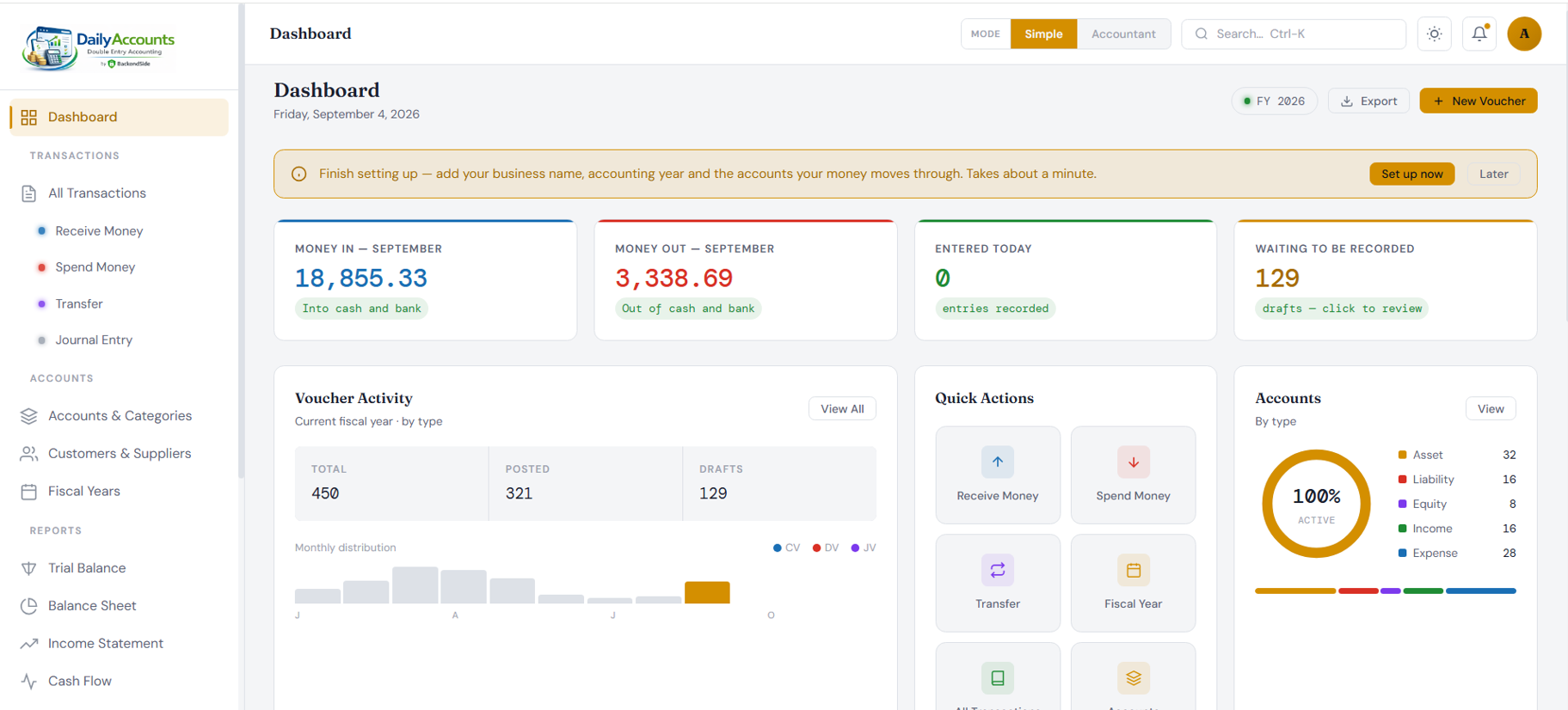
Dashboard — money in, money out, and what is still waiting
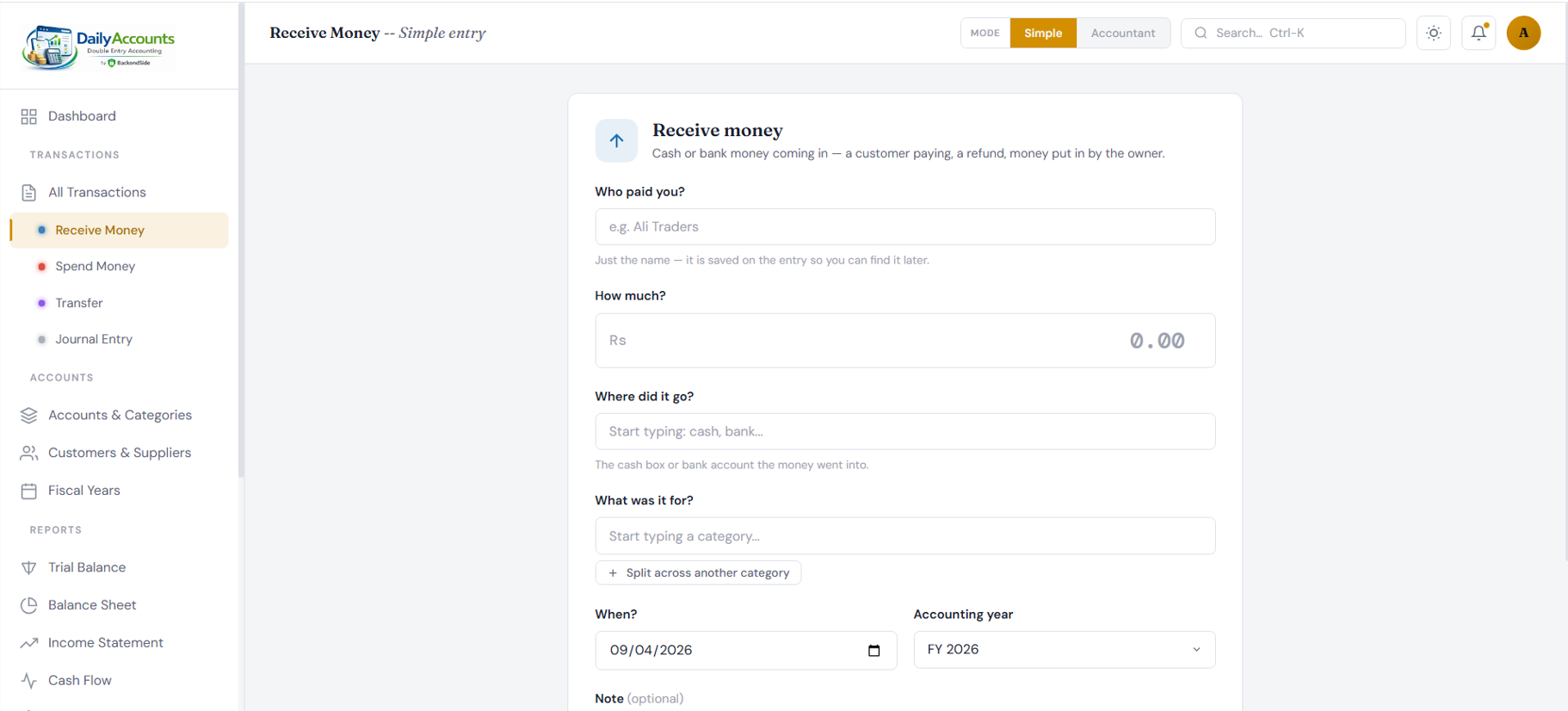
Receive Money — ordinary questions, correct double-entry
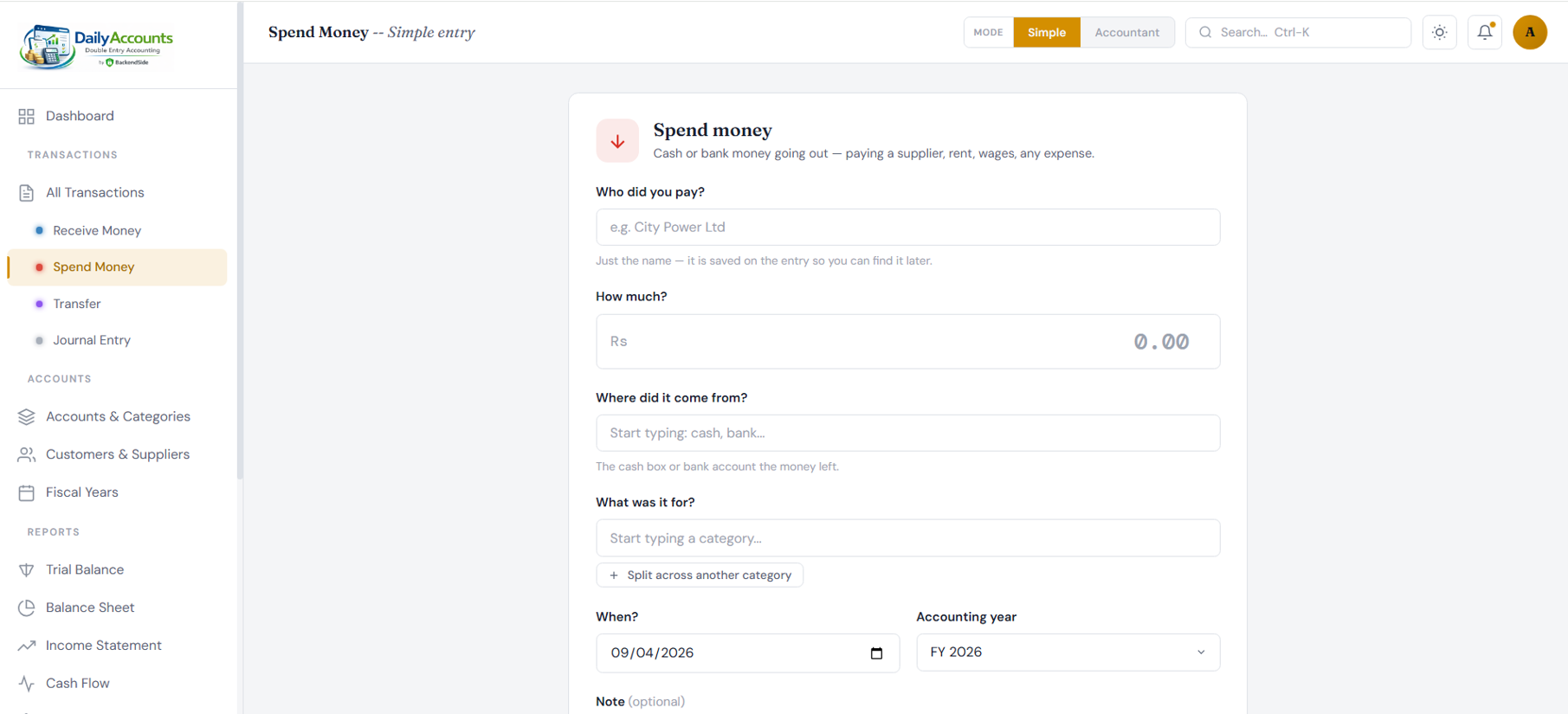
Spend Money — one payment, split across categories if you need
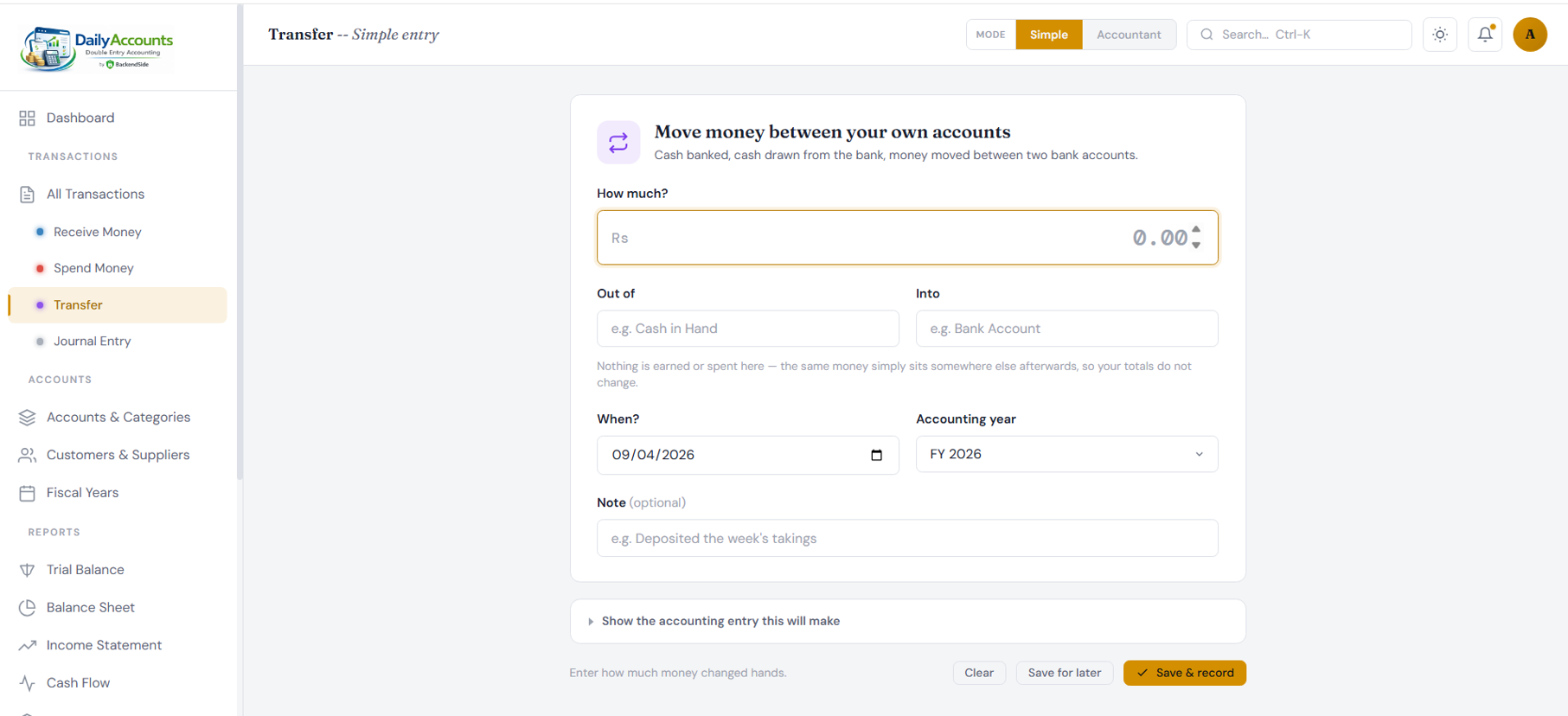
Transfer — your own accounts, kept out of income and expense
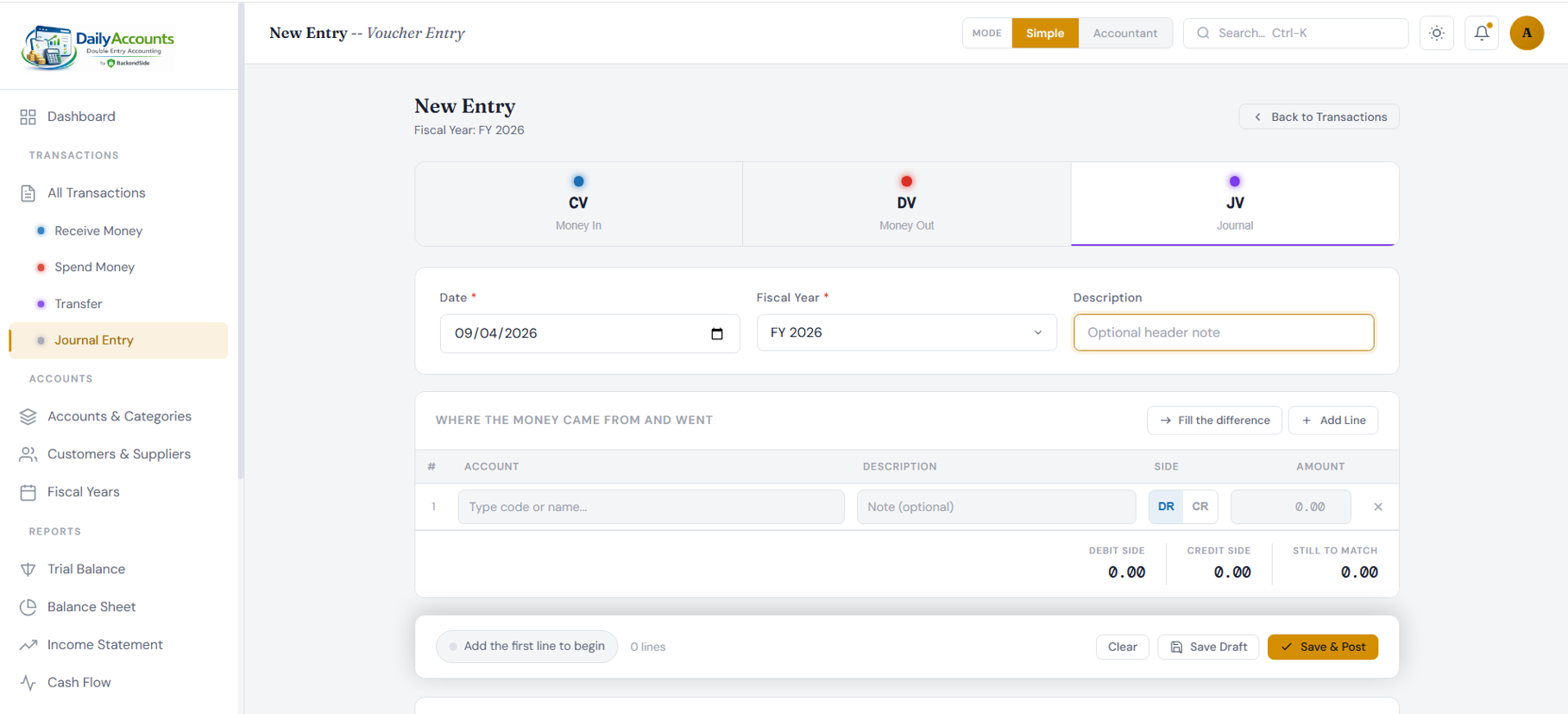
Voucher entry — the journal grid, with the balance kept in view
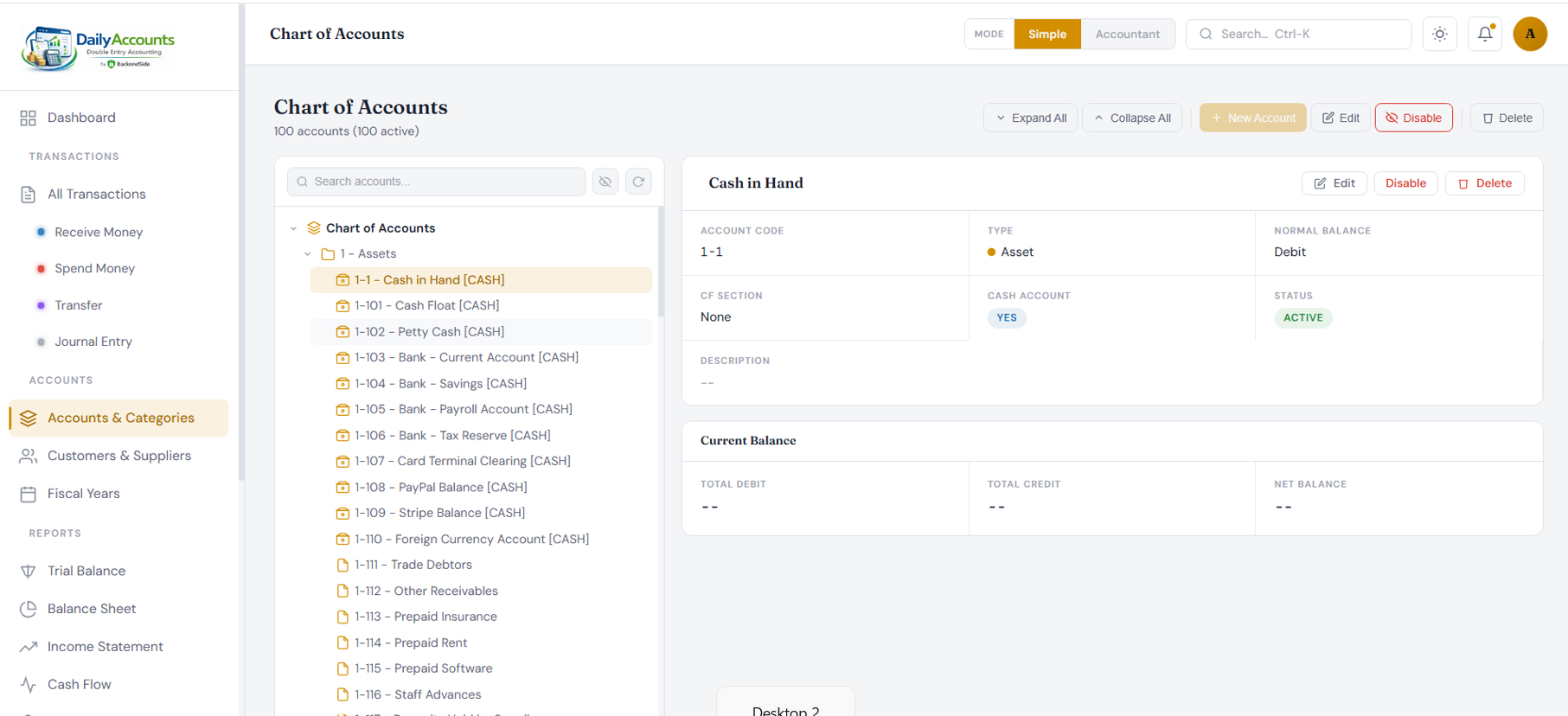
Chart of Accounts — the whole tree, and one account in detail
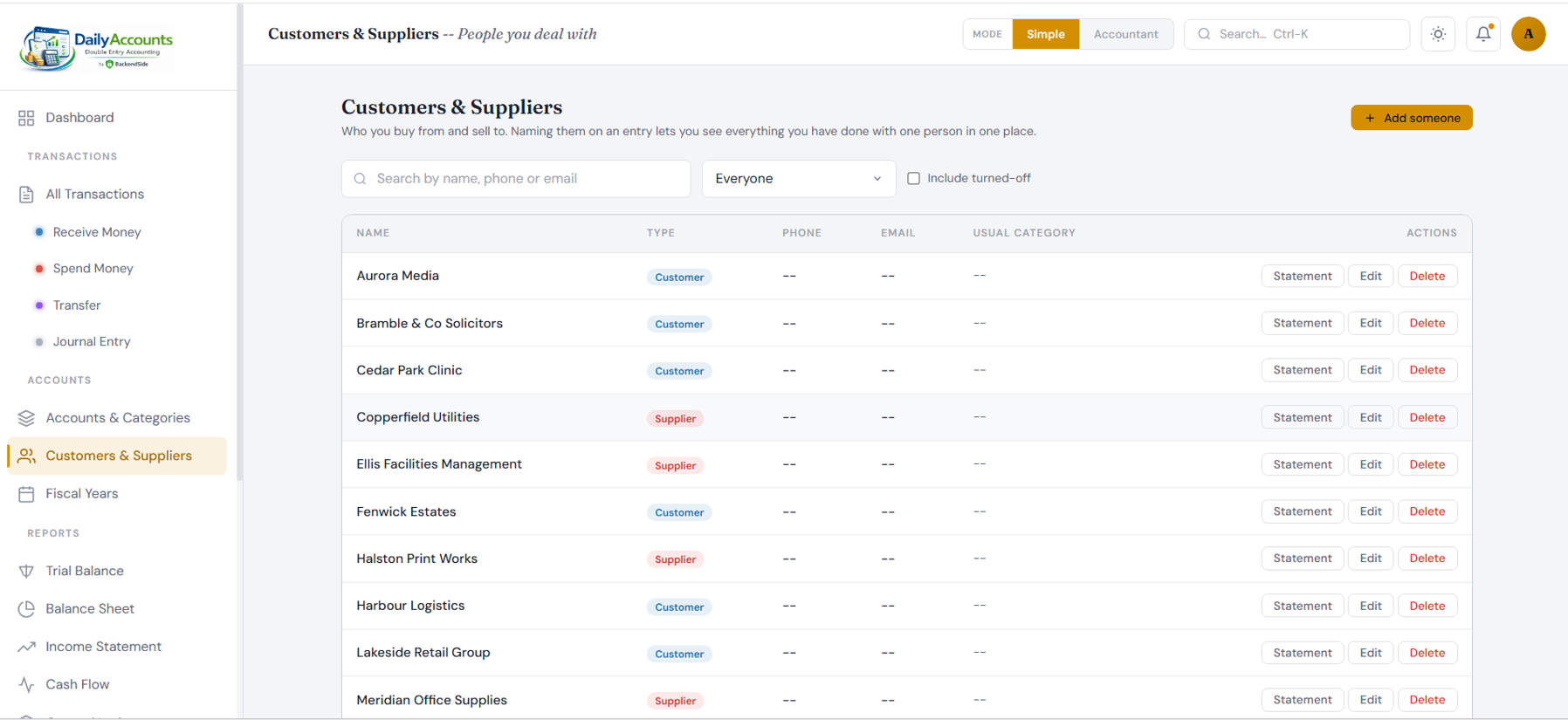
Customers & Suppliers — everything done with one party, in one place
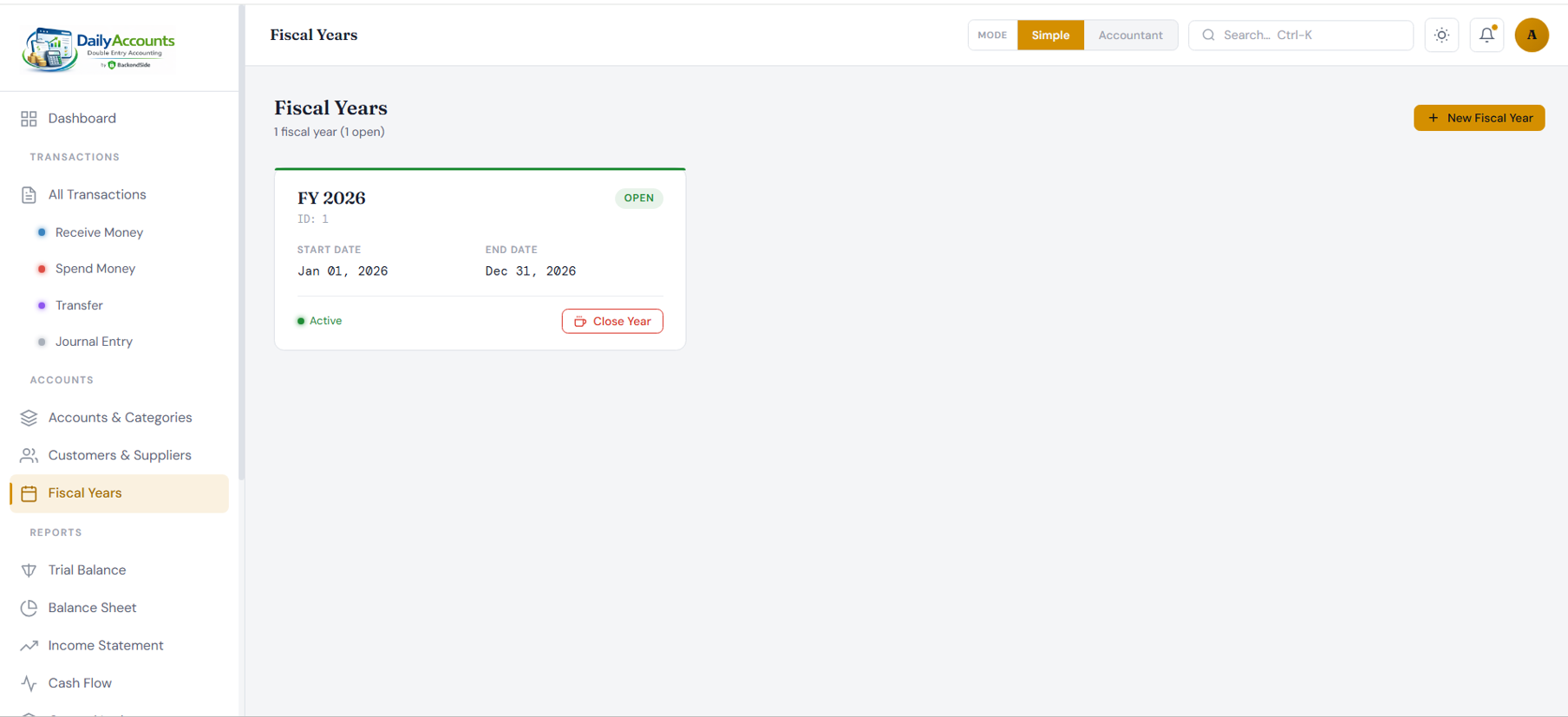
Fiscal Years — open, active, and closed when the year is done
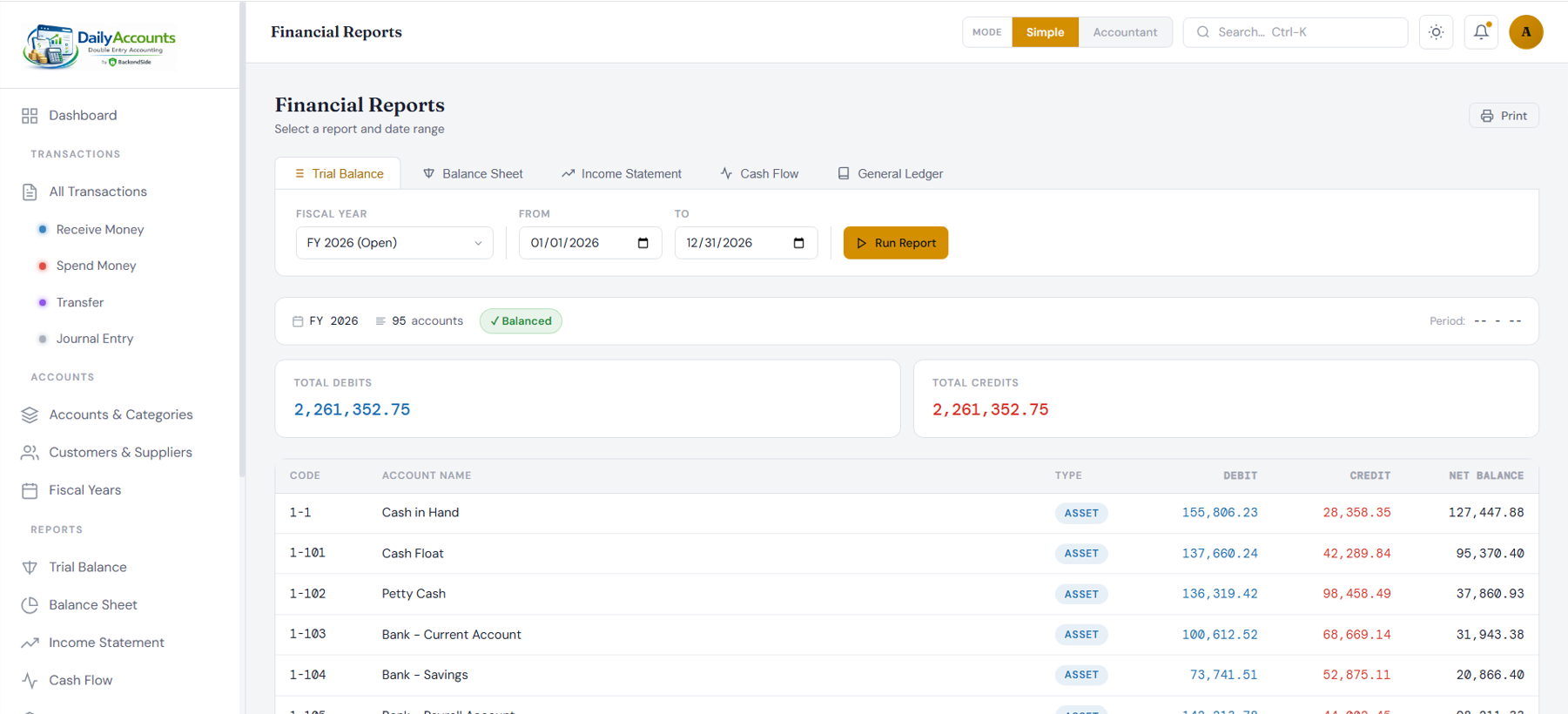
Reports — Trial Balance, Balance Sheet, Income Statement, Cash Flow, General Ledger
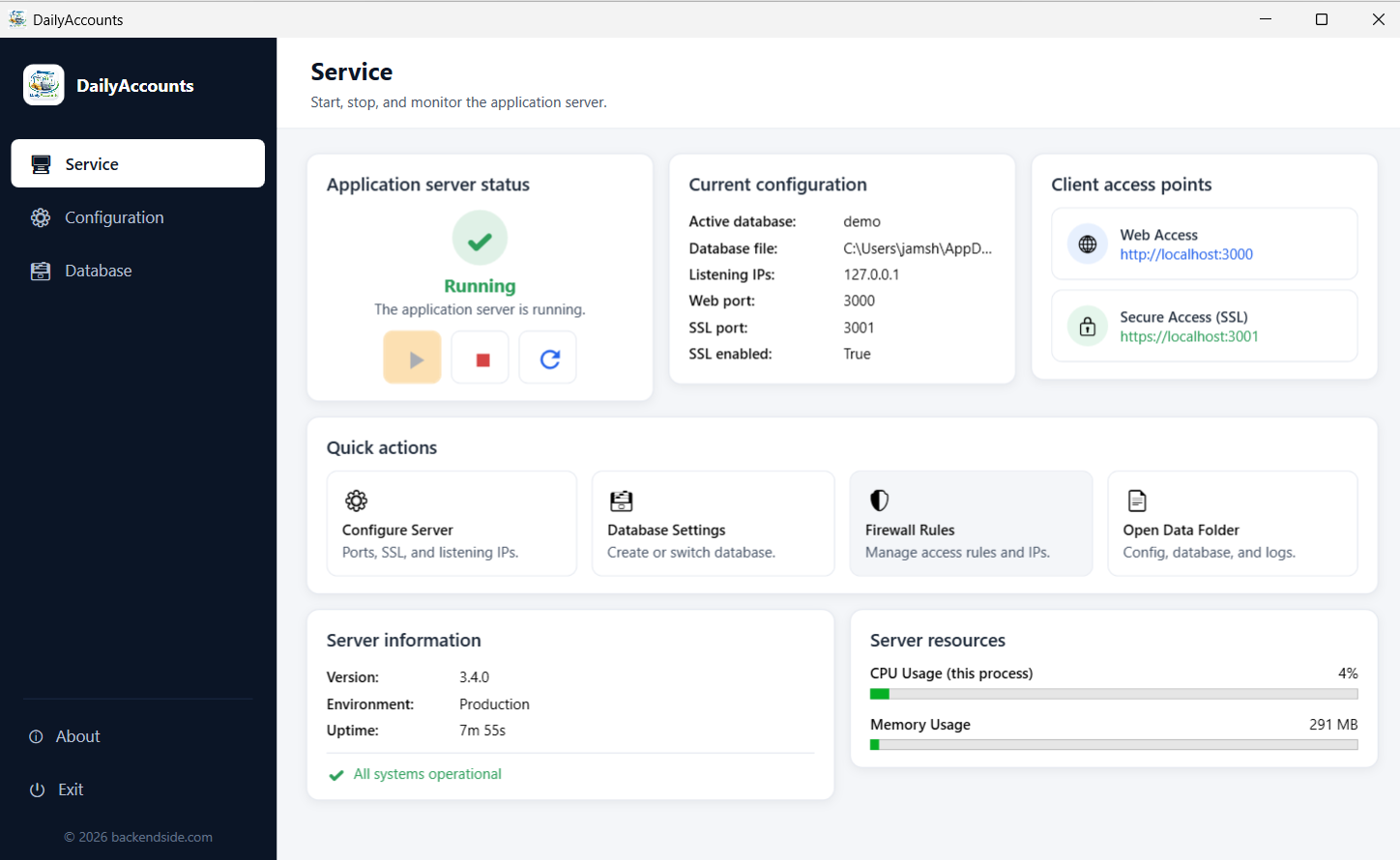
Admin — start the server and hand out the address staff will use
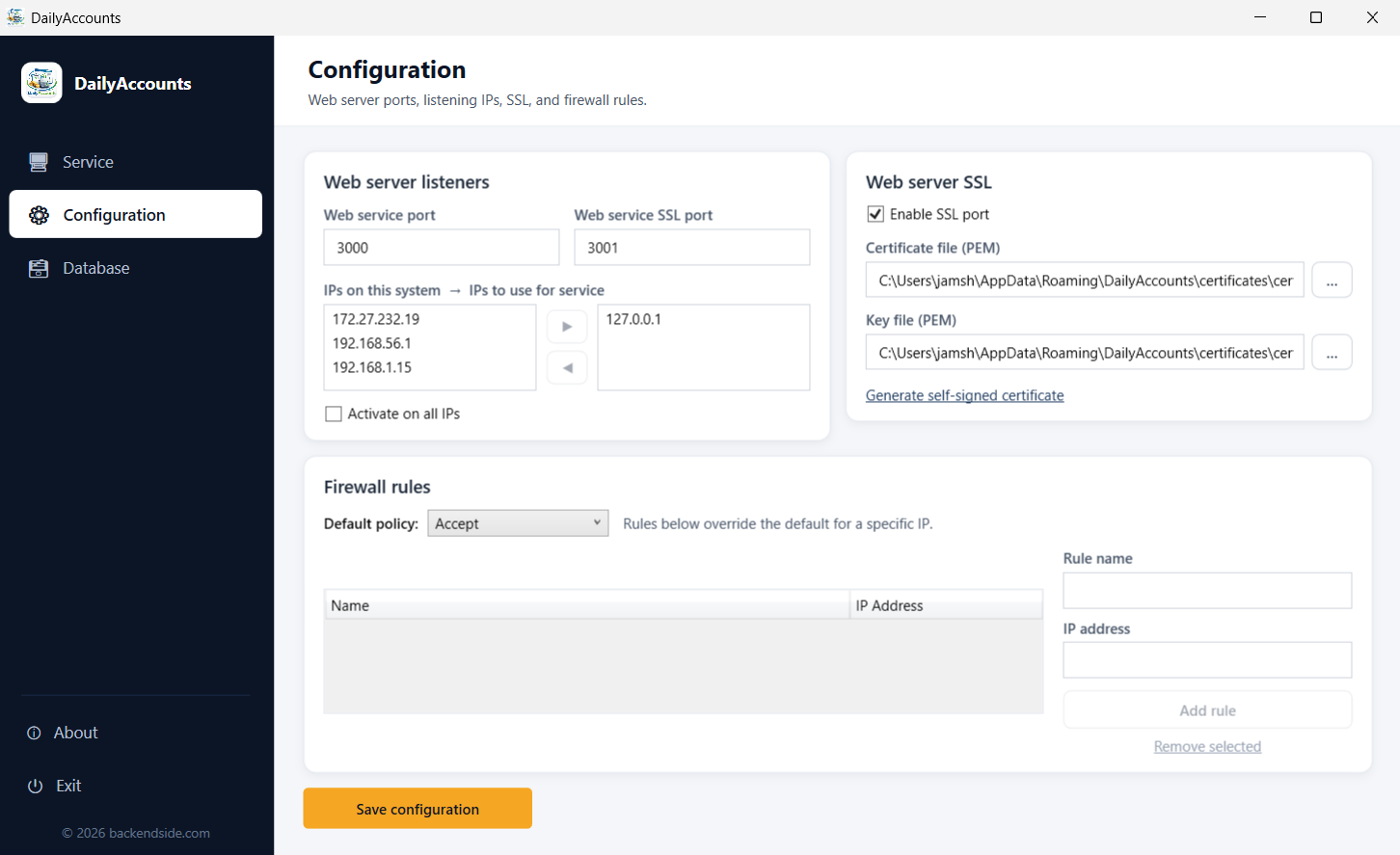
Configuration — ports, listening addresses, HTTPS and firewall rules