

PharmaDistributorsDesk – Batch, Expiry & Compliance Software for Pharmaceutical Distributors
Batches • FEFO • Expiry • Compliance
PharmaDistributorsDesk is distribution management built specifically for the pharmaceutical trade — not a general stock system with a “pharma mode” bolted on. Every unit is tied to a batch with its own expiry, MRP and landed cost; deliveries draw from the nearest-expiry batch first; a lapsed drug licence blocks a delivery outright rather than just warning about it; and a recall notice can trace a batch to every customer who ever received it. It runs as a small server on your own Windows machine and works from any device on the network through a browser — a desktop in the office, or a phone or tablet for a salesman on the road.
Download Version 1.0.0
First Store release — available on the Microsoft Store, no ads.

Or view the listing at apps.microsoft.com.
A dashboard that leads with what needs attention today
Value expiring soon, licences lapsing within 30 days, open recall notices, quarantined stock nobody has claimed against a supplier yet, cold-chain deliveries missing their note — each shown in money, not just a count (“312 units” tells nobody anything; “Rs26,863,049 across 374 batches expiring within the near-expiry window” is the number that decides whether you push it, return it or write it off). Every row links straight to where you would act on it, and a clear item is not shown at all — a band that is empty when nothing is wrong is one worth reading when it isn’t.
Changelog — what changed in each release
Release notes starting from 1.0.0, the first Store release — the batch dimension, FEFO allocation, the expiry lifecycle, compliance, and pharma commercials.
View the full changelogUser Guide — roles, workflows and every page
Step-by-step walkthrough — logging in, the six core flows from order to payment, what each of the four roles can do, and a page-by-page reference.
Read the User GuideFeatures
🧪 Batch & Expiry Tracking
Batch number, expiry date, MRP and landed cost are captured the moment stock is received. On-hand for a batch is always the sum of its own movements — the same ledger that already tracks a product, now with a batch axis added rather than replaced by a counter that cannot say where a batch’s units went.
↻ FEFO Allocation, Automatically
A delivery draws from the batch nearest to expiry first, splitting across as many batches as the quantity needs. Quarantined, expired and recall-held stock is never offered, and a customer’s contractual minimum shelf life is honoured. The delivery form shows exactly which batches will be drawn, and how much from each, before anything is committed.
⌛ One Screen for the Whole Expiry Loop
The expiry cockpit answers four questions in one place: what is at risk and what is it worth, what customers have returned and not yet claimed, what a supplier has agreed to settle and hasn’t, and what is left to destroy. Value expiring is shown at cost, not MRP — this is money already spent, not revenue forgone.
🔒 Drug Licences That Actually Block Supply
A delivery to a customer whose drug licence has lapsed is refused, not merely flagged — supplying a pharmacy on an expired licence is the distributor’s offence too. An order gets the same check as a warning rather than a block, since a licence may well be renewed before delivery day. A missing licence number is not itself a block, for customers who legitimately trade unlicensed goods.
🔍 Recall Traceability, to Every Customer
Raise a notice against a batch and every unit still on hand moves into a hold, unsellable with no change to the allocator that would otherwise offer it. The trace report finds a batch by the number printed on the manufacturer’s notice and lists every delivery of it — customer, phone, address, date, quantity, invoice — the report someone runs at 9am with a legal obligation to contact every pharmacy that received it.
📜 A Register for Controlled Drugs
Choose your market — Pakistan, India, or market-neutral — when you create the database, and the matching drug schedules are seeded automatically. Products under a schedule that requires a register appear, by date range, with batch number, expiry and the receiving customer’s own drug licence number — the detail that answers whether they were entitled to receive it.
❄️ Cold Chain, Captured From Day One
Mark a product ambient, cool, refrigerated or frozen, and every delivery containing a cold-chain line prompts for a note. A dedicated report lists exactly the deliveries where that note is missing — the gap a QA person needs to see, captured from the first release rather than a history that only starts once someone notices it is missing.
💳 Invoices That Never Silently Change
MRP, price, discount and tax are captured onto the invoice at the moment it is raised, per batch. Edit a product’s price or tax rate next month and every invoice already issued still shows exactly what it showed the day it was printed — including ones already filed with a tax authority and paid.
🎁 Free Goods and Trade Schemes
A 10+1 line ships eleven units and bills ten — stock depletes for all eleven, the invoice charges for ten, and the free unit never reaches the total by mistake. Trade schemes are offered as suggestions at order time rather than applied silently, so a salesman always sees and confirms what is being given away.
👥 Four Roles, Scoped to What Each One Does
Admin has full access including user management and deletions; Office runs the day-to-day sales and purchasing cycle; Salesman places orders and records payments, always scoped to their own account regardless of what is submitted; Warehouse handles purchases, deliveries and stock adjustments. The sidebar only ever shows what a role can use.
📊 Fourteen Reports, Including the Compliance Ones
Sales summary, salesman performance, outstanding balances, stock valuation, top products and customer ledger sit alongside batch trace, expiry ageing, near-expiry exposure, licence expiry, cold-chain exceptions, tax summary and margin vs MRP — reachable from the same reports page, printable from the same button.
☁️ Your Own Server, Your Own Google Drive Backup
The database lives on your own machine, served to the office over your network through a browser — no third party in the middle. Scheduled backups upload to your own Google Drive with retention, and restoring a downloaded backup registers it alongside your existing databases without replacing or activating anything on its own.
Please note — what this deliberately is not
- It is one distribution business per installation. This is not a multi-tenant system for running several distributorships from one database.
- The market (jurisdiction) is fixed when a database is created and cannot be switched afterward — a product pointing at a schedule from the old market would otherwise be silently orphaned.
- There is no separate mobile app. The browser client works from a phone or tablet, but only on the same network as the server (or a VPS you have chosen to expose).
Screenshots
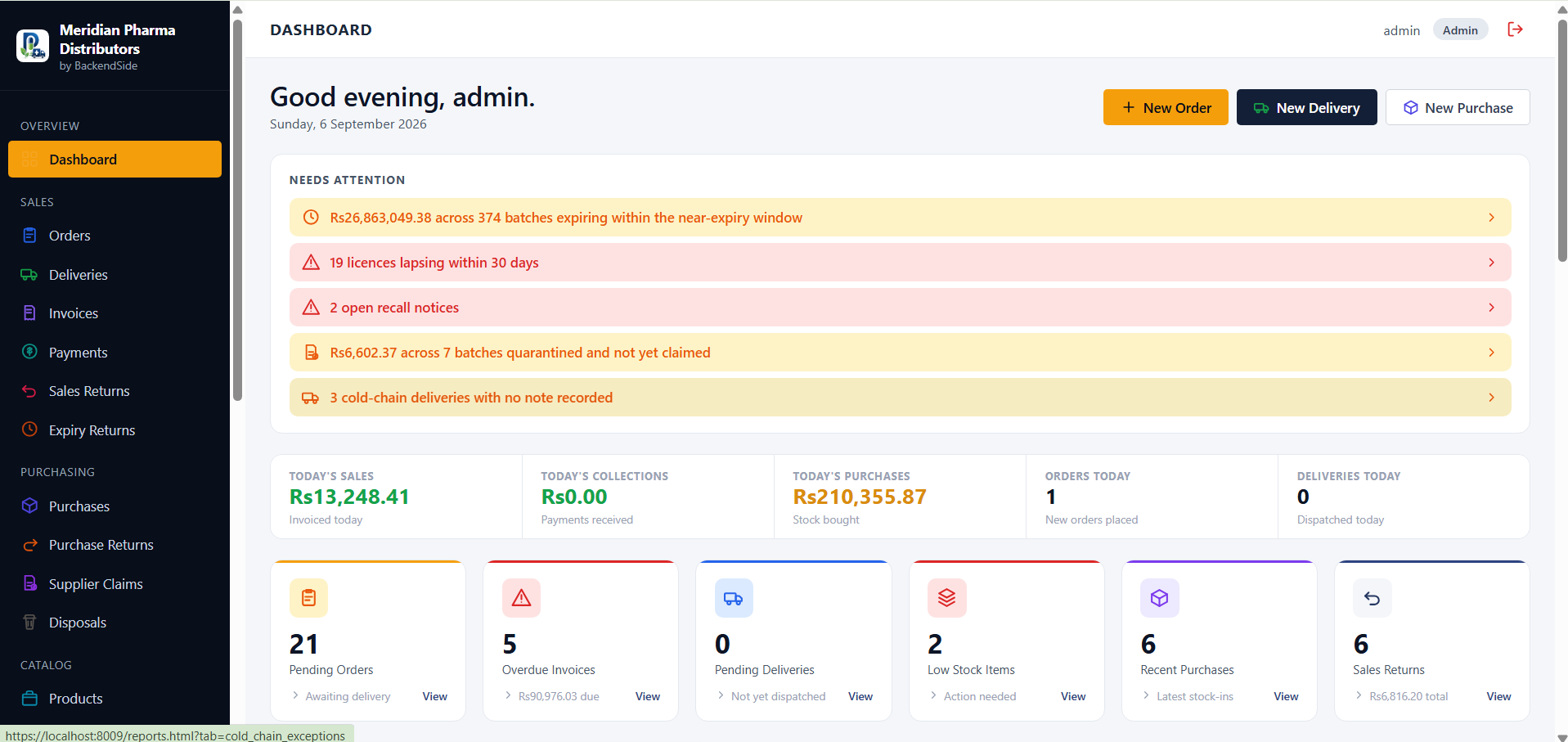
Dashboard — leads with what needs attention, in money, not just counts
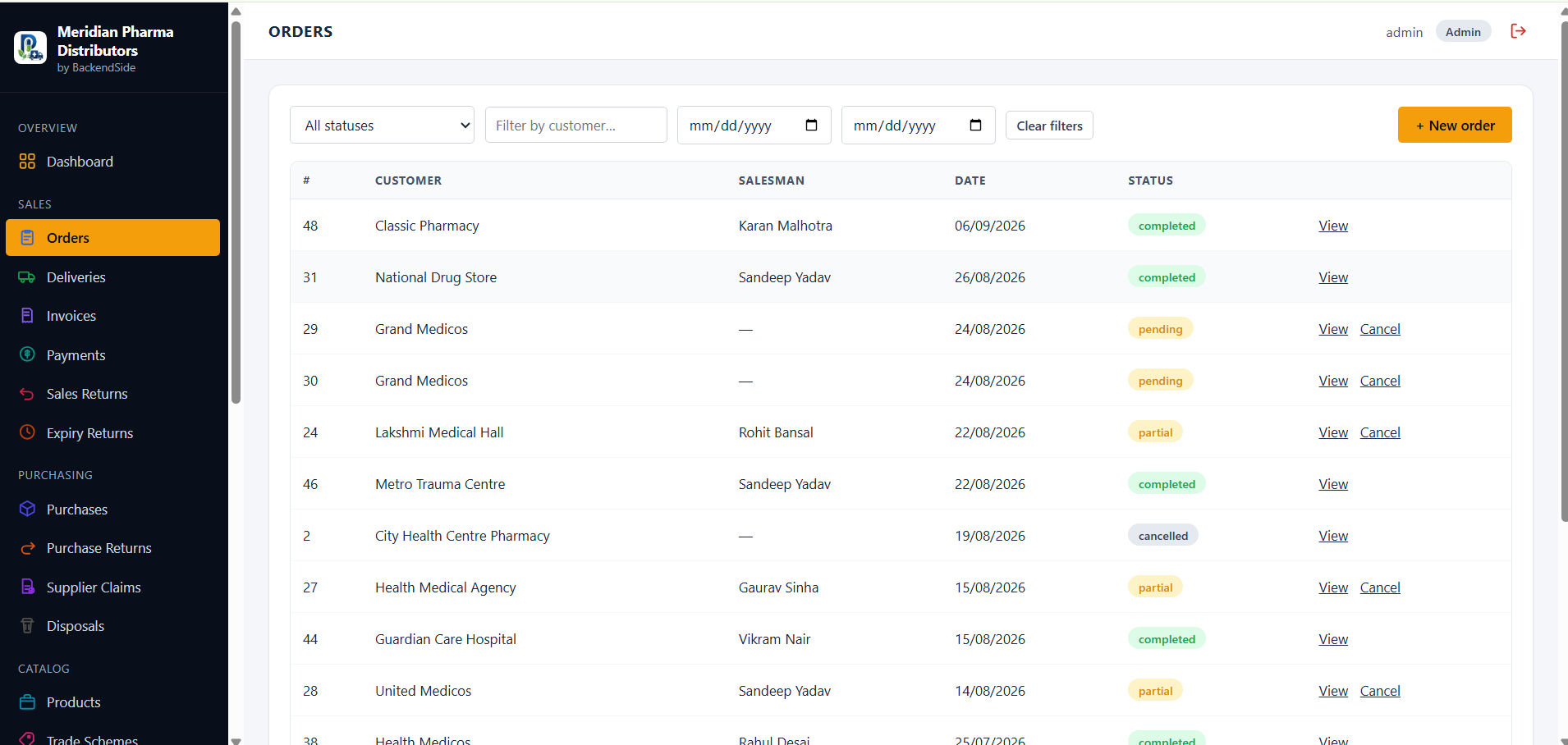
Orders — filter by status, customer, salesman or date
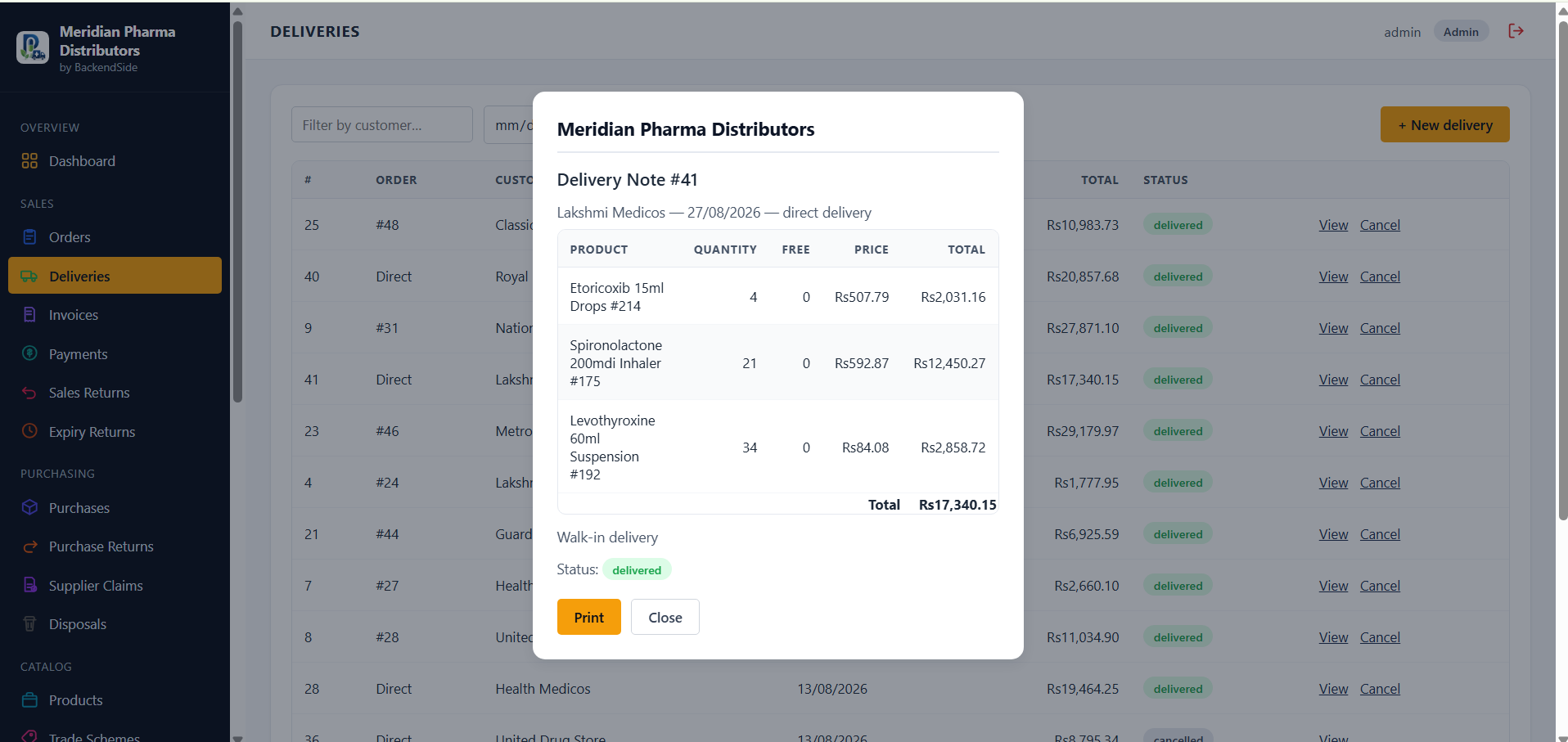
Delivery note — product, quantity, free quantity and price, ready to print
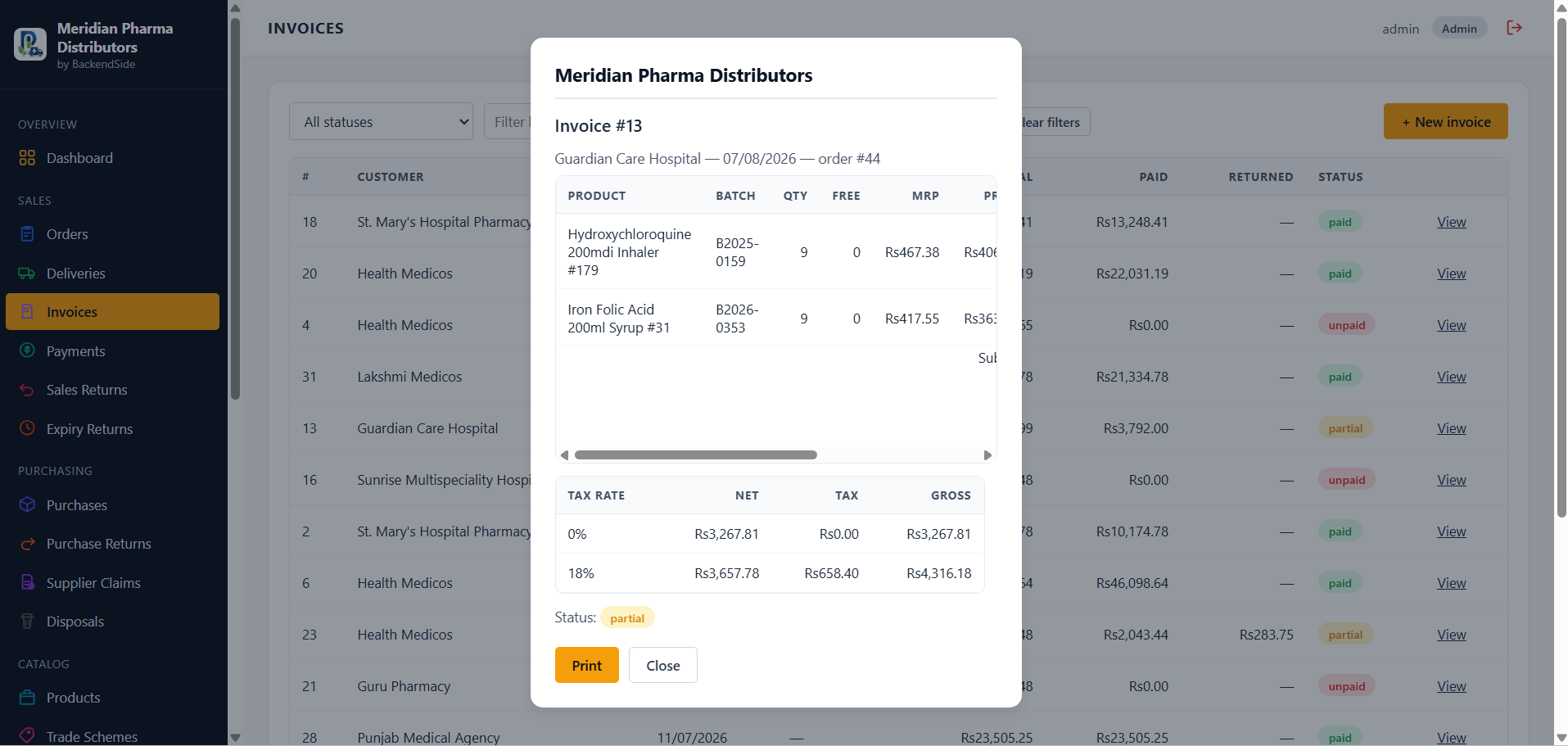
Invoice — batch number and MRP per line, tax broken down by rate
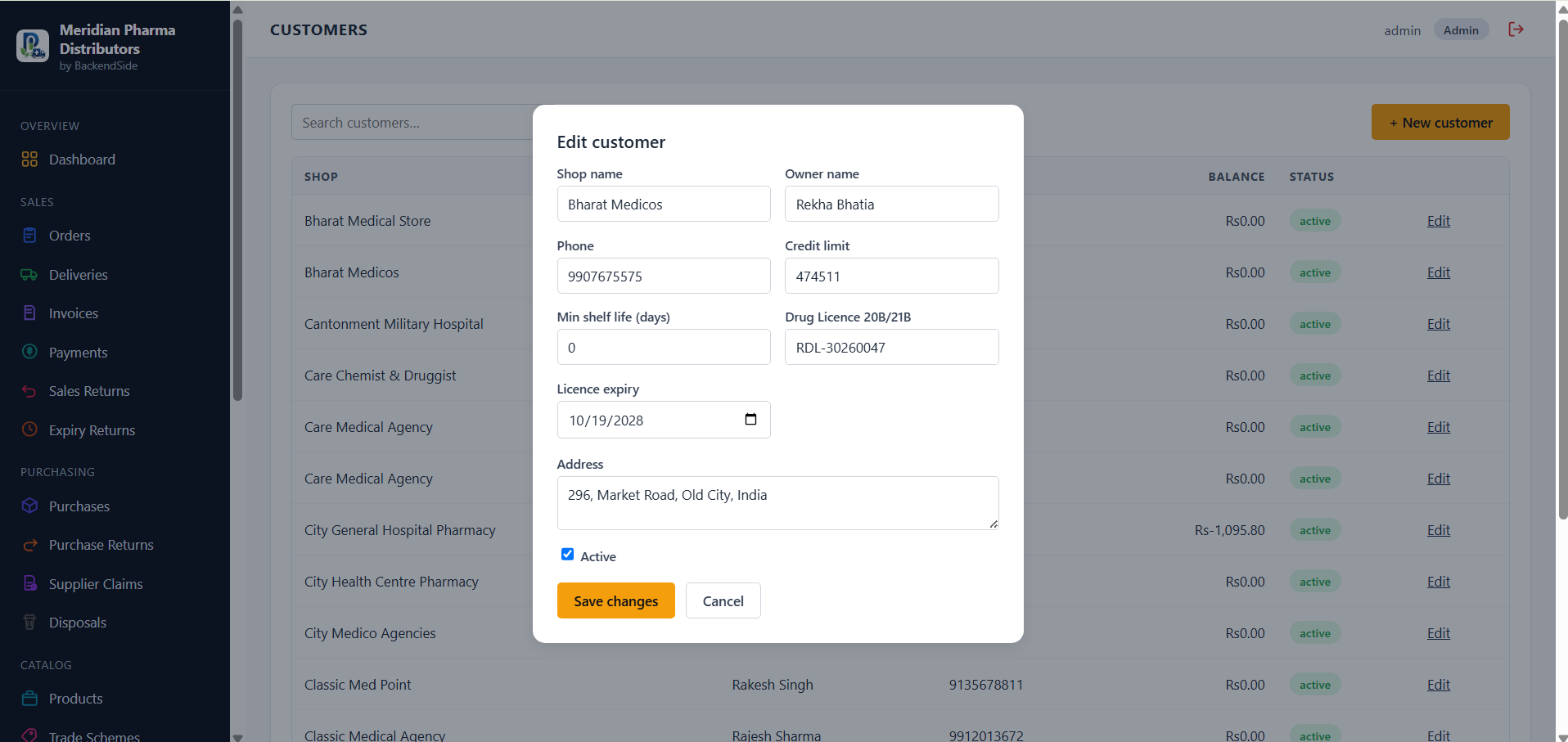
Customer record — credit limit, minimum shelf life and drug licence together
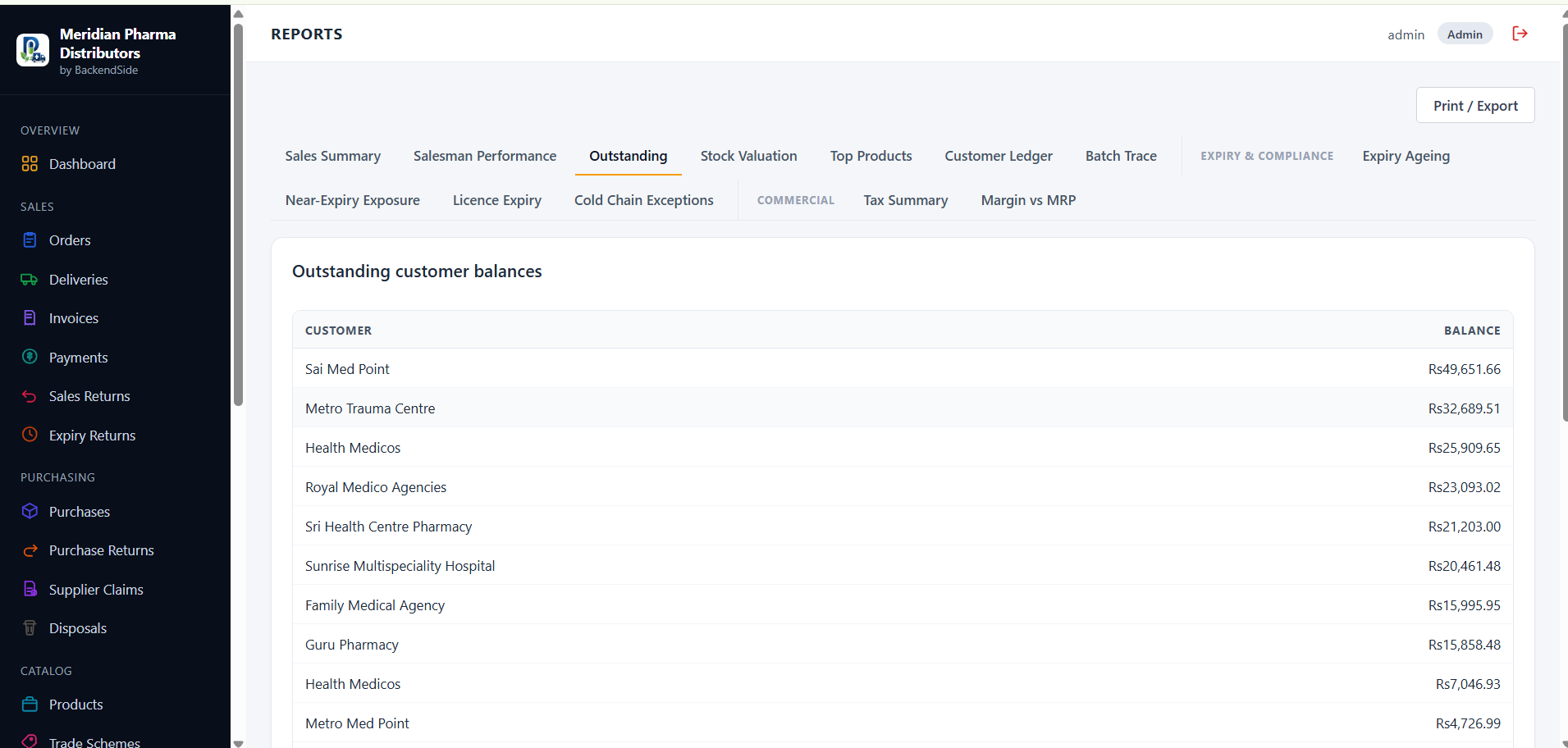
Reports — fourteen tabs, the compliance reports grouped alongside the commercial ones
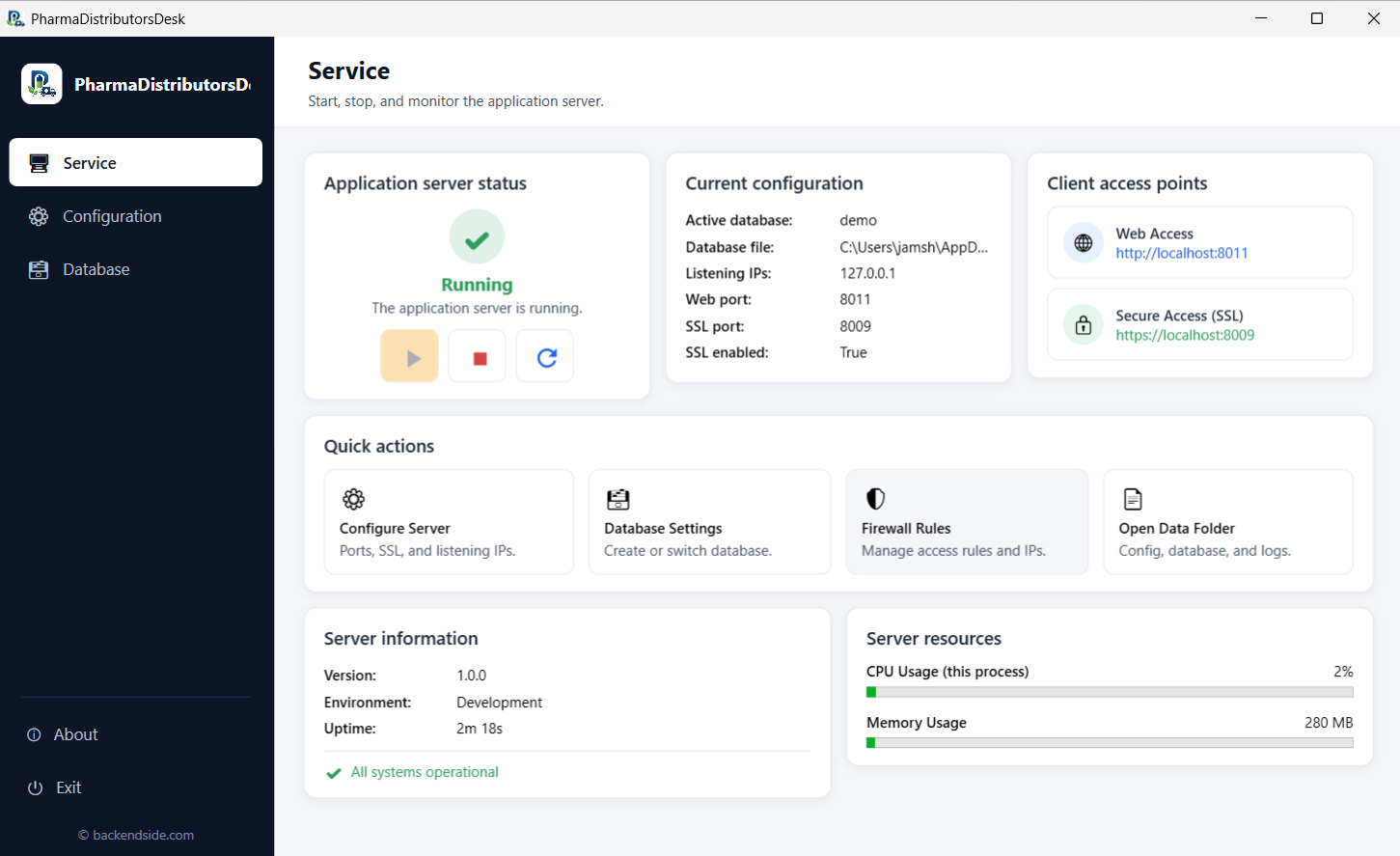
Admin — start the server and hand out the address staff will use
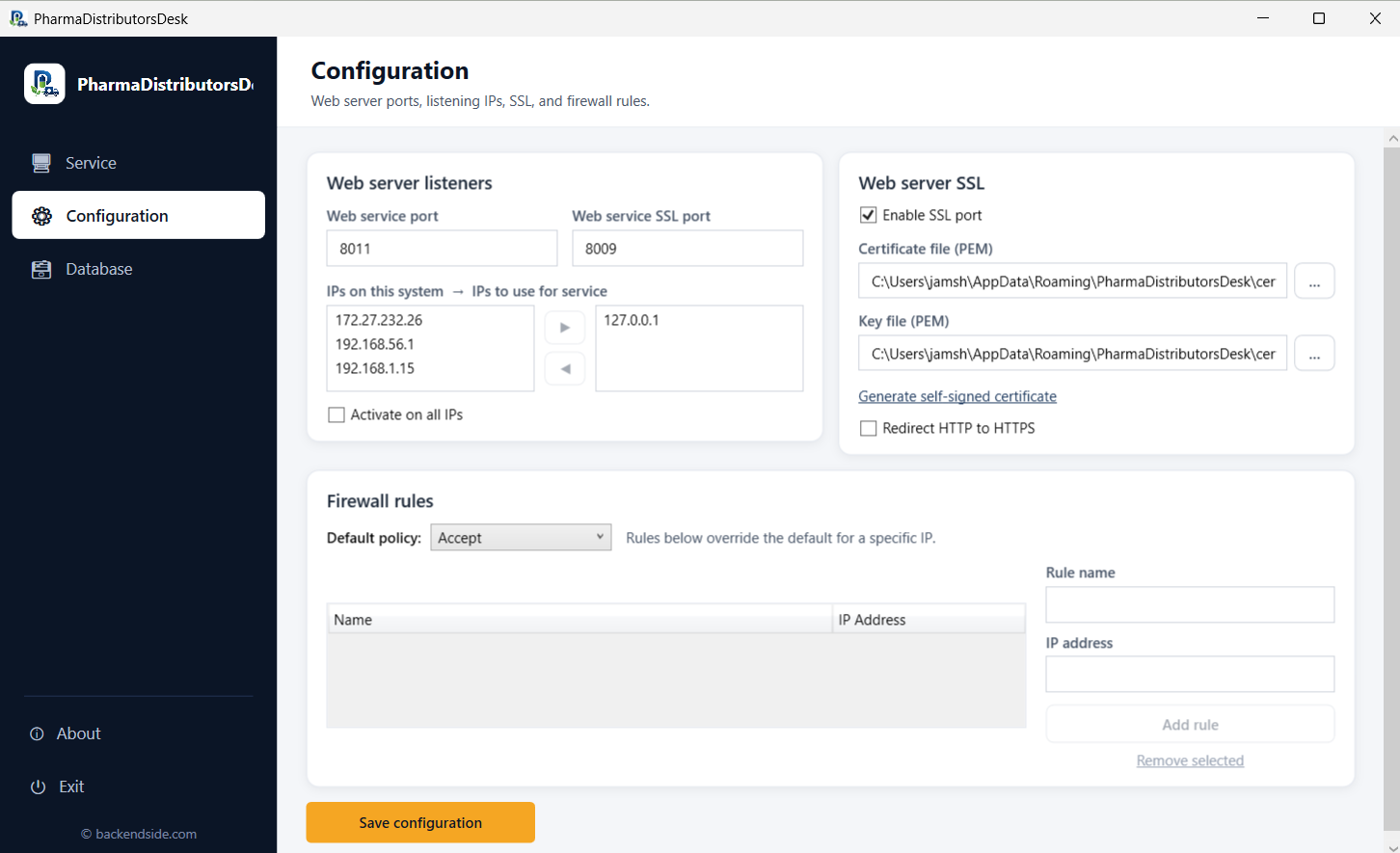
Configuration — ports, listening addresses, HTTPS and firewall rules
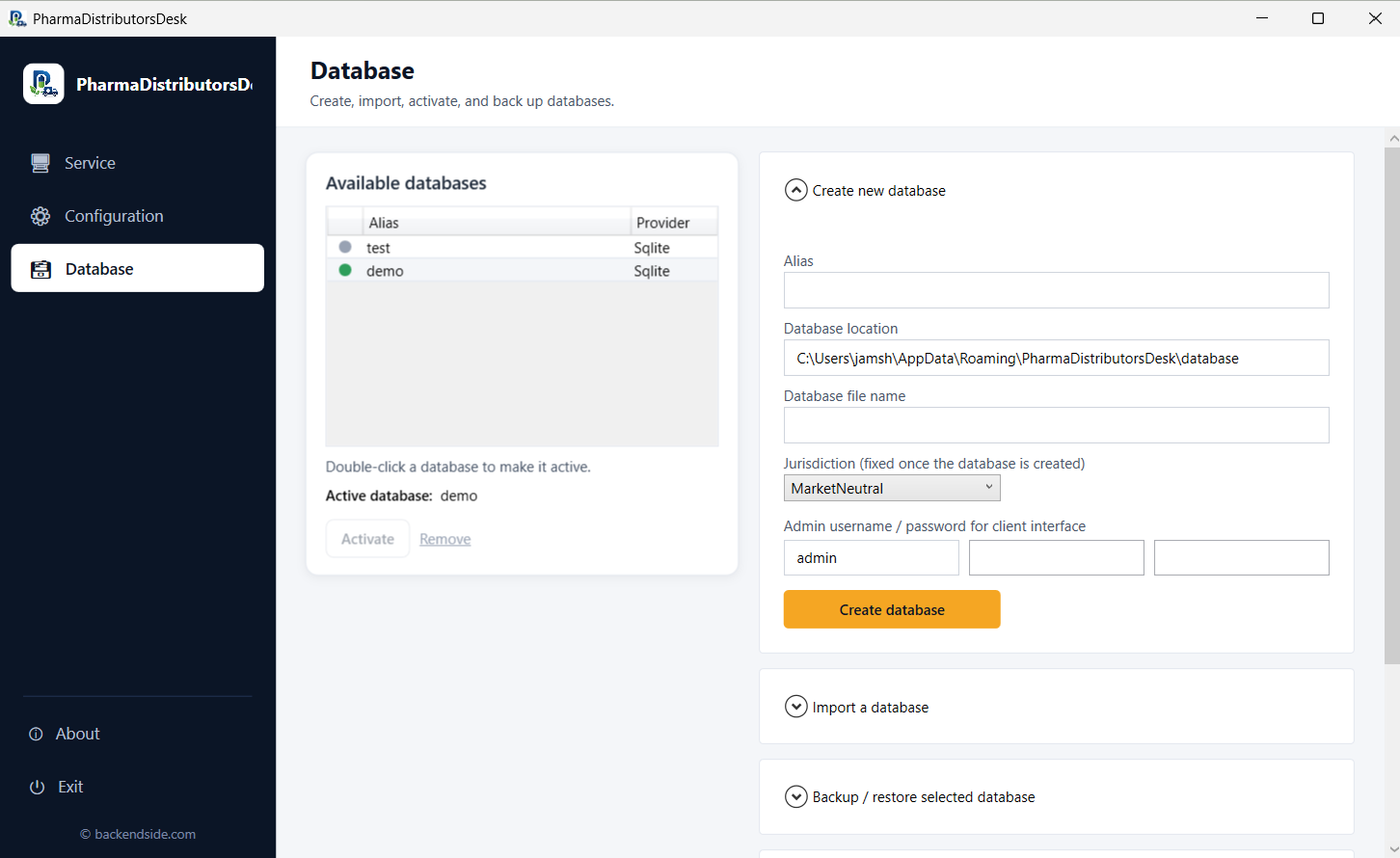
Database — create, switch, back up, and choose the jurisdiction once
Latest Release
Version 1.0.0 — September 6, 2026
First Store release. Batch-level inventory with FEFO allocation, the expiry lifecycle, drug licences and recall traceability, a controlled-substance register and cold-chain capture, MRP-printed invoicing with free goods, an expiry cockpit and an attention-first dashboard, and scheduled backup to your own Google Drive.