
SafeViewer – Encrypted File Explorer for Windows
Keep your private files encrypted and still open them in one click. SafeViewer is a secure file explorer: browse your PC like a normal file manager, encrypt any file with AES-256, and open images, PDFs, text, Office documents and now video — all decrypted only in memory, never written back to disk. Your original files and their readable contents never leave your machine, and SafeViewer’s own settings never leak what you’ve protected either.
Download Version 3.1.0
Available on the Microsoft Store — no subscription, no ads.

Or view the listing at apps.microsoft.com.
All-new in 2.0 — a complete redesign
SafeViewer 2.0 is a ground-up reconstruction with a modern light/dark interface. The old fixed vault is gone — you now browse any drive or folder, with the list filtered to show only your encrypted files. Add files or whole folders, preview them inline or in a maximizable viewer window, and right-click to view, export or delete. Authenticated AES-256 encryption protects every file, and your originals are never touched.
Changelog — what's new in each release
Full release history — encrypted video playback, an encrypted settings file and other privacy hardening, plus the all-new 2.0.0 encrypted-file explorer, in-app viewers, Add Files / Add Folder, Quick Access, and the security hardening that came with it.
View the full changelogUser Guide — every section explained
A plain-English walkthrough of unlocking, the explorer, Add Files / Add Folder, previewing and viewing, exporting, Quick Access and Settings — plus how SafeViewer keeps your files safe.
Read the User GuideFeatures
🗂️ Encrypted-File Explorer
Browse any drive or folder on your PC just like a normal file manager — with a location dropdown, clickable breadcrumb, list / grid views and search. The list is filtered to show only your encrypted files plus folders to navigate.
🔒 AES-256 Encryption
Every file is protected with authenticated AES-256, with a key derived from your session password and unique encryption data per file. Tampering with an encrypted file is detected the moment you open it.
➕ Add Files & Add Folder
Drag & drop files, or pick a whole folder (with an include-subfolders option), and encrypt them in place or into the folder you're browsing. A completion summary reports what was encrypted, skipped, or already protected.
👁️ In-Memory Viewers
Open images, PDFs, text / code, Excel, Word, PowerPoint and video in a built-in viewer — single-click to preview, double-click for a maximizable window. Images and PDFs support mouse-wheel zoom and drag to pan; video has play/pause, click-or-drag seek and volume. Nothing is ever written to disk.
🖱️ Right-Click Actions
Right-click any encrypted file to View it, Export un-encrypted a decrypted copy to a location you choose, or Delete it — with protected OS locations refused as a safeguard.
⭐ Quick Access
Pin folders to Favorites and jump straight back to them, and reopen your Recent Files in one click. Both lists are remembered between sessions.
🛡️ Your Originals Stay Yours
SafeViewer never deletes your un-encrypted originals — that's up to you — and decrypted content only ever lives in memory while you're viewing it. No telemetry, no cloud, nothing leaves your machine.
⚙️ Settings & Themes
Choose a System / Light / Dark theme, pick which folder the explorer opens in after every unlock, and decide whether to encrypt only images and documents or all file types.
🎬 Encrypted Video
Protect and play back MP4, MKV, WebM, MOV, AVI, WMV and more, with the same strict rule as every other file type: the decrypted video is never written to disk, only streamed to the built-in player from memory. Click or drag the seek bar to jump to any point in the video instantly.
🕵️ No Traces Outside the Vault
SafeViewer’s own settings — your favorites, recent files and vault folder — are now encrypted at rest instead of sitting as plain readable paths on disk. Its file pickers also keep the plaintext files you protect out of Windows’ own recent-documents history. A Remember recent files toggle lets you turn the Recent Files list off entirely.
♻️ Opens Older Files
Files from the previous SafeViewer version appear in the list automatically and open with your session password — and if an old file used a different password, SafeViewer simply prompts for it and retries.
Screenshots
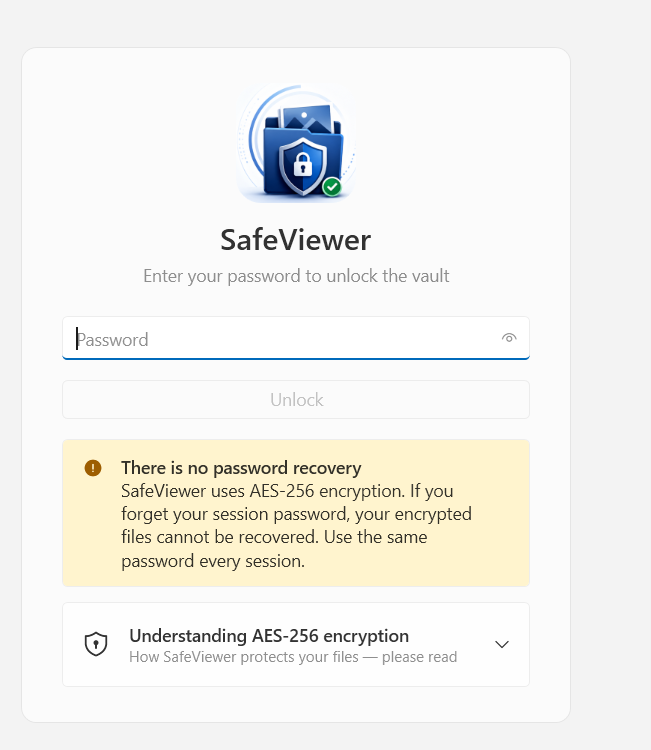
Unlock screen & encryption disclaimer
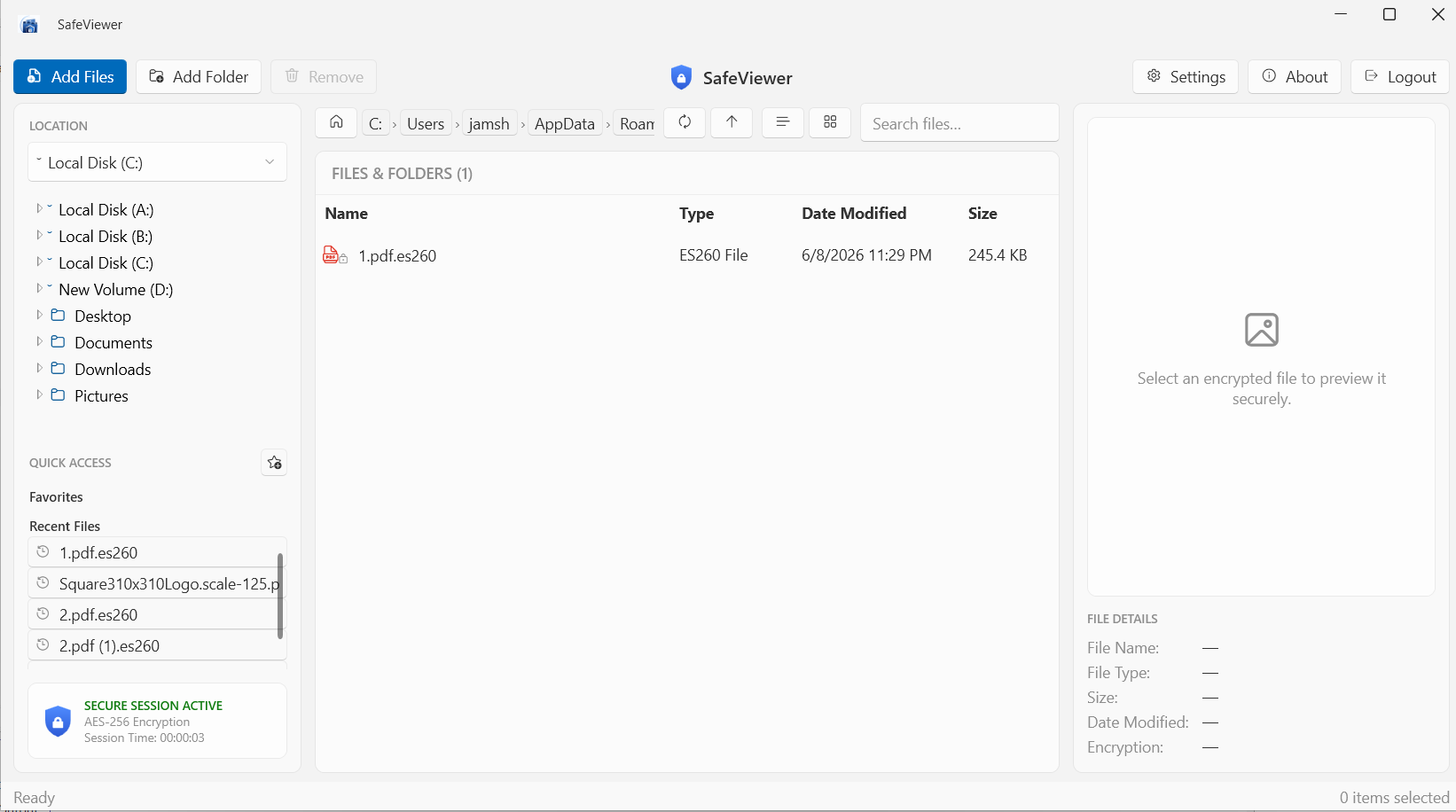
Encrypted-file explorer
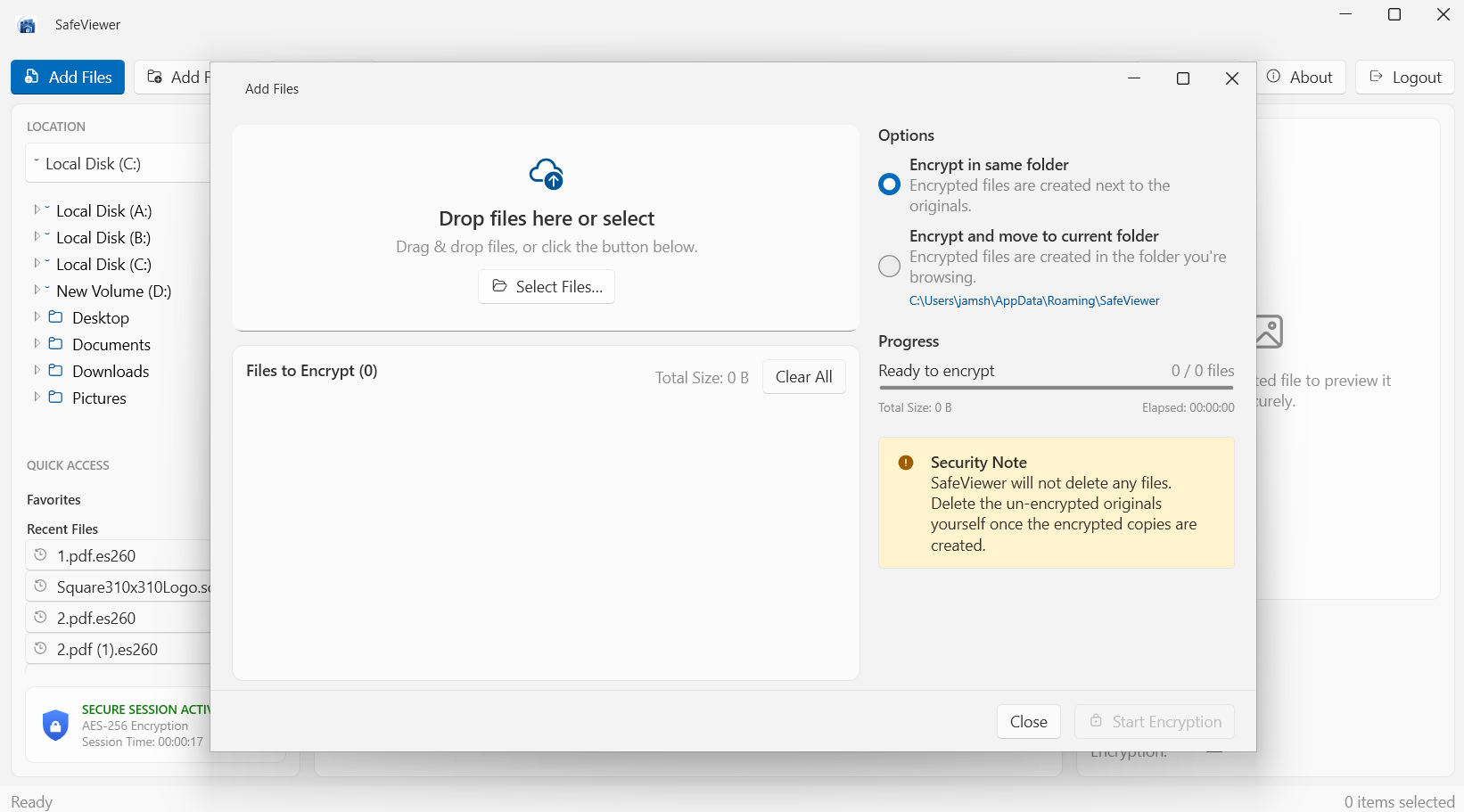
Add Files — encrypt in place or into the current folder
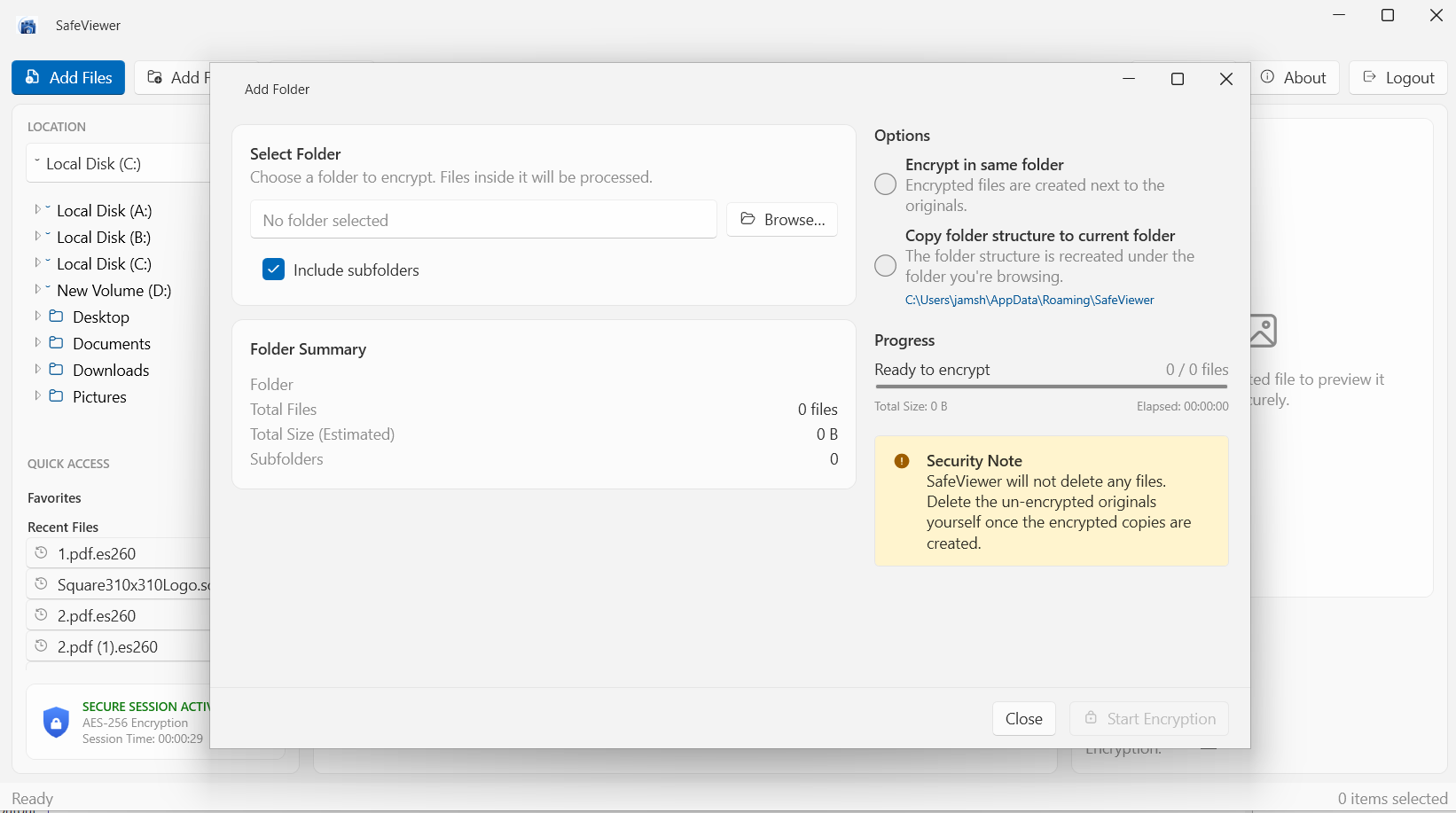
Add Folder — include subfolders
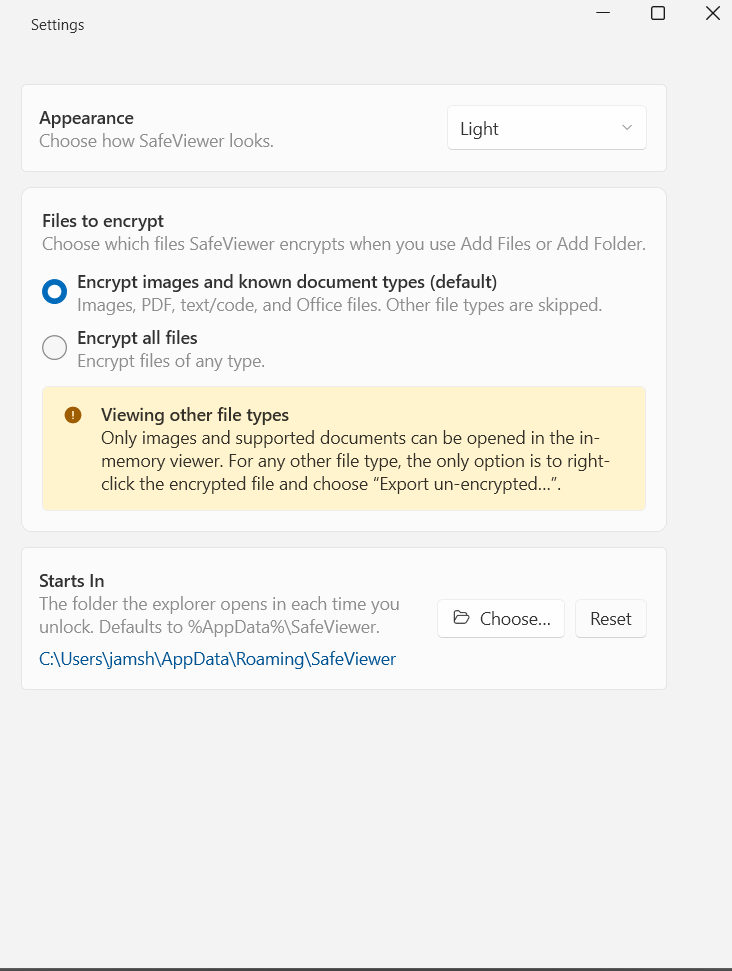
Settings — theme, files to encrypt, start folder
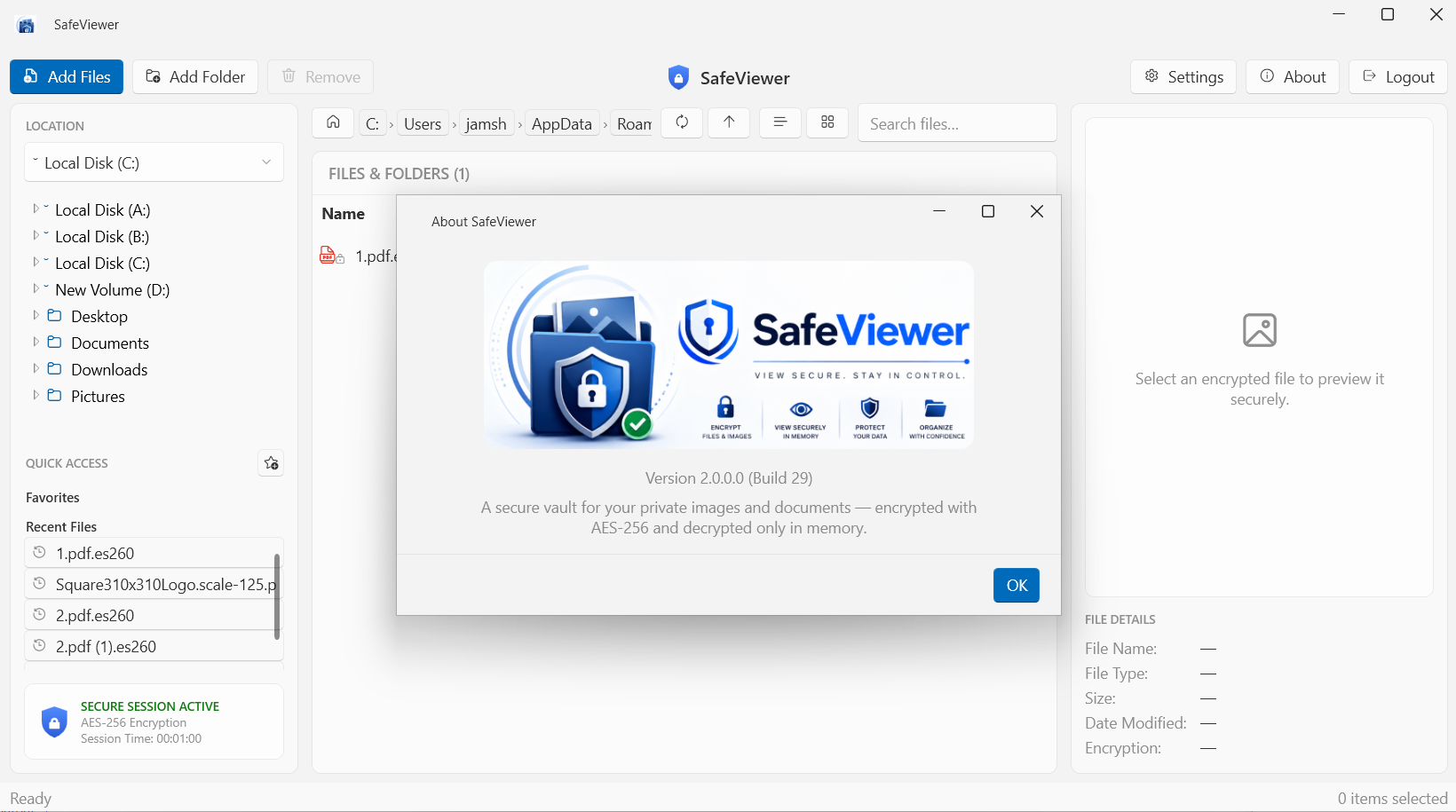
About — version & build
Latest Release
Version 3.1.0 — August 2026
No traces outside the vault: SafeViewer’s own settings file — favorites, recent files, vault folder — is now encrypted at rest, and its file pickers no longer leak the files you protect into Windows’ recent-documents history. A Remember recent files toggle lets you turn that list off entirely. The previous release, 3.0.0, added encrypted video playback with seekable streaming straight from memory — on top of the 2.0.0 redesign: the encrypted-file explorer, Add Files / Add Folder, in-memory viewers, and authenticated AES-256 encryption throughout.