
BackendSide MailPanel – API-first mail server control panel for Linux
BackendSide MailPanel turns a clean Linux server into a complete mail system. A single binary control-panel configures and supervises Postfix, Dovecot, and PostgreSQL; issues and renews TLS certificates via Let's Encrypt; manages DKIM, SPF, and DMARC; wires DNSBL and greylisting for anti-spam; and exposes everything through a modern dark dashboard and a clean REST API — for one domain or many, on Ubuntu, Debian, RHEL, AlmaLinux, or Rocky Linux.
8080. Auth is admin login (JWT browser session) for the UI and X-API-Key header for programmatic integrations. Postfix, Dovecot, OpenDKIM, OpenDMARC, SpamAssassin, ClamAV, and postgrey are all capability-gated and reconciled atomically from a structured config — if a package isn't installed, the panel skips it cleanly.
One-click install — from clean Linux server to working mail in minutes
You don't need to be a Postfix expert. Install the .deb or .rpm on a clean Linux server and the package's setup wizard takes care of the rest — no manual editing of main.cf, no dovecot.conf juggling, no SQL pg_hba.conf puzzles.
In a single apt install or dnf install followed by one Run Installer click, the panel will:
- Install Postfix, Dovecot, PostgreSQL, and optional anti-spam packages (postgrey, OpenDKIM, OpenDMARC, SpamAssassin, ClamAV) using the right package manager for your OS
- Initialise PostgreSQL (
postgresql-setup --initdbon RHEL-family), rewritepg_hba.confso the panel role usesmd5over loopback whilepostgreskeepspeerauth - Create the panel database, schema, and the
vmailsystem user that owns mailbox files in/var/mail/vhosts/ - Write atomic Postfix and Dovecot configurations (validated with
postfix check/doveconf -nbefore rename) and reload both services - Install the systemd unit, generate the API key and JWT signing secret, and start everything
Then just open http://<your-server>:8080, the wizard's last step creates your admin account, and you're managing domains, mailboxes, aliases, TLS, DKIM, anti-spam, and the mail queue from a clean web dashboard.
Download BackendSide MailPanel v0.1.0 (Build 056) for Linux
Packages for Debian / Ubuntu (DEB) and RHEL-based distributions (RPM)
| Distribution | Package | SHA256 Checksum |
|---|---|---|
| DEB Ubuntu 24.04 / Debian 12 and any Debian-based distro with systemd | backendside-mailpanel_0.1.0_056_amd64.deb | ae6aadd10e6d0c12353fbafb05dbbcf311de2d98a5f32553c41e61cad13c4763 |
| RPM RHEL 9 / 10 · AlmaLinux 9 / 10 · Rocky 9 / 10 · CentOS Stream 9 · Fedora | backendside-mailpanel_0.1.0_056_amd64.rpm | 003b87d043452fbfd252ba814ce198e426acf2571df9bb5cc897e64eef445de2 |
DEB Installation (Ubuntu / Debian) — one command + one click
sudo apt install ./backendside-mailpanel_0.1.0_056_amd64.deb
sudo systemctl enable --now backendside-mailpanel
Then open http://<your-server>:8080, click Run Installer, and the wizard provisions PostgreSQL, Postfix, Dovecot, and optional anti-spam packages — auto-refreshing the checklist as each component turns green.
RPM Installation (RHEL / AlmaLinux / Rocky / CentOS / Fedora)
sudo rpm -i backendside-mailpanel_0.1.0_056_amd64.rpm
sudo systemctl enable --now backendside-mailpanel
The RPM ships the same wizard and supports the same one-click first-run install via dnf. Open http://<your-server>:8080 when the package finishes installing.
Full REST API reference — build, automate, integrate
Every action in the web dashboard is also a documented JSON API call. Drive domains, mailboxes, aliases, DKIM, TLS, anti-spam, and the mail queue from CI, monitoring, or your own scripts — with side-by-side cURL and PHP examples for every endpoint.
Read the API ReferenceChangelog — what's new in each build
Full release history from Build 001 to the current Build 056 — site-wide footer, brand logos, self-hosted Inter font, anti-spam (DNSBL + greylisting), TLS, DKIM/SPF/DMARC, audit log, backup/restore, security headers, atomic config writes, RHEL support, and every fix and improvement in between.
View the full changelogUser Guide — from clean server to working mail, end to end
A plain-language walkthrough for the person sitting in front of the dashboard. Install, setup wizard, domains, DNS records, mailboxes & aliases, TLS, DKIM/SPF/DMARC, mail clients, queues, sessions, security, anti-spam, webmail companion, backups, updating, and troubleshooting.
Read the User GuideFeatures
- Multi-domain hosting: One panel serves many email domains (e.g.
[email protected]and[email protected]on the same server), each with as many mailboxes and aliases as you need - Mailboxes & aliases: Full CRUD via dashboard and REST API; bcrypt password hashing (Dovecot
{BLF-CRYPT}); automatic Maildir provisioning under/var/mail/vhosts/; per-mailbox quotas - Per-mailbox policy daemon: SMTP enabled flag, require-TLS, message-size limit, recipients-per-message, daily-send-count (resets midnight UTC). Enforced only on authenticated outbound submissions.
- TLS / Let's Encrypt: Self-signed day-0 cert so 8080 / 587 / 993 work immediately; one-click Let's Encrypt issuance via certbot wrapper; automatic Postfix / Dovecot wiring; upload-your-own cert flow
- DKIM / SPF / DMARC: OpenDKIM in sv mode (sign outbound + verify inbound) with auto-generated KeyTable / SigningTable / TrustedHosts; OpenDMARC in observe mode;
postfix-policyd-spf-pythonwired as a recipient restriction. All three capability-gated. - Anti-spam (Phase 8): DNSBL rejection (default
zen.spamhaus.org); greylisting via postgrey with configurable initial delay and auto-whitelist max age;spam_whitelisttable withip/cidr/domain/emailentries; spampd (remote SpamAssassin) and ClamAV / clamsmtp content-filter wiring - Mail queue management: Per-message table backed by
postqueue -j; flush queue, delete a single message, live refresh - Active sessions: List IMAP / POP3 sessions on Dovecot; kick (disconnect) a user with one click
- Dashboard stats: Sent (1h / 24h) and Received (1h / 24h) cards auto-refreshing every 10 seconds, derived from
journalctl SYSLOG_FACILITY=2so they work even on Ubuntu 24.04 without rsyslog - Logs viewer: Dedicated tab for Postfix and Dovecot logs — 50 / 150 / 500 / 1000 line picker, keyword filter, 10-second auto-refresh, colour-coded (errors red, warnings orange, delivered/connect green)
- Security tab: Change admin password (rewrites
.env, hot-reloads); admin IP allowlist (blocks any other IP with 403 globally); per-port firewall (BSMP_FWiptables chain) with Allow / Block / Restrict for every managed port; re-applied on panel restart - Audit log: Every mutating admin action is recorded with who-did-what-when; viewable from a dashboard subtab
- Backup & restore: Endpoints for the panel's own configuration and database; structured JSON logging via
LOG_FORMAT=json; deep/healthprobe (DB, Postfix, Dovecot, disk) - WebMail companion: If BackendSide WebMail is installed alongside, a 📧 Webmail nav item appears with service controls (start / stop / restart), a structured config editor, and a log viewer — including Regenerate session key
- REST API: Every dashboard action is also a documented JSON API call — authenticated via
X-API-Keyheader (programmatic) or browser-session JWT (UI). Audit-log middleware records mutations. - Atomic config writes: Postfix and Dovecot config files are written to a temp file, validated with
postfix check/doveconf -n, then renamed. A broken render never leaves a half-written file in place. - Security headers: HSTS, X-Content-Type-Options, X-Frame-Options, Referrer-Policy on every admin route; JWT-secret fail-closed startup; DSN scrubbing on 500s; CSP that blocks all external assets (Inter Variable font is self-hosted in the binary)
- Single self-contained binary: UI and API embedded; no separate web server, no language toolchain on the host.
.deband.rpmwith full systemd integration and shippedlogrotaterules.
OS: Ubuntu 24.04 LTS+, Debian 12+, AlmaLinux / Rocky / RHEL 9 or 10, CentOS Stream 9, Fedora (x86_64)
Resources: 512 MB RAM minimum (1 GB recommended), 1 GB free disk plus room for mail
Ports: 25 / 587 / 465 (SMTP), 143 / 993 (IMAP), 110 / 995 (POP3 — optional), 8080 (admin dashboard)
DNS & IP: A domain name you own, a public IP not blocked on port 25, and a PTR (reverse DNS) record for that IP
/ui/fonts/InterVariable.woff2.
Software Screenshots
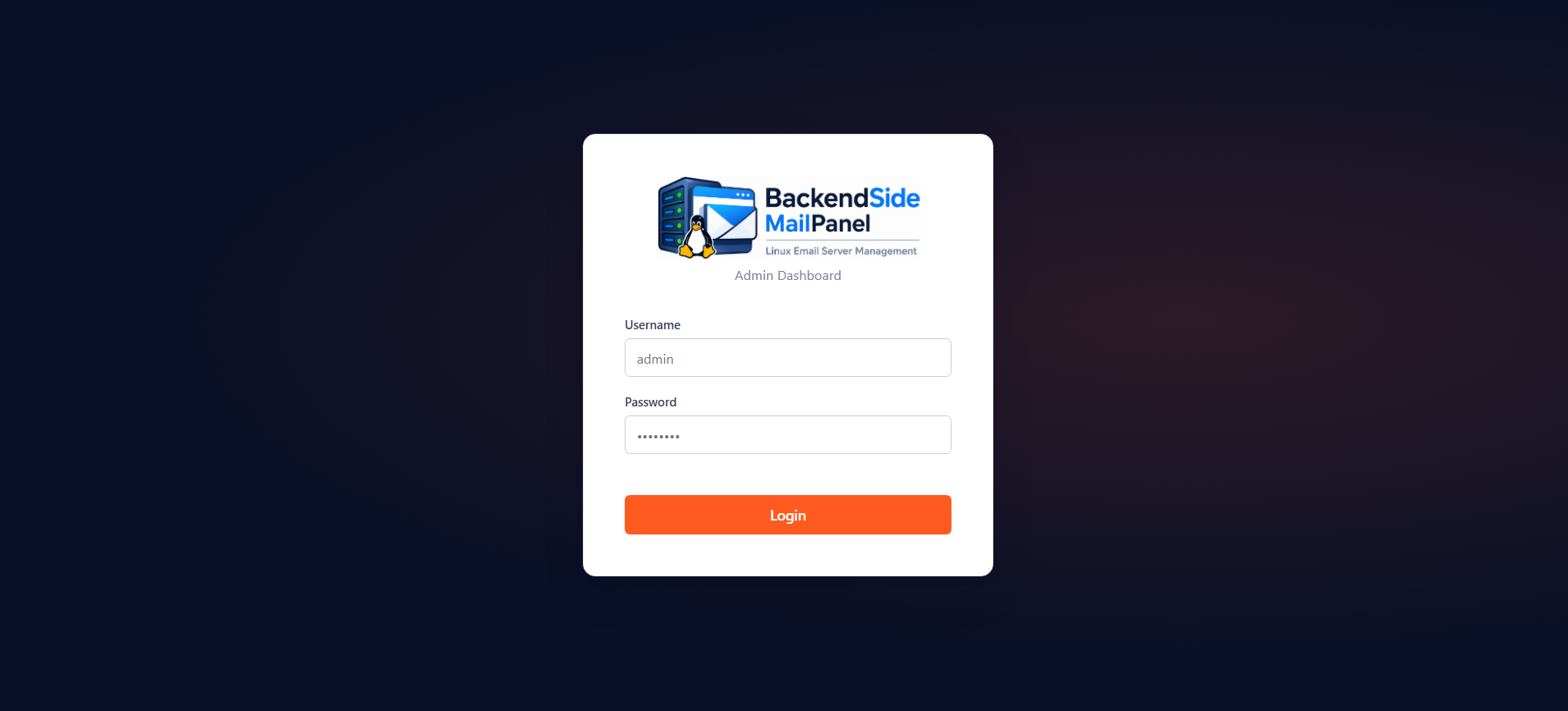
Admin login — bcrypt-hashed credentials, JWT browser session
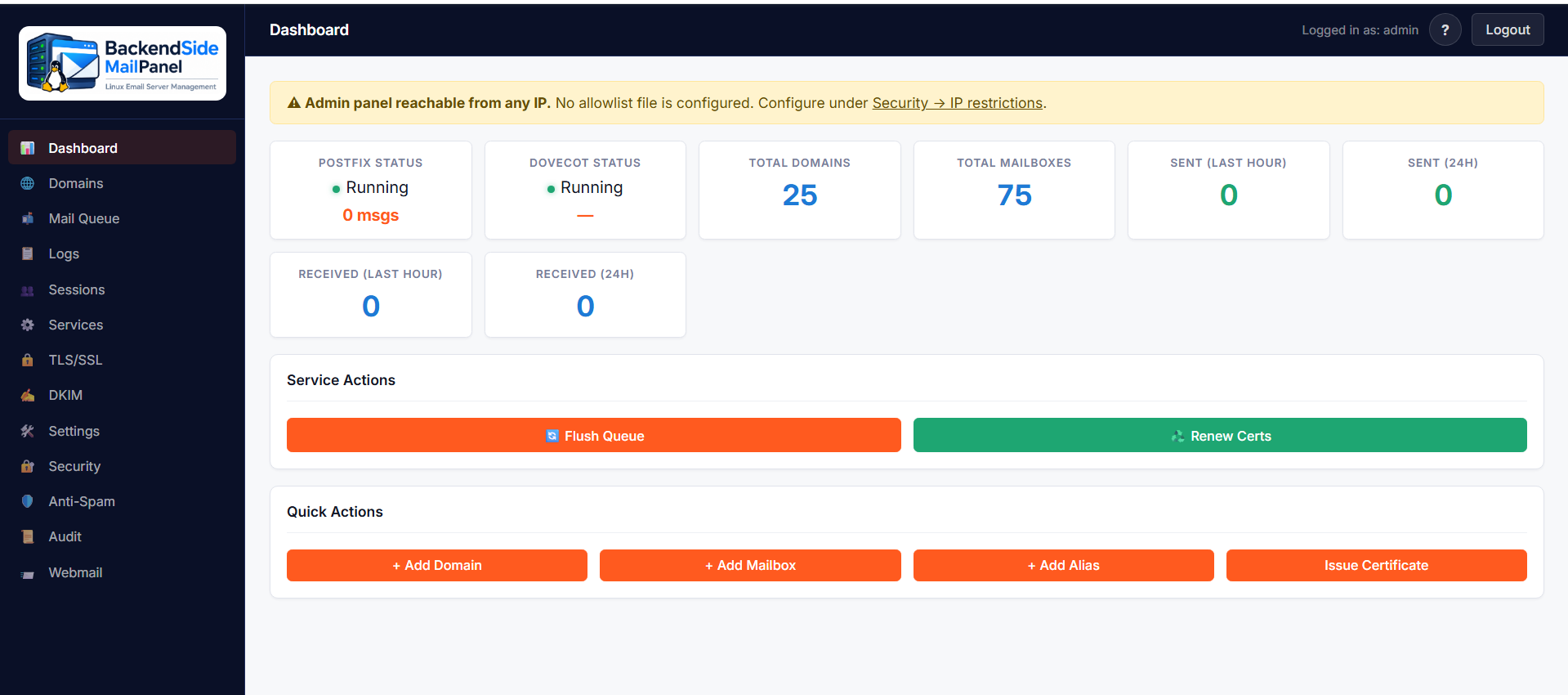
Dashboard — Postfix / Dovecot status, mail stats, quick actions
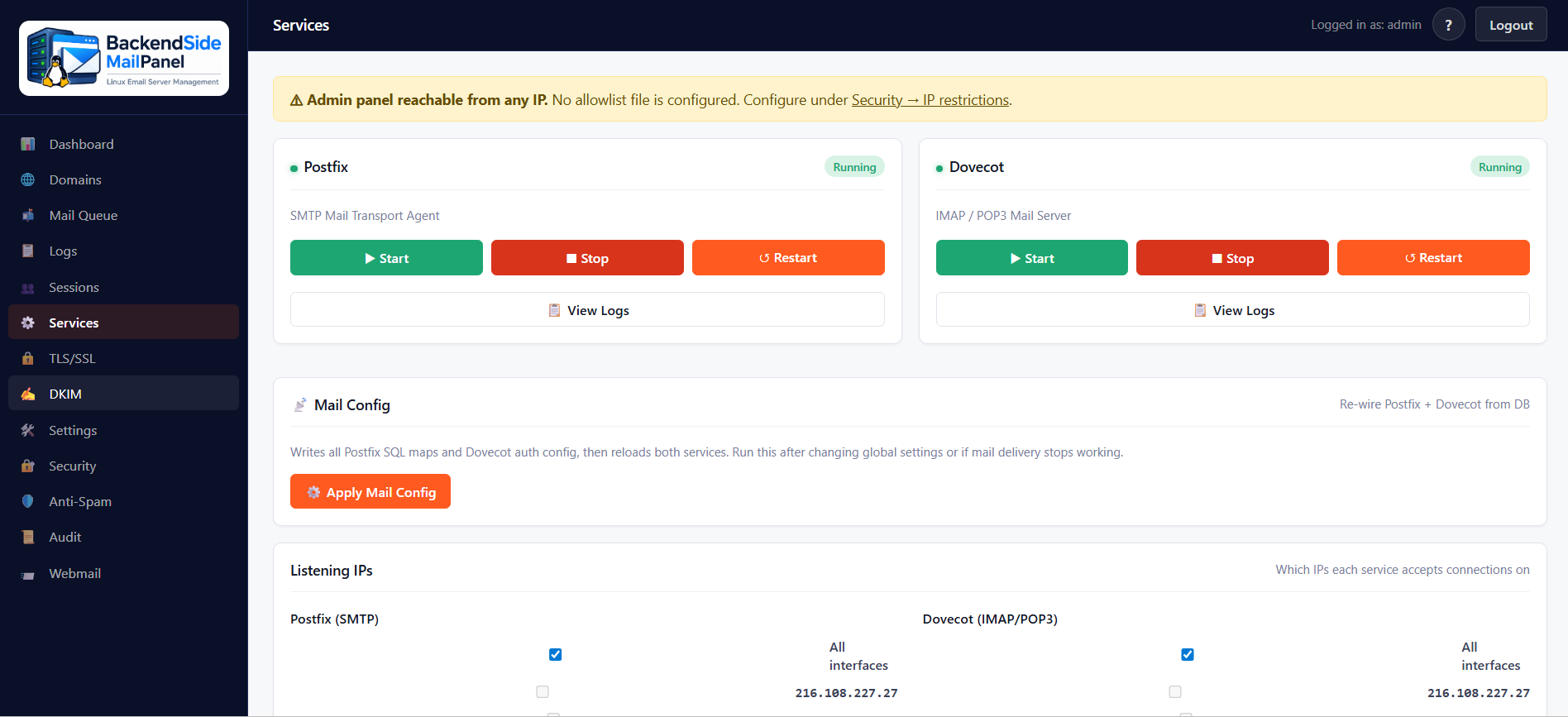
Services — Postfix & Dovecot start / stop / restart, logs, mail config apply
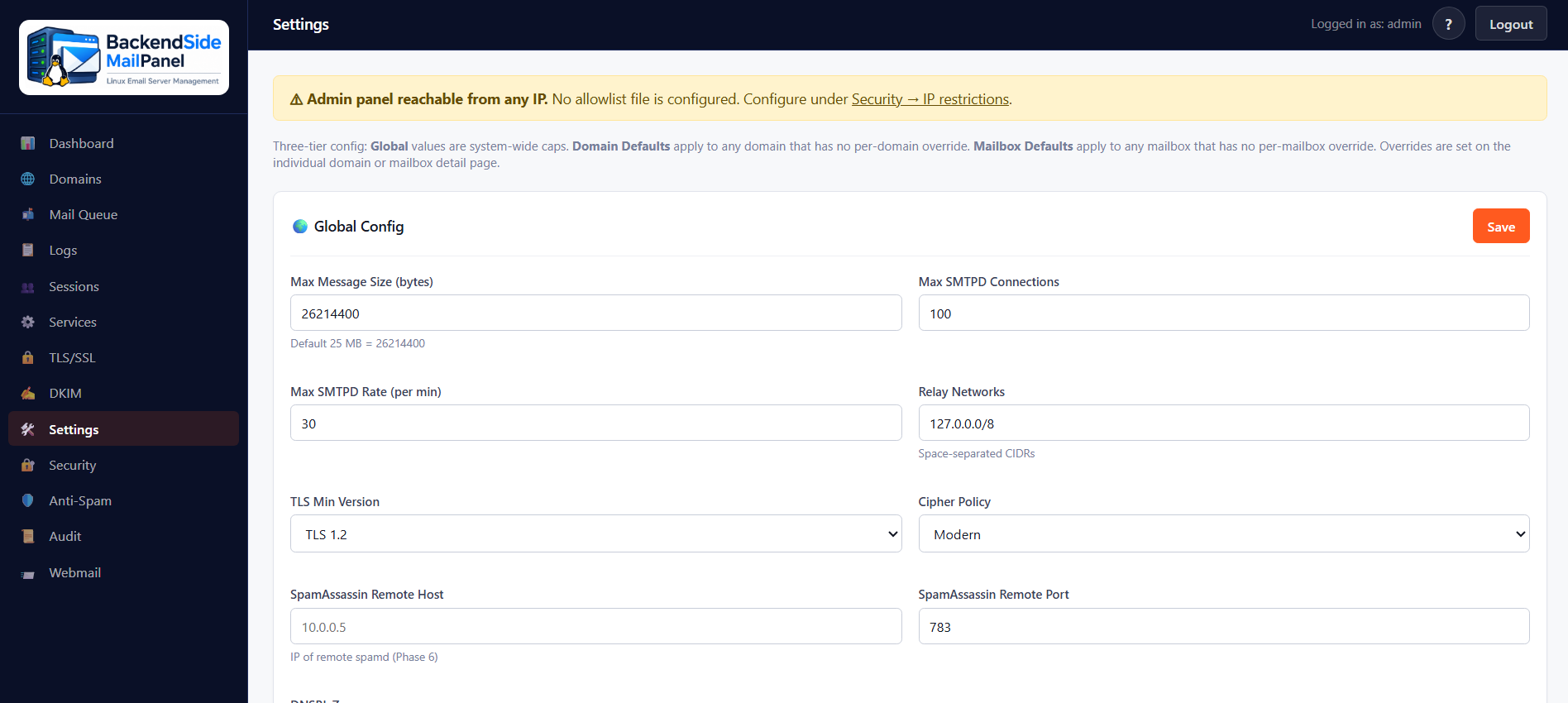
Settings — three-tier config: global, domain defaults, mailbox defaults
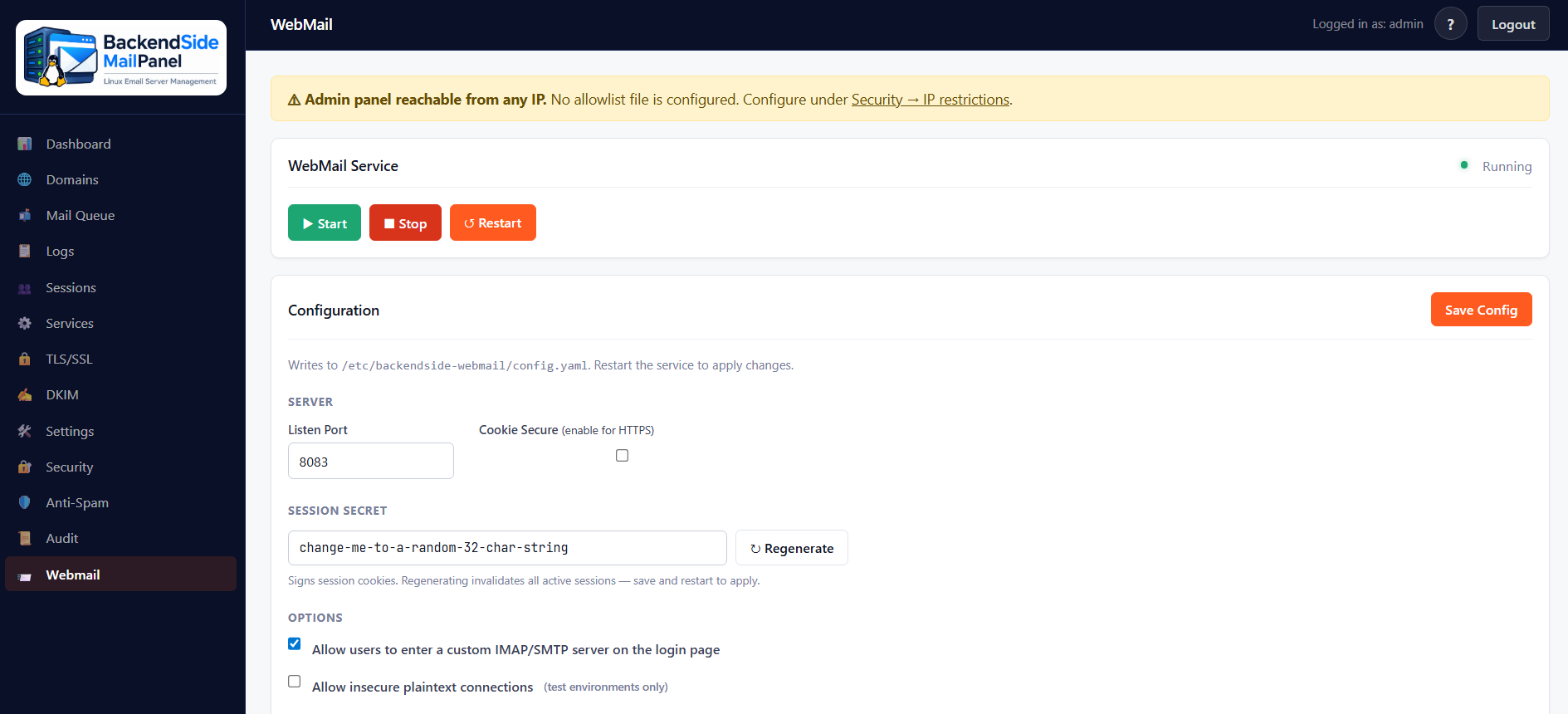
WebMail companion — service controls, structured config editor, session-secret regen