

Base64 Encoder / Decoder for Windows
A free encoding workbench for Windows — far more than just Base64. Encode, decode, inspect and transform text and files across many formats, chain transforms into a pipeline, decode JWTs, preview images, diff text, and process whole folders. Everything runs offline, with no data ever leaving your machine.
Download Desktop Version 2.0.1
Free on the Microsoft Store — no subscription, no ads.

Features
🔤 Many Encoding Formats
Base64 (Standard, URL-safe, MIME, PEM), Base32 (RFC 4648 & Crockford), Base58 (Bitcoin, Ripple, Flickr), Base85 (Ascii85 & Z85), Hex, URL encoding, HTML entities, and ROT13.
🔎 Smart Detect
Not sure what you're looking at? Paste a mystery string and the app recognises the format — Base64, Hex, a JWT, a data URI, and more — then decodes it for you automatically.
🔗 Transform Pipeline
Chain steps together and run them in one go — for example URL-decode → Base64-decode → Gunzip → pretty-print JSON. Add, reorder and remove steps, with Gzip / Deflate / Brotli compression and ready-made presets.
🪪 JWT Decoder
Paste a JSON Web Token to see its header and payload as readable JSON, plus a summary of its timing claims — including whether it has expired.
📄 File & Batch Processing
Encode or decode single files with a progress bar and cancel, or whole folders at once with per-file status and an overwrite policy. Drag-and-drop supported; large files stream in chunks, and output only appears once a conversion completes — a cancelled or failed run never touches your existing files.
🛠️ Developer Tools
Build or read an Authorization: Basic header, and turn a Base64 value into ready-to-paste Python, JavaScript, C#, cURL, or <img> snippets.
🖼️ Image Preview & Diff
Render an image straight from a Base64 string or a data: URI, and compare two pieces of text side by side with line-by-line colour highlighting.
👀 Folder Watch & History
Point the app at a folder and have new files encoded or decoded automatically as they arrive. A history list keeps your recent operations between sessions — it records only the operation and sizes, never the text you encoded, and can be switched off entirely.
🎨 Light & Dark Themes
Follows your Windows light/dark setting out of the box, with a one-click toggle and a custom icon set throughout. Keyboard shortcuts (Ctrl+Enter to encode, Ctrl+Shift+Enter to decode) and full screen-reader support.
🔒 Fully Offline & Private
No internet connection required. Your files and data never leave your computer — everything is processed locally on your machine.
Screenshots
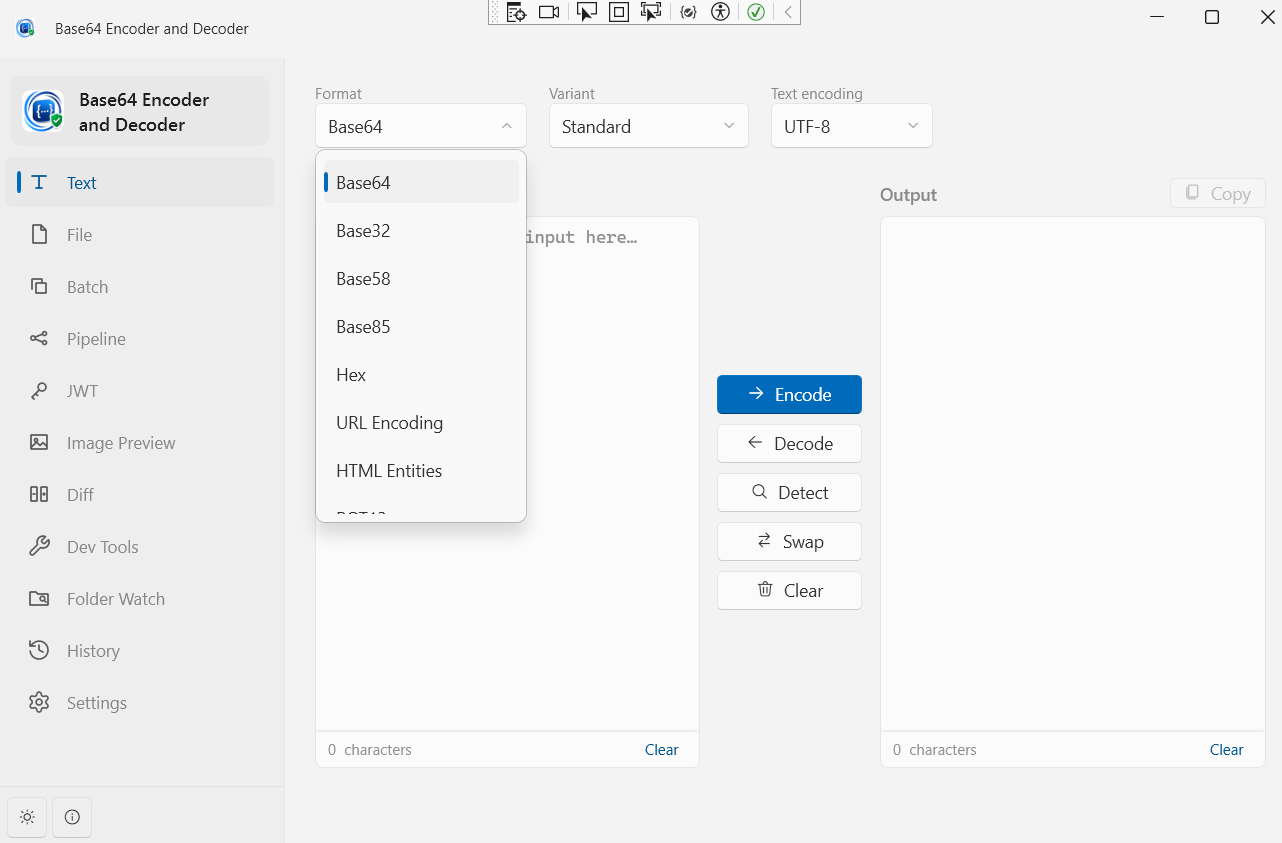
Text Encoding & Decoding — Many Formats
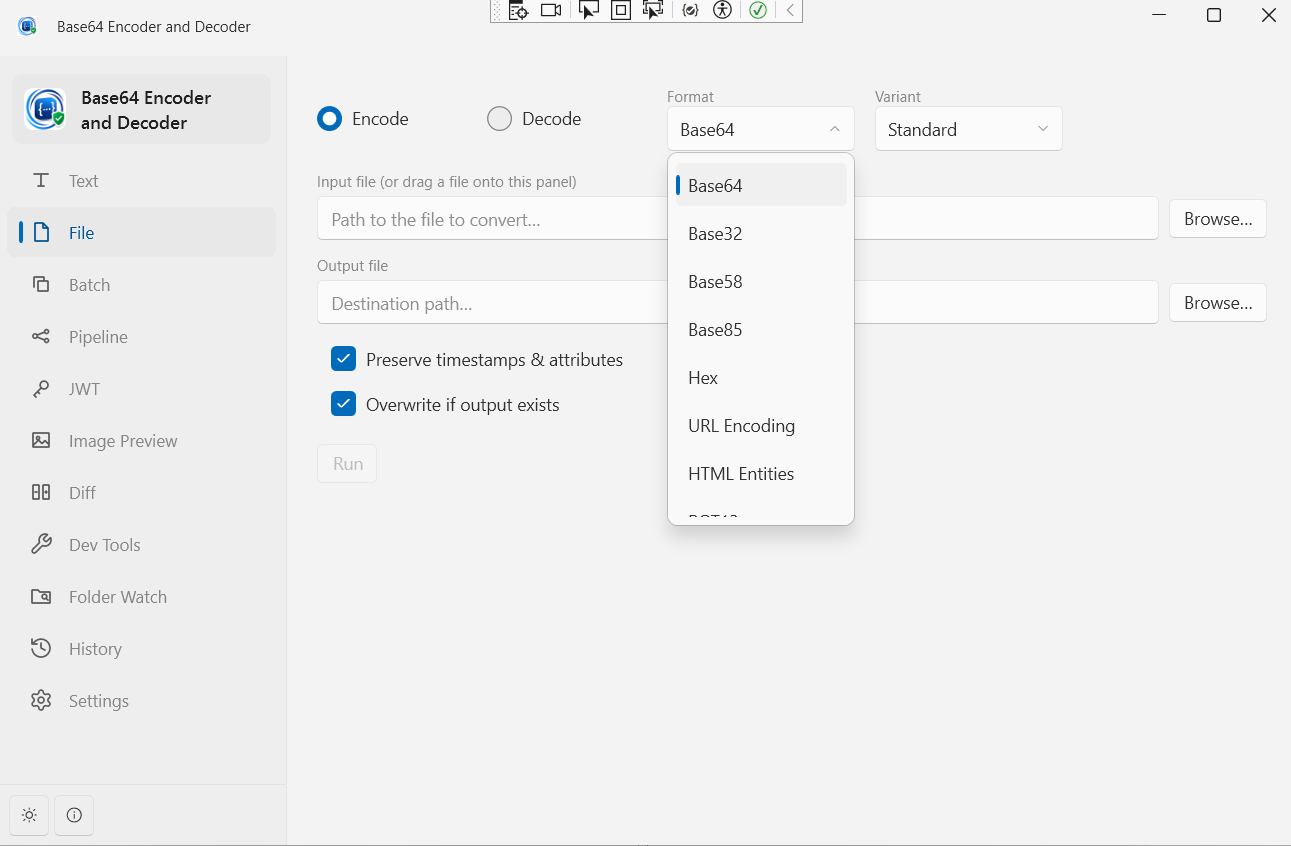
Single File Encoding & Decoding
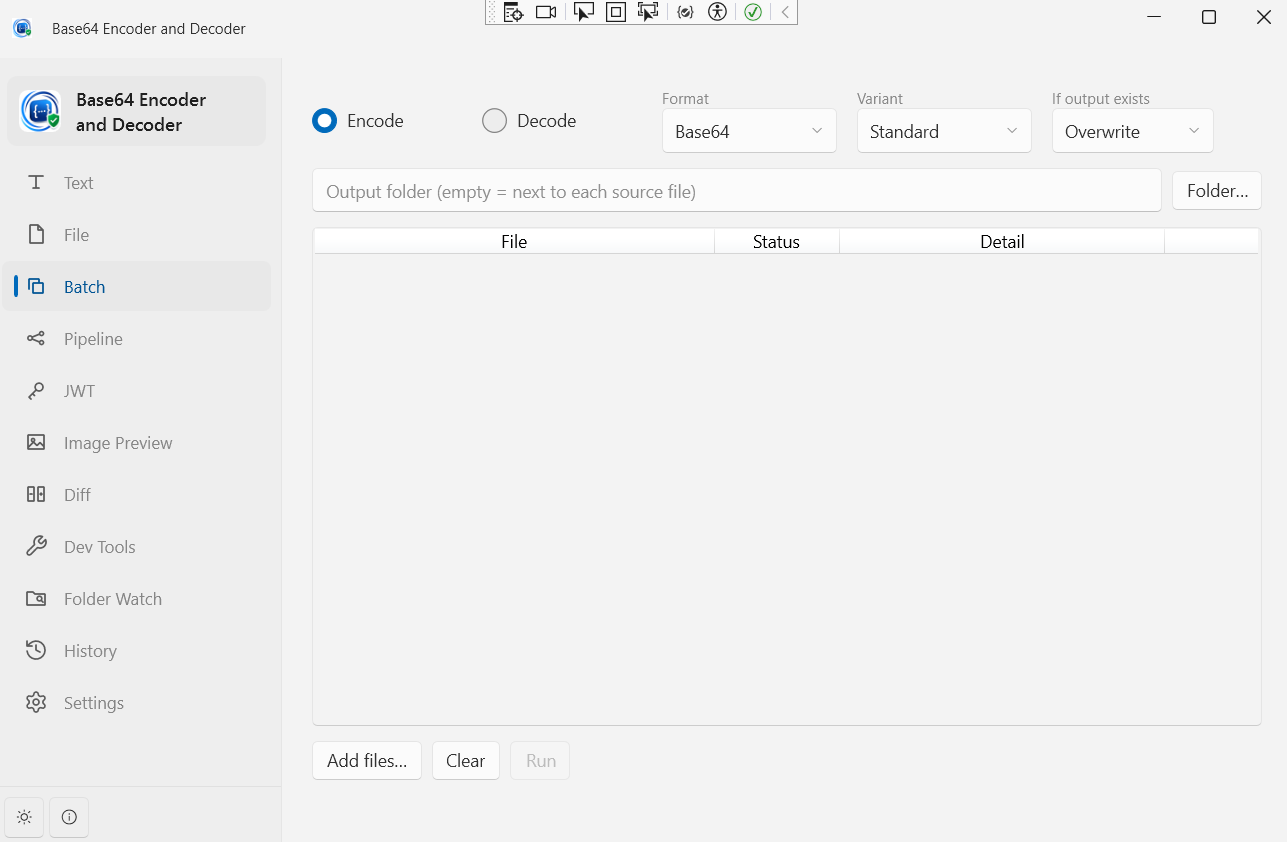
Batch File Processing
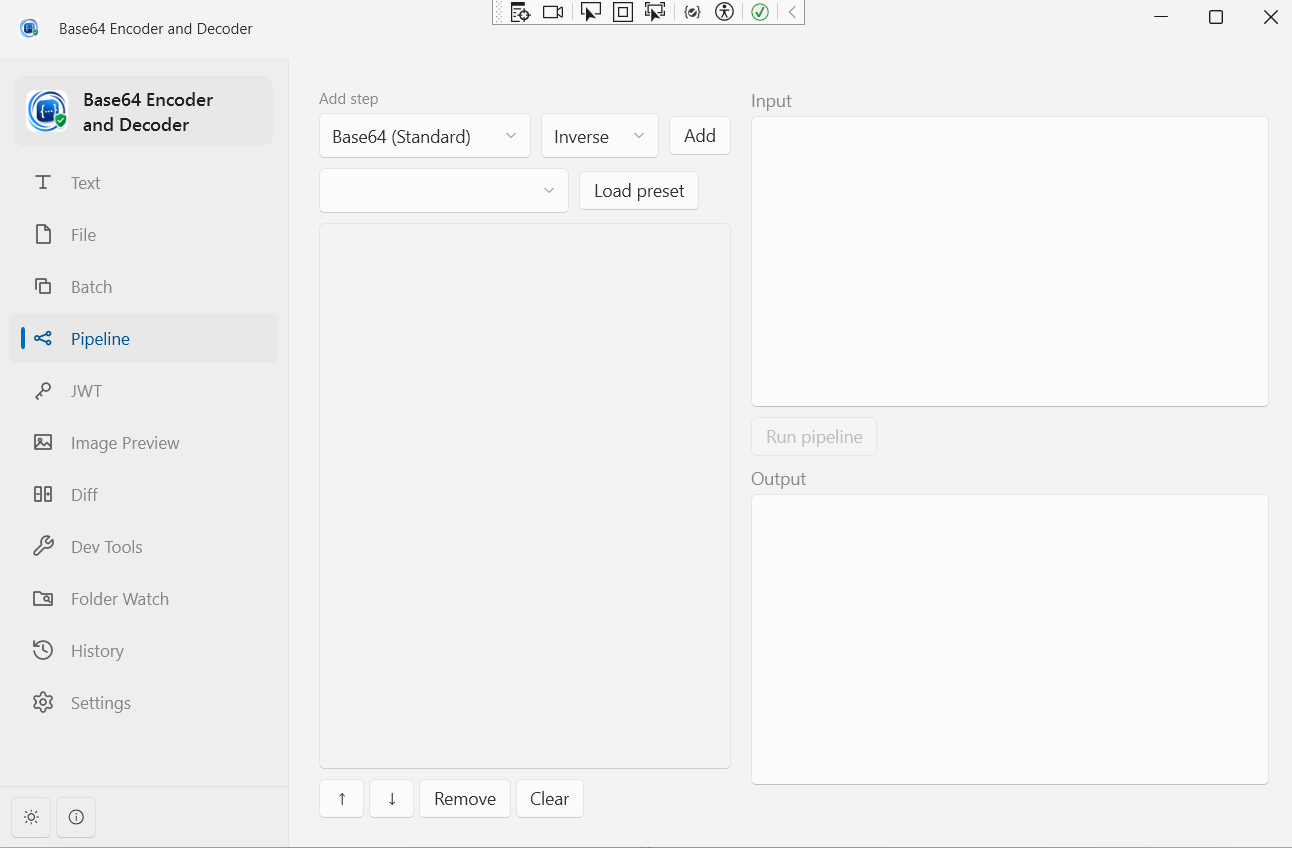
Transform Pipeline
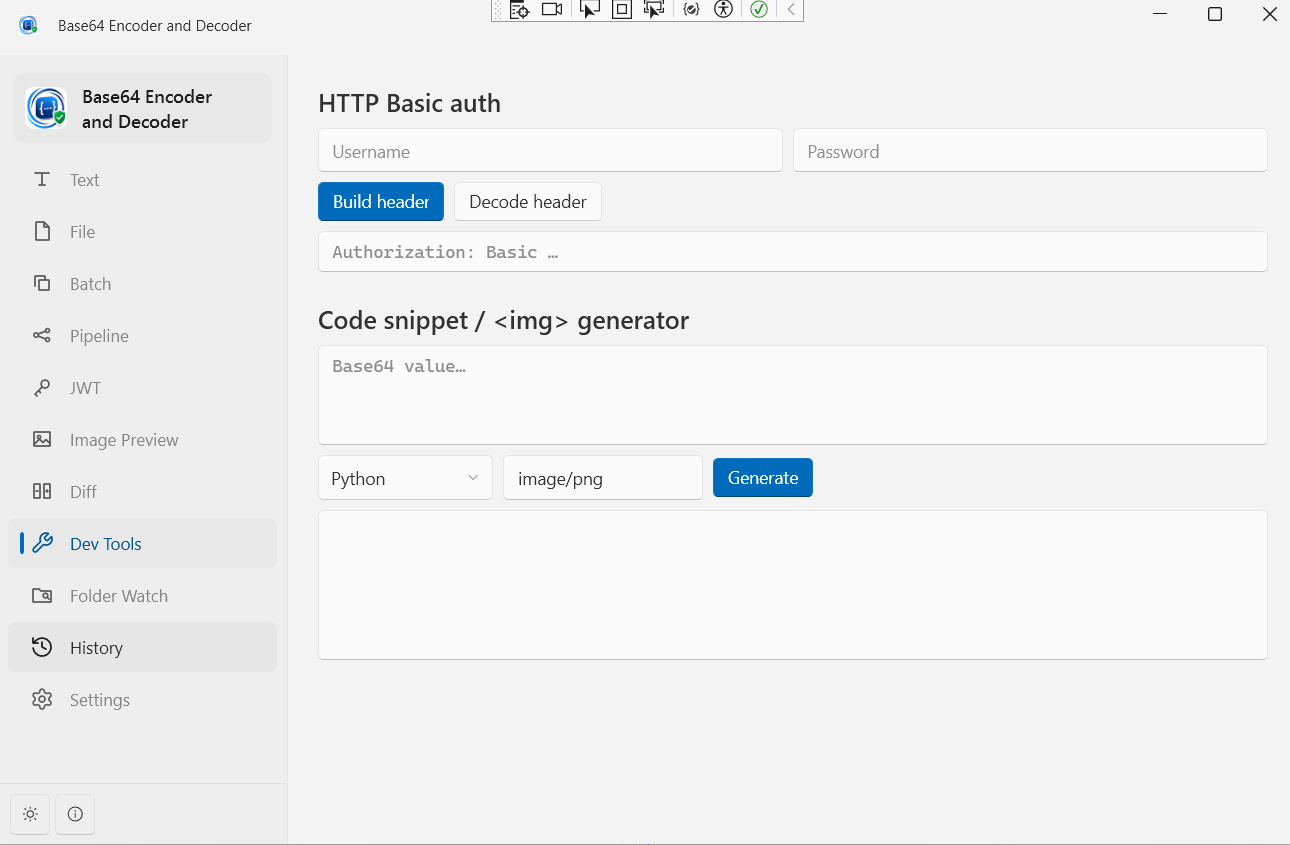
Developer Tools — Basic Auth & Snippets
Latest Release
Version 2.0.1 — October 2026
History no longer stores your text; crash, data-loss and silent-truncation fixes; large inputs no longer freeze the window; Save bytes… for binary results; unpadded Base64 accepted; keyboard shortcuts and better screen-reader support.