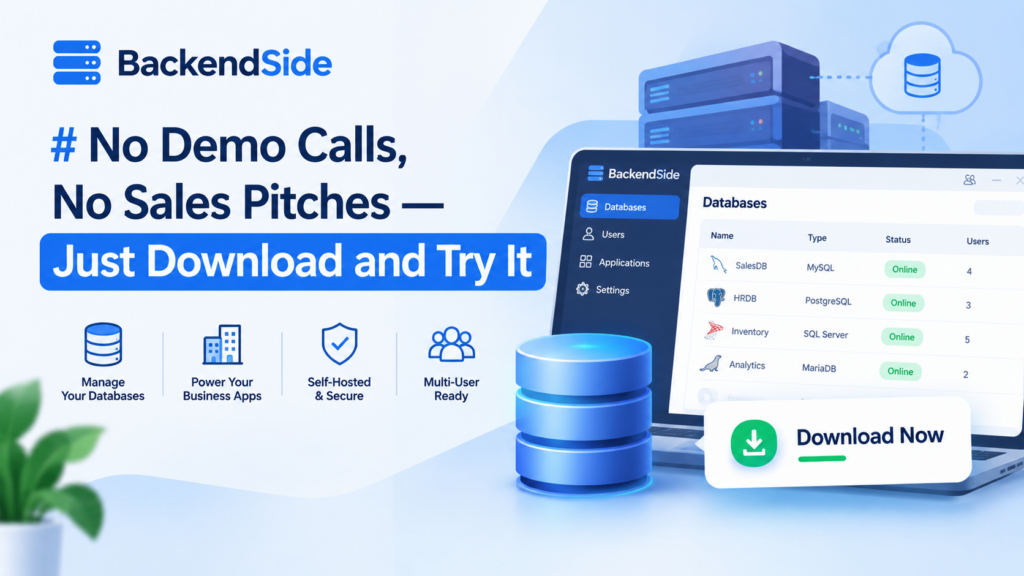
Try to buy ordinary business software and you will often meet the same wall before you have seen a single screen: a “Request a Demo” button. Fill in your name, your company, your phone number, your team size, and a “business email” (personal addresses need not apply). Wait for a callback. Sit through a scheduled call where someone drives a scripted walkthrough of features you may not need, working up to the actual question you had — will this run our business? — which you still cannot answer yourself, because you never got to touch it. That is not evaluation. That is a sales funnel wearing evaluation’s clothes.
None of BackendSide’s business software works that way. Every one of them installs from a direct download, runs on your own data from the first minute, and tells you plainly, on the page, what it costs if you decide to keep it.
Why “Request a Demo” exists in the first place
It is not an accident that so much B2B software is gated behind a form. A sales call is not for your benefit — it exists because the vendor wants your contact details before you can leave, wants a human in the loop to handle objections and upsell, and often wants to control exactly which features you are allowed to see before a contract is signed. None of that requires the software itself to be hidden. It is hidden because a form and a phone number are worth more to the vendor than an honest trial would be.
The tell is usually in what happens next: a follow-up email within the hour, then another the next day, then a “just checking in” a week later. You did not ask a salesperson a question. You asked to see a product, and got a pipeline instead.
Download it. Today. On your own data.
Every BackendSide client/server business application — DailyAccounts, PharmaDesk, ClinicDesk, DistributorsDesk, and the newest, PharmaDistributorsDesk — is a direct download from the Microsoft Store. There is no form between you and the installer. No email address to hand over just to see a login screen. No account to create before the software will run.
What you get once it is installed is not a cut-down demo either. It is the real application, working against your real customers, your real stock, your real numbers — because a trial that only shows you sample data cannot answer the question you actually have, which is whether your business fits inside this software.
- DailyAccounts, PharmaDesk, ClinicDesk and DistributorsDesk each carry a 30-day free trial on the Microsoft Store — the full application, not a limited edition of it.
- Thirty days is long enough to run a real month: post real entries, book real appointments, ring up real sales, raise real invoices, and see whether the reports at the end of it are the reports you actually needed.
- If it does not fit, you have lost nothing but the time it took to find out — no cancellation call, no “are you sure” retention offer, because there was never a subscription to cancel.
Try Any of These on Real Data, Starting Today
- DailyAccounts — double-entry accounting, guided entry or the full journal grid, five financial reports.
- PharmaDesk — pharmacy point of sale with batch and expiry tracking and FEFO dispensing.
- ClinicDesk — appointments, patient records, clinical visits and invoicing for a clinic.
- DistributorsDesk — the full order-to-cash cycle for wholesalers and trading companies.
- PharmaDistributorsDesk — the same shape, built specifically for pharmaceutical distribution: batches, FEFO, expiry, drug licences and recall traceability.
If you keep it, it costs about what you would spend on dinner
The other half of the “Request a Demo” pattern is usually a pricing page that says “Contact Sales” — because the price depends on how the negotiation goes, how many seats you commit to, and how long the contract runs. That is not a price. That is an opening position.
BackendSide’s business applications are priced the way a Windows program used to be priced before subscriptions became the default answer to everything: one payment, once, on the Microsoft Store, at a number close to what a nice dinner out costs — not per seat, not per month, not per year renewing quietly in the background until someone in finance asks what it is for. You pay it because you already used the real thing for thirty days and decided it earns a place in the business, not because a salesperson wore you down or a trial nagged you into it.
Compare what that actually means over time:
| Typical “Contact Sales” SaaS | BackendSide business apps | |
|---|---|---|
| Seeing the product | ❌ After a form and a call | ✅ Immediately, on download |
| Trying it on real data | ⚠️ Often a sandboxed demo account | ✅ Yes, 30 days, full application |
| Price you can read on the page | ❌ “Contact Sales” | ✅ Shown on the Store listing |
| Cost after year one | ❌ Same again, and again | ✅ Nothing — already paid, once |
| Cancelling | ⚠️ Often its own process | ✅ Nothing to cancel |
Comparison reflects typical configurations at the time of writing.
No separate database to install. No backup job to configure.
The other place traditional business software quietly gets expensive is after you have bought it, in the setup: install a database engine, license it separately, configure a web server in front of it, then remember to schedule backups yourself before the first real incident teaches you the hard way. None of that is optional friction — it is a second project stacked on top of the one you actually wanted to run.
Every BackendSide business application bundles its own database inside the install. There is no separate database product to license, patch or tune — the application manages it, and it is built for real concurrent multi-user access from the first login, not a single-user file that happens to work most of the time. Setup is one wizard: create the database, set an admin password, and the whole office is working in it. PharmaDistributorsDesk goes a step further and adds scheduled backup to your own Google Drive, and DailyAccounts does the same — both automated once you turn it on, so an off-site copy does not depend on someone remembering to run it manually.
PharmaDistributorsDesk — Distribution Management Built for Pharmaceutical Compliance
Install it, create a database in one screen, and the whole office and warehouse are working in it from a browser — no separate database to set up, no web server to configure. Batch and expiry tracking with automatic FEFO allocation, drug licences that block a delivery once lapsed, recall traceability, and scheduled backup to your own Google Drive.
Genuinely self-hosted, genuinely multi-user — on your LAN or on a VPS
“Self-hosted” is sometimes used loosely to mean a desktop program that one person opens at a time. That is not what these are. Each one is a real client/server system: a small server component runs on a Windows machine you control, and every device on the network — a desktop, a tablet at the counter, a phone in a salesman’s pocket — reaches it through an ordinary browser, all working against the same live data at once, each person scoped to their own role.
Where that server lives is your choice, and it is the same software either way:
- On your office LAN — the usual choice for a single location. One PC that is already on during working hours runs the server; everyone else just points a browser at its address.
- On a VPS with a public IP — for a business with more than one branch, or staff who need to reach it from outside the building. The identical install, just bound to a public address instead of a private one.
We covered the mechanics of that choice in detail in Client-Server LAN Business Apps That Are Also VPS-Ready, if you want the setup steps. The point here is simpler: you are never asked to choose a “cloud edition” versus a “desktop edition” at purchase time, and you are never locked into whichever one you picked first.
Key takeaways
- No demo request, no sales call. Every BackendSide business application is a direct download you can install and use today.
- A real 30-day trial on real data — not a sandboxed demo account — across DailyAccounts, PharmaDesk, ClinicDesk and DistributorsDesk.
- One payment, once, if you keep it — priced like a piece of software you buy, not a subscription you forget you are paying.
- Nothing extra to install or configure — the database is bundled, setup is one wizard, and backup can be automated to your own Google Drive.
- Genuinely multi-user, genuinely self-hosted — run the same software on your office LAN or on a VPS for global access, without changing products.
If the last piece of business software you looked at made you talk to a salesperson before you were allowed to see it, that was a choice the vendor made, not a requirement of the software. Ours do not require it.
Try Any of These on Real Data, Starting Today
- DailyAccounts — double-entry accounting, guided entry or the full journal grid, five financial reports.
- PharmaDesk — pharmacy point of sale with batch and expiry tracking and FEFO dispensing.
- ClinicDesk — appointments, patient records, clinical visits and invoicing for a clinic.
- DistributorsDesk — the full order-to-cash cycle for wholesalers and trading companies.
- PharmaDistributorsDesk — the same shape, built specifically for pharmaceutical distribution: batches, FEFO, expiry, drug licences and recall traceability.
Leave a Reply