
Bloggie – WordPress Blog Manager for Android
Write • Publish • Moderate • Works offline
Bloggie puts all your WordPress blogs in your pocket. Add every self-hosted site you run, see them side by side on one home screen, and open any blog to write, publish and moderate comments — even when your connection drops. Posts are edited as real WordPress blocks with proper formatting, so what you write on your phone opens cleanly in the WordPress block editor later. Everything is saved on the phone first and synced when you are back online, sign-in uses WordPress Application Passwords rather than your main password, and there are no accounts, no third-party servers and no ads.
Download Version 1.2
Free on Google Play for one blog — the editor, images, comment moderation and offline sync included. No ads, no account, no sign-up.
Works with any self-hosted WordPress site, version 5.6 or newer, with the REST API enabled.
Free for one blog — Pro is prepaid, nothing renews
The free version is the whole app for one blog — the block editor, images, post settings, autosave, comment moderation, offline sync and the app lock are all included, and the demo blog does not count. Bloggie Pro adds unlimited blogs, scheduled publishing, revision history, saved snippets and image galleries. Pro is prepaid, monthly or yearly: you pay once for the time you choose and nothing renews automatically. Bloggie reminds you three days and one day before it runs out, and if it does, nothing is deleted or locked — you simply cannot add more blogs until you add more time.
Changelog — what’s new in each release
Release history from the first build — posts, comment moderation and the offline queue — through multiple blogs, the app lock and bulk moderation, to the new block editor, post settings, offline images, autosave, edit-conflict handling, Share to Bloggie and Bloggie Pro.
View the full changelogFeatures
🗂️ All Your Blogs in One Place
Add any self-hosted WordPress site and each one gets its own card on the My blogs home — its logo, post count, pending comments, unsynced changes and when it last synced. Tap a card to manage that blog, go back to switch to another; every blog’s content is kept separate. Bloggie checks the address and Application Password against the site before saving, and accepts addresses pasted with /wp-admin or /wp-json on the end.
✍️ A Real Block Editor
Posts are edited as WordPress blocks with real formatting — bold, italic, strikethrough, links and inline code — not raw HTML or markdown. Add, move, change and delete paragraphs, headings (H2–H4), bulleted and numbered lists, quotes, code and separators, with undo and redo, a word count and reading time. Typing shortcuts work too: ## for a heading, - for a list, 1. for a numbered list, > for a quote.
🔒 Never Breaks What It Can’t Edit
Blocks the app does not edit — embeds, galleries, tables, columns, buttons, custom HTML — appear as locked “edit on the web” cards and are saved back exactly as they were. Posts edited in Bloggie still open cleanly in the WordPress block editor, and classic-editor posts stay classic.
⚙️ Post Settings
Set a featured image, pick categories (or create a new one), add tags from suggestions or your own, and write the excerpt and slug. Choose who can read it: public, private or password-protected.
🖼️ Images, Even Offline
Pick several photos at once from your gallery — no storage permission needed — and watch them upload to the blog’s Media Library with progress, with captions and alt text. Photos added offline are kept on the phone and uploaded before the post syncs, and an image the blog rejects is removed instead of being published broken.
📶 Works Offline
Everything you do is saved on your phone first. Changes are queued and synced automatically when you are back online; pull down to refresh one blog or all of them at once. Posts and comments are fetched a hundred at a time, so larger blogs load completely.
💾 Autosave and Edit Conflicts
Unsaved edits are kept every few seconds and offered for restore if the app is closed or crashes, and leaving with unsaved changes asks whether to save, update or discard. If a post changed on the web while your edits were waiting to sync, Bloggie asks whether to keep your version, the blog’s version, or save yours as a copy — it never quietly overwrites. Such posts are marked “Edited on the web” in lists.
💬 Fast Comment Moderation
Comments awaiting moderation sit right on each blog’s home screen, with a badge counting them. Reply, approve, mark as spam or trash with clearly labelled buttons, and long-press to select many comments to approve, spam, unapprove, restore or trash in one go. Trashing a comment or post always asks first, naming what will be trashed.
🔍 Posts, Preview and Sharing
Search your posts and filter by Published, Drafts or Scheduled. Preview a post inside the app, or open “View on blog” / “Preview on blog” in a browser tab. And Share to Bloggie from any other app: text, links and photos start a new post, with a blog picker when you have several.
🛡️ Private and Secure
Bloggie signs in with WordPress Application Passwords, never your main login password, and you can revoke one any time from your WordPress profile. Credentials are encrypted with the Android Keystore and only ever sent to your own site. The app lock — fingerprint, face, pattern, PIN or password — is on by default, and turning it off needs verification too.
⭐ Bloggie Pro
Unlimited blogs; scheduled publishing with a date and time picker; revision history to load an earlier version of a post into the editor; saved snippets — sign-offs, disclosures and calls to action inserted with one tap, kept per blog on your phone; and image galleries, including editing existing WordPress galleries. Prepaid monthly or yearly, with Add time top-ups and restore purchase.
🎨 Modern and Comfortable
Material You design that adapts to your wallpaper colours, light and dark themes, and a welcome screen that explains exactly what you need to add your first blog — or explore a demo blog first.
Bloggie is not affiliated with or endorsed by WordPress or Automattic. WordPress is a trademark of the WordPress Foundation.
Screenshots
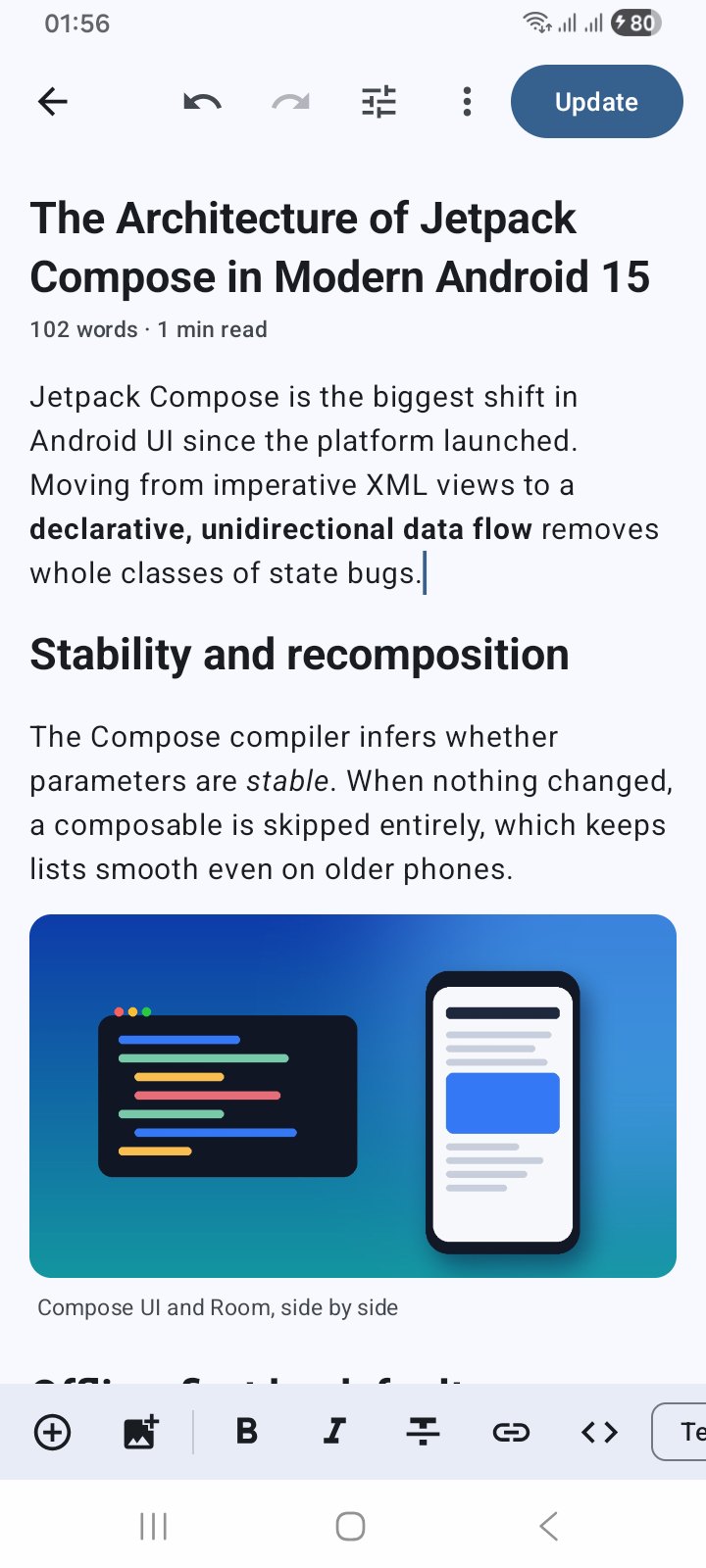
A real editor — WordPress blocks with formatting, images and undo
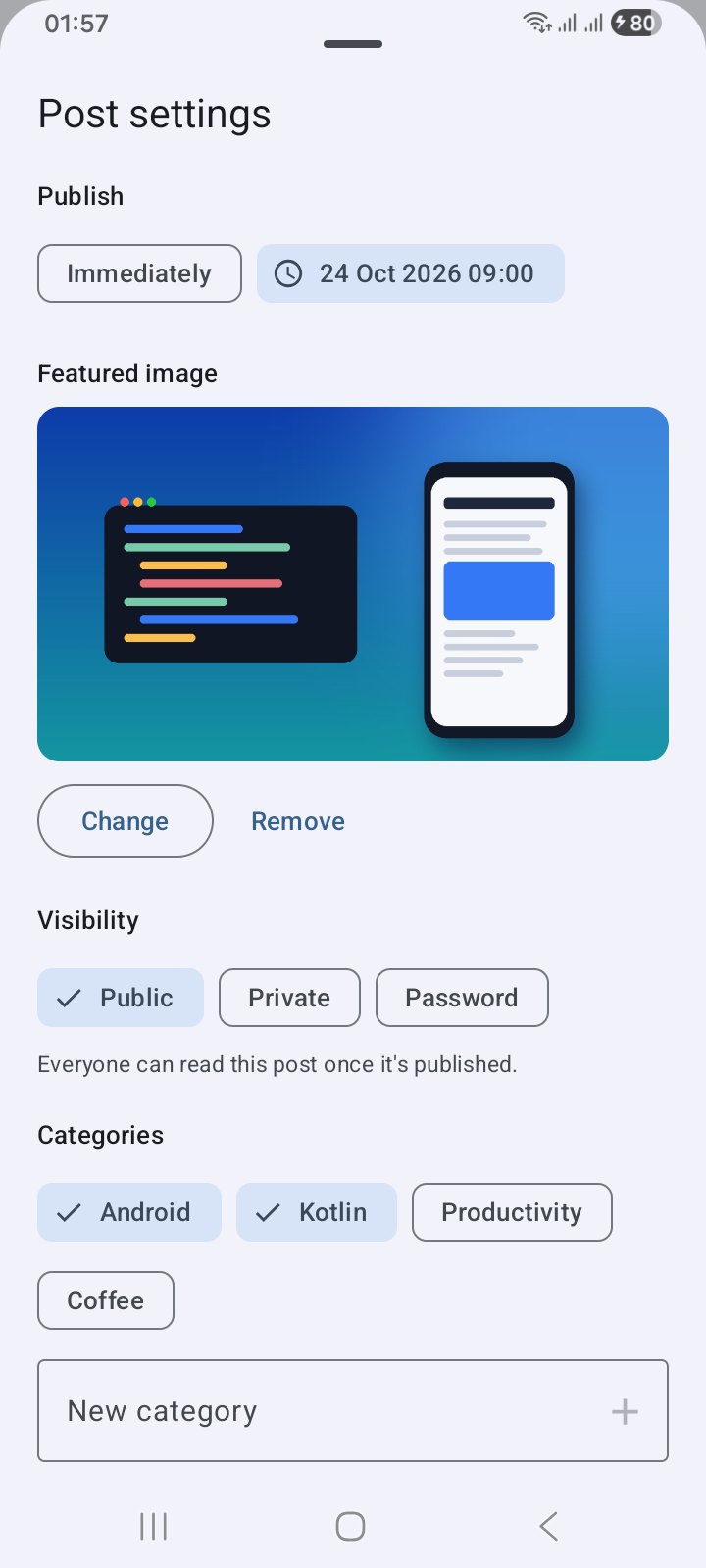
Post settings — featured image, categories, tags, visibility and scheduling
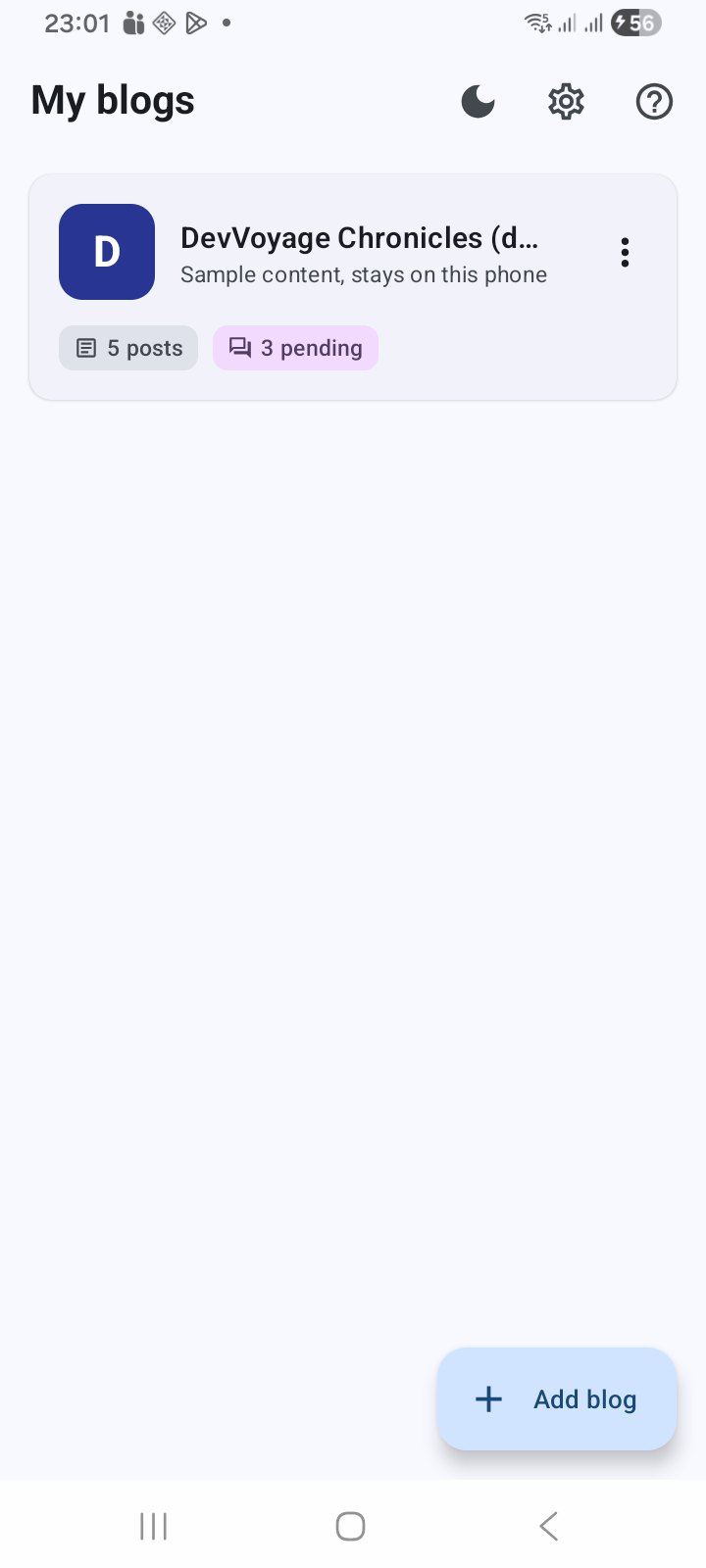
All your blogs on one home screen
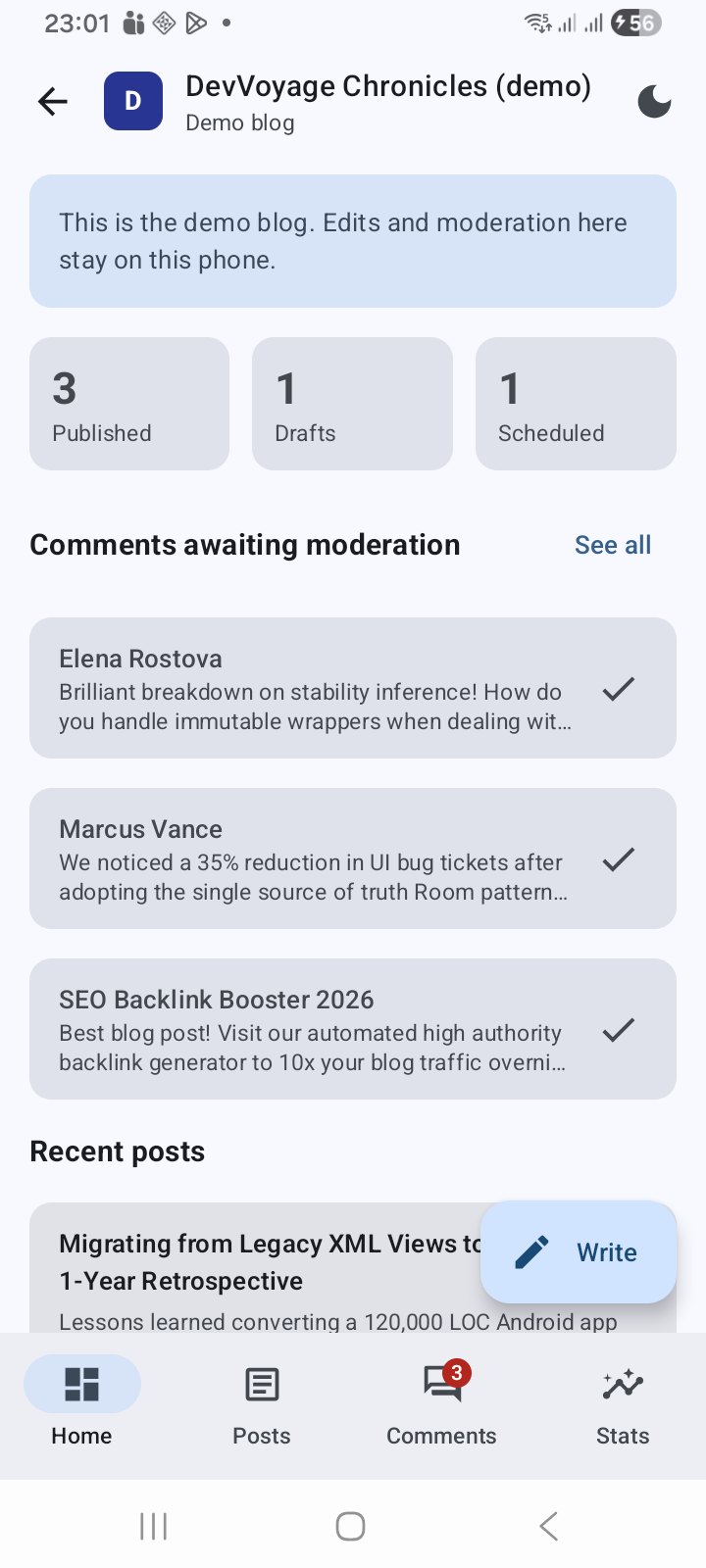
Each blog’s dashboard — post counts, comments waiting, recent posts
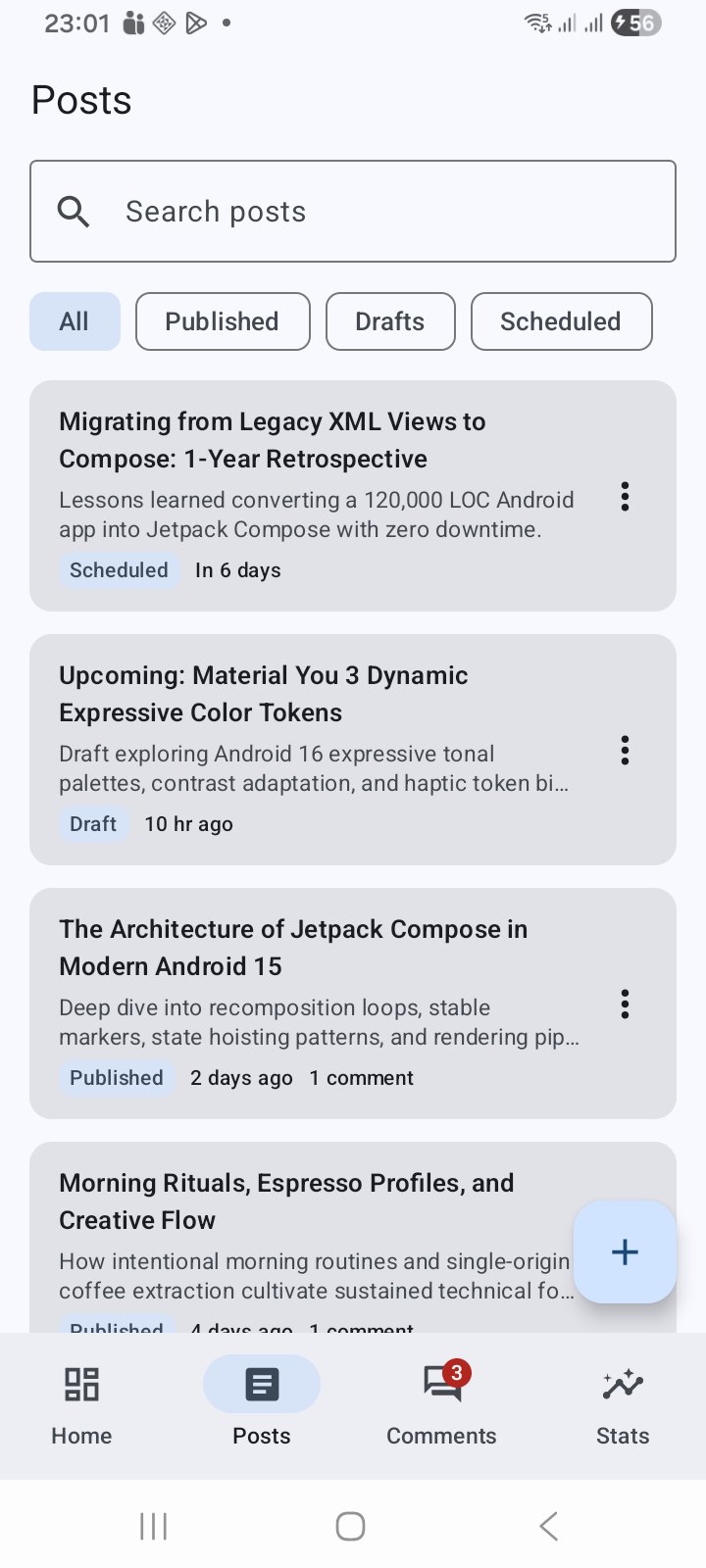
Search your posts and filter by Published, Drafts or Scheduled
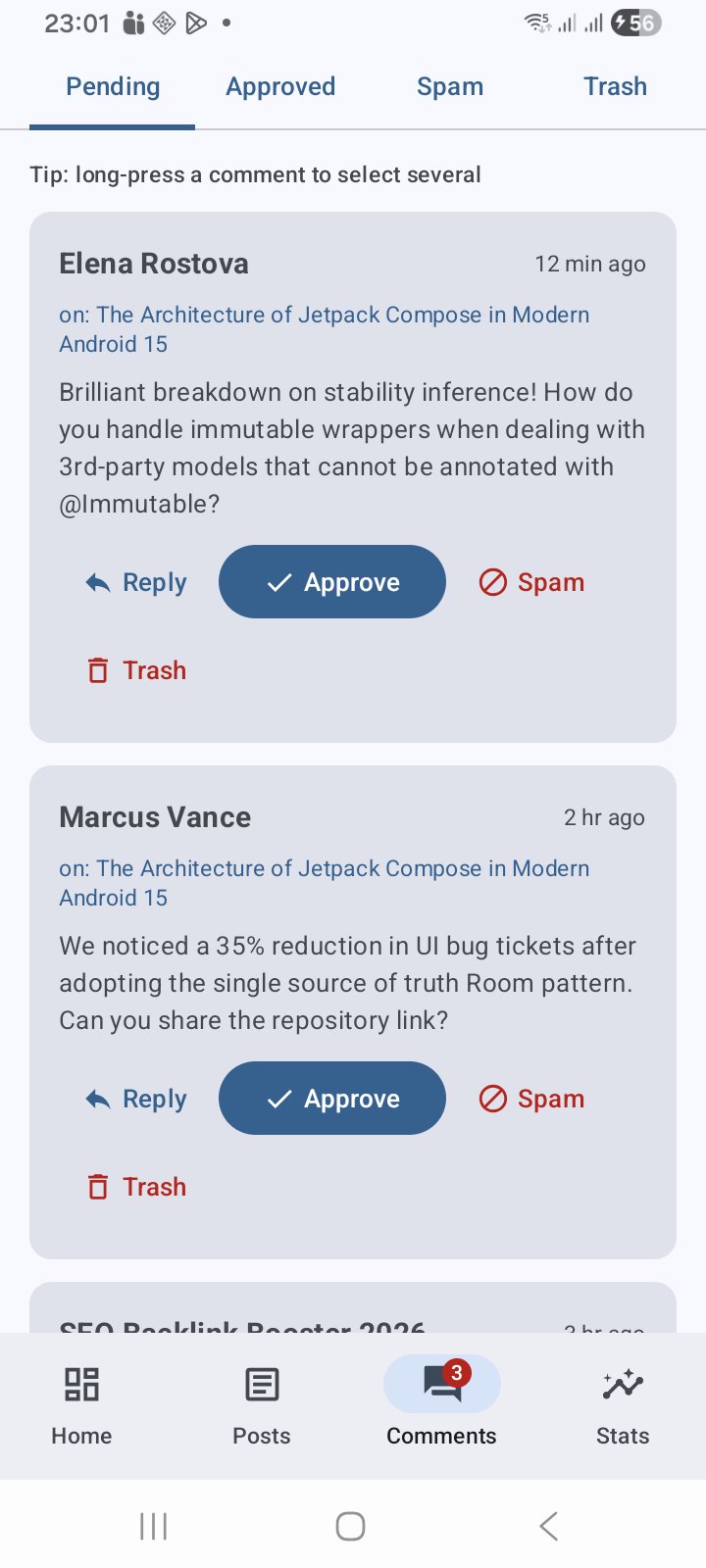
Moderate comments — reply, approve, spam or trash
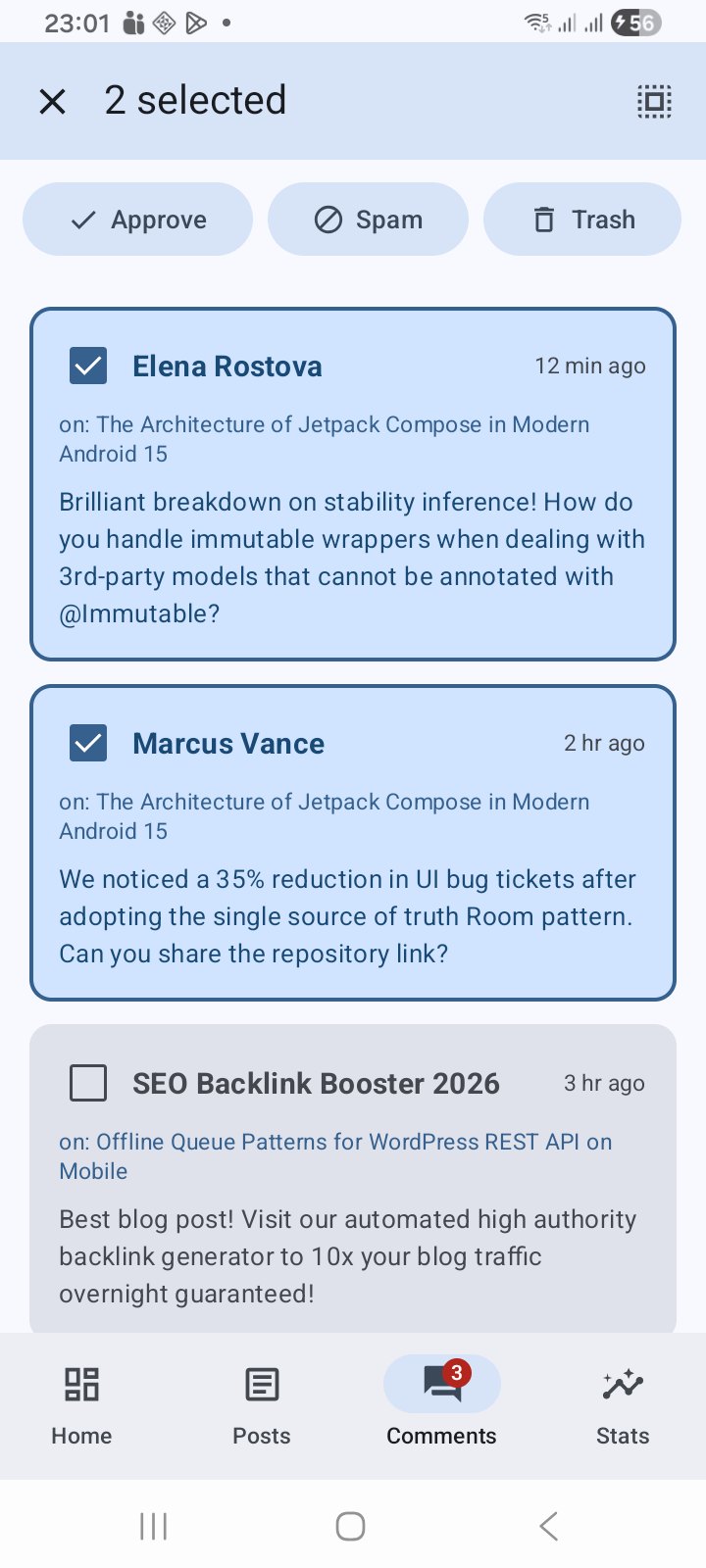
Bulk moderation — long-press to select many comments at once
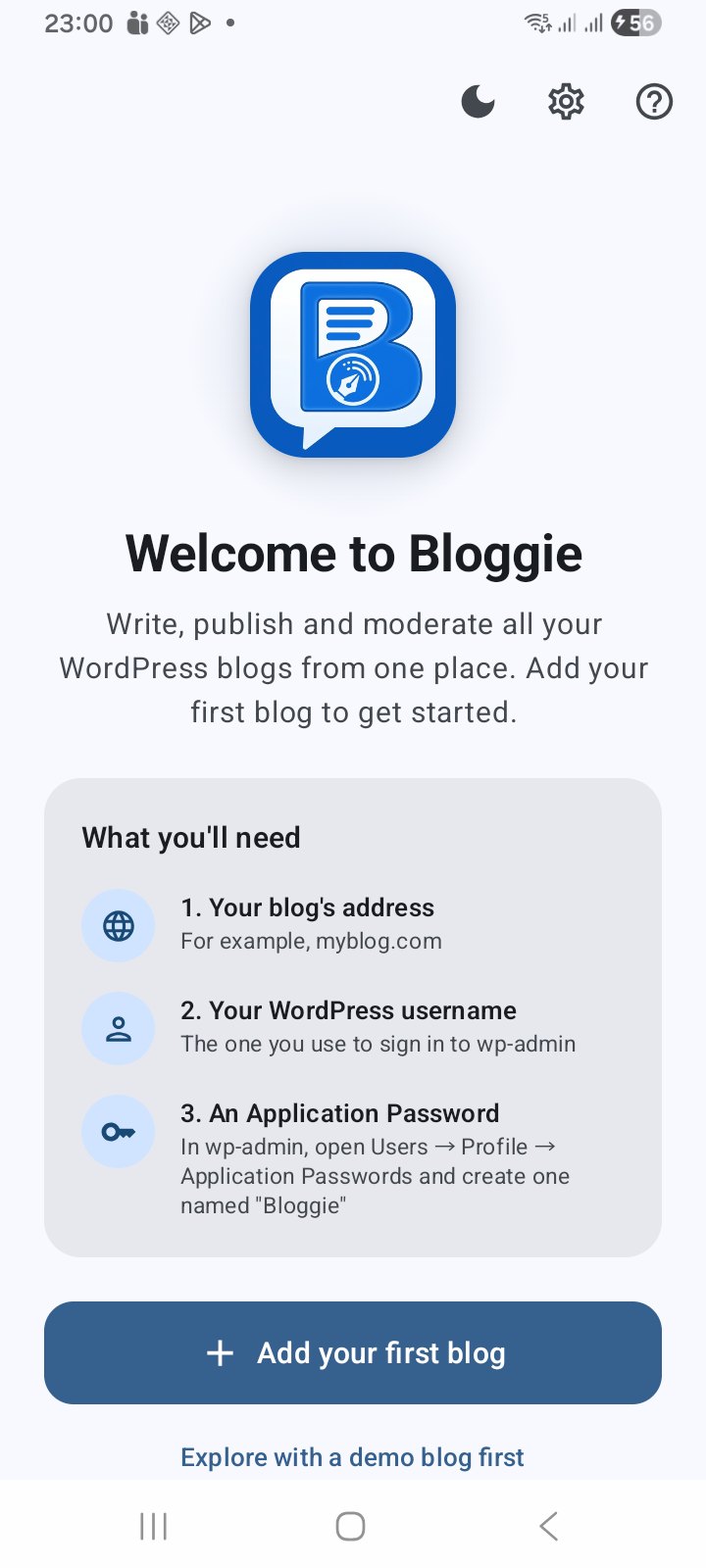
A welcome screen that explains what you need to get started
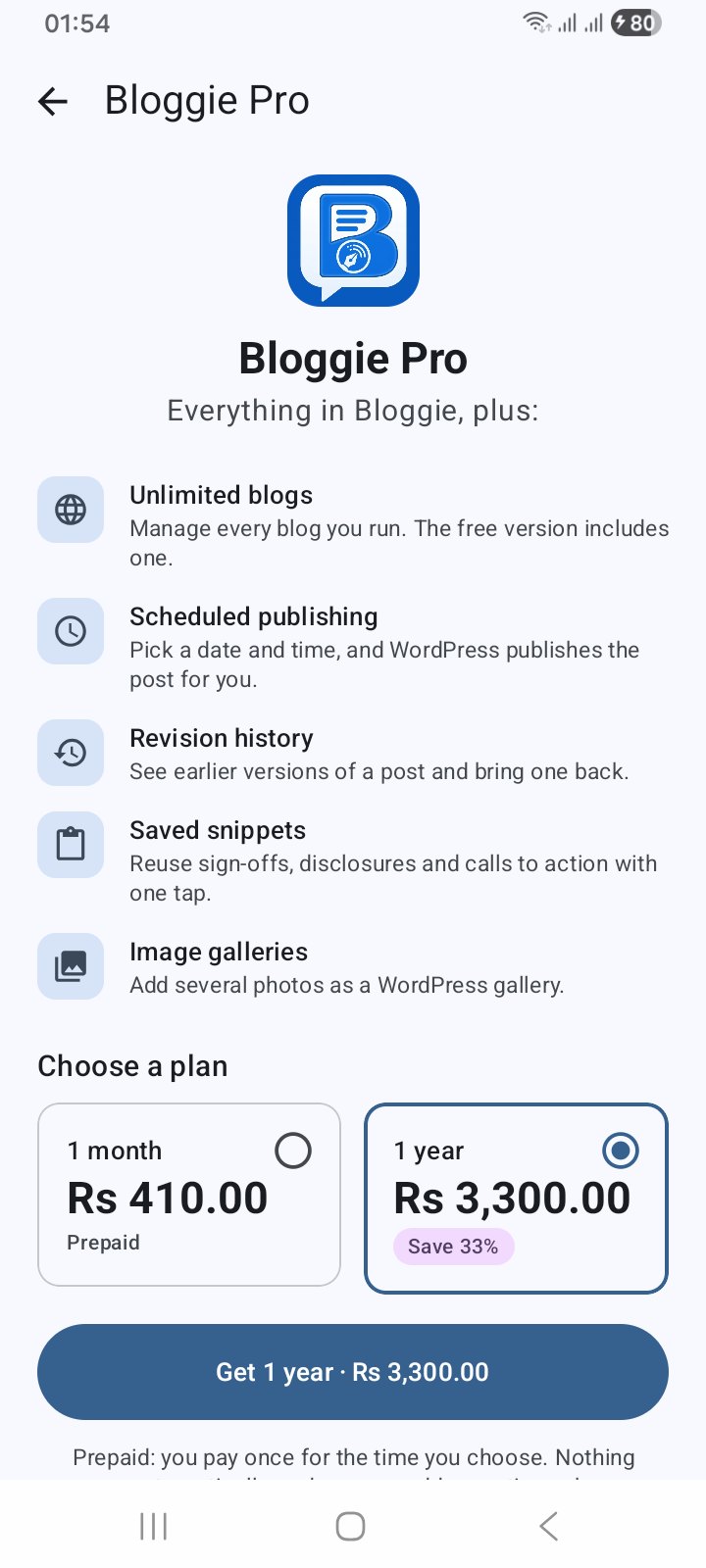
Bloggie Pro — prepaid monthly or yearly, never auto-renews
Latest Release
Version 1.2 — October 2026
A new editor and Bloggie Pro. Posts are now edited as WordPress blocks with real formatting — headings, lists, quotes and code, with undo — and blocks the app can’t edit are kept exactly as they were. Post settings cover the featured image, categories, tags, excerpt, slug and visibility. Photos work offline and upload when you are back online, edits are autosaved, and Bloggie warns you if a post changed on the web instead of overwriting it. Share to Bloggie starts a post from any app. And there is a new Bloggie Pro — unlimited blogs, scheduled posts, revision history, snippets and galleries — prepaid monthly or yearly, never auto-renewing.