
AskariFTP – FTP & FTPS Client for Android
FTP • Explicit & implicit FTPS • Parallel transfers • Site lock
AskariFTP is a fast, secure FTP and FTPS client for Android. Connect to your web hosting, NAS or office server over plain FTP, explicit FTPS (AUTH TLS) or implicit FTPS, browse and manage files with a full file browser, fix a page in the built-in text editor, and move whole folders with parallel uploads and downloads that pause, resume and keep going in the background. Certificates are checked, listings and file contents are encrypted with TLS 1.3, saved passwords are encrypted on your phone, and every site can be locked behind your fingerprint — with no ads, no tracking and no accounts.
Download Version 1.0.1
Free on Google Play for one site — FTPS, the file browser, the text editor, parallel transfers and the site lock included. No ads, no account, no sign-up.

Built for web developers, site owners, hosting customers and anyone who keeps files on an FTP server or a NAS.
Free for one site — every feature included
The free version is the whole FTP client for one saved site: FTPS, the file browser, the text editor, parallel transfers and the site lock are all included. AskariFTP Pro lifts the limit to unlimited saved sites. Pro is a monthly or yearly subscription through Google Play, with restore purchase and manage subscription links right in the app.
Changelog — what’s new in each release
Release notes from the first version — FTPS with TLS 1.3, certificate checks, the file browser and editor, the parallel transfer queue and the site lock.
View the full changelogFeatures
🔐 FTP, Explicit and Implicit FTPS
Connect over plain FTP, explicit FTPS (AUTH TLS) or implicit FTPS. File listings and contents are encrypted (PROT P), with TLS 1.2 and TLS 1.3. AskariFTP reuses the TLS session on data connections, so it works with servers that require it — ProFTPD, vsftpd and FileZilla Server — where many clients fail with “425 Unable to build data connection”.
🛡️ Certificate Checks That Explain Themselves
Every server certificate is checked against your phone’s trust store. When one fails, AskariFTP tells you why — self-signed, expired, missing intermediates or issued to another host name — and shows its SHA-256 fingerprint. Trust it once or always; trusted certificates are listed in Settings, where you can remove them.
📁 A Full File Browser
Breadcrumbs, sorting, filtering and hidden files, pull to refresh, and multi-select to download or delete a whole selection. Create folders and text files, rename, delete folders with everything in them, copy a file’s link and see its properties.
📝 Edit Files on the Server
Open HTML, CSS, configs and scripts up to 2 MB in the built-in text editor and save straight back to the server, in the site’s own encoding. Any other file opens in the app of your choice.
⚡ Fast Parallel Transfers
Run up to six uploads and downloads at once, and upload or download whole folders with their structure intact. Transfers show live speed and time left, pause and resume where they stopped, retry automatically on network errors and keep files’ modification times.
🌙 Keeps Going in the Background
Leave the app and your transfers keep running, with their progress in a notification and a Pause all button. Transfers interrupted by the system can be resumed, and you choose what happens when a file already exists: resume, overwrite, skip or keep both.
🔒 Locked With Your Fingerprint
Opening a site asks for your phone’s fingerprint, face, pattern, PIN or password. One unlock lasts until the app has been in the background for a minute, then open sites are hidden again. Saved passwords are encrypted with a key in the Android Keystore and never leave your phone — or leave them out and be asked each time.
🔧 Unix Permissions Made Easy
Change permissions (chmod) by ticking the owner, group and others boxes or typing the octal value. The timestamped connection log shows every command and reply, with a box to send raw commands — passwords are always masked.
🗄️ A Site Manager With Everything
Host, port, protocol, anonymous login, passive or active mode, filename encoding, a starting folder, timeout, notes and a card colour. Test connection shows the TLS version, cipher, server features and home folder before you save.
🔗 Quick Connect and ftp:// Links
Connect from the search bar without saving a site first, or tap an ftp://, ftpes:// or ftps:// link in another app to open it in AskariFTP. A password inside a link is never shown on screen.
📲 No Storage Permission Needed
Downloads go to a folder you pick, and uploads come from files you choose, so AskariFTP never asks for broad access to your phone’s storage.
🎨 Light or Dark
A clean interface with Sites and Transfers tabs and a light or dark theme in the logo’s colours, switched from the top bar — the file browser included.
Screenshots
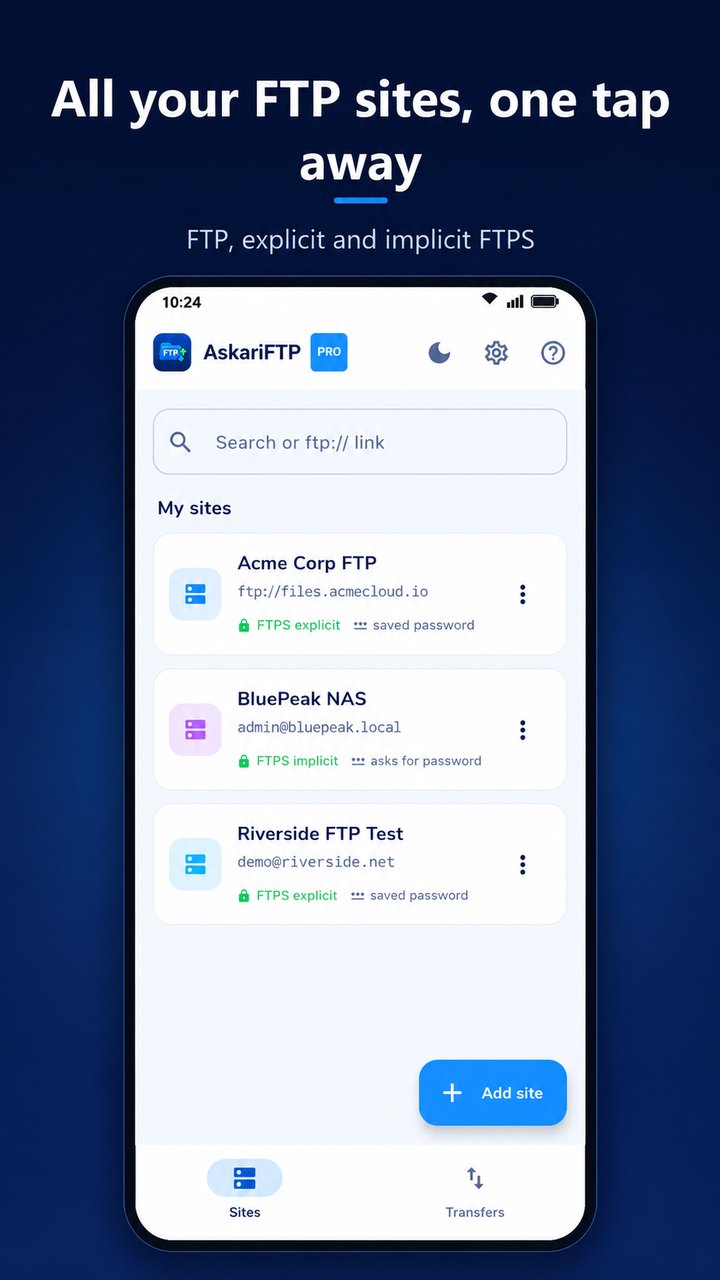
All your FTP sites, one tap away — FTP, explicit and implicit FTPS
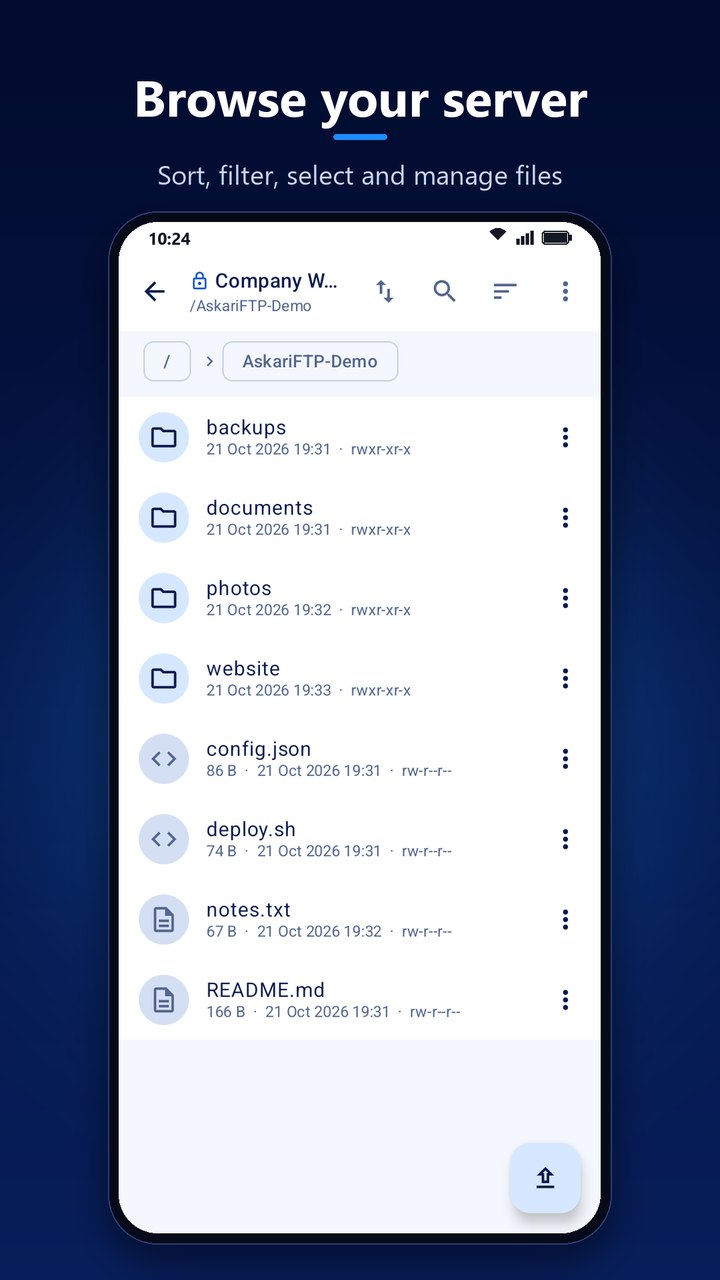
Browse your server — sort, filter, select and manage files
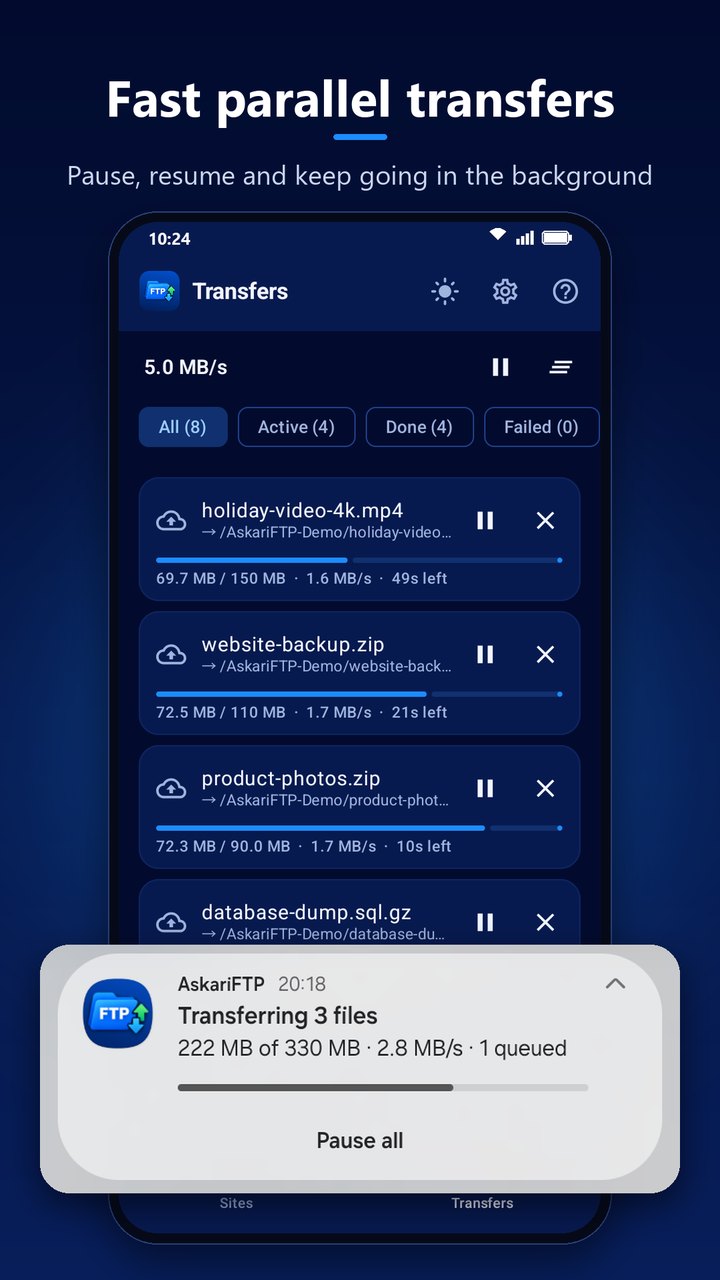
Fast parallel transfers — pause, resume and keep going in the background
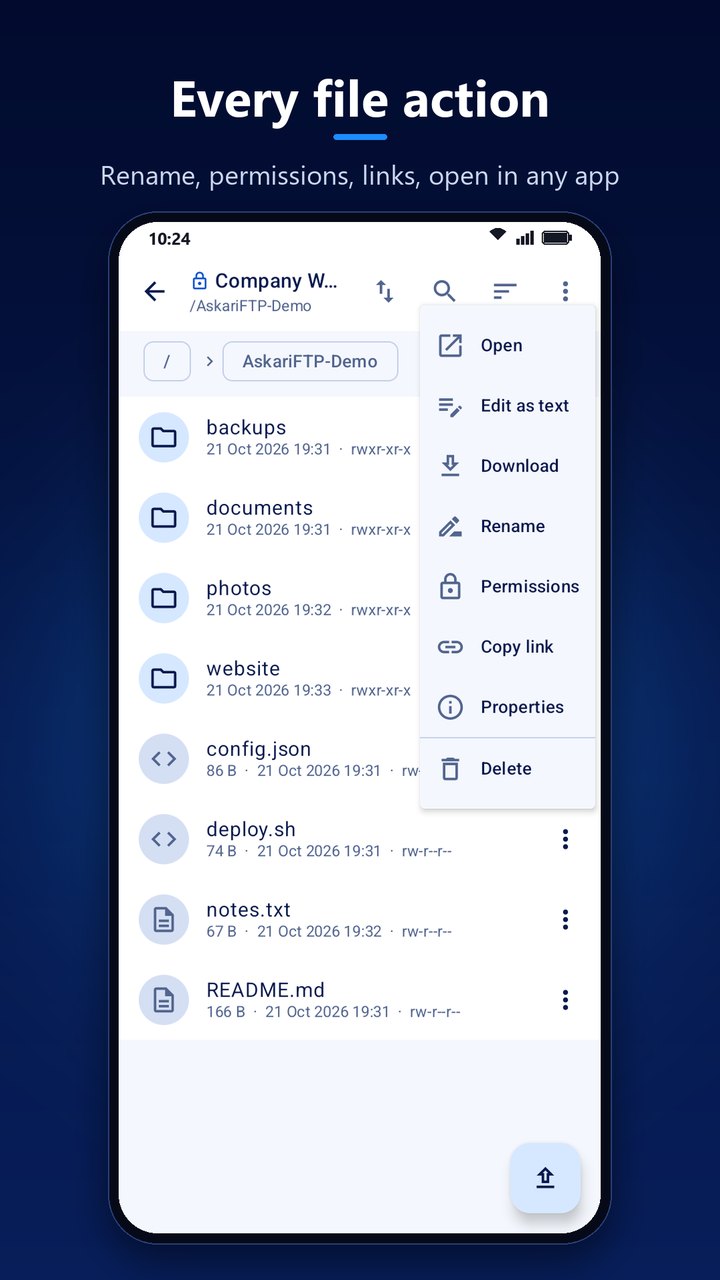
Every file action — rename, permissions, links, open in any app
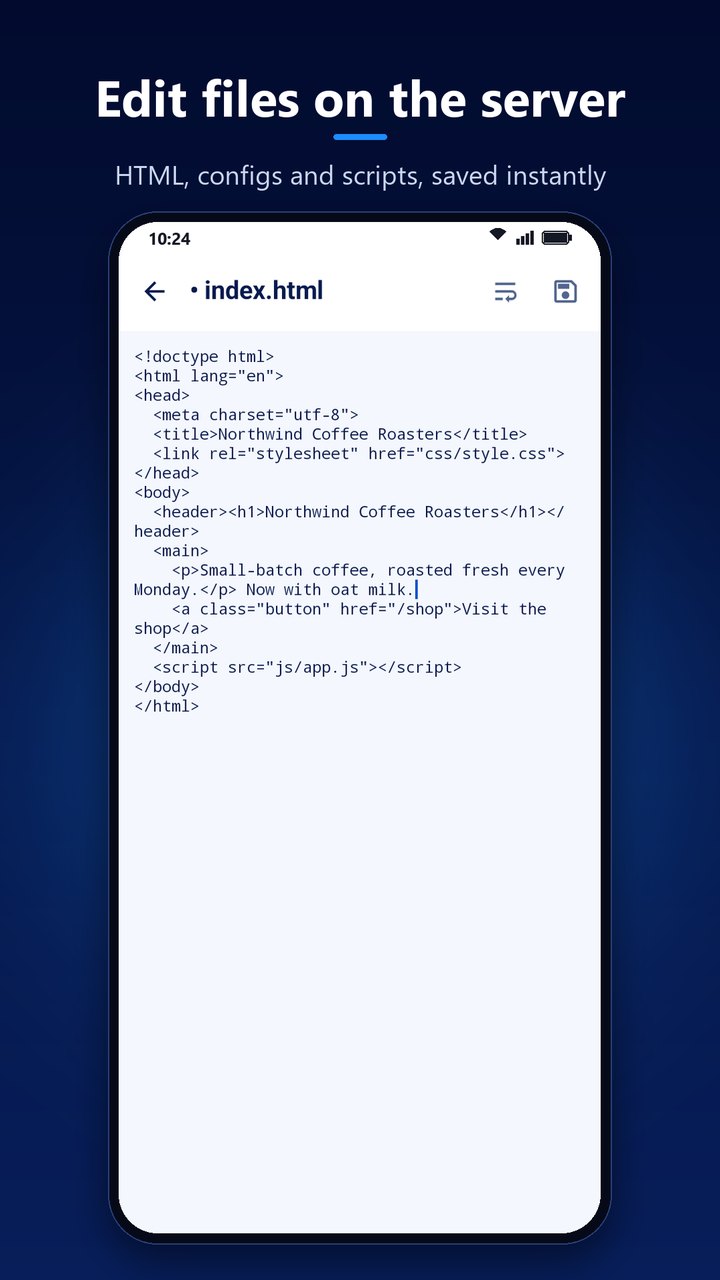
Edit files on the server — HTML, configs and scripts, saved instantly
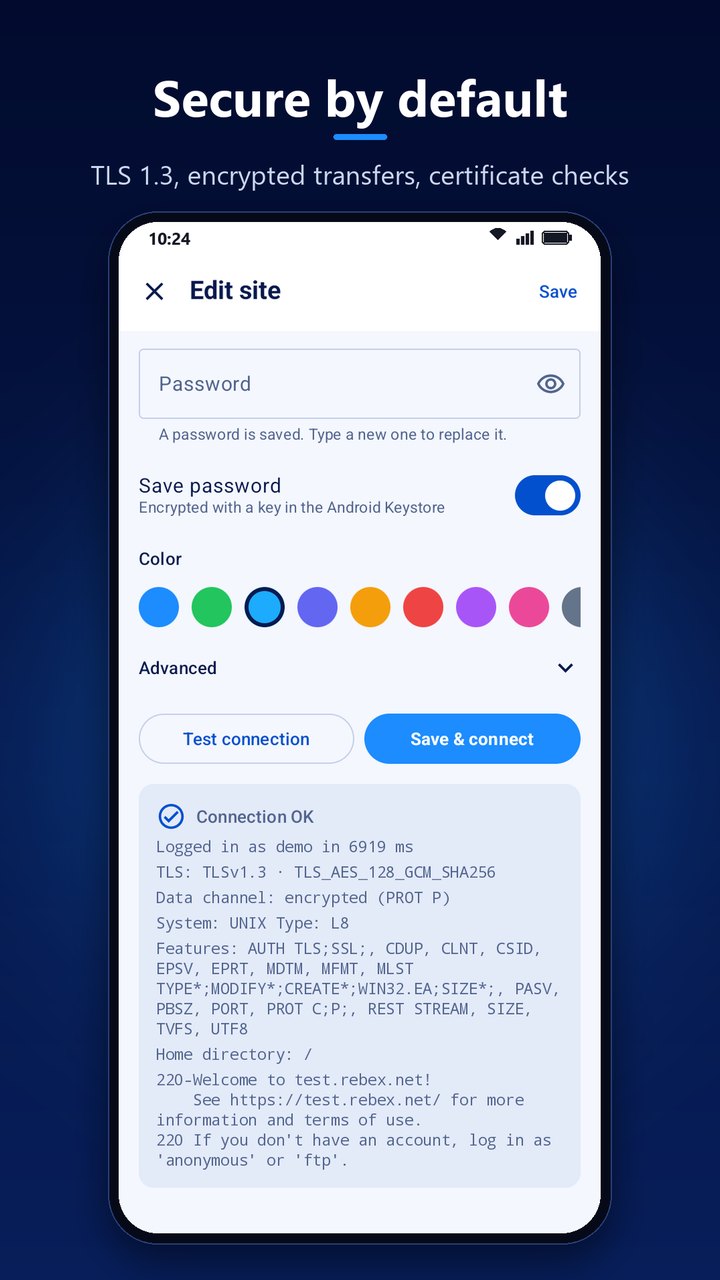
Secure by default — TLS 1.3, encrypted transfers and certificate checks
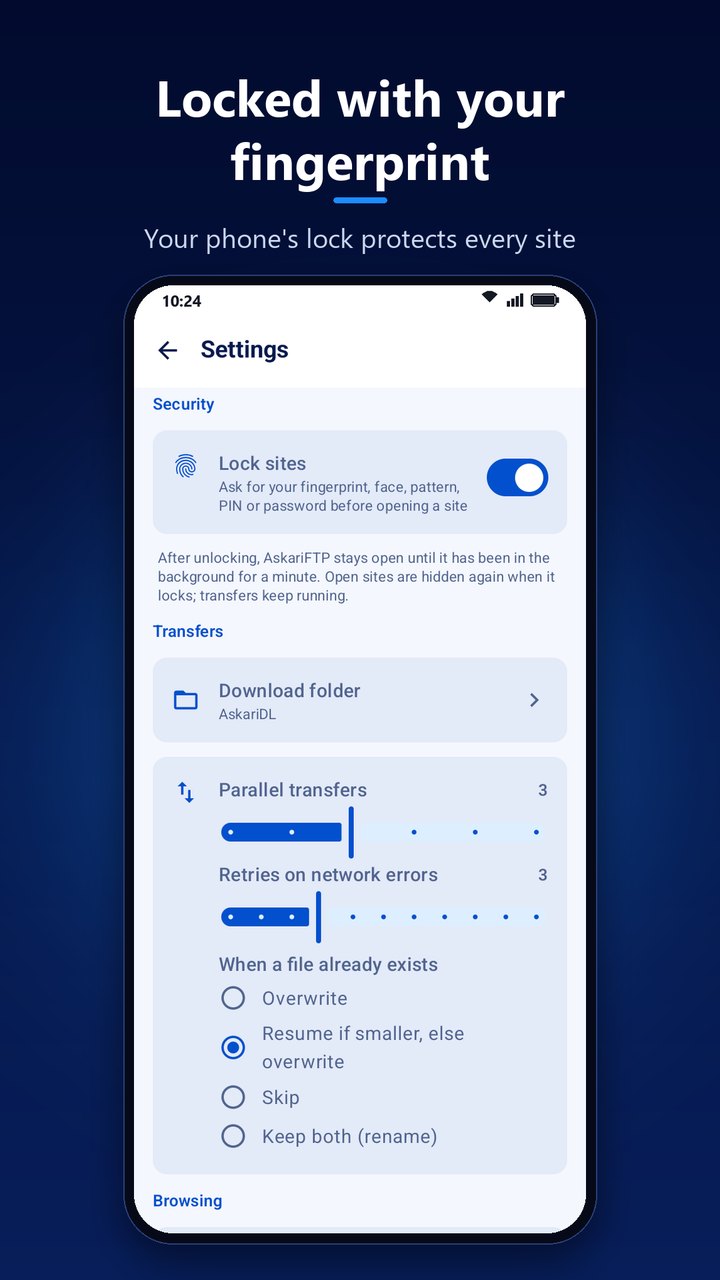
Locked with your fingerprint — your phone’s lock protects every site
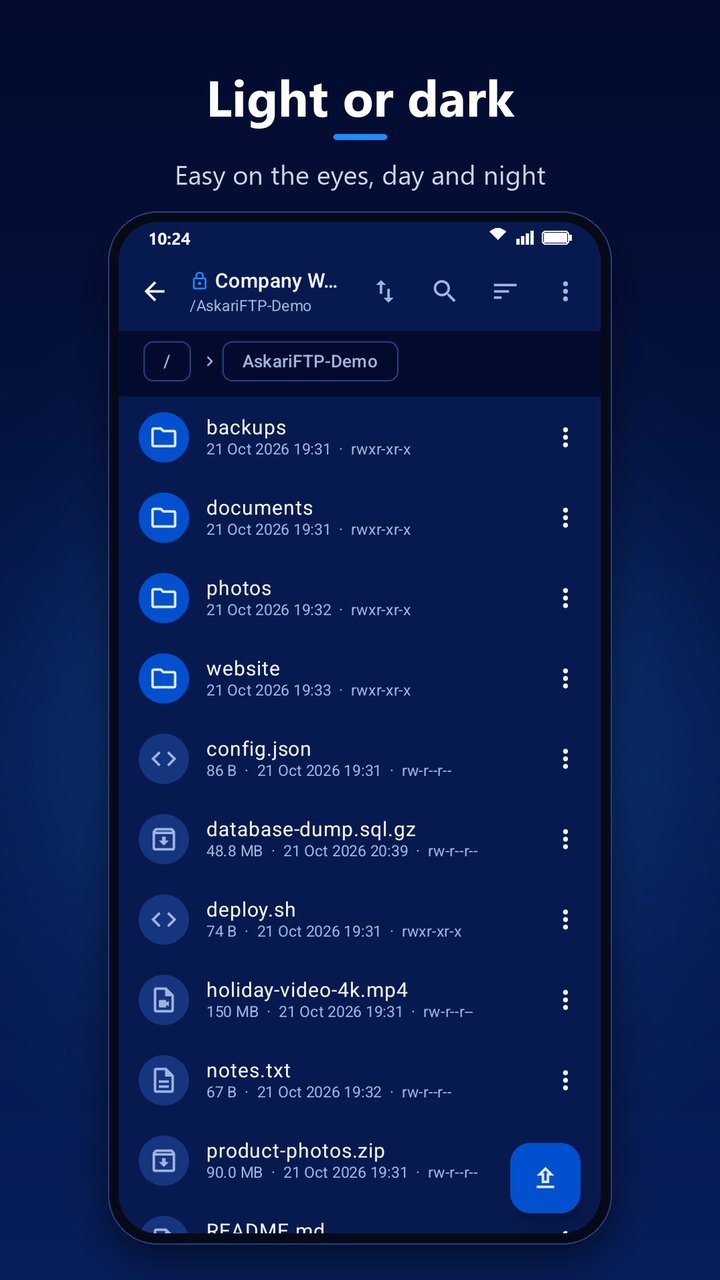
Light or dark — easy on the eyes, day and night
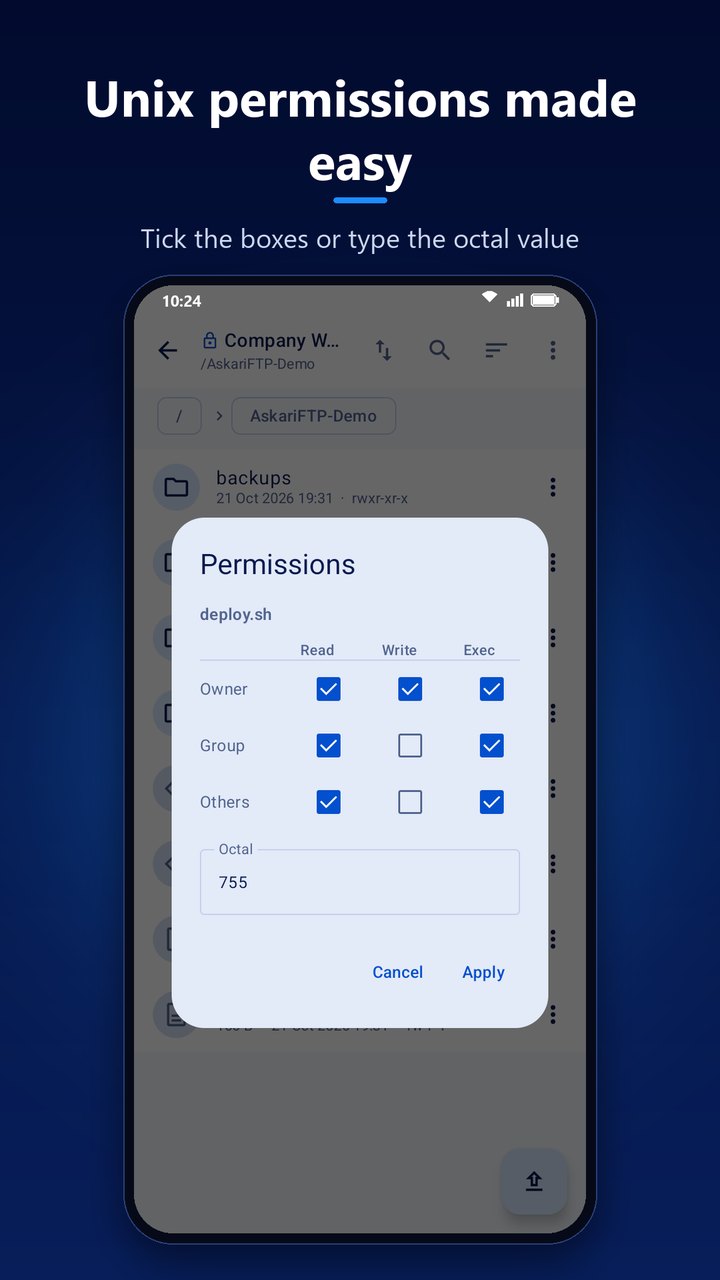
Unix permissions made easy — tick the boxes or type the octal value
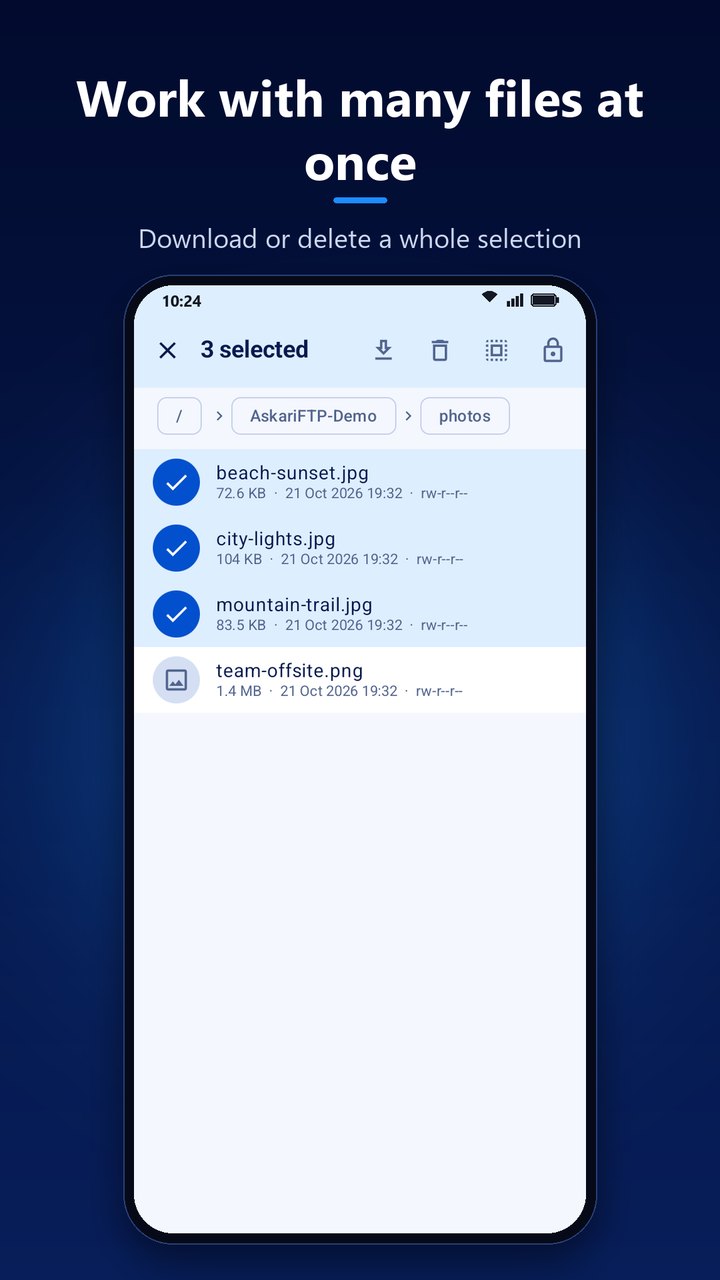
Work with many files at once — download or delete a whole selection
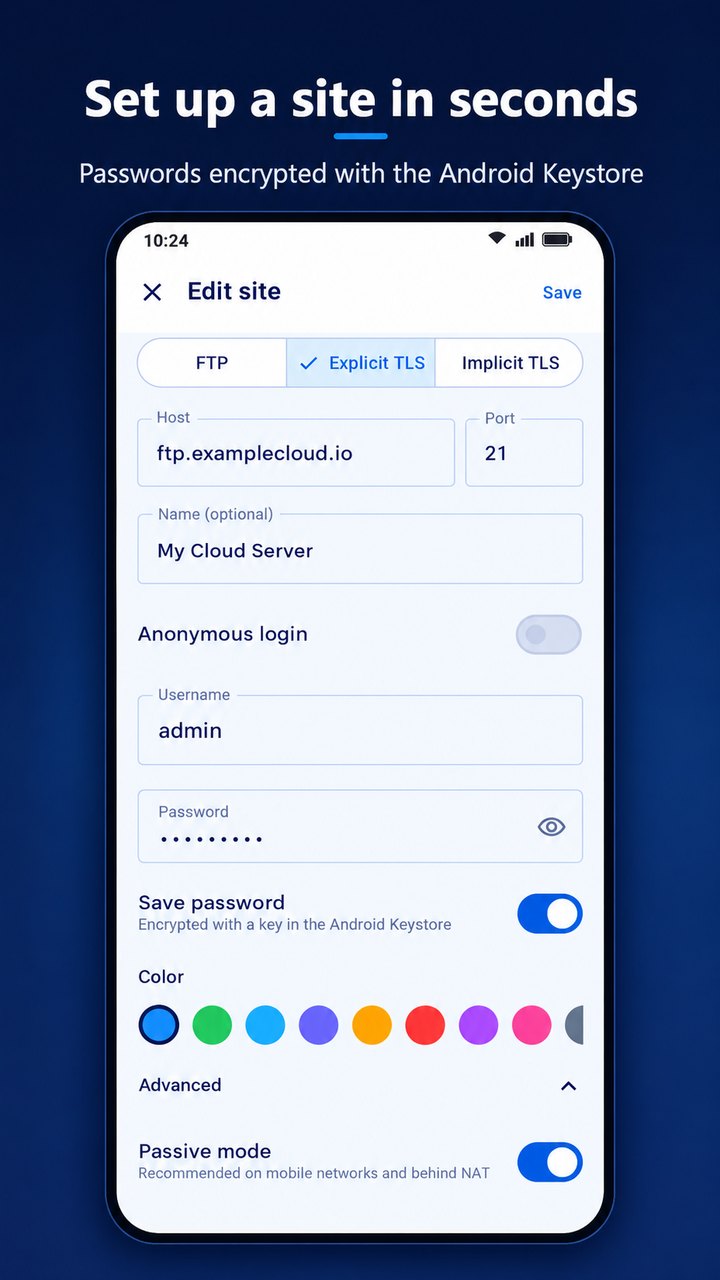
Set up a site in seconds — passwords encrypted with the Android Keystore
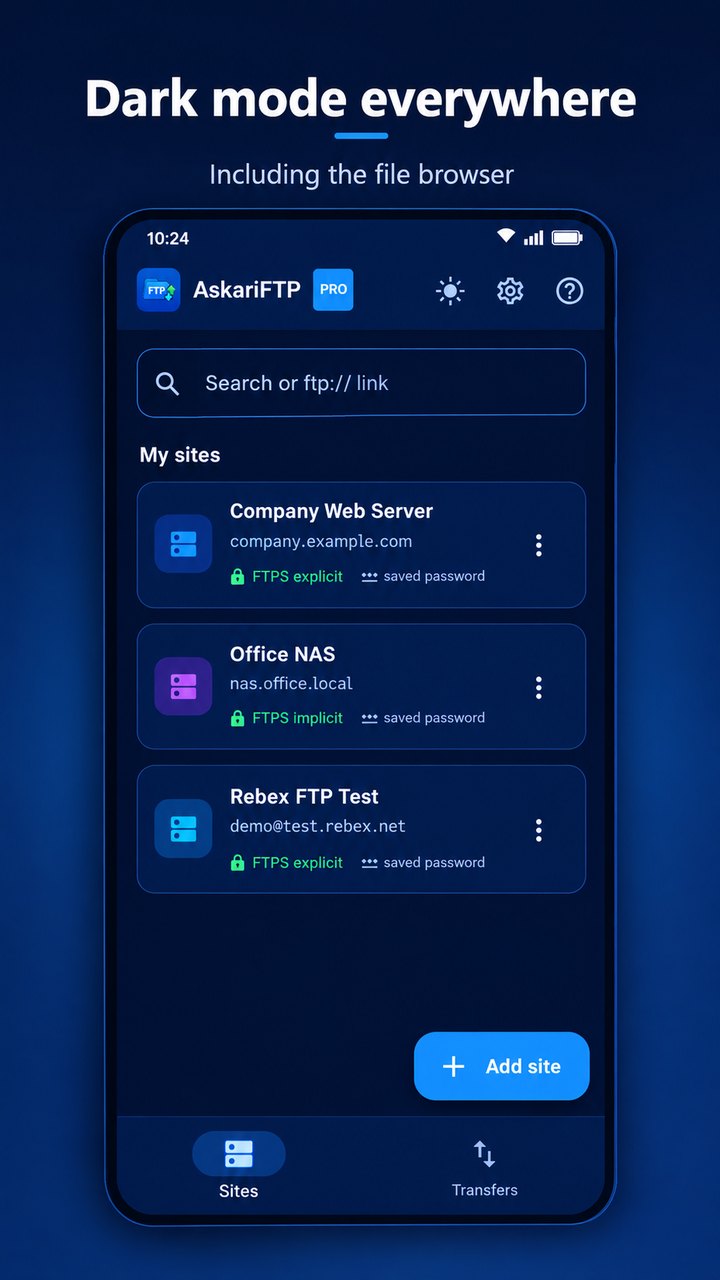
Dark mode everywhere
Latest Release
Version 1.0.1 — October 2026
AskariFTP’s first release, now on Google Play. It brings FTP, explicit and implicit FTPS with TLS 1.3 and encrypted listings, certificate checks that explain what is wrong, a site manager with Keystore-encrypted passwords, quick connect and ftp:// links, a full file browser with chmod and a connection log, a built-in text editor, a parallel transfer queue with whole-folder transfers, pause and resume and background running, a fingerprint lock on every site, and light and dark themes.