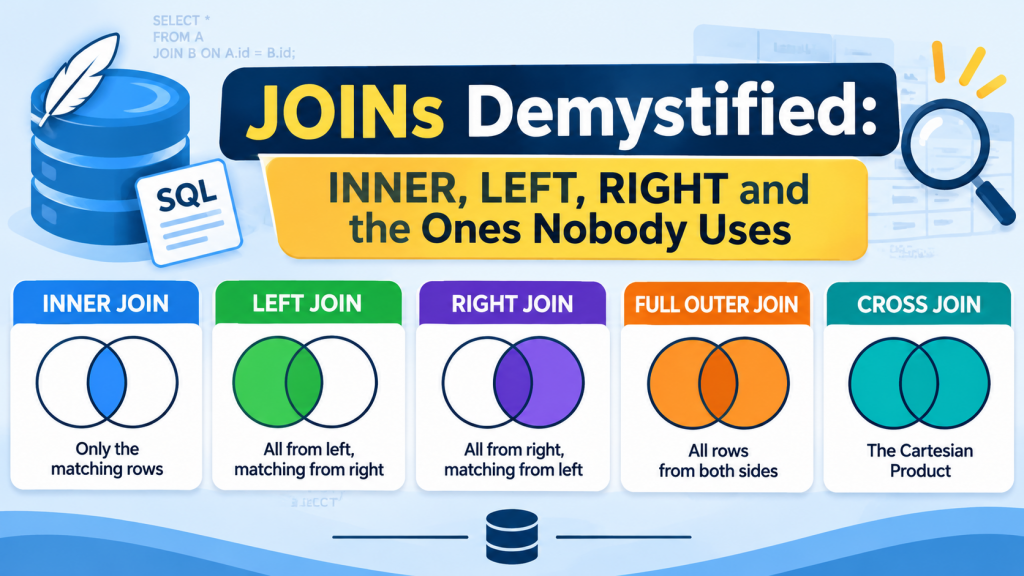
Relational databases split data into separate tables on purpose — customers in one, orders in another — so nothing is stored twice. A JOIN is how you put them back together when you query. Most people learn INNER JOIN, pick up LEFT JOIN by trial and error, and treat the rest as trivia. That works until a report quietly drops rows or doubles a total. This guide uses one tiny dataset to show what every join type returns in MySQL and MariaDB, and the traps that catch experienced developers.
The sample data
Two tables. Notice the awkward cases on purpose: Chen has no orders, and order 104 points at customer 9, who does not exist (there is no foreign key to stop it).
CREATE TABLE customers (id INT PRIMARY KEY, name VARCHAR(50));
CREATE TABLE orders (id INT PRIMARY KEY, customer_id INT, total DECIMAL(8,2));

INSERT INTO customers VALUES (1,'Ayesha'), (2,'Bilal'), (3,'Chen');
INSERT INTO orders VALUES (101,1,50.00), (102,1,20.00), (103,2,75.00), (104,9,30.00);
INNER JOIN: only the matches
An inner join returns rows where the join condition is true on both sides. Anything without a partner disappears.
SELECT c.name, o.id AS order_id, o.total
FROM customers c
INNER JOIN orders o ON o.customer_id = c.id;

-- name   | order_id | total
-- Ayesha |      101 | 50.00
-- Ayesha |      102 | 20.00
-- Bilal  |      103 | 75.00
Chen is gone (no orders) and so is order 104 (no customer). In MySQL and MariaDB, plain JOIN means INNER JOIN.
LEFT JOIN: everything on the left, matches where they exist
A left join keeps every row from the left table. Where there is no match on the right, the right-hand columns come back as NULL.
SELECT c.name, o.id AS order_id, o.total
FROM customers c
LEFT JOIN orders o ON o.customer_id = c.id;

-- name   | order_id | total
-- Ayesha |      101 | 50.00
-- Ayesha |      102 | 20.00
-- Bilal  |      103 | 75.00
-- Chen   |     NULL |  NULL
This is the join for “all customers, with their orders if any” — the right choice for most reports where the main entity must not vanish.
RIGHT JOIN: the mirror image
A right join keeps every row from the right table instead:
SELECT c.name, o.id AS order_id, o.total
FROM customers c
RIGHT JOIN orders o ON o.customer_id = c.id;

-- name   | order_id | total
-- Ayesha |      101 | 50.00
-- Ayesha |      102 | 20.00
-- Bilal  |      103 | 75.00
-- NULL   |      104 | 30.00
Any right join can be rewritten as a left join by swapping the table order, and most teams do exactly that so queries read consistently from the main table outward. That is why you rarely see RIGHT JOIN in the wild.
At a glance
| Join | Keeps unmatched left rows? | Keeps unmatched right rows? | Rows from our data |
|---|---|---|---|
INNER JOIN |
No | No | 3 |
LEFT JOIN |
Yes | No | 4 (adds Chen) |
RIGHT JOIN |
No | Yes | 4 (adds order 104) |
FULL OUTER JOIN |
Yes | Yes | 5 — but not supported natively; emulate it |
CROSS JOIN |
Every combination, no condition | 12 (3 × 4) | |
MyDBDesk — See the Join Paths Before You Write Them
The hardest part of a JOIN in an unfamiliar database is knowing which column links to which. MyDBDesk’s Visual ER Designer shows your database as a draggable diagram — table boxes with their columns, and foreign keys drawn as lines — so the join paths are right in front of you. Pan and zoom the canvas, and the layout is saved per database for next time.
The ones nobody uses (and when you should)
FULL OUTER JOIN — which MySQL does not have
Standard SQL’s full outer join keeps unmatched rows from both sides. Neither MySQL nor MariaDB supports FULL OUTER JOIN, but you can emulate it with a UNION of a left and a right join:
SELECT c.name, o.id AS order_id, o.total
FROM customers c LEFT JOIN orders o ON o.customer_id = c.id
UNION
SELECT c.name, o.id AS order_id, o.total
FROM customers c RIGHT JOIN orders o ON o.customer_id = c.id;
UNION removes the duplicated matched rows. It is genuinely useful for reconciliation — comparing two lists and seeing what is missing from each side.
CROSS JOIN — every combination
A cross join pairs every row of one table with every row of another. Usually it is a bug (a join with a forgotten condition behaves the same way), but deliberately it is handy for generating grids — every product for every month in a sales report, for example, so months with zero sales still appear.
Self join — a table joined to itself
When rows refer to other rows in the same table, join the table to itself with two aliases:
-- employees(id, name, manager_id)
SELECT e.name AS employee, m.name AS manager
FROM employees e
LEFT JOIN employees m ON m.id = e.manager_id;
Anti-join — rows with no match
“Customers who have never ordered” is one of the most common questions in business reporting. Two idiomatic ways to ask it:
-- LEFT JOIN ... IS NULL
SELECT c.name
FROM customers c
LEFT JOIN orders o ON o.customer_id = c.id
WHERE o.id IS NULL;            -- returns Chen

-- NOT EXISTS (often clearer, and handles NULLs safely)
SELECT c.name
FROM customers c
WHERE NOT EXISTS (SELECT 1 FROM orders o WHERE o.customer_id = c.id);
Avoid NOT IN (SELECT customer_id FROM orders) for this: if the subquery returns even one NULL, NOT IN returns no rows at all.
Three traps that produce wrong answers
1. Filtering a LEFT JOIN in WHERE
Say you want every customer and only their orders over 40:
-- Wrong: Chen disappears, because o.total is NULL for him
SELECT c.name, o.total
FROM customers c
LEFT JOIN orders o ON o.customer_id = c.id
WHERE o.total > 40;

-- Right: put the condition on the joined table in ON
SELECT c.name, o.total
FROM customers c
LEFT JOIN orders o ON o.customer_id = c.id AND o.total > 40;
A WHERE condition on the right-hand table throws away the NULL rows, silently turning your left join into an inner join. Conditions that decide which rows match belong in ON; conditions that decide which results you keep belong in WHERE.
2. Fan-out doubles your totals
Join customers to orders and to payments, then SUM(o.total), and every order is counted once per payment. Aggregate each child table in a subquery or CTE first, then join the summaries:
WITH order_totals AS (
  SELECT customer_id, SUM(total) AS spent
  FROM orders GROUP BY customer_id
)
SELECT c.name, COALESCE(t.spent, 0) AS spent
FROM customers c
LEFT JOIN order_totals t ON t.customer_id = c.id;
3. NULL never equals NULL
Join conditions use =, and NULL = NULL is not true. Rows with a NULL join key never match anything. If you genuinely need to match NULLs, MySQL and MariaDB offer the null-safe operator <=>.
MyDBDesk — Experiment With Joins, Keep the Good Ones
Trying INNER against LEFT on the same data is the fastest way to learn the difference. In MyDBDesk’s SQL console, select a few lines and run just the selection, and every statement is remembered in the history drop-down. Saved queries keep the joins you use often under a name. Stuck? Ask the private, on-device AI assistant in plain English with the current schema as context — any SQL it suggests is shown for you to review, with a Copy SQL button to take it to the editor yourself.
Making joins fast
- Index the join columns. Primary keys are indexed automatically; foreign-key columns such as
orders.customer_idshould be too. InnoDB creates an index when you declare a foreign key, but a column without a declared key has none unless you add it. - Match data types and collations on both sides. Joining an
INTto aVARCHAR, or two text columns with different collations, can stop the index being used. - Select only the columns you need, especially with wide tables.
- Check the plan with
EXPLAIN. For each table in the join you want an indexed access type such aseq_reforref, notALL.
If you would rather have plain-English help reading a complex join, we looked at how an on-device assistant handles that in an AI assistant in a database manager.
Key takeaways
INNER JOINkeeps only matches;LEFT JOINkeeps every row of the main table, withNULLs where nothing matches.RIGHT JOINis a left join written backwards — most teams standardise onLEFT.- MySQL and MariaDB have no
FULL OUTER JOIN; emulate it with aUNIONof left and right joins. - Find rows with no match using
LEFT JOIN ... IS NULLorNOT EXISTS, notNOT IN. - Put conditions on the joined table in
ON, notWHERE, or your left join becomes an inner join. - Pre-aggregate before joining several child tables to avoid fan-out, and index every join column.
Leave a Reply