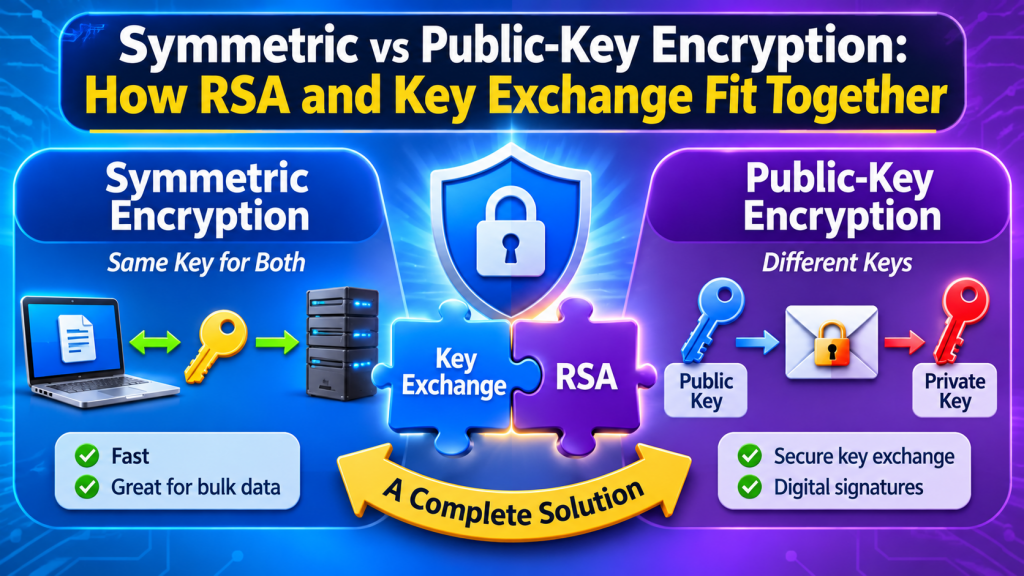
Every encrypted connection and encrypted file you use relies on two very different kinds of cryptography working together. Symmetric encryption is fast and simple but needs both sides to already share a secret. Public-key (asymmetric) cryptography lets strangers communicate securely without a shared secret, but it is slow and awkward for bulk data. Understanding how they fit together — RSA, Diffie-Hellman, hybrid encryption, forward secrecy — explains what is actually happening when you see a padlock in your browser or encrypt a file for a colleague.
Symmetric encryption: one key, both directions
In symmetric encryption the same key encrypts and decrypts. Today that means AES (with 128- or 256-bit keys) or ChaCha20 (256-bit keys), usually in an authenticated mode such as AES-GCM or ChaCha20-Poly1305 so tampering is detected. These ciphers are extremely fast — gigabytes per second on a modern CPU — and a 128-bit key is already far beyond brute force.
The catch is the key distribution problem. If you want to send an encrypted file to someone, they need the key. How do you get it to them? Emailing it alongside the file defeats the purpose. Reading it over the phone works for two people, but not for a website with millions of visitors who have never met it before.
There is one situation where this problem disappears: when the person encrypting and the person decrypting are the same person. Encrypting your own files on your own PC is a pure symmetric problem. The usual approach is to derive the key from a password with a slow, salted key-derivation function (PBKDF2, scrypt or Argon2), so the password itself never needs to be stored.
SafeViewer — Symmetric Encryption, Done for You
When the only person who needs to open your files is you, there is no key-exchange problem to solve. SafeViewer protects every file with authenticated AES-256 under a key derived from your session password, with unique encryption data per file. The key lives only in memory and is discarded when you close the app, and images, PDFs, Office documents and video open in built-in viewers without ever writing the readable content to disk.
Public-key cryptography: two keys, two jobs
Public-key cryptography gives each party a key pair: a public key that can be published to the whole world, and a private key that never leaves its owner. The two are mathematically linked, but deriving the private key from the public key is computationally infeasible. That enables two separate operations:
| Operation | Uses | Guarantees | Modern schemes |
|---|---|---|---|
| Encryption / key transport | Recipient’s public key to encrypt, their private key to decrypt | Only the recipient can read it | RSA-OAEP, ECIES-style schemes, ML-KEM |
| Digital signature | Signer’s private key to sign, their public key to verify | It came from the key holder and was not altered | RSA-PSS, ECDSA, Ed25519 |
| Key agreement | Each side’s private key + the other’s public key | Both derive the same shared secret | ECDH with X25519 or P-256 |
RSA
RSA rests on the difficulty of factoring the product of two large primes. To encrypt with RSA you must use a padding scheme; textbook RSA without padding is deterministic and malleable. The modern choice is RSA-OAEP for encryption and RSA-PSS for signatures. The older PKCS#1 v1.5 encryption padding is the source of the long-running family of Bleichenbacher padding-oracle attacks and should be avoided in new designs.
RSA is slow, and it can only encrypt a message smaller than its key — a 3072-bit key with OAEP-SHA256 can carry at most a few hundred bytes. That is plenty for a symmetric key, and nowhere near enough for a file. Hold that thought.
Diffie-Hellman and X25519
Diffie-Hellman key agreement works differently: neither side sends a secret at all. Each side generates a key pair, they swap public keys, and each combines its own private key with the other’s public key. The maths guarantees both arrive at the same shared secret, while an eavesdropper who saw both public keys cannot compute it. The elliptic-curve version, ECDH, is fast and compact; X25519 (Curve25519) is the most common curve today, used in TLS 1.3, SSH, Signal and WireGuard.
You can watch this happen with OpenSSL (included with Git for Windows):
# Alice and Bob each make an X25519 key pair
openssl genpkey -algorithm X25519 -out alice.pem
openssl genpkey -algorithm X25519 -out bob.pem
openssl pkey -in alice.pem -pubout -out alice_pub.pem
openssl pkey -in bob.pem   -pubout -out bob_pub.pem

# Each derives the shared secret from own private key + the other's public key
openssl pkeyutl -derive -inkey alice.pem -peerkey bob_pub.pem   -out alice_secret.bin
openssl pkeyutl -derive -inkey bob.pem   -peerkey alice_pub.pem -out bob_secret.bin

# Compare (Command Prompt): identical, yet the secret never crossed the wire
fc /b alice_secret.bin bob_secret.bin
A raw shared secret like this is never used directly as an encryption key. It is fed through a key-derivation function such as HKDF to produce properly formatted symmetric keys.
Hybrid encryption: how the two fit together
Real systems almost never encrypt data with RSA or ECC directly. They use hybrid encryption: public-key cryptography moves a small random symmetric key, and the symmetric cipher does the heavy lifting.
Sender                                         Recipient
------                                         ---------
file_key = 32 random bytes
ciphertext = AES-256-GCM(file_key, file)
wrapped   = RSA-OAEP(recipient_public, file_key)
send: wrapped || ciphertext   ------------>    file_key = RSA-OAEP-Decrypt(private, wrapped)
                                               file = AES-256-GCM-Decrypt(file_key, ciphertext)
You get the best of both: any-size files at symmetric speed, with no shared secret arranged in advance. Sending to several people is cheap — encrypt the file once, then wrap the same file key separately for each recipient’s public key. This is the pattern behind PGP and S/MIME email encryption, and it is how most “encrypt for a contact” features in file-encryption tools work. With ECC instead of RSA, the sender generates a throwaway key pair, runs ECDH against the recipient’s public key, and derives the file key from the result.
EncryptEngine — When You Need to Send a File to Someone Else
For the sharing case, EncryptEngine is a free, offline Windows tool built on the same ideas covered here. It creates a personal RSA-3072 identity automatically, keeps the public keys of people you trust in a contacts book — with each contact’s key fingerprint shown before you encrypt — and protects content with authenticated AES-256-GCM or ChaCha20-Poly1305. Password mode uses salted PBKDF2-SHA256, and your private key is sealed to your Windows account at rest.
Forward secrecy: why TLS 1.3 dropped RSA key transport
Older TLS versions let the browser pick a session key and encrypt it with the server’s long-term RSA public key. It works, but it has a nasty property: anyone who records today’s traffic and steals the server’s private key years later can unwrap every recorded session key and decrypt everything.
Forward secrecy fixes that. In TLS 1.3, every connection performs a fresh ephemeral ECDH exchange (ECDHE); the key pairs are thrown away when the handshake ends. The server’s long-term key is used only to sign the handshake, proving the server is genuine. Steal that key later and you can impersonate the server going forward, but you cannot decrypt past sessions, because the ephemeral secrets no longer exist anywhere. TLS 1.3 removed static RSA key transport entirely for this reason.
The same thinking is now extending to quantum resistance. Browsers and servers are rolling out hybrid post-quantum key exchange that combines X25519 with ML-KEM (standardised by NIST in 2024), so that recorded traffic stays safe even if large quantum computers eventually break elliptic curves.
Key sizes: comparing apples to apples
Symmetric and public-key sizes are not comparable number-for-number. Roughly equivalent classical security levels, following NIST guidance:
| Security level | Symmetric | RSA | Elliptic curve |
|---|---|---|---|
| 112-bit (legacy minimum) | — | 2048-bit | 224-bit |
| 128-bit | AES-128 | 3072-bit | 256-bit (X25519, P-256) |
| 192-bit | AES-192 | 7680-bit | 384-bit |
| 256-bit | AES-256 | 15360-bit | 512-bit class |
This is why ECC has taken over new designs: a 32-byte X25519 key gives the same strength as a 384-byte RSA-3072 key, with far faster operations.
The part people forget: trusting the public key
Public-key encryption only helps if the public key really belongs to the person you think it does. An attacker who swaps their own key in — a man-in-the-middle — can read everything and re-encrypt it onward. Systems solve this in different ways: certificate authorities vouch for website keys, SSH warns you when a host key changes, and messaging and file tools show a fingerprint (a short hash of the key) that you can compare with the other person over a separate channel. If you want to dig into how those fingerprints are built, see Understanding SHA-256 and why it matters.
Which do you need?
- Protecting your own files on your own machine: symmetric encryption with a strong, password-derived key. No key pairs required.
- Sending a file to a specific person: hybrid encryption to their verified public key.
- Secure connections: ephemeral ECDH for forward secrecy, signatures for authentication, AEAD for the data.
For the first case, a tool that handles the whole lifecycle locally is the simplest answer. SafeViewer encrypts files in place or into the folder you are browsing, detects tampering when you open them, and opens them in built-in in-memory viewers — and with no password recovery, your password truly is the only key.
SafeViewer — Symmetric Encryption, Done for You
When the only person who needs to open your files is you, there is no key-exchange problem to solve. SafeViewer protects every file with authenticated AES-256 under a key derived from your session password, with unique encryption data per file. The key lives only in memory and is discarded when you close the app, and images, PDFs, Office documents and video open in built-in viewers without ever writing the readable content to disk.
Key takeaways
- Symmetric ciphers (AES, ChaCha20) are fast and secure but need a shared secret; perfect when you are encrypting for yourself.
- Public-key cryptography splits roles: encryption and key agreement to a public key, signatures with a private key.
- Use RSA-OAEP and RSA-PSS, never textbook RSA or PKCS#1 v1.5 encryption in new designs; prefer X25519 and Ed25519 for new systems.
- Hybrid encryption wraps a random symmetric key with the recipient’s public key — the pattern behind almost every “encrypt for a contact” feature.
- Forward secrecy comes from ephemeral ECDH; TLS 1.3 requires it, and post-quantum hybrids are being added on top.
- RSA-3072 ≈ 256-bit ECC ≈ AES-128 in strength, and a public key is only as good as your fingerprint check.
Leave a Reply