
MyDBDesk – MySQL & MariaDB Database Manager for Windows
A complete visual workbench for MySQL and MariaDB — now with a private AI assistant that runs entirely on your own PC and a built-in local MariaDB server. Connect to many servers at once, browse and edit rows in a grid, design tables with a visual ER diagram, run SQL with history, import and export CSV, JSON or SQL, and administer users and privileges. Everything from one window.
Download Desktop Version 2.0.0
Available on the Microsoft Store — free trial included, no subscription, no ads.
New in 2.0.0 — Private, On-Device AI Assistant
A new AI tab that understands your database and runs entirely on your own PC — your questions, your schema, and your data never leave your computer. No cloud, no API keys, no accounts.
Ask about your database in plain English with the current schema as context, explain the query in the editor, or describe a table — with replies streaming in as they're written. Choose between Qwen2.5-Coder 1.5B (lighter and faster) or Phi-4-mini (larger, for extra quality); the model downloads once, on demand, and only after you say yes.
New in 2.0.0 — Built-In Local MariaDB Server
No database server yet? Click Local Server and MyDBDesk downloads and runs a portable MariaDB 11.4 on your own PC, listening only on 127.0.0.1. A Local MariaDB connection is added and connected automatically, so you can start creating databases and tables right away. Start, stop, change the port or data folder — all managed by the app, with your databases stored in a normal folder that stays put even if you uninstall.
Changelog — what's new in each release
Full release history from the first public release to the current 2.0.0, with the new on-device AI assistant, the built-in local MariaDB server, the SQL console upgrades, and every fix and improvement in between.
View the full changelogUser Guide — every tab, every workflow
Step-by-step walkthrough for the person sitting in front of MyDBDesk. Connections, the local server, browsing, editing, the Designer, SQL with history, the AI assistant, exports, imports, privileges, and server status — plus tips for working with several servers at once.
Read the User GuideFeatures
✨ On-Device AI Assistant
Chat about your database in plain English, grounded in the schema you have open — plus one-click Explain query in editor and Describe this table. Replies stream in as they're written. It runs 100% on your PC: no cloud, no API keys, no accounts, and nothing you ask leaves your computer. Pick the lighter model or the larger one; it downloads once, only when you agree.
🖴 Built-In Local MariaDB Server
Don't have a database server? MyDBDesk downloads and runs a portable MariaDB 11.4 on your own PC in a couple of clicks, bound to 127.0.0.1, and connects to it automatically. Start and stop it, change the port or data folder, and open the data folder — your databases live in a normal folder that survives uninstalling the app.
🔌 Multi-Server Connections
Save as many connections as you like and connect to several servers at the same time. Switch between them just by clicking in the navigation tree. Test a connection before saving, and pick the SSL mode you need — Off, Preferred, Required, or certificate-verified — with an optional CA cert.
📋 Browse & Edit in a Grid
Tables open in a paged grid — edit cells in place, add new rows, and delete selected rows, then save the whole batch as a single all-or-nothing transaction. Narrow the view with the WHERE filter box and click a column header to sort — both run server-side, so they cover the whole table, not just the page on screen. Tables without a primary key open read-only so a wrong row can't be silently changed.
🧩 Visual ER Designer
Your database as a draggable diagram — table boxes with their columns, foreign keys drawn as lines. Pan and zoom the canvas, arrange the layout (saved per database), create a relationship by dragging from a column onto another, and create new tables right from the Designer.
🏗️ Structure & Create Table
The Structure tab lists columns, indexes, foreign keys and the full table definition — add, modify and drop columns, add or drop unique indexes, and use the Create Table designer to define multiple columns at once (name, type, nullable, primary key, auto-increment, default).
💻 SQL Console with Syntax Highlighting
A real editor with colour syntax highlighting and line numbers — run everything with F5, or select a few lines and run just the selection. Pick the target database from a drop-down, and stop a long-running query at any time. A confirmation appears before destructive statements (DROP, TRUNCATE, or a DELETE / UPDATE with no WHERE). Every statement is remembered across sessions in the history drop-down.
📥 Insert with a Form
The Insert tab builds a form from a table's columns — type values, tick NULL where needed, or leave blank to let the database fill the default (handy for auto-numbered IDs). Then click Insert row.
⤓ Export to CSV, JSON or SQL
Export a table to CSV, JSON or SQL, or dump a whole database as SQL — with an on-screen preview before saving. For large tables, Export to file streams straight to disk with a progress bar, so the rest of the app stays usable and you can press Cancel at any time.
📂 Import from SQL or CSV
Run SQL from the editor, or run a .sql or .csv file straight from disk (large files never load into the editor). For a CSV, a column-matching window lines up each file column with a table column — matches by name are pre-filled. All-or-nothing — a failure leaves the table unchanged.
🛠️ Operations & Database Admin
Rename, empty (truncate), or drop tables, and create or drop databases — from one place. Destructive actions always ask for confirmation first, so a click in the wrong row doesn't wipe data.
🔑 Users & Privileges
The Privileges tab lists users and their grants — create or drop users, and grant or revoke privileges through a simple picker (choose the privileges and the scope: server-wide, a single database, or a single table). All from a visual UI — no manual GRANT statements.
📊 Server Status & Process List
See the server's status counters, current configuration variables, and the live process list with running connections and queries — with a filter box for quick lookups, and the ability to end a connection right from the list.
⏱️ Progress Bars & Cancel
Long operations — exports, imports, large table loads — show a progress bar that only blocks the tab they belong to. Switch to another tab while a big export runs, and press Cancel at any time. Spinners appear while tables load and queries run.
🔐 Encrypted Saved Passwords
Saved connection passwords are encrypted and kept on your own device — never written in plain text. Everything runs offline; no telemetry, no cloud sync.
🖱️ Right-Click Everywhere
Right-click the navigation panel for a context menu (create, connect, disconnect, edit, remove, refresh), with greyed-out options that don't apply. Toolbar buttons turn on and off to match what's selected, so you're never guessing what's safe to click.
Screenshots
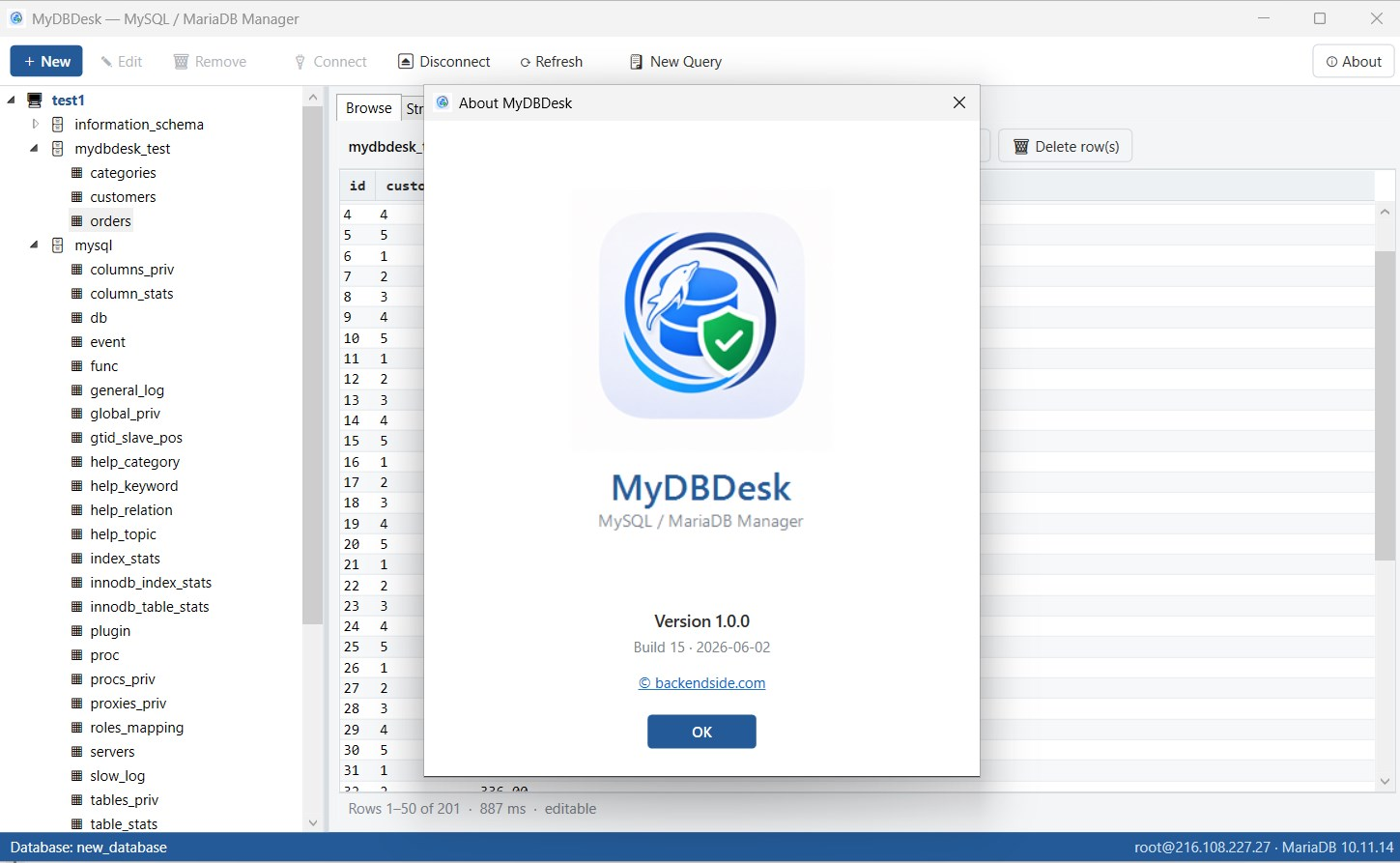
Browse & edit grid
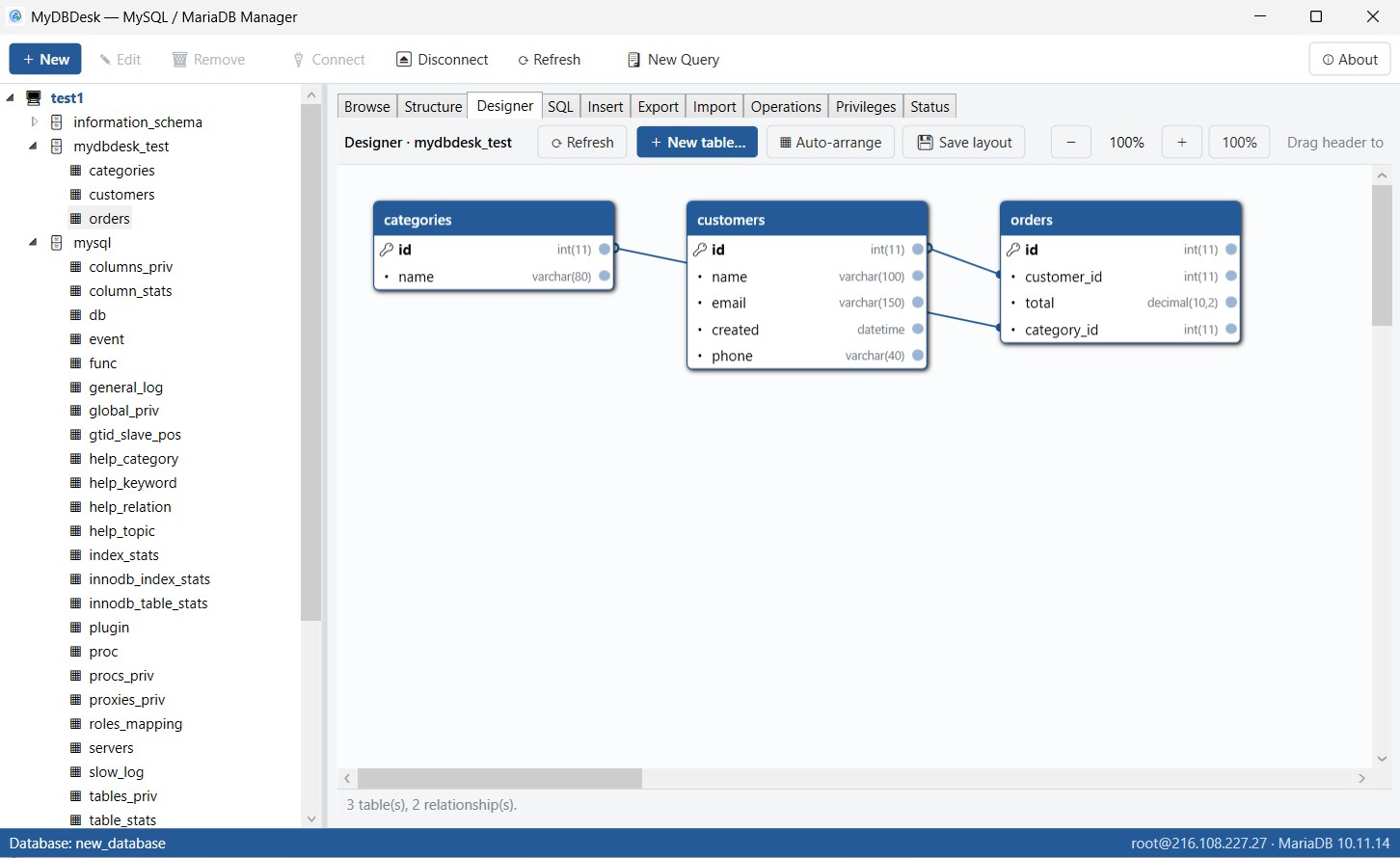
Visual ER Designer
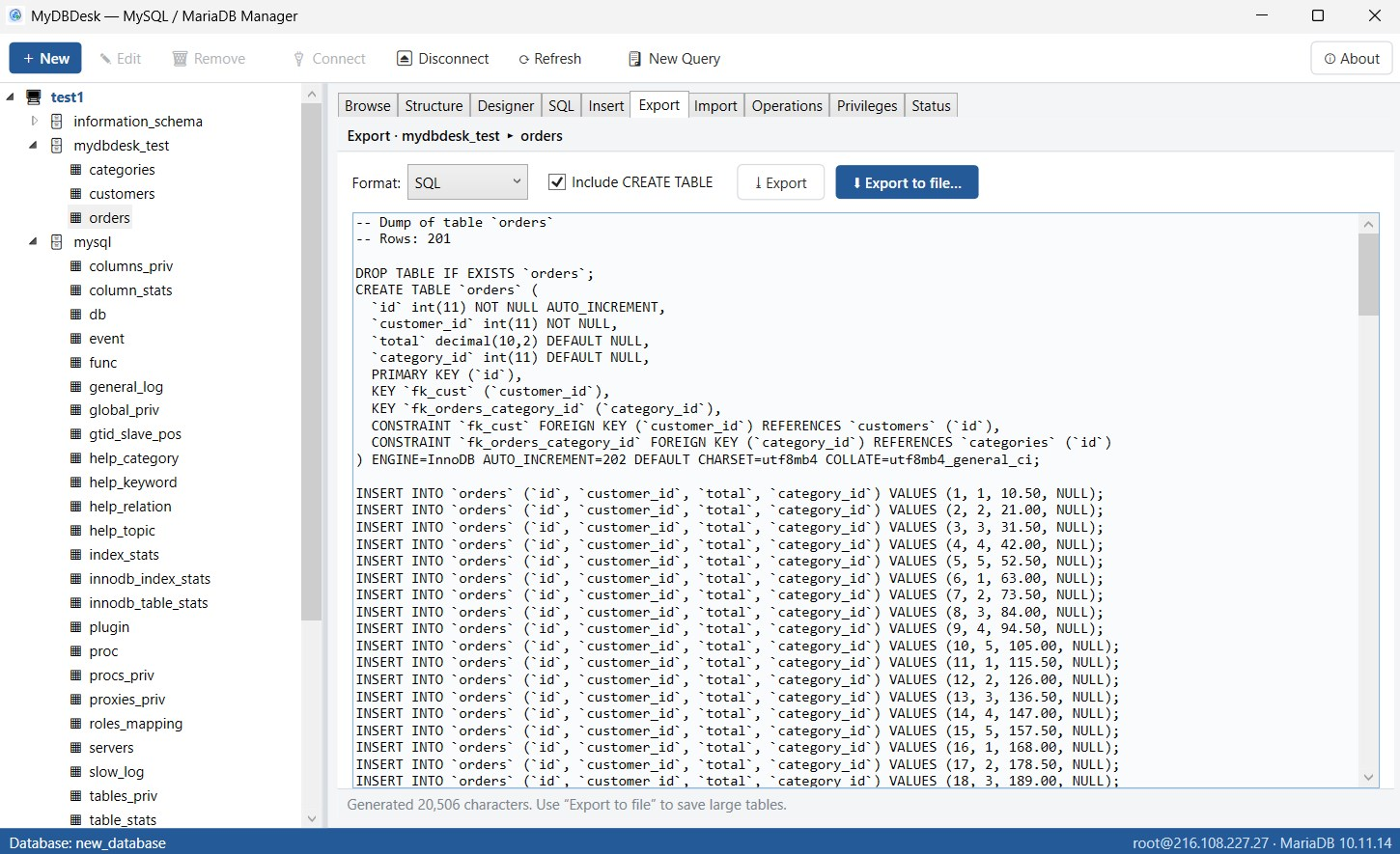
Export to SQL / CSV / JSON
Privileges & server status
Latest Release
Version 2.0.0 — July 2026
A private on-device AI assistant, a built-in portable MariaDB server, a SQL console with syntax highlighting and destructive-statement confirmations, server-side WHERE filtering and click-to-sort in Browse, and transactional grid edits.