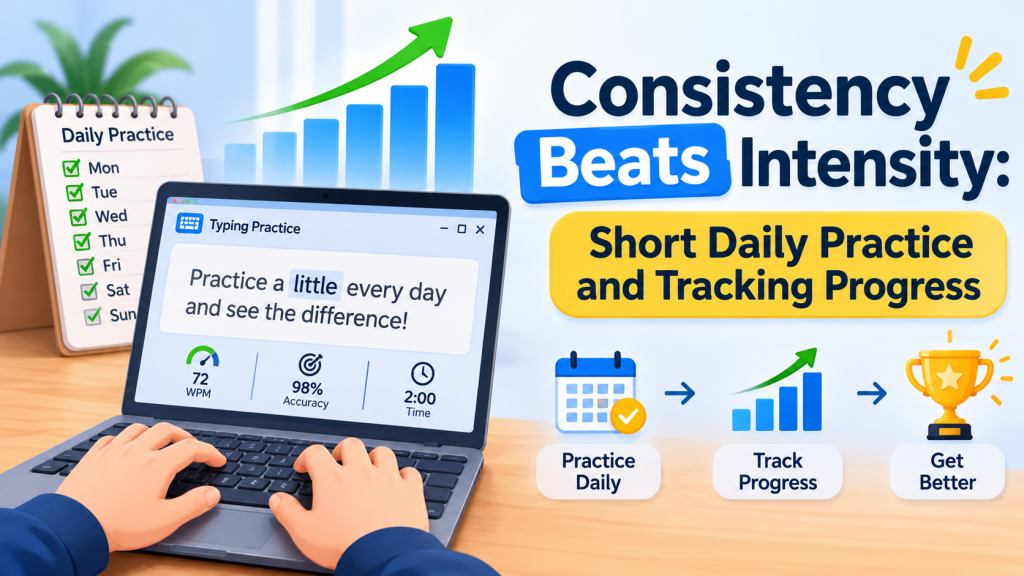
Most people who set out to improve their typing do it in bursts: a determined weekend, an hour every evening for a week, then nothing for a month. It feels productive, and it mostly does not work. Typing is a motor skill, and motor skills respond far better to small amounts of practice spread across many days than to the same total time crammed together. This article explains why, shows how to build a short daily habit that survives busy weeks, and covers which numbers are worth tracking — and what to do when they stop going up.
If you are still choosing whether to learn at all, start with Why Touch Typing Still Matters in 2026.
Why little and often wins
Two well-established ideas from learning research explain it, without needing any exotic science:
- Spaced practice. People generally retain skills better when practice is spread out than when it is massed together. Each gap forces a small amount of “recall” at the start of the next session, and that effort strengthens the skill.
- Consolidation between sessions. A lot of motor learning is locked in after practice, including during sleep. Every day you practise gives you another night of consolidation. Seven short sessions mean seven nights; one long session means one.
There is also a practical reason: fatigue. After about 20 minutes of focused drilling, most people’s accuracy starts to slip. Practising tired means practising errors — and those get automated too. Stopping while you are still sharp is a feature, not a lack of commitment.
How long, how often?
| Approach | Weekly total | What usually happens |
|---|---|---|
| One 2-hour session on Sunday | 120 min | Strong start, sloppy second hour, much forgotten by next week |
| Three 40-minute sessions | 120 min | Better, but long gaps and tired final minutes |
| Daily 15–20 minutes | 105–140 min | Steady gains, fresh focus every session, a habit that lasts |
| Daily 5 minutes on busy days | 35 min | Holds the skill and the streak; far better than skipping |
The sweet spot for most adults is 10–20 minutes a day, five to seven days a week. On days when even that is too much, five minutes is enough to keep the habit alive.
A 15-minute session template
0:00 - 0:02  Warm-up      home row and easy words, slow and clean
0:02 - 0:08  Focus drill  today's weak keys or letter pairs
0:08 - 0:13  Real text    a paragraph of your own writing or work
0:13 - 0:15  Test         one timed minute: note WPM and accuracy
Rotate the focus drill through the week — for example numbers on Monday, punctuation on Tuesday, weak little-finger keys on Wednesday — so every part of the keyboard gets attention without any one session getting long.
TypingDesk — A Daily Goal and a Streak to Protect
The home screen in TypingDesk shows your day streak, your best WPM and a configurable daily goal — the three cues this article is about. Nine achievement badges for speed, accuracy, streaks and milestones give you small wins along the way, and everything runs fully offline with no account to create.
Making the habit stick
- Anchor it to something you already do. “After my first coffee” or “before I open email” works far better than “sometime today”.
- Make starting effortless. Keep the practice app pinned to the taskbar. The fewer clicks between you and your first keystroke, the more often you start.
- Set a minimum, not a maximum. Commit to five minutes. Most days you will happily do more; on bad days, five still counts.
- Protect the streak, forgive the break. A visible streak is motivating. When it breaks — and it will — start a new one the next day rather than writing the week off.
- Mix in play. Typing games are not cheating. On low-energy days a game keeps your hands moving and the habit intact.
What to track (and what to ignore)
Numbers keep you honest, but only a few of them matter:
- Accuracy — the first thing to watch. Aim to hold 95–97% before pushing speed.
- WPM trend over weeks, not today’s score. Single results swing with tiredness and text difficulty. A trend line or a weekly average shows the real direction.
- Your weakest keys. A per-key error view tells you what to drill next far better than a general feeling.
- Consistency itself — days practised per week. For most learners this predicts progress better than anything else.
Ignore day-to-day jumps and comparisons with strangers online. Different tests use different texts and rules, so numbers rarely compare fairly. Compare yourself with your own last month.
TypingDesk — Your Progress, Charted and Kept Safe
TypingDesk records every session per profile: a WPM trend graph, a key-error heatmap and a personal-bests board. A whole family can share one PC with separate local profiles, you can export your full session history to CSV, and optional cloud backup keeps each profile in your own Google Drive or OneDrive — so a new PC gets your profile back straight from the start screen. On the Microsoft Store with no subscription and no ads.
Breaking through a plateau
Nearly everyone stalls at some point, often somewhere between 40 and 60 WPM. A plateau usually means your current practice has stopped challenging you, not that you have hit your limit. Things to try:
- Check accuracy first. If you are below 95%, the plateau is an accuracy problem. Slow down for a week and the speed often jumps afterwards.
- Change the material. If you always type the same kind of passage, your hands have optimised for it. Switch to code, numbers, dialogue, or text in a field you do not usually write about.
- Change the mode. Try dictation (listen and type) to train typing without reading, or race your own previous best to push gently past your comfort pace.
- Sprint and recover. Short bursts slightly above your comfortable speed, followed by a minute at a relaxed pace, teach your hands that faster is possible.
- Take two days off. Occasionally, a short rest lets consolidation catch up, and you return faster than you left.
If you practise in a second language or script, the same rules apply. Our guide to Urdu and Arabic typing practice on Windows has a plan for right-to-left keyboards.
TypingDesk — Variety for Plateau Weeks
Stuck on a plateau? TypingDesk gives you five practice modes (Timed, Quota, Zen, Repeat-until-perfect and listen-and-type Dictation) and five typing games, including Speed Sprint, where you race a ghost of your own best run, and Typing Duel against a CPU at Easy, Medium or Hard. Tiered lessons run all the way up to Advanced and Code.
Key takeaways
- Spread practice out. Ten to twenty minutes a day beats the same time crammed into one or two long sessions.
- Stop while you are sharp. Tired practice rehearses mistakes.
- Use a simple session template: warm-up, focused drill, real text, one timed test.
- Build the habit with an anchor, a five-minute minimum and a visible streak — and forgive the occasional break.
- Track accuracy, WPM trend, weak keys and days practised; ignore single scores and online comparisons.
- Plateaus are normal: fix accuracy, vary material and modes, sprint and recover, or rest briefly.
Leave a Reply