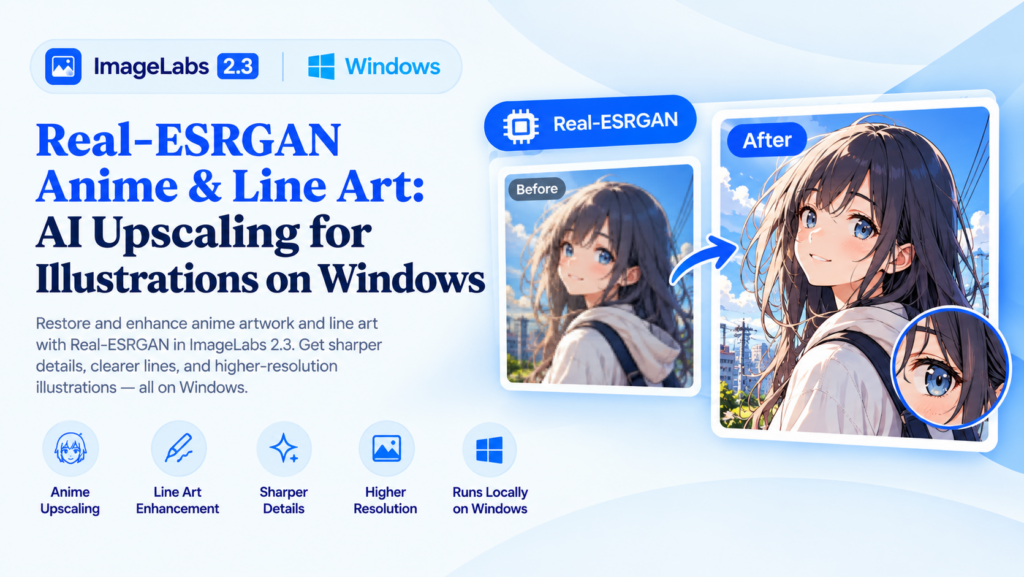
Real-ESRGAN Anime & Line Art: AI Upscaling for Illustrations on Windows
Enlarging digital artwork can be surprisingly difficult. A small anime illustration may lose its crisp outlines when stretched, while a line drawing can develop soft edges that make it look less polished. AI image upscaling offers another approach, using a trained model to estimate higher-resolution details rather than simply stretching the existing pixels.
ImageLabs 2.3 includes a dedicated Real-ESRGAN Anime/Line Art model, approximately 18 MB in size, for AI-assisted enlargement of suitable illustrations and artwork on Windows.
What Is Real-ESRGAN Anime & Line Art?
Real-ESRGAN is a family of AI models developed for image super-resolution and restoration. Different models can be suited to different types of visual content.
Photographs contain natural textures, lighting, and complex surfaces. Anime illustrations and line drawings often rely more heavily on defined outlines, flat colors, and clean visual shapes. A model intended for anime and line art is designed with these differences in mind.
ImageLabs 2.3 provides this model as an alternative to its photo-oriented Real-ESRGAN model, allowing you to choose a suitable approach for your source image.
When Should You Use AI Upscaling for Artwork?
1. Enlarge Anime Illustrations
Small anime images can become soft or visibly pixelated when enlarged using ordinary resizing. AI upscaling can help produce a larger version with more convincing outlines and visual details.
This can be useful when preparing illustrations for wallpapers, personal projects, presentations, or other uses that require larger image dimensions.
2. Improve the Appearance of Line Drawings
Line drawings depend on clear contours. When a low-resolution drawing is enlarged, its lines may appear jagged or blurry. AI upscaling can estimate a cleaner-looking result, making it worth trying before manually redrawing the image.
3. Prepare Artwork for Further Editing
If you plan to crop, composite, or otherwise edit an illustration, an enlarged version may provide more pixels to work with. Upscaling can be a useful preparation step when the original artwork is too small for your intended layout.
4. Enlarge Digital Illustrations for Display
Artwork created for small screens may not look as good when displayed at a much larger size. AI-assisted enlargement can help adapt suitable images for larger displays and other design projects.
AI Upscaling vs. Ordinary Resizing
Ordinary resizing calculates new pixels from the existing image. It is fast and appropriate for many routine tasks, but it cannot recreate fine details simply by increasing the dimensions.
AI upscaling uses patterns learned during model training to estimate what additional details might look like. For artwork with strong outlines and defined shapes, the results may look more convincing than basic interpolation.
- Ordinary resizing: Useful for quick size changes and straightforward image preparation.
- AI artwork upscaling: Worth trying when enlarging illustrations, anime images, and line drawings.
- Photo upscaling: Often a better starting point for natural photographs with complex textures and lighting.
AI enhancement is not a perfect reconstruction of the original artwork. It may alter small features, introduce artifacts, or estimate details differently from the artist’s original intent. Review the output before publishing or printing it.
Why Does ImageLabs Include a Separate Anime and Line Art Model?
One model does not necessarily produce the best results for every kind of image. ImageLabs 2.3 includes two Real-ESRGAN options for different workflows:
- Real-ESRGAN Photo: Intended for photographic images and natural scenes.
- Real-ESRGAN Anime/Line Art: Intended for suitable illustrations, anime images, and line drawings.
If you are unsure which model works better for a particular image, compare the results and inspect the outlines, fine details, and overall appearance. The best option depends on the source image.
AI Artwork Upscaling on Your Windows PC
ImageLabs brings AI image processing into a Windows desktop application. Its Real-ESRGAN Anime/Line Art model is approximately 18 MB, making it a comparatively compact addition to the application’s collection of AI models.
Using local image-processing tools can also be helpful when you prefer not to upload personal artwork to an online enhancement service. Processing performance depends on your computer, the image dimensions, and the application configuration.
Tips for Better Anime and Line Art Upscaling
- Use the highest-quality original available. A less-compressed source gives you a better starting point.
- Inspect outlines closely. Check thin lines, facial features, and small decorative details.
- Compare against the original. Make sure the result still represents the artwork accurately.
- Choose the appropriate model. Try the anime/line art model for illustrations and the photo model for natural photographs.
- Keep the original file. This lets you compare alternatives without losing the source image.
Try ImageLabs 2.3
Whether you work with anime illustrations, digital drawings, or other suitable artwork, ImageLabs 2.3 offers AI-assisted upscaling alongside background removal, object selection, image colorization, repair, and other editing features.
ImageLabs 2.3 — AI-Powered Image Editing for Windows
Upscale illustrations, enhance photographs, remove backgrounds, select objects, colorize images, and repair damaged photos with a collection of AI-powered tools for Windows.
Leave a Reply