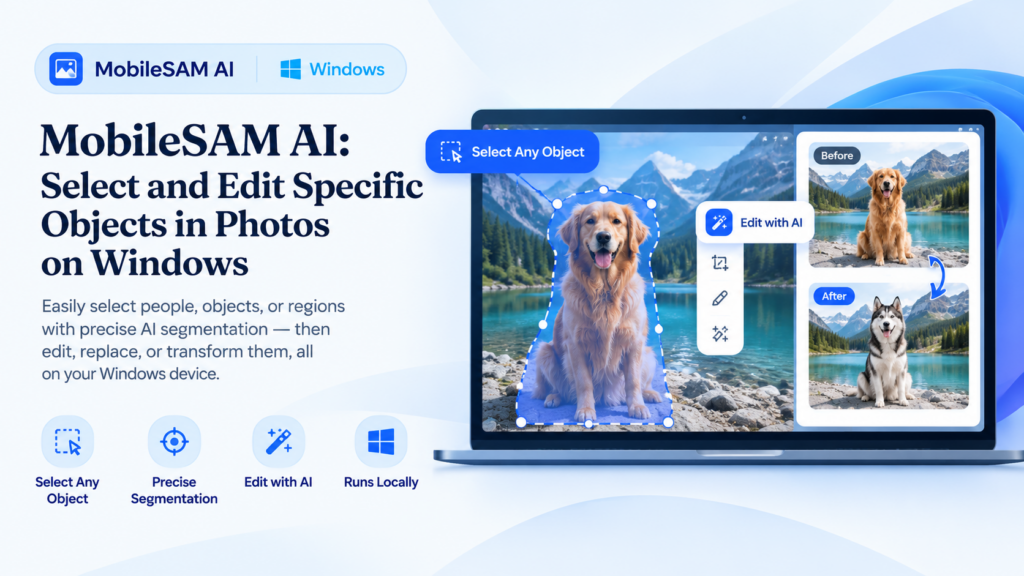
MobileSAM AI: Select and Edit Specific Objects in Photos on Windows
Sometimes you don’t want to edit an entire image. You want to select one particular object, isolate its shape, and apply an effect only to that area. MobileSAM makes this kind of object-focused editing possible in ImageLabs 2.3.
MobileSAM is a lightweight AI segmentation model designed to identify the boundaries of objects in an image. With its approximately 43 MB model file, ImageLabs brings interactive object selection to a Windows image editor without requiring a cloud-based editing service.
What Is MobileSAM?
MobileSAM is an AI model based on the Segment Anything approach. Instead of treating a photo as one large area, it can help identify a specific object and create a selection mask that follows the object’s visible shape.
This is useful when a photograph contains several objects and you want to work on just one of them. You can select the intended object and use that selection for supported editing operations.
What Can You Do with MobileSAM in ImageLabs?
1. Select an Object for Background Editing
Background editing often starts with separating the subject from its surroundings. With MobileSAM, you can select a particular object in the image rather than relying only on a general background-removal workflow.
This can be useful for product photographs, everyday objects, portraits, and other images where you need to isolate a specific subject. Results depend on image quality, lighting, and how clearly the object is separated from its surroundings.
2. Crop Around a Specific Object
A rectangular crop is not always the most convenient way to focus on a subject. ImageLabs can use object selection to help identify the area occupied by the object, making it easier to prepare a focused image for further editing.
This can help when preparing product images, isolating a subject for a composition, or removing unnecessary surrounding space from a photograph.
3. Apply Blur or Mosaic to an Object
Sometimes you need to obscure one particular area without affecting the rest of the photo. MobileSAM-powered selection can support object-shaped blur or mosaic effects, depending on the selected editing operation.
For example, you might want to obscure an object in a photograph or apply a visual effect to a specific subject while leaving nearby details unchanged. Always inspect the result carefully when obscuring sensitive information, since an imperfect selection may leave some details visible.
Why Use AI Object Selection Instead of Manual Selection?
Manually tracing an object’s outline can be time-consuming, especially when the subject has an irregular silhouette. AI segmentation can reduce some of that effort by estimating the object’s boundaries from the image.
- Less manual tracing: AI helps identify the object’s shape.
- Targeted editing: Work on a selected subject instead of the entire photo.
- Flexible workflows: Use object selection with supported background, crop, and visual-effect tools.
- Local processing: The model runs within ImageLabs on your Windows computer.
AI selection is not perfect for every image. Objects with complex edges, similar colors to the background, or heavy overlap may need additional attention.
MobileSAM Compared with Background-Removal Models
ImageLabs 2.3 includes multiple AI models because different editing tasks benefit from different approaches. Background-removal models focus on separating a foreground subject from its background, while MobileSAM is useful when you want to select a particular object for a more targeted operation.
The best choice depends on what you are trying to accomplish. If you want to remove the entire background, use a suitable background-removal model. If you want to select one object within a more complicated scene, MobileSAM offers a different workflow.
Run MobileSAM Locally in ImageLabs 2.3
ImageLabs is a Windows image editor that brings together AI-assisted image tools and traditional editing workflows. MobileSAM’s approximately 43 MB model is part of its collection of on-device AI capabilities.
Local processing can help you work with personal photographs without sending each image to a remote image-editing service. Actual performance depends on your computer and the image being processed.
Try ImageLabs 2.3
If you need more than basic cropping and whole-background removal, object selection can open up additional ways to edit your photos. ImageLabs 2.3 combines MobileSAM with other AI models and image-editing tools in one Windows application.
ImageLabs 2.3 — AI-Powered Image Editing for Windows
Explore AI object selection, background removal, image upscaling, colorization, repair, and other image-editing features in one Windows application.
Leave a Reply