
TypingDesk – Typing Tutor, Drills & Games
Learn to type, then get fast — in English, French, German, Spanish, Urdu or Arabic. TypingDesk teaches, drills, and gamifies keyboard typing on Windows: tiered lessons with a colour-coded finger-placement guide, five practice modes including listen-and-type dictation, five typing games, and per-profile stats and achievements. Ten keyboard layouts, light and dark themes, and a whole family can share one PC. Runs fully offline — no account, no internet.
Download Version 1.4.0
Available on the Microsoft Store — no subscription, no ads.
Or view the listing at apps.microsoft.com.
From the home row to real speed
Start with a finger-placement guide that shows which finger presses each key, then work up through Beginner, Intermediate, Advanced and Code lessons — or paste your own text. You type real words from the very first lesson, built only from the letters you have already been taught. As you type, correct keys turn green, mistakes red, and the on-screen keyboard highlights the next key. Track your progress with a WPM trend graph and an error heatmap, keep a daily streak, and unlock achievement badges.
New in 1.4.0 — a real Urdu and Arabic typing tutor
اردو and العربية are full languages here, not just keyboard layouts. The whole interface, the lesson text, the game words and the hints are written in them, and the app mirrors right-to-left.
You do not need a Windows Urdu or Arabic keyboard. Your keystrokes are translated as you type, so an Urdu lesson works on a plain English keyboard — no trip to system settings before your first lesson. If you already have the matching Windows keyboard installed and active, what it produces is passed straight through.
Three new layouts: Urdu Phonetic (type by sound — a gives ا, b gives ب, s gives س), Urdu (Windows) at its real key positions, and Arabic (101). Neither script has capitals, so Shift carries a second letter — آ ں ڛ گ in Urdu, أ إ آ in Arabic — and the on-screen keyboard prints it above the base letter, the way a real keycap does. Urdu and Arabic fonts are built in, so passages look right on any Windows install.
Changelog — what's new in each release
Full release history from the first 1.0.0 to 1.4.0 — the typing engine, lessons, games, profiles, stats, dictation, extra keyboard layouts, and the Urdu and Arabic release.
View the full changelogUser Guide — every screen explained
A plain-English walkthrough of profiles, the sidebar, lessons and practice modes, dictation, the games, stats, and settings — plus a full section on Urdu and Arabic, touch-typing tips, and where your data lives.
Read the User GuideFeatures
⌨️ Smart Typing Engine
A Unicode/grapheme-aware engine (accent-ready, no IME) with live WPM and accuracy, character-by-character highlighting, a smooth sliding & blinking caret, and backspace correction.
📚 Tiered, Layout-Aware Lessons
Beginner (home row → all letters, with real word lessons in between) → a capitals & punctuation bridge → Intermediate → Advanced → Code → Custom (paste your own, or load a .txt/.md file). Lessons are written in your language, not translated English, and number drills use local date, currency and decimal formats.
🖐️ Finger-Placement Guide
A colour-coded, layout-aware keyboard that shows which finger presses each key, the home row, and the F/J bumps — the perfect on-ramp for new typists.
🎯 Five Practice Modes
Timed, Quota, Zen (no pressure), Repeat-until-perfect, which loops the passage until you hit the accuracy target, and Dictation.
🎮 Five Typing Games
Letter Rain, Word Blaster, Survival, Speed Sprint (race a ghost of your best run), and Typing Duel (race a CPU at Easy/Medium/Hard) — with high scores and a pause menu.
📊 Stats & Achievements
A WPM trend line graph, a layout-aware key-error heatmap, a day streak, a personal-bests board, and nine achievement badges for speed, accuracy, streaks and milestones.
👥 Local Profiles (Password-Less)
Multiple local profiles, each with isolated stats, progress, achievements and settings — an illustrated start screen lets a whole family share one PC. No account, no password.
🌍 Six Languages, Ten Layouts
Interface, lessons, game words and dictation in English, Français, Deutsch, Español, اردو and العربية. Ten layouts: QWERTY (US), QWERTY (ES), AZERTY (FR), QWERTZ (DE), Dvorak, Colemak, Workman, Urdu Phonetic, Urdu (Windows) and Arabic (101). Light & dark themes, and four keystroke sound themes with volume control.
اردو Urdu & Arabic, Right-to-Left
A complete Urdu and Arabic typing tutor — translated interface, native lesson text, right-to-left layout, and keystroke translation so you can practise on an ordinary English keyboard. Bundled Nastaliq and Naskh fonts, and a Shift layer that reaches the whole alphabet.
🔊 Dictation Practice
The passage is read aloud and hidden — listen and type what you hear. Lenient scoring (capitals and punctuation ignored), F5 to replay a sentence, and playback speed from 0.5× to 2×. Uses the voices built into Windows, matched to your language.
💾 Your Data, Your PC
Everything is stored locally. Export your full session history to CSV and import it back on another PC — duplicate rows are skipped. A configurable daily goal, and a full accessibility pass with screen-reader labels on every screen.
Screenshots
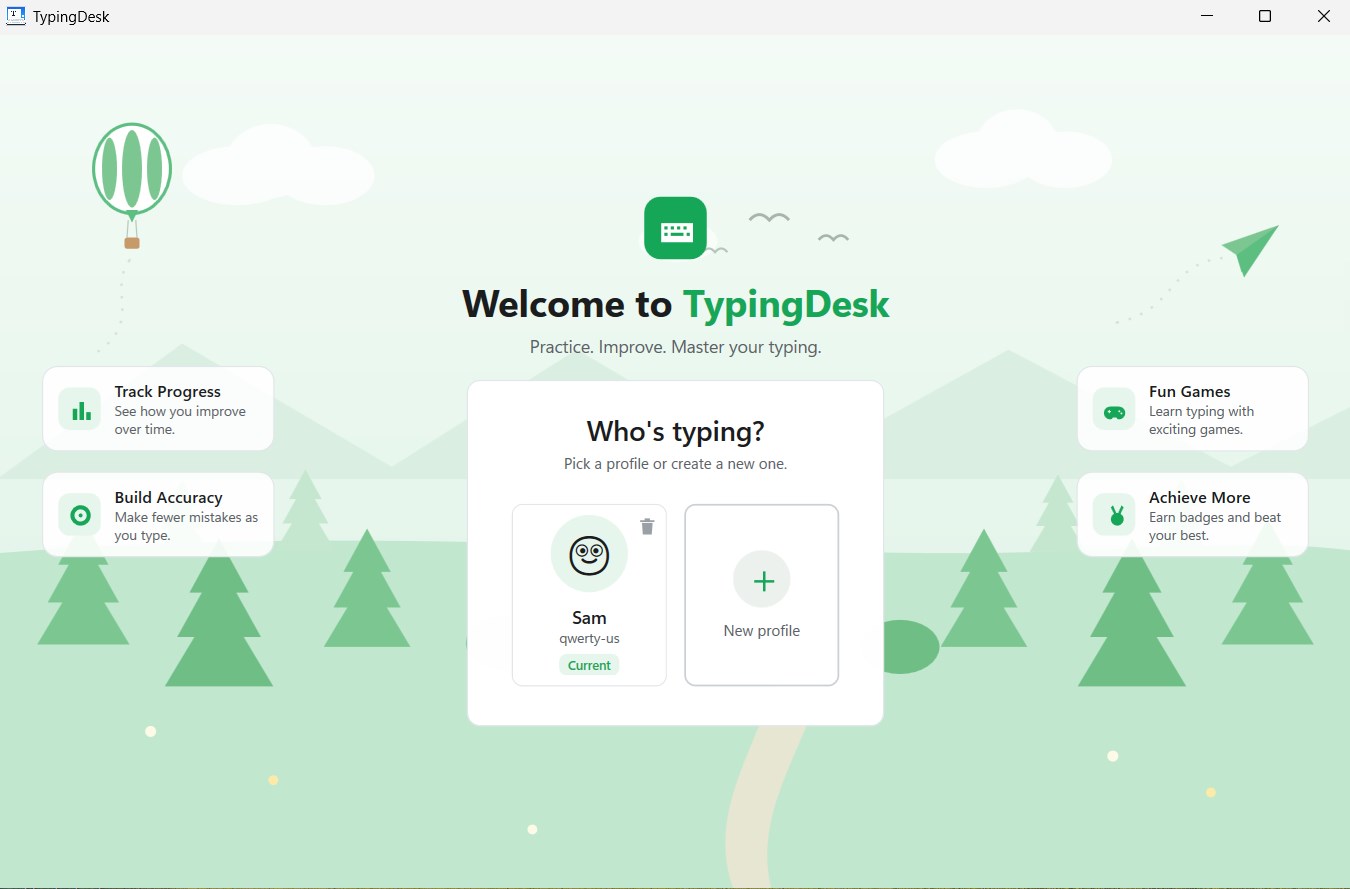
Who’s Typing? — Local Profiles, No Account Needed
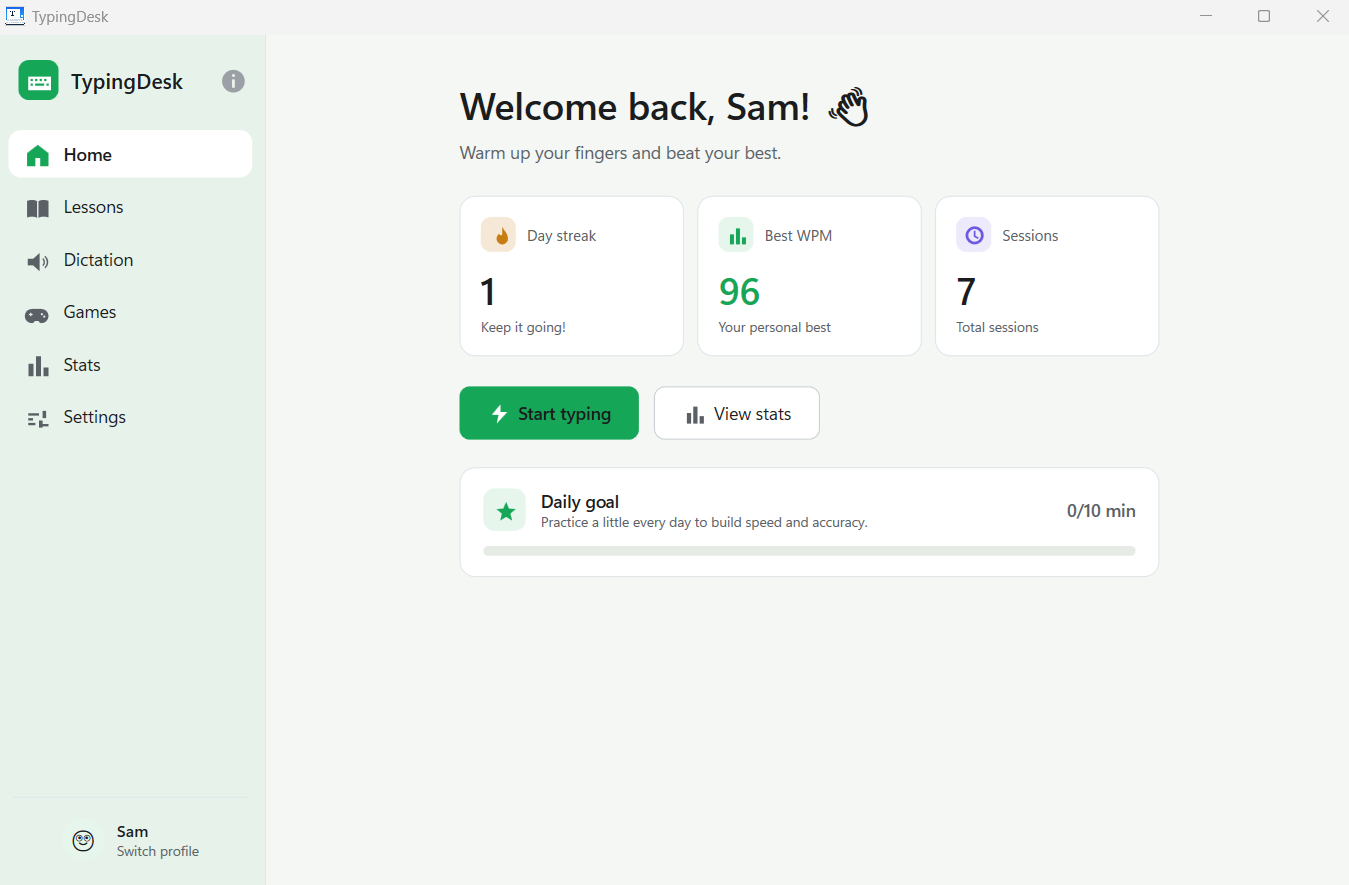
Home — Day Streak, Best WPM & Your Daily Goal
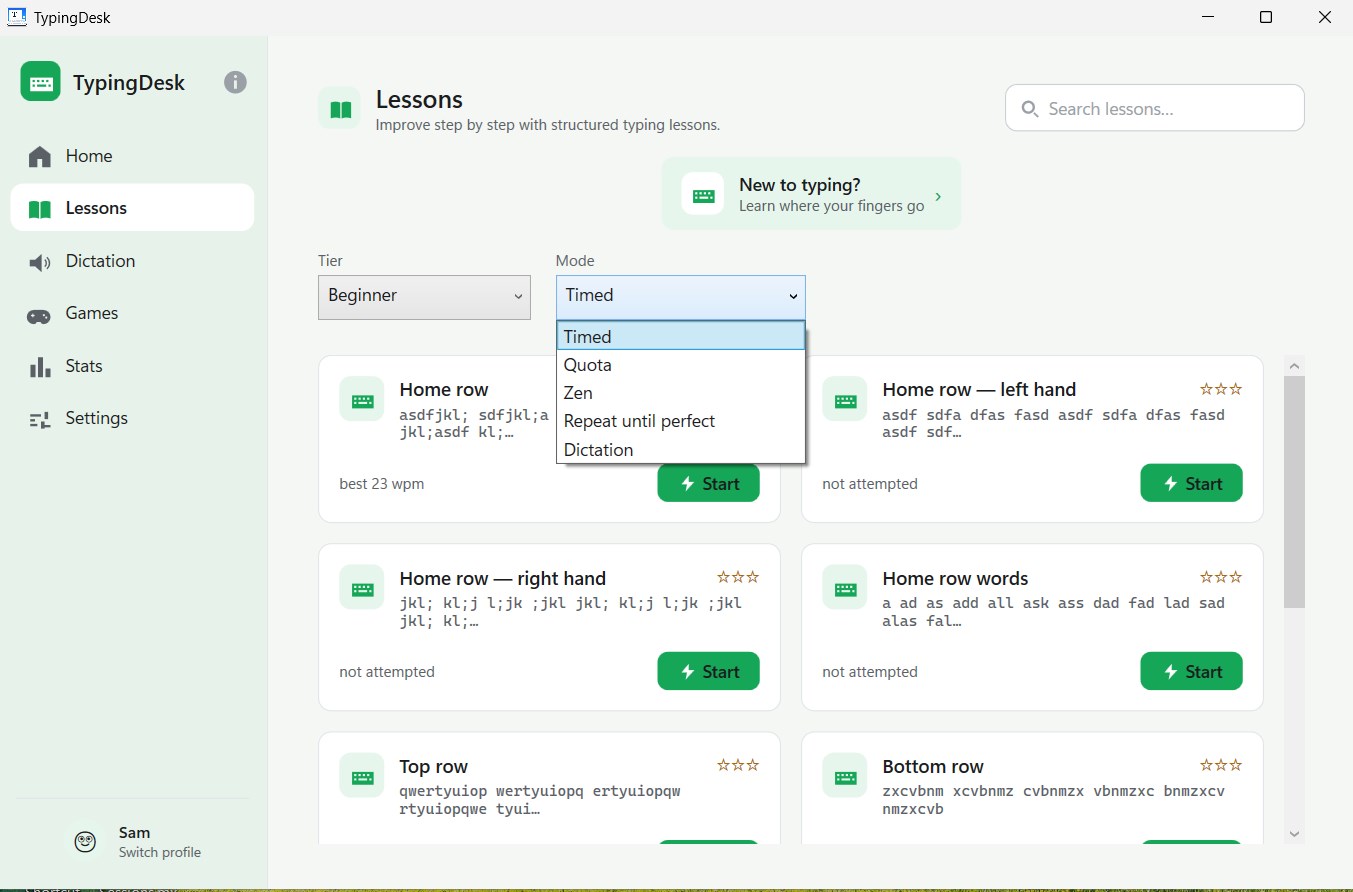
Lessons — Tiers, Five Practice Modes & Word Lessons Between the Drills
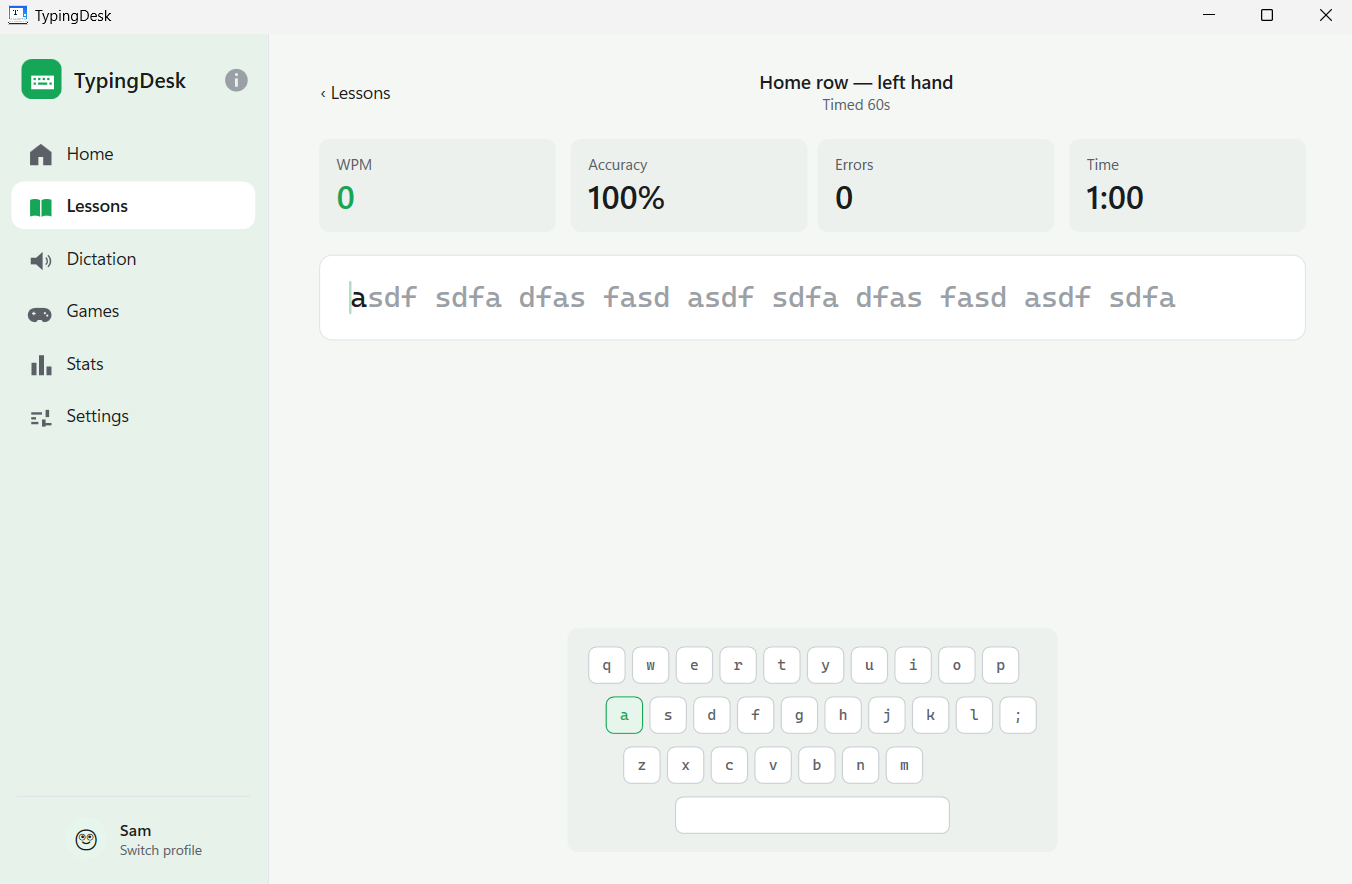
Typing — Live WPM and Accuracy, With the Next Key Highlighted
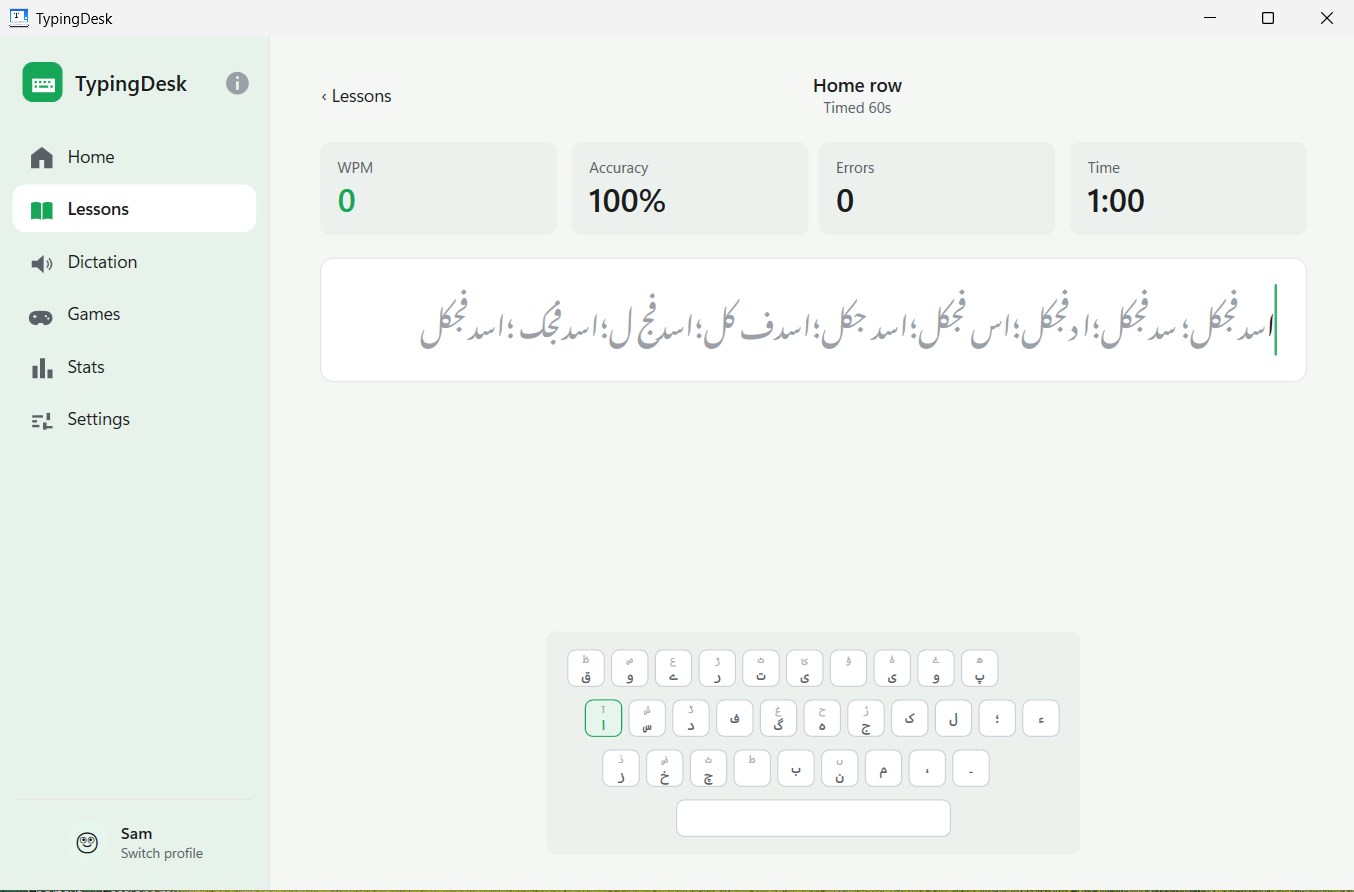
Urdu — Right-to-Left Nastaliq Passages and an Urdu On-Screen Keyboard
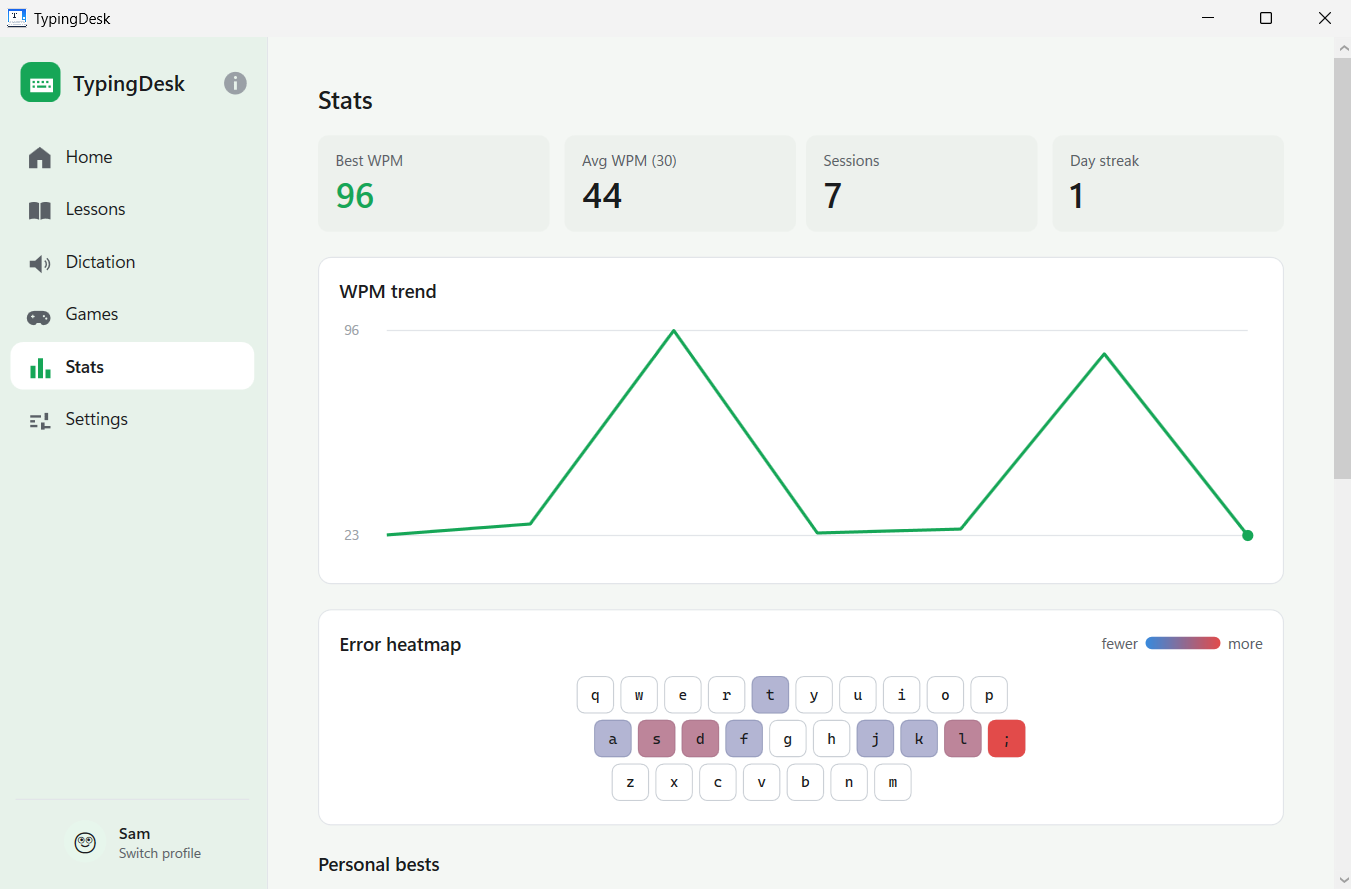
Stats — WPM Trend, Per-Key Error Heatmap & Personal Bests
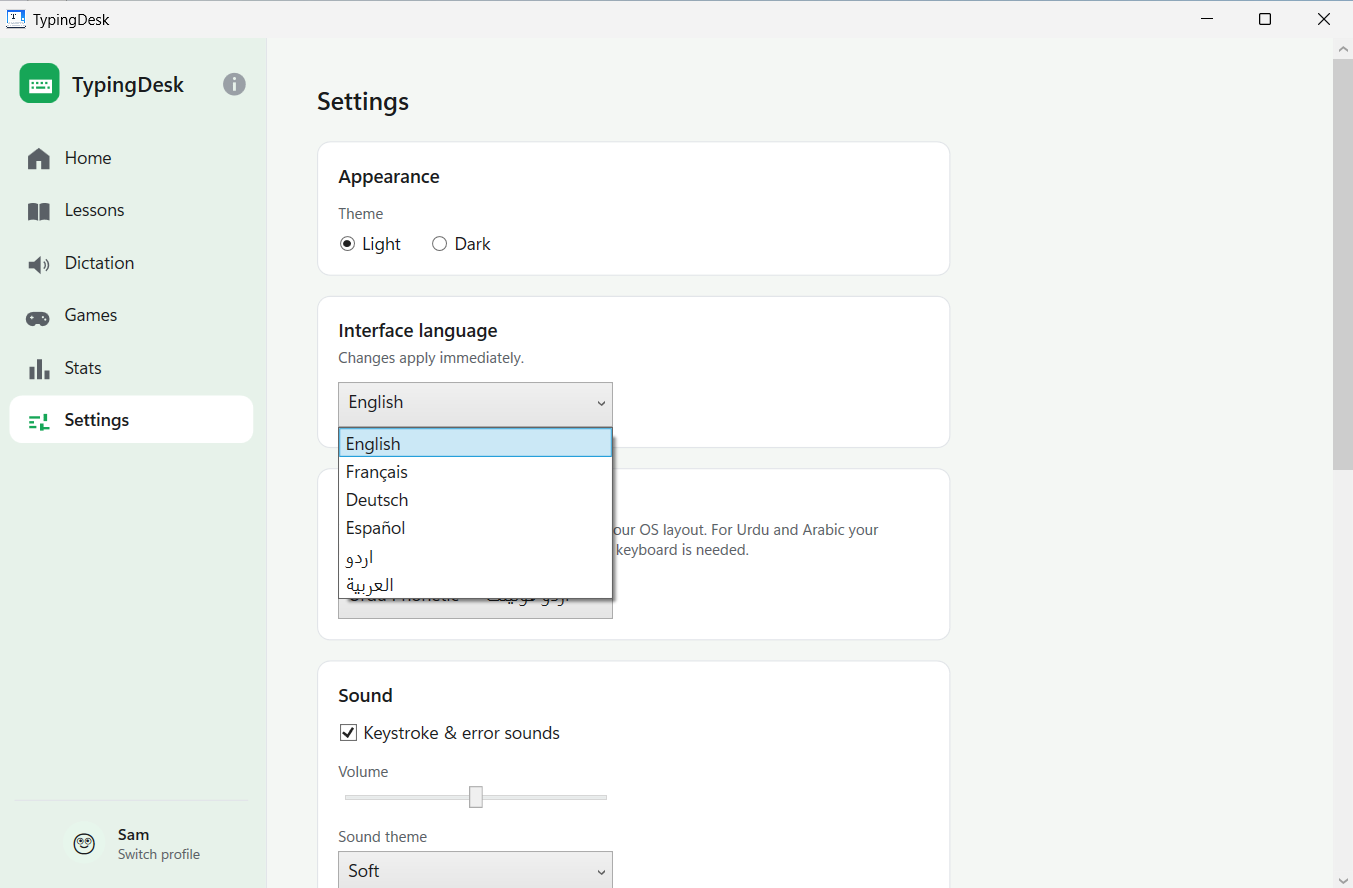
Settings — Six Interface Languages, Applied Instantly
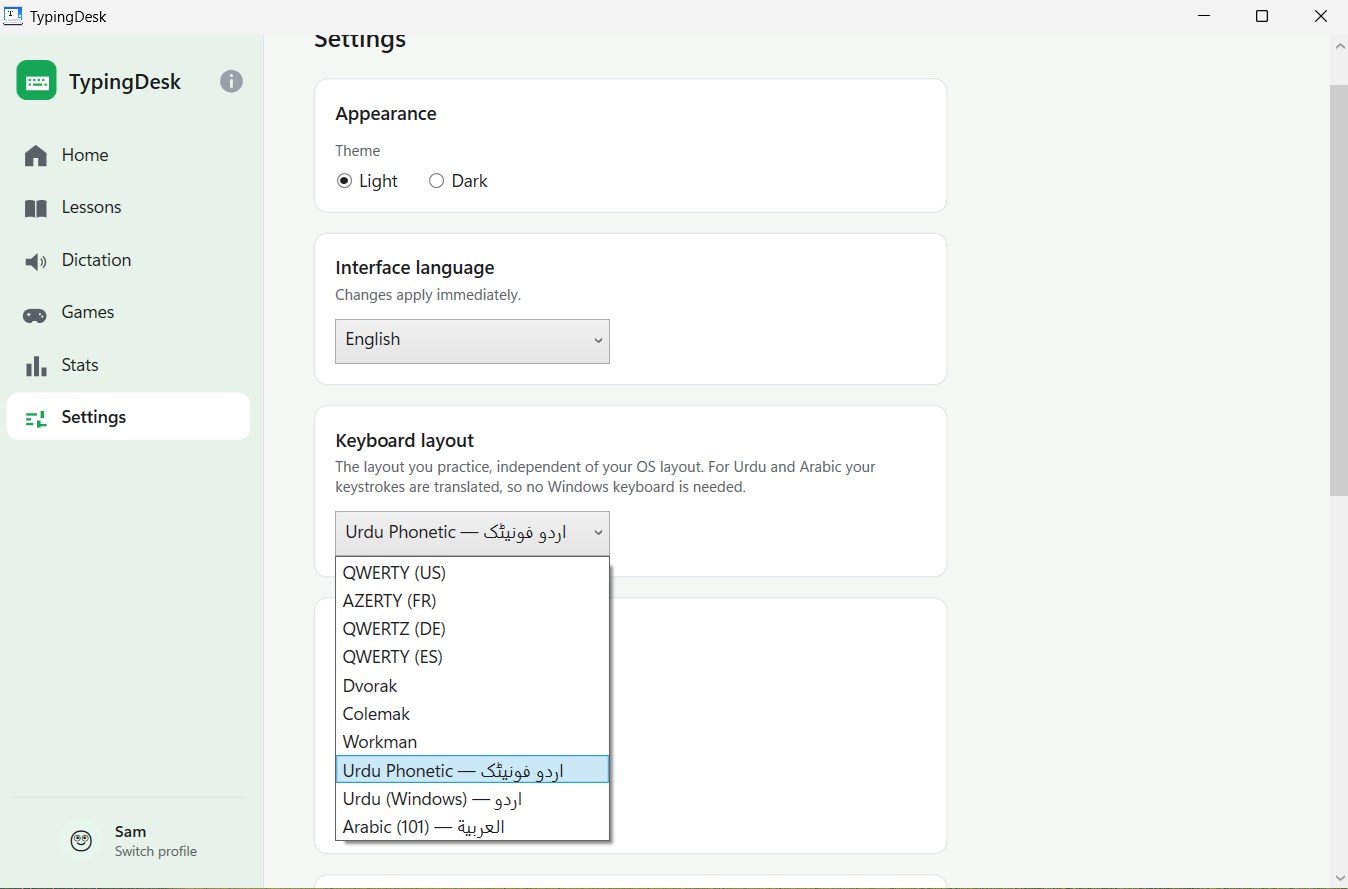
Keyboard Layout — Ten Layouts, Independent of Your OS Keyboard
Latest Release
Version 1.4.0 — August 2026
Urdu and Arabic in full — interface, lessons, game words and a right-to-left layout — plus three new keyboard layouts (Urdu Phonetic, Urdu Windows, Arabic 101), keystroke translation so no Windows keyboard is needed, and real word lessons from the very first drill on every layout.