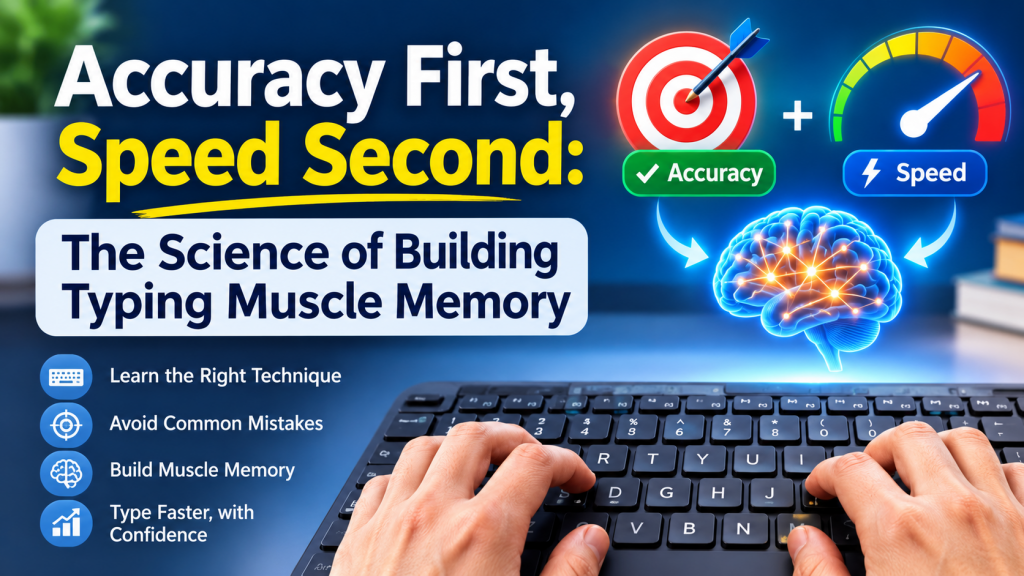
Every typing teacher says the same thing: slow down and get it right, and the speed will come. It sounds like the kind of advice that is good for you but no fun, and most learners quietly ignore it the moment a timer appears. Yet it is one of the most reliable principles in skill learning, and it has a simple explanation. Your hands learn exactly what you repeat — including the mistakes. This article explains how typing muscle memory forms, why accuracy has to come first, and how to practise so that speed arrives on its own.
If you are only just starting out, our look at why touch typing still matters covers the basics. This post is for anyone who has learned the keys and now wants to get faster without hitting a wall.
What “muscle memory” actually is
The muscles in your fingers do not remember anything. “Muscle memory” is the everyday name for procedural memory: the brain’s system for skills you perform without thinking about the steps, like riding a bike or tying shoelaces. Learning a motor skill generally moves through recognisable stages:
- Thinking stage. Every action is deliberate. “The letter is R, that is the left index finger, reach up and slightly left.” It is slow, tiring and error-prone.
- Associative stage. The steps start to blend. You stop thinking about individual keys and begin to feel common letter pairs and short words as single movements.
- Automatic stage. Whole words, and eventually phrases, flow out as one chunk while your attention is on what you are writing, not how.
Repetition is what moves a movement from stage one to stage three. The catch is that the brain does not distinguish between a correct repetition and an incorrect one. It automates whatever you do most often.
Why practised mistakes become habits
Suppose you are pushing for speed and you type teh instead of the one time in five. You correct it each time, so it feels harmless. But across a week of practice you have rehearsed t-e-h hundreds of times. That sequence is now being automated alongside the correct one, and under pressure — a timed test, a fast email — the faulty version comes out. Many experienced typists carry a handful of these “signature typos” for years for exactly this reason.
Unlearning an automated movement is much harder than learning it correctly the first time, because you have to consciously override something that now happens without thought. That is the real argument for accuracy first: every error you practise is a small debt you will repay later.
The maths: errors cost more than they seem
Typing speed is usually reported in words per minute, where a “word” is standardised as five characters including spaces. There are two figures worth knowing:
- Gross WPM = (characters typed ÷ 5) ÷ minutes.
- Net WPM = gross WPM minus uncorrected errors per minute. This is closer to useful output.
And in real work every mistake also costs the time to notice it, backspace and retype. Compare two typists over a one-minute passage:
| Typist A (rushing) | Typist B (steady) | |
|---|---|---|
| Raw speed | 70 WPM | 58 WPM |
| Accuracy | 90% | 98% |
| Errors in 350 characters | about 35 | about 7 |
| Time spent fixing (at ~1 second each) | about 35 seconds | about 7 seconds |
| Effective result | Slower overall, and practising errors | Faster overall, and practising clean movements |
The figures are illustrative, but the pattern is real: below roughly 95% accuracy, correction time eats most of the benefit of the extra raw speed. A useful working rule is don’t chase speed until you can hold 95–97% accuracy comfortably.
TypingDesk — Practice Modes Built Around Accuracy
TypingDesk shows live WPM and accuracy side by side with character-by-character highlighting, so you see the trade-off as it happens. Its Repeat-until-perfect mode loops the passage until you hit your accuracy target, and Zen mode takes the clock away entirely — exactly the two settings this article recommends for building clean muscle memory.
How to practise for accuracy
1. Find your accuracy speed
Type a passage at a pace where you make almost no mistakes — it will feel slow. That is your current “clean speed”. Do most of your practice there, and only occasionally test what happens when you push faster.
2. Aim for rhythm, not bursts
A common pattern is to rattle off easy words and stall on hard ones. Instead, try to keep an even rhythm, as if typing to a slow metronome, slowing the whole passage to the speed of its hardest word. Even rhythm trains clean movements; bursts train rushing.
3. Repeat until perfect
Pick a short sentence and type it until you get it with zero errors, then three times in a row with zero errors. Then move on. This “perfect repetitions” approach makes sure the last — and most numerous — versions your hands rehearse are the correct ones.
4. Isolate your problem keys
Most people do not have a general accuracy problem; they have a few specific keys and letter pairs that go wrong over and over. Typical trouble spots:
- Weak fingers: Q, Z, X, P and the punctuation on the right little finger.
- Same-finger pairs such as ed, un, my, ce, where one finger has to move twice in a row.
- Hand-crossing confusion between mirror keys such as D/K or R/U.
Write short drills that concentrate them, for example:
ed ed ed  red bed fed shed edge wedge hedged
un un un  run fun under until bundle sunny
ce ce ce  ice face piece voice dance once
quiz zero exact puzzle lazy mix quick oxen
5. Fix errors the right way
When you make a mistake during practice, notice which finger did it, backspace, and retype the whole word rather than just the wrong letter. That rehearses the full correct movement instead of a patched one.
TypingDesk — Find the Keys You Actually Miss
The Stats page in TypingDesk includes a layout-aware key-error heatmap, so you can see at a glance which keys keep tripping you up, alongside a WPM trend graph and a personal-bests board. Pair it with Custom lessons — paste your own text or load a .txt file — to drill exactly the letters and words the heatmap flags.
When to start pushing speed
Once accuracy is steady, speed is trained in short, deliberate bursts rather than all the time:
- Sprint, then settle. Try a 30-second burst about 10% faster than comfortable, then return to your clean speed for a minute. Repeat a few times.
- Watch the accuracy line. If accuracy drops below about 95% during sprints, the push was too big. Pull back.
- Chunk common words. Speed mostly comes from typing frequent words as single movements. Drill the most common words in your language until they feel like one keystroke.
- Read ahead. Fast typists look a word or two beyond the one they are typing, so the next movement is ready before it is needed.
Expect plateaus. Speed often holds flat for a week or two and then jumps. Staying accurate through a plateau is what makes the next jump stick.
Practical settings for your sessions
| Phase | Practice style | Target |
|---|---|---|
| Learning keys | Untimed, slow, never look down | 98%+ accuracy |
| Building fluency | Repeat-until-perfect on short passages | Zero-error repetitions |
| Consolidating | Real text at clean speed | 95–97% held steadily |
| Building speed | Short sprints followed by clean-speed recovery | Accuracy stays above ~95% |
Key takeaways
- “Muscle memory” is procedural memory in the brain, and it automates whatever you repeat — mistakes included.
- Practised errors turn into habits that are much harder to remove than to avoid in the first place.
- Below roughly 95% accuracy, correction time cancels out the benefit of typing faster.
- Practise at your clean speed with an even rhythm, use perfect repetitions, and drill your specific problem keys.
- Push speed in short sprints once accuracy is steady, and treat plateaus as normal.
Leave a Reply