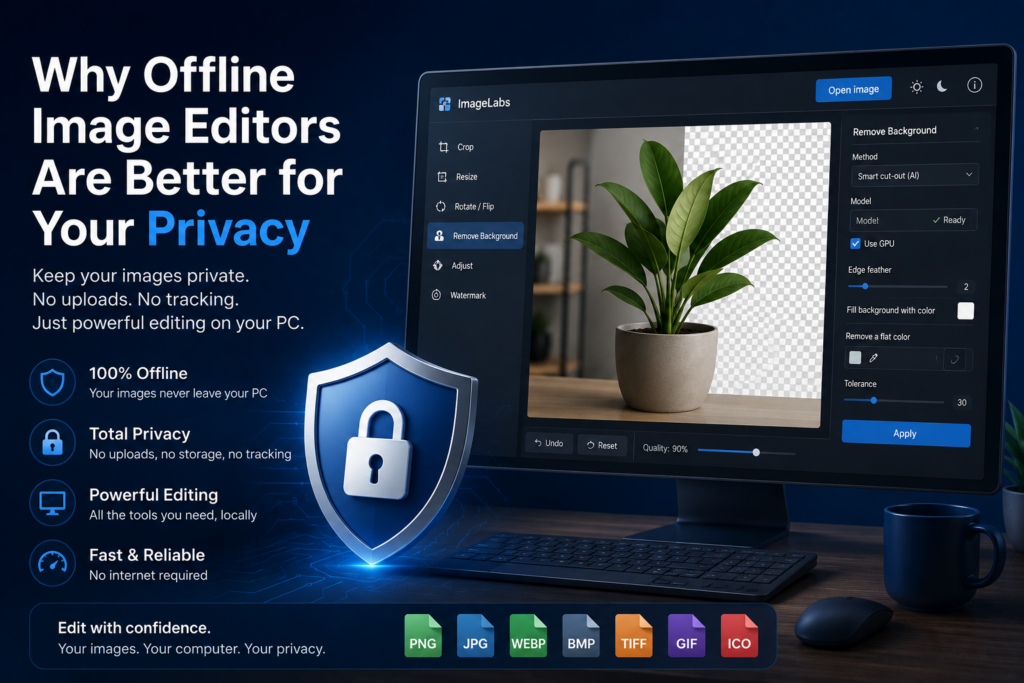
Photo editing has never been easier. With countless online image editors available, you can crop, resize, remove backgrounds, and apply effects directly from your browser without installing any software.
While this convenience is appealing, many people don’t stop to consider what happens to the images they upload. Whether you’re editing personal photos, confidential documents, product designs, or business graphics, sending them to an online service means your files leave your computer.
For many users, especially businesses and professionals, that’s a privacy compromise worth avoiding.
Your Images Leave Your Computer
When using an online image editor, your image must first be uploaded to a remote server before any editing can begin.
Depending on the service, your uploaded files may be stored temporarily, cached for processing, or retained according to the company’s privacy policy. Even if the files are eventually deleted, they still existed on systems outside your control.
For casual vacation photos this may not matter, but for sensitive images it certainly can.
Some Images Should Never Be Uploaded
Many people edit images that contain information they would rather keep private.
- Scanned identity documents
- Business reports
- Invoices and receipts
- Customer information
- Medical records
- Product prototypes
- Confidential presentations
- Family photographs
Uploading these files to an online editor introduces an unnecessary privacy risk, especially when a local application can perform the same task.
Offline Editors Keep Everything Local
An offline image editor performs all processing directly on your computer.
Your images never need to be uploaded to a website, cloud service, or remote server. Every edit—from cropping and resizing to AI-powered background removal—is completed locally using your own hardware.
This means your images stay exactly where they belong: on your own PC.
Offline AI Is Becoming More Practical
Artificial intelligence is no longer limited to cloud services. Modern desktop computers are powerful enough to run AI models locally for many image editing tasks.
Instead of uploading every image for processing, offline AI allows background removal and other intelligent editing features to happen entirely on your computer.
You gain the benefits of AI without sacrificing your privacy.
Edit Images Privately with ImageLabs
ImageLabs is an offline image editor for Windows designed to keep your photos on your own computer. Crop, resize, rotate, adjust colors, add watermarks, convert image formats, and even remove backgrounds using AI—all without uploading your files to an online service.
- 🔒 All editing happens locally on your PC
- 🤖 Offline AI background removal
- ✂ Crop, resize, rotate and flip images
- 🖼 Supports PNG, JPEG, WebP, BMP, TIFF, GIF, ICO and more
- 💧 Add text watermarks and image adjustments
Offline Doesn’t Mean Limited
Years ago, online editors often offered more features than desktop applications. Today, that’s no longer true.
Modern offline editors provide advanced capabilities such as AI background removal, image enhancement, watermarking, transparency support, and conversion between popular image formats—all while keeping your files local.
You Don’t Need an Internet Connection
Another advantage of offline software is reliability. You can continue editing images while travelling, working remotely, or in environments with limited internet access.
Because everything runs locally, performance is also more consistent and isn’t affected by upload speeds or server availability.
When Should You Choose an Offline Image Editor?
Offline editing is especially valuable if you regularly work with:
- Business documents
- Personal photographs
- Scanned paperwork
- Legal files
- Medical images
- Marketing materials
- Product photography
- Design assets
If privacy matters, keeping your images on your own computer is usually the safest approach.
Final Thoughts
Online image editors are convenient, but convenience often comes at the cost of uploading your files to someone else’s servers. For many users, that’s an unnecessary compromise.
An offline image editor gives you complete control over your images while still offering the tools needed for everyday editing. Whether you’re resizing photos, removing backgrounds with AI, converting formats, or creating transparent images, keeping the entire editing process on your own computer provides greater privacy and peace of mind.
Leave a Reply