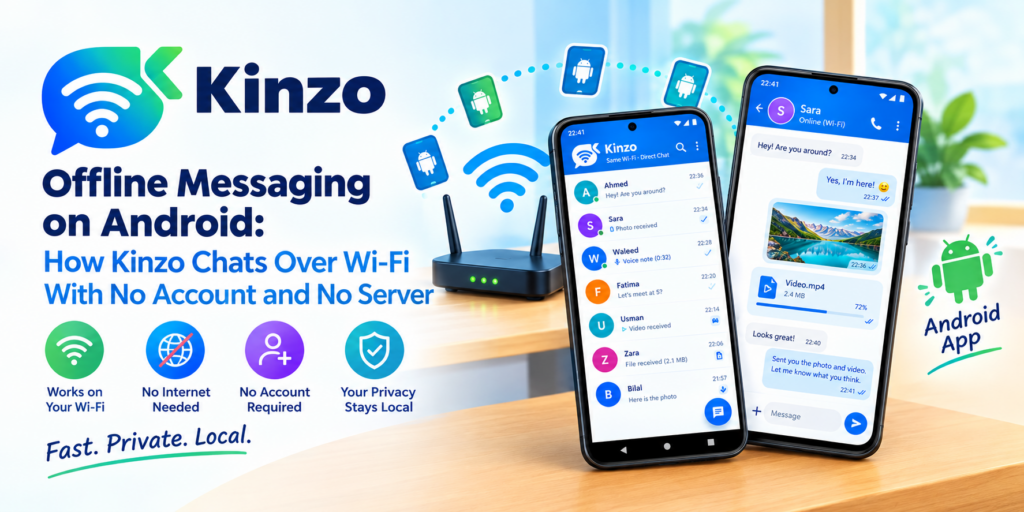
Send a message to someone sitting across the room and, with almost any messenger, it leaves the building first. It goes out through your router, across the internet, into a data centre belonging to a company you have an account with, and back again to a phone three metres from yours. The two devices were on the same Wi-Fi the whole time. Neither of them needed the trip.
We built Kinzo to skip it. Kinzo is a messenger for Android in which two devices on the same network find each other and talk directly. There is no server in the middle because there is no server at all: no account to create, no phone number to hand over, nothing uploaded anywhere, and no internet connection required.
Kinzo 1.2 is on Google Play now. It is free, and it has no ads.
What Kinzo is
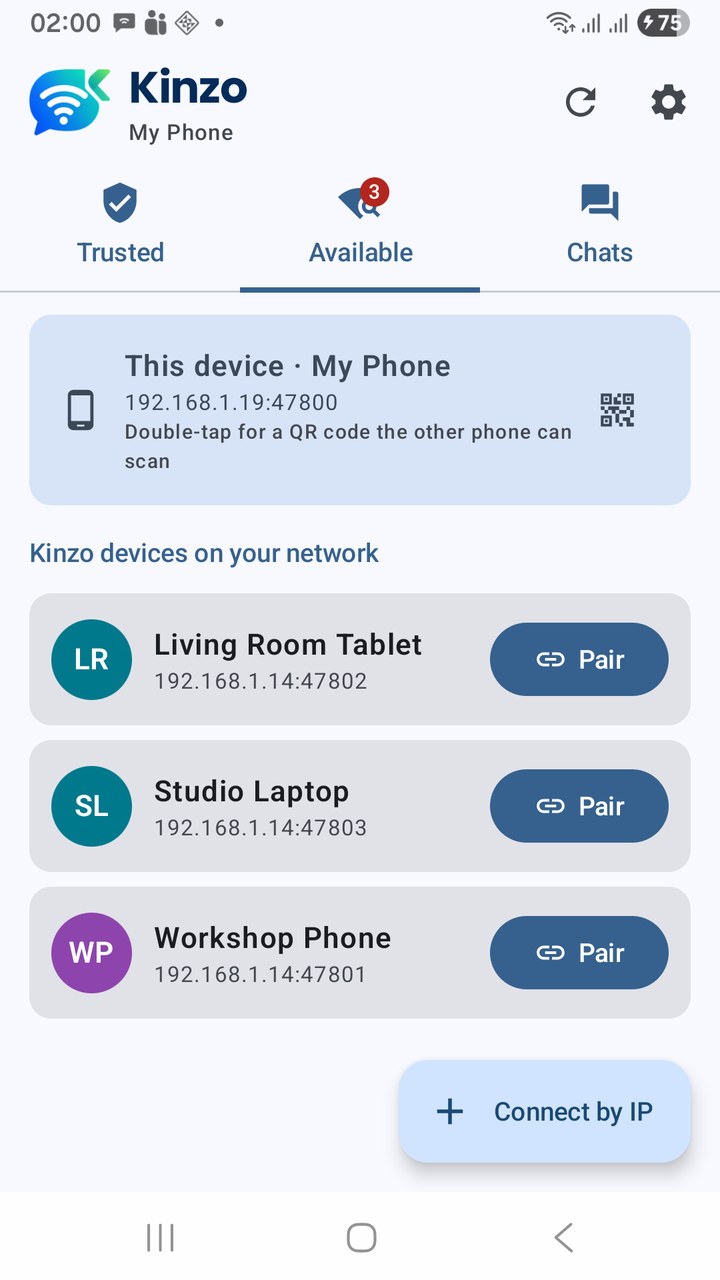
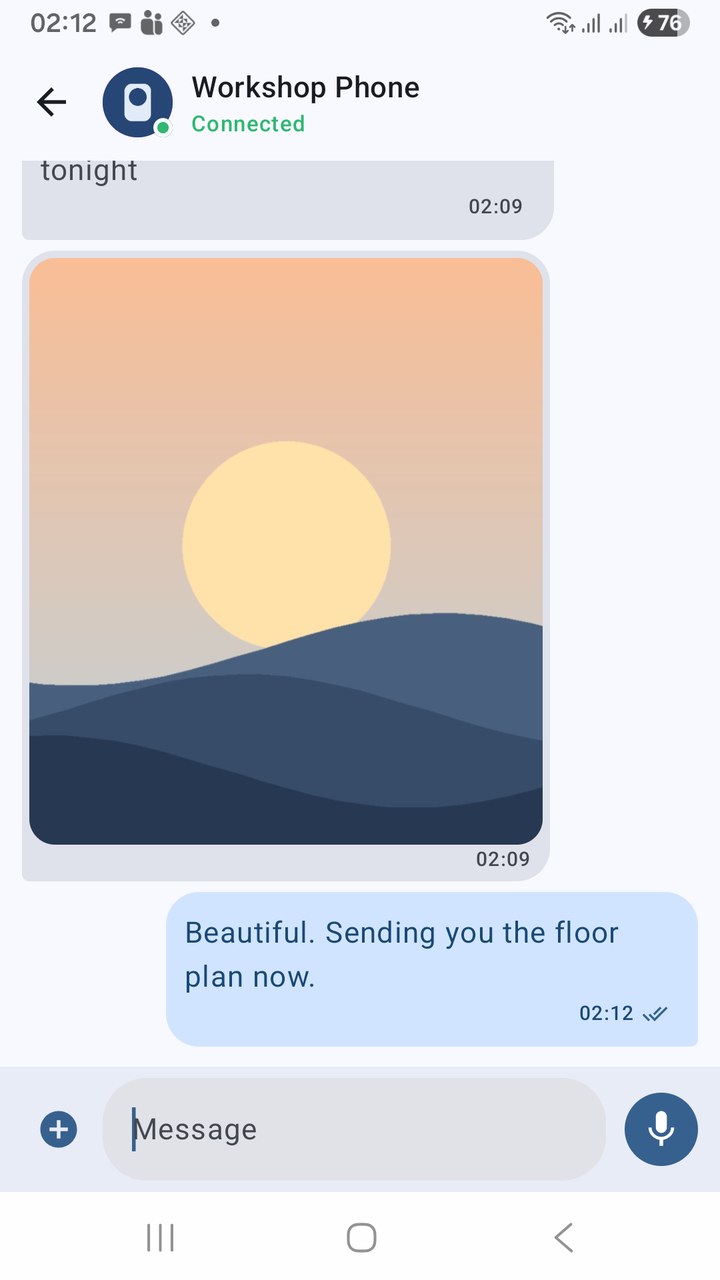
Install Kinzo on two phones, put them on the same Wi-Fi, and open the Available tab. The other phone is already there. Tap Pair, the other person taps Accept, and from then on the two devices are trusted: they reconnect by themselves whenever they share a network, and you chat the way you would in any messenger.
What you can send:
- Text, with ✓ sent and ✓✓ delivered receipts, so you know when the other device actually has it.
- Photos and videos from your gallery, or taken on the spot.
- Voice notes recorded in the chat, and audio files.
- Large files go in pieces with a progress bar, and open in a zoomable viewer with share and save.
And one thing that matters more on a local network than anywhere else: an offline queue. Devices come and go — a phone walks out to the car, a tablet goes to sleep. Messages written while a device is away are held and delivered the moment it is back, and never twice.
Why “no server” is the whole point
Leaving the server out is not a cost saving. It changes what the app can promise.
| With a server in the middle | With Kinzo |
|---|---|
| You need an account — usually a phone number or an email | No account, no sign-up, no phone number, no email |
| Messages pass through, and often rest on, someone else’s machines | Messages go from one device to the other and nowhere else |
| No internet, no messages | The router is enough — the internet is optional |
| The service can be down, rate-limited, blocked or discontinued | There is no service to go down |
| Somebody has your contact list and your activity | We run no servers and collect nothing |
That last row is not a policy we are asking you to trust. There is simply nowhere for your messages to be uploaded to.
Kinzo — Wi-Fi / LAN Messenger for Android
Kinzo is a messenger that works without the internet. Devices on the same Wi-Fi find each other and chat directly — text with sent and delivered receipts, photos, videos, audio files and voice notes, with an offline queue that delivers when a device comes back. Pair by tapping or by QR code; every connection is encrypted device to device. No account, no server, no ads. Free on Google Play.
Encrypted, device to device
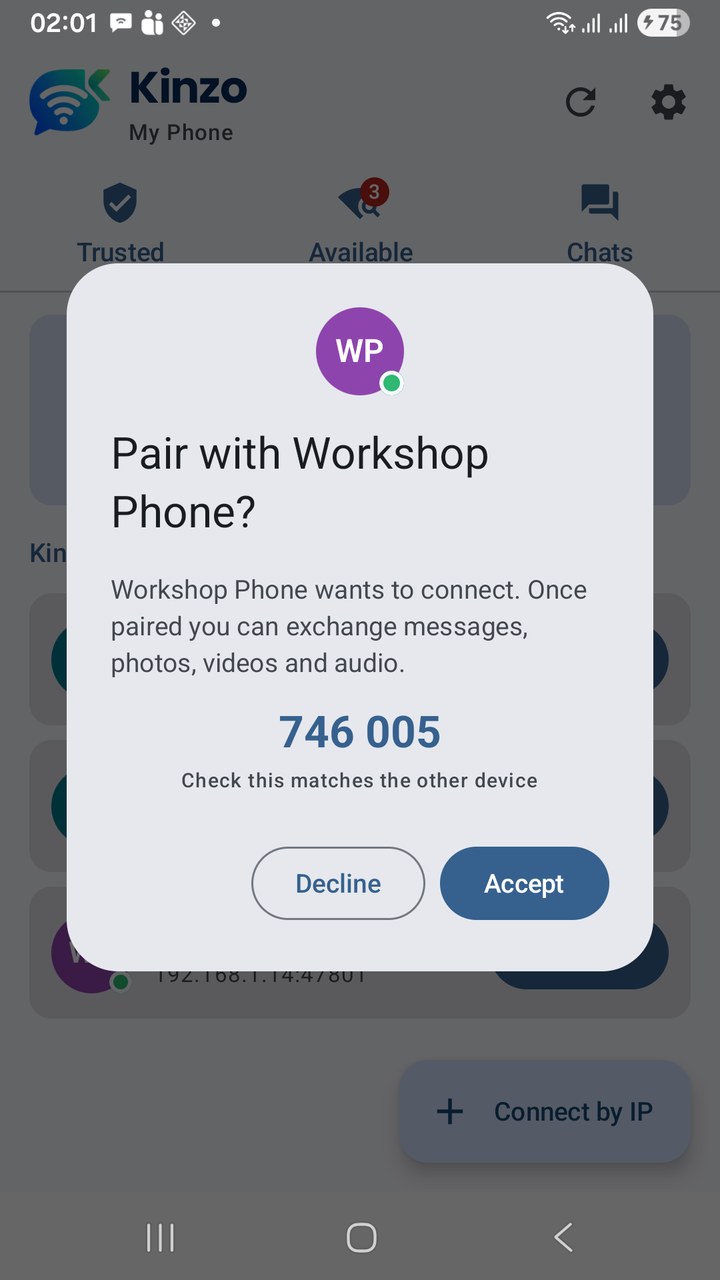
A shared Wi-Fi is not a private one. Offices, classrooms and shared houses all put strangers on the same network, so “it never leaves the building” is not enough on its own. In Kinzo every connection is encrypted with TLS, directly between the two devices — and with no server in the path, device to device is end to end.
Each device has its own key. When you pair, each side remembers the other’s key, and every later connection has to present it. Only the device you paired with can reconnect as that contact; anything presenting a different key is refused. A device cannot simply announce itself under a name you trust and be believed.
Pairing itself is checkable. Both screens show the same six-digit code; if the numbers match, nothing is sitting between you. Or skip the question entirely and pair by QR code — show the code on one phone, scan it with the other — which checks the key before it connects.
Small things we cared about
- Your phone’s real name stays private. Choose the name other devices see. Give paired devices your own private names for them, too.
- Profile pictures are for people you have paired with. A device that merely sees you on the network gets no picture.
- No storage or photo permission. You pick files with Android’s own picker, which hands Kinzo only what you chose. It never sees the rest of your gallery.
- The background service is a switch. Kinzo can stay reachable while closed, so messages and pair requests still arrive — and you can turn that off whenever you like.
- Mobile data is never used for messaging.
What it does not do
We would rather you heard these from us than from a one-star review.
- Both devices must be on the same network. Kinzo is not a way to reach a friend in another city. Guest networks, Wi-Fi extenders running as their own router, and routers that isolate devices from each other can also keep two phones apart — QR pairing, Connect by IP and a network scan cover most of those cases, and the app tells you which network each phone is on when they cannot find each other.
- Messages are stored unencrypted on your own phone, protected by the Android app sandbox and your device’s own encryption. The connection between devices is always encrypted; what is at rest relies on your phone’s lock.
- It talks to other devices running Kinzo — version 1.2 or newer, on Android 8.0 or later.
What is in 1.2
Kinzo reached Google Play in September, and 1.2 is the release we are comfortable announcing loudly, because it is the one that encrypts everything:
- Encrypted connections, with the other device’s key remembered at pairing and a six-digit code to verify it.
- QR code pairing.
- Profile pictures, shared only with paired devices.
- Steadier discovery: devices that leave drop off the list, a network scan finds phones when the router blocks discovery, and failures explain themselves.
The full history is in the changelog, and the user guide walks through every screen.
Key takeaways
- Kinzo is a messenger with no server: devices on the same Wi-Fi talk directly.
- No account, no phone number, no internet, no ads — and nothing uploaded, because there is nowhere to upload it.
- Text, photos, videos, audio and voice notes, with delivery receipts and an offline queue.
- Encrypted device to device, with each device’s key remembered at pairing and a six-digit code or a QR scan to confirm who you paired with.
- Same network only — that is the trade, stated up front.
- Free on Google Play, for Android 8.0 and later.
Install it on two devices, put them on the same Wi-Fi, and send the first message that never leaves the room.
Kinzo — Wi-Fi / LAN Messenger for Android
Kinzo is a messenger that works without the internet. Devices on the same Wi-Fi find each other and chat directly — text with sent and delivered receipts, photos, videos, audio files and voice notes, with an offline queue that delivers when a device comes back. Pair by tapping or by QR code; every connection is encrypted device to device. No account, no server, no ads. Free on Google Play.
Leave a Reply