
Kinzo – Wi-Fi / LAN Messenger for Android
Chat over your Wi-Fi • No internet • No accounts
Kinzo is a messenger that works without the internet. Two devices on the same Wi-Fi find each other and talk directly — no account, no server in the middle, nothing uploaded anywhere. Send text, photos, videos, audio files and voice notes; messages travel encrypted, straight from one device to the other, and because there is no server there is nothing in between to hold a copy.
Download Version 1.2
Free on Google Play — no ads, no account, no sign-up.

Install it on every device you want to reach — Kinzo talks to other devices running Kinzo on the same network.
The router is enough — the internet is optional
Kinzo needs a network, not a connection to the outside world. As long as your devices share a Wi-Fi, they can talk:
- At home when the internet is down but the router is still up
- Workshops, warehouses, basements and boats with no signal
- Classrooms and offices, passing photos and files around without the cloud
- Anywhere your connection is slow, metered, or nobody else’s business
Changelog — what's new in each release
Full release notes for Kinzo. 1.2 brings QR code pairing, encrypted connections, profile pictures and steadier discovery.
View the full changelogUser Guide — every screen, every workflow
Step-by-step walkthrough of Kinzo — finding devices, pairing and the verification code, QR codes, Connect by IP, chatting and sending media, trusted devices, settings, security, and what to do when two phones cannot see each other.
Read the User GuideFeatures
📡 Devices Find Each Other
Open the Available tab and every device running Kinzo on your Wi-Fi appears on its own — nothing to type, no codes to exchange. Devices that leave the network drop off the list, so what you see is what you can actually reach.
🤝 Pairing You Both Agree To
Tap Pair and the other device is asked to Accept or Decline. Only paired — trusted — devices can exchange messages. Both screens show the same six-digit code; matching numbers mean nothing is sitting in between.
📷 Pair by QR Code
Show the code on one device, scan it with the other. Handy when a router blocks automatic discovery — and scanning checks the other device’s key before it connects, so you know you reached the device in front of you.
💬 Text With Receipts
Messages show ✓ sent and ✓✓ delivered, so you know when the other device actually has them. A conversation list with previews and unread badges keeps every chat one tap away.
🎥 Photos, Videos & Audio
Send photos and videos from your gallery, take one in the app, or attach an audio file. Large files are sent in pieces with a progress bar, and a zoomable viewer opens photos and video full-screen with share and save.
🎤 Voice Notes
Tap the microphone in the chat, record, and send — or cancel if you change your mind. Voice notes play right in the conversation.
📬 An Offline Queue
Messages written while a device is away are queued and delivered the moment it comes back onto the network. Nothing is lost to a phone that walked out of range, and nothing arrives twice.
🔐 Encrypted, Device to Device
Every connection is encrypted with TLS. Each device has its own key, remembered when you pair: only the device you paired with can reconnect, and anything presenting a different key is refused. With no server in the path, device to device is end to end.
👤 Names & Profile Pictures
Choose the name other devices see, so your phone’s real name stays private. Give paired devices your own private names for them, and set a profile picture that is shared only with devices you have paired with.
🌐 Works on Awkward Networks
When a router blocks discovery, Scan this network looks for Kinzo devices directly, and Connect by IP reaches one by its address. If nothing turns up, Kinzo shows which network this device is on so you can compare it with the other phone — the quickest way to spot an extender or guest network keeping them apart.
🔔 Reachable in the Background
An optional background service keeps Kinzo reachable while the app is closed, with notifications for new messages and pair requests. It is a switch in Settings — turn it off whenever you like.
🔒 Private by Construction
No account, no sign-up, no phone number, no email. We run no servers and collect nothing — there is nowhere for your messages to be uploaded to. No storage or photo permission either: you pick files with Android’s own picker, which hands Kinzo only what you chose. No ads, and mobile data is never used for messaging.
Good to know
- Both devices must be on the same Wi-Fi network. Guest networks, extenders running in router mode and routers with client isolation can stop devices finding each other. QR pairing, Connect by IP and Scan this network cover most of these; the user guide walks through them.
- Messages are stored unencrypted on your own phone, protected by the Android app sandbox and your device’s own encryption. Connections between devices are always encrypted.
- Every device needs Kinzo 1.2 or newer — encrypted connections arrived in 1.2, and it does not talk to older versions.
Screenshots
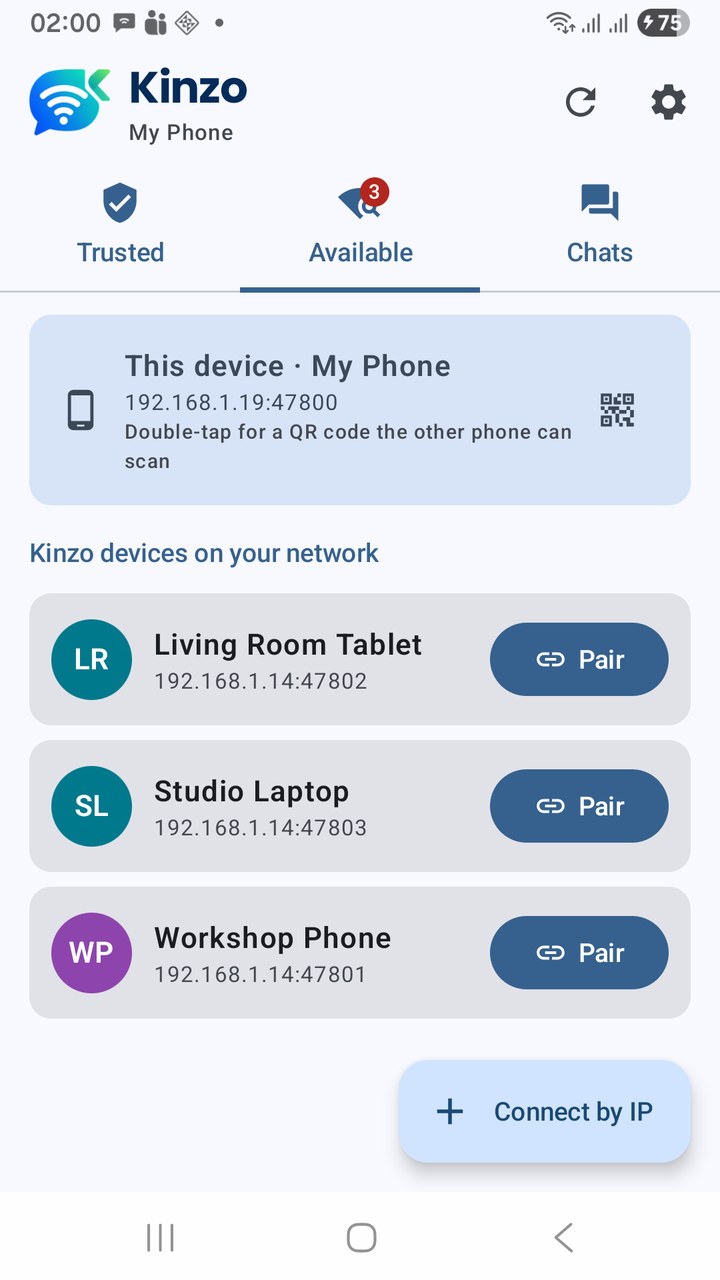
Devices on your network, found automatically
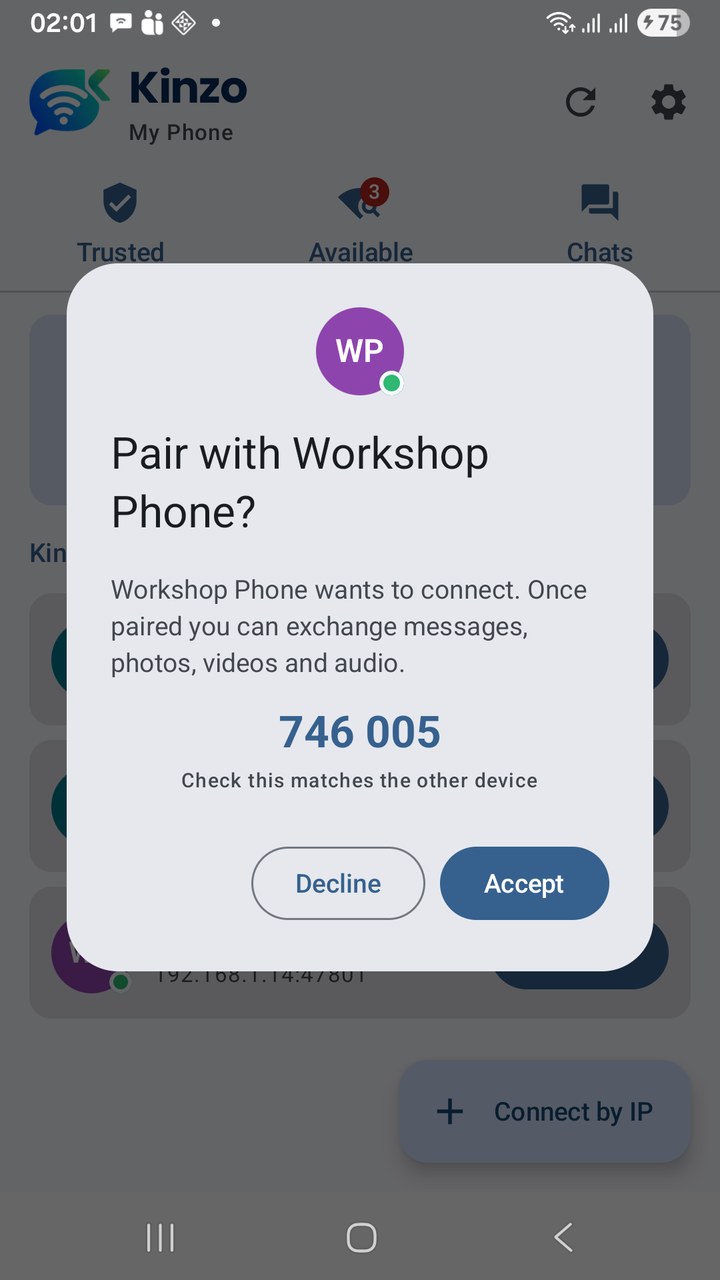
A pair request, with its six-digit code
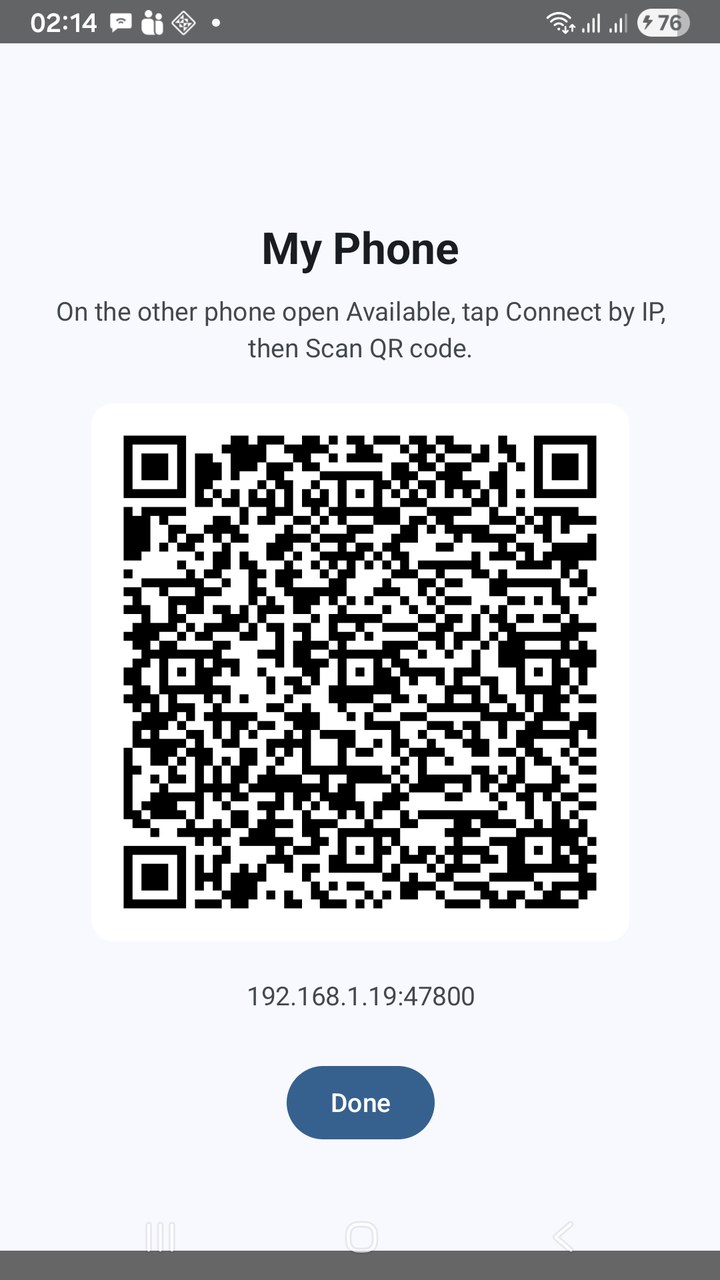
Pair by QR code — show it, scan it
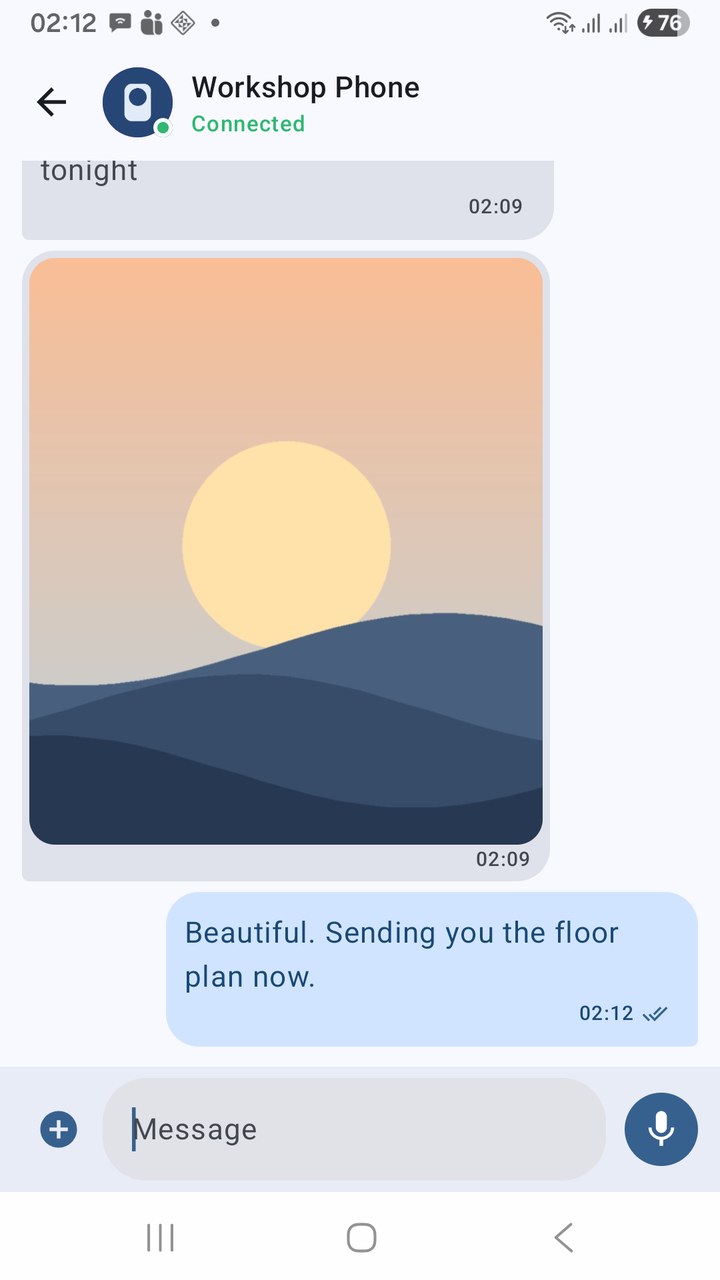
A chat — a photo received, a reply delivered
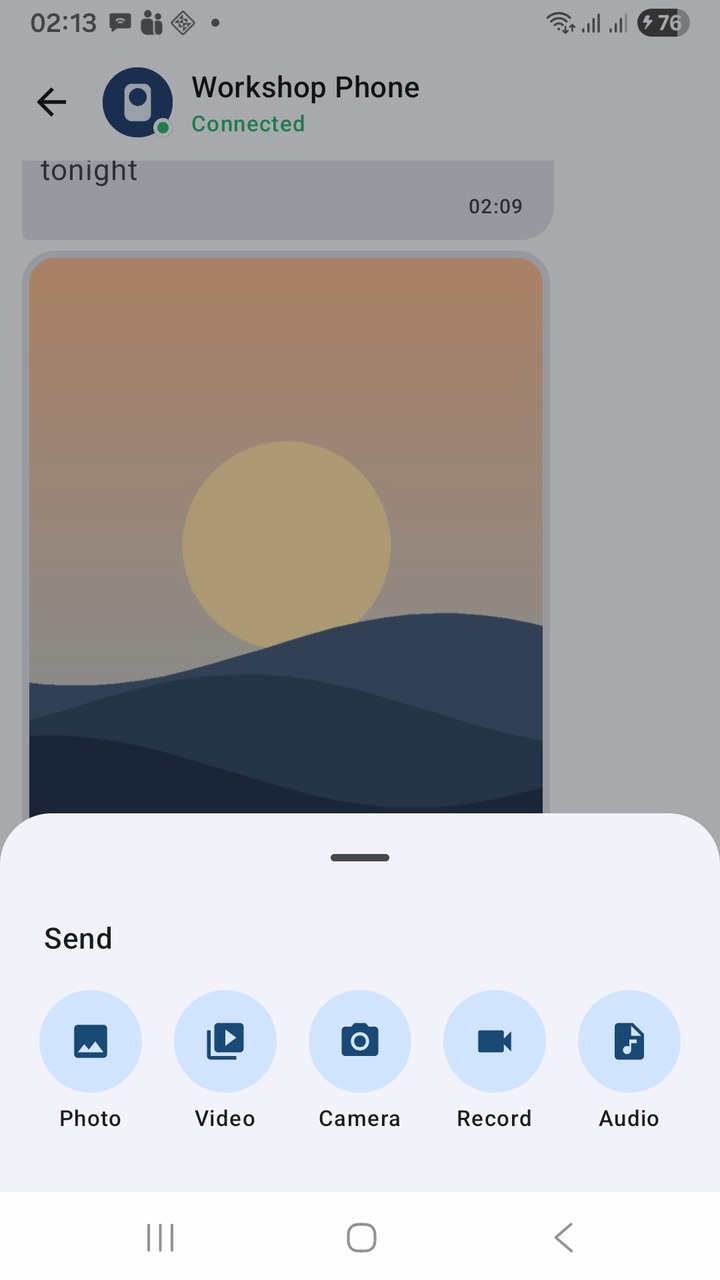
Send a photo, video, recording or audio file
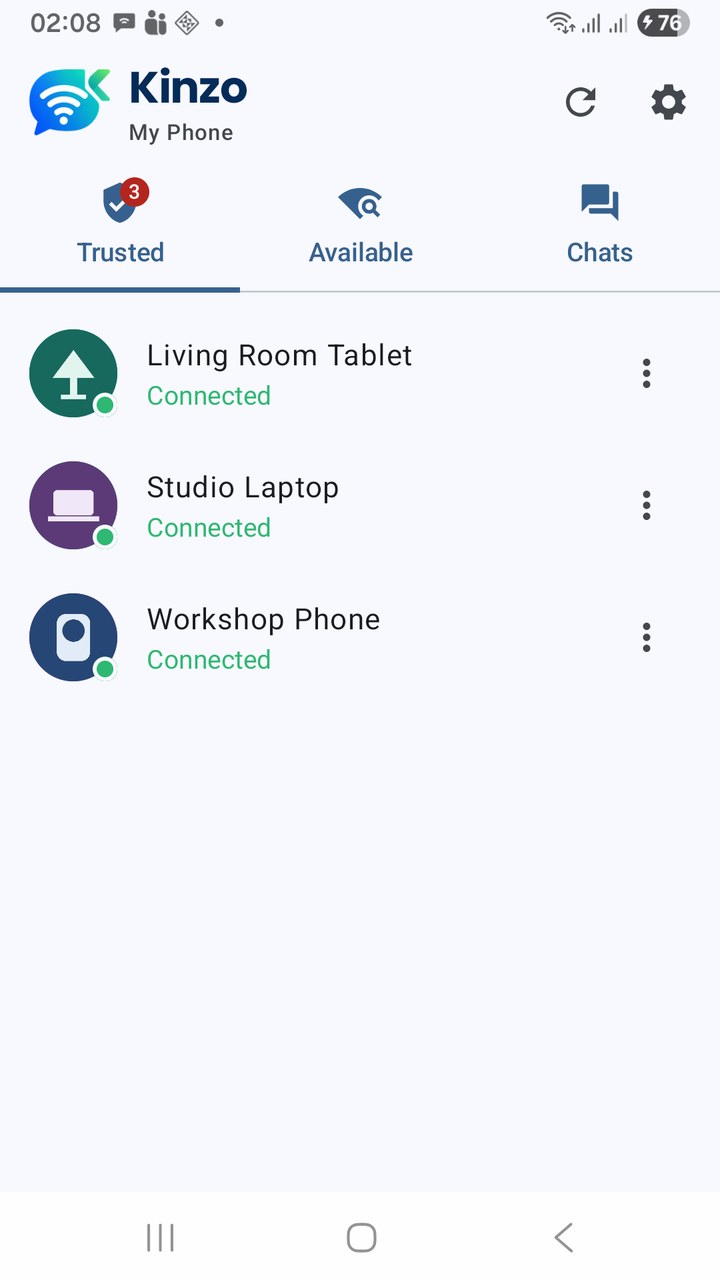
Trusted devices, and whether each is connected
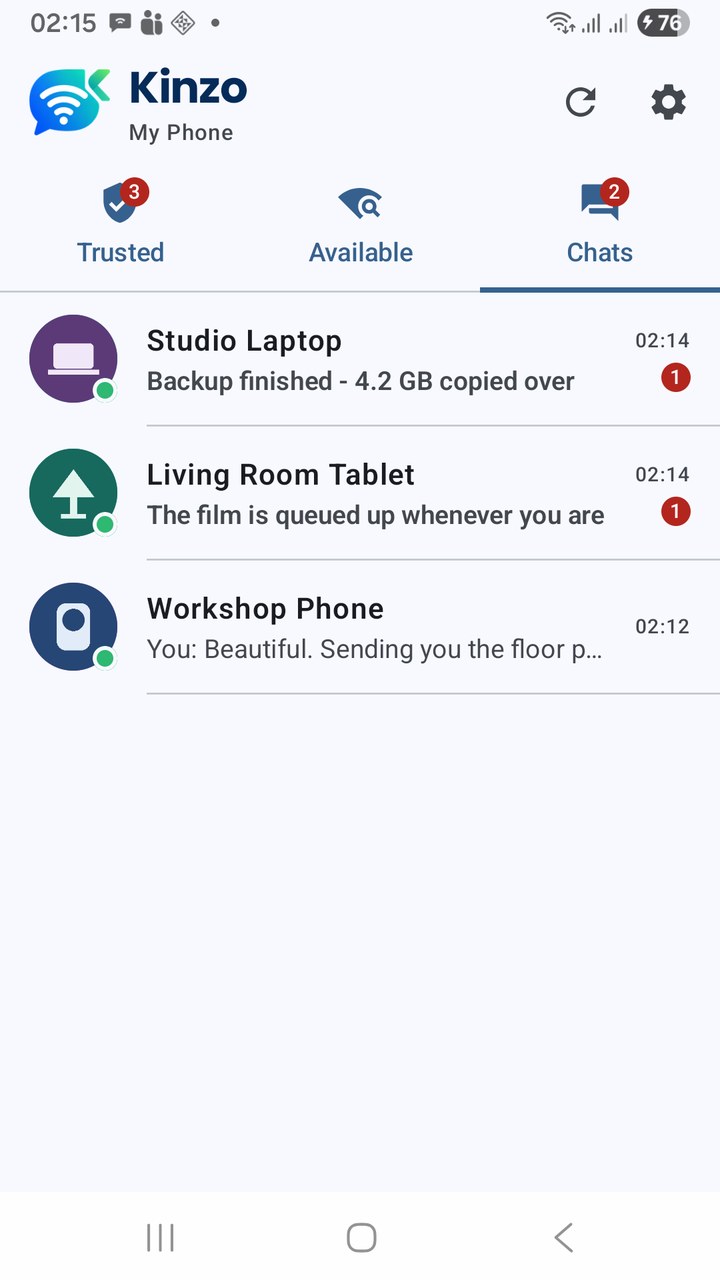
Conversations, with previews and unread badges
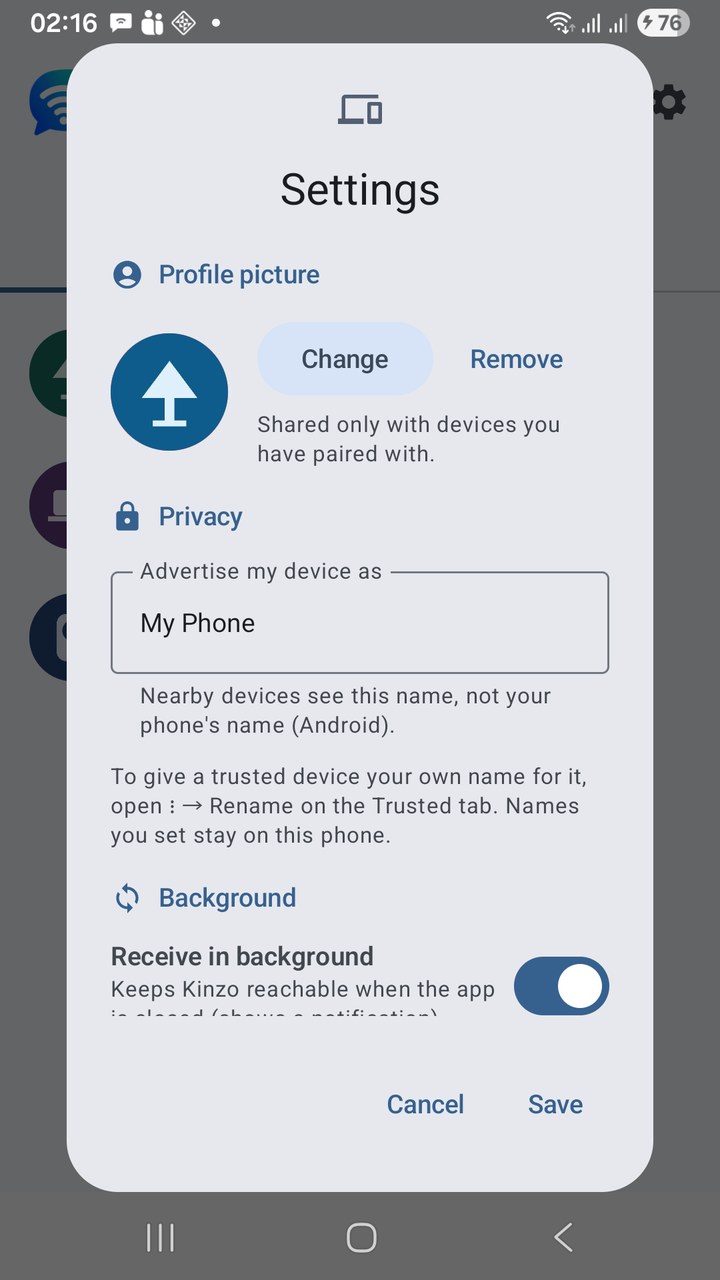
Settings — picture, advertised name, background
Latest Release
Version 1.2 — September 20, 2026
Kinzo now encrypts every connection, device to device, with the other device’s key remembered when you pair so only that device can reconnect — and a six-digit code to check you are talking to the right one. Pair by QR code: show the code on one phone, scan it with the other. Profile pictures, shared only with devices you have paired with. And steadier discovery: devices that leave drop off the list, a network scan finds phones when the router blocks discovery, and failures now explain themselves.