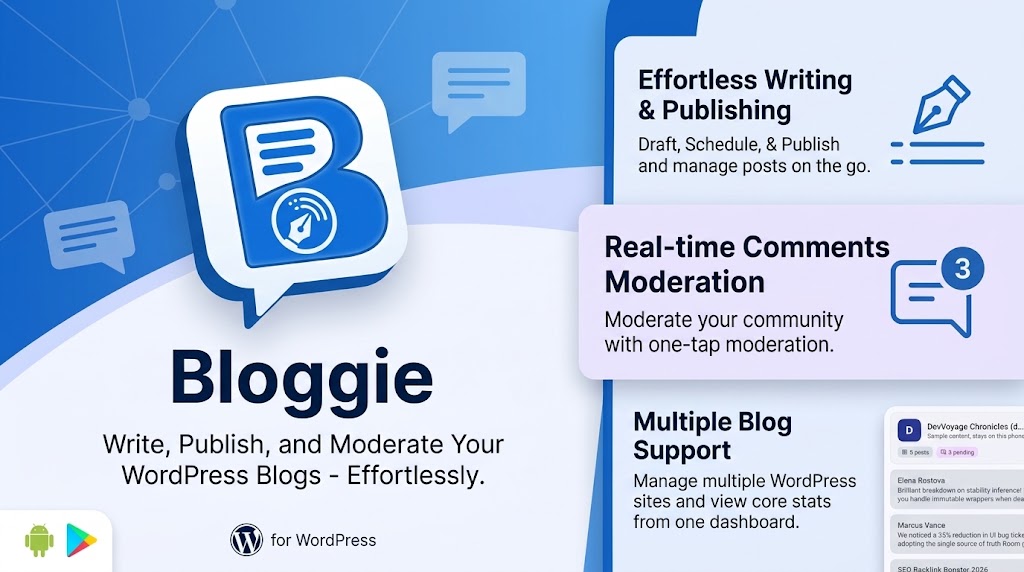
Blogging does not happen only at a desk. The idea arrives on the train, the comment that needs an answer lands while you are queuing for coffee, and the spam wave hits on a Sunday. WordPress itself is happy to be managed from anywhere — but wp-admin squeezed onto a phone screen is nobody’s idea of a good time. Bloggie, now live on Google Play, is a native Android app for running your WordPress blogs from your pocket: writing, publishing and moderating, across every site you run, even when the signal drops.
Every blog on one home screen
Most people who run one WordPress site end up running three: the personal blog, the business site, the side project. Bloggie gives each one its own card on the My blogs home — its logo, post count, pending comments, unsynced changes and when it last synced — so you can see at a glance which one needs you. Tap a card to manage that blog; go back to switch. Each blog’s content is kept separate, and pulling down refreshes one blog or all of them at once.
Signing in without handing over your password
Bloggie never asks for your main WordPress password. It uses Application Passwords, a feature built into WordPress since version 5.6: a separate, revocable password that lets an app talk to your site’s REST API without ever knowing the password you log in with. Creating one takes a minute:
- In wp-admin, go to Users → Profile.
- Scroll to Application Passwords, type a name such as “Bloggie”, and click Add New Application Password.
- Copy the password WordPress shows you — it is displayed once — and paste it into Bloggie with your site address and username.
Bloggie checks the address and password against your site before saving, so a typo is caught straight away (and it accepts an address pasted with /wp-admin or /wp-json on the end). Lose your phone? Revoke that one Application Password from your profile and the app is locked out, while your real login is untouched. If you manage sites from a terminal, WP-CLI can do the same job:
wp user application-password create admin "Bloggie"
wp user application-password list admin
wp user application-password delete admin <uuid>
Inside Bloggie, credentials are encrypted with the Android Keystore and only ever sent to your own site. There are no BackendSide accounts and no third-party servers in between. On top of that, the app lock — fingerprint, face, pattern, PIN or password — is on by default before any blog opens. One note: most WordPress.com-hosted plans do not offer Application Passwords, so Bloggie is for self-hosted WordPress.
An editor that speaks WordPress blocks
Here is the problem every mobile WordPress editor runs into. Since the block editor arrived, a WordPress post is not just HTML — it is HTML wrapped in block comments that tell WordPress how each piece was made:
<!-- wp:heading -->
<h2 class="wp-block-heading">Stability and recomposition</h2>
<!-- /wp:heading -->

<!-- wp:paragraph -->
<p>The compiler infers whether parameters are <em>stable</em>.</p>
<!-- /wp:paragraph -->
An app that shows you that raw markup is unpleasant to write in; an app that throws the comments away breaks the post the next time someone opens it on the web. Bloggie does neither. It edits posts as WordPress blocks, with real formatting — bold, italic, strikethrough, links and inline code — and lets you add, move, change and delete paragraphs, headings, bulleted and numbered lists, quotes, code and separators, with undo and redo, a word count and reading time. Typing ## starts a heading, - a list, > a quote.
And it is careful with what it doesn’t edit. Embeds, galleries, tables, columns, buttons and custom HTML appear as locked “edit on the web” cards and are saved back exactly as they were. A post you touch in Bloggie still opens cleanly in the WordPress block editor, and a classic-editor post stays classic.
The rest of a post is there too: featured image, categories, tags, excerpt, slug and visibility (public, private or password-protected), several photos at once with captions and alt text, and a preview in the app or on the blog itself.
Bloggie — WordPress Blog Manager for Android
Bloggie puts every self-hosted WordPress blog you run on one home screen. Write posts as real WordPress blocks with formatting, images, categories and tags; moderate comments one at a time or in bulk; and keep working offline — everything is saved on your phone first and synced when you are back online. Application Password sign-in, encrypted with the Android Keystore, and an app lock. Free for one blog; no ads, no accounts.
Offline first, and honest about conflicts
Phones lose signal; that is what they do. Bloggie is built around it: everything you do is saved on the phone first and queued, then synced automatically when you are back online. Write a post in a tunnel and it publishes when you surface. Photos added offline are kept on the phone and uploaded before the post itself syncs, so the post never goes out with a hole where the picture should be — and if the blog rejects an image, it is removed rather than published broken.
Two more safety nets. Autosave keeps unsaved edits every few seconds and offers to restore them if the app is closed or crashes. And if a post changed on the web while your edits were waiting to sync — a co-author fixed a typo, say — Bloggie does not silently overwrite their work. It asks whether to keep your version, the blog’s version, or save yours as a copy, and marks the post “Edited on the web” in your lists.
Comments, cleared in seconds
Comments awaiting moderation sit right on each blog’s home screen, with a badge counting them. Each one has clearly labelled Reply, Approve, Spam and Trash buttons, and you can reply as the site admin without opening wp-admin. When a spam wave lands, long-press to select and approve, spam, unapprove, restore or trash many comments at once. Trashing always asks first, naming exactly what will go.
Start a post from anywhere
Found something worth writing about in your browser, your notes or your photos? Share it to Bloggie. Text, links and photos shared from other apps start a new post, with a picker to choose the blog when you run several.
Free, and what Pro adds
| Free | Bloggie Pro | |
|---|---|---|
| Blogs | One (the demo blog doesn’t count) | ✅ Unlimited |
| Block editor, images, post settings, autosave | ✅ Included | ✅ Included |
| Comment moderation, bulk actions, replies | ✅ Included | ✅ Included |
| Offline sync, Share to Bloggie, app lock | ✅ Included | ✅ Included |
| Scheduled publishing | — | ✅ Date and time picker |
| Revision history | — | ✅ Load an earlier version |
| Saved snippets and image galleries | — | ✅ Yes |
| Ads | ✅ None | ✅ None |
Pro is prepaid, monthly or yearly: you pay once for the time you choose and nothing renews automatically. Bloggie reminds you three days and one day before it runs out, and you can add more time whenever you like.
Bloggie — WordPress Blog Manager for Android
Bloggie puts every self-hosted WordPress blog you run on one home screen. Write posts as real WordPress blocks with formatting, images, categories and tags; moderate comments one at a time or in bulk; and keep working offline — everything is saved on your phone first and synced when you are back online. Application Password sign-in, encrypted with the Android Keystore, and an app lock. Free for one blog; no ads, no accounts.
Key takeaways
- Bloggie 1.2 is live on Google Play — a native Android app for managing every self-hosted WordPress blog you run from one home screen.
- It signs in with WordPress Application Passwords, never your main password — revocable from your profile at any time, and encrypted on your phone.
- Posts are edited as real WordPress blocks; blocks the app can’t edit are kept exactly as they were, so posts still open cleanly on the web.
- It is offline first: changes and photos are saved on the phone and synced later, with autosave and a clear choice when a post changed on the web.
- Comment moderation is fast, with bulk actions. Free for one blog; Pro adds unlimited blogs, scheduling, revisions, snippets and galleries, prepaid and never auto-renewing.
Your blogs do not wait for you to get back to a desk, and now you do not have to either. Get Bloggie on Google Play.
Bloggie is not affiliated with or endorsed by WordPress or Automattic. WordPress is a trademark of the WordPress Foundation.
Leave a Reply