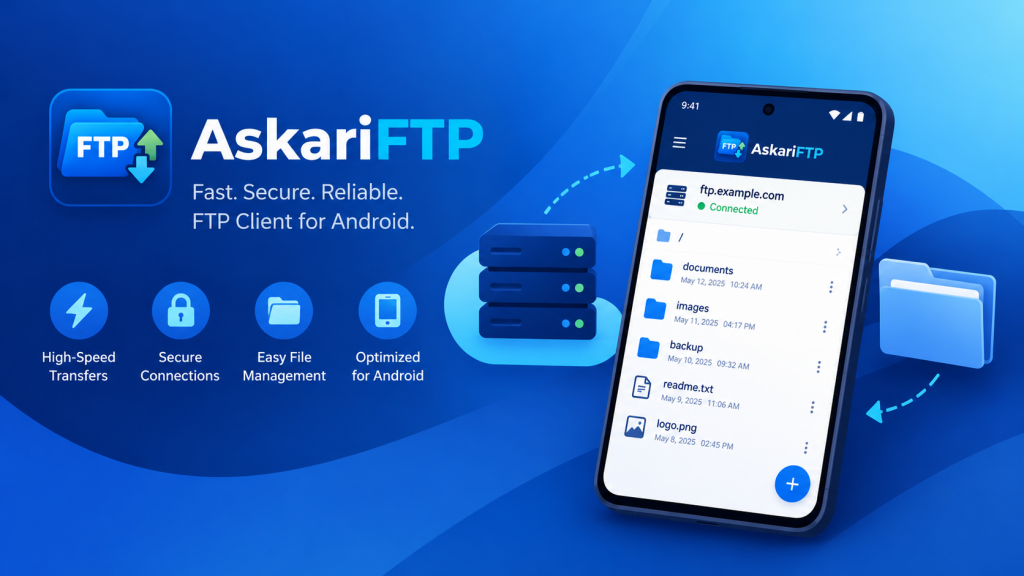
FTP is older than the web, and it is still everywhere: shared hosting accounts, the NAS in the office cupboard, the camera that uploads to a server, the client site you look after on the side. Sooner or later something on one of those servers needs fixing when you are away from your desk — a typo on a live page, a config file that needs one line changed, a backup that needs pulling down. AskariFTP is our FTP and FTPS client for Android, built for exactly those moments, and it is now live on Google Play.
FTP, FTPS and why the difference matters
Plain FTP sends everything in the clear — your username, your password and every file. On a phone that hops between home Wi-Fi, mobile data and the café network, that is a real risk. FTPS wraps FTP in TLS, the same encryption your browser uses, and it comes in two flavours that servers expect you to pick correctly:
| Mode | Usual port | How it starts |
|---|---|---|
| Plain FTP | 21 | No encryption at all |
| Explicit FTPS (AUTH TLS, “FTPES”) | 21 | Connects normally, then asks the server to switch to TLS before logging in |
| Implicit FTPS | 990 | TLS from the very first byte |
AskariFTP supports all three, and with FTPS it encrypts not just the login but file listings and file contents too (what FTP calls PROT P), over TLS 1.2 or TLS 1.3. If your hosting control panel says “FTP over TLS” or “FTPES”, pick Explicit TLS; if it gives you port 990, pick Implicit TLS.
The “425” error, and why AskariFTP doesn’t hit it
Anyone who has tried a few FTP apps against a properly secured server has probably seen this: the login works, and then the very first folder listing fails.
425 Unable to build data connection: Operation not permitted
FTP uses one connection for commands and a separate one for every listing and file. A well-configured server — ProFTPD, vsftpd with require_ssl_reuse, FileZilla Server — insists that each of those data connections reuses the TLS session of the command connection, so that nobody can slip a connection in between. Many clients don’t do that, and the server rightly refuses them. AskariFTP reuses the session on every data connection, with TLS 1.2 and TLS 1.3, so secure servers just work.
Certificates: a prompt that tells you what is actually wrong
Lots of FTP servers — especially on shared hosting and home NAS boxes — present certificates that do not pass a strict check. Most apps either refuse with a cryptic error or silently accept anything, which defeats the point of encryption. AskariFTP checks every certificate against your phone’s trust store, and when one fails it shows an “Unverified certificate” prompt that says why: self-signed, expired, missing its intermediate certificates, or issued to a different host name. It shows the certificate’s SHA-256 fingerprint, so you can compare it with the one your host publishes, and lets you trust it once or always. Trusted certificates are listed in Settings, where you can remove them later.
Before you save a site, Test connection shows exactly what you are getting: the TLS version, the cipher, whether the data channel is encrypted, the server’s features and your home folder.
AskariFTP — FTP & FTPS Client for Android
AskariFTP connects over FTP, explicit FTPS and implicit FTPS with TLS 1.3, checks every certificate and tells you plainly what is wrong with one, and gives you a full file browser, a built-in text editor and parallel transfers that keep running in the background. Saved passwords are encrypted on your phone, and every site can be locked behind your fingerprint. Free for one site; no ads, no tracking, no account.
A real file manager for your server
Connecting is only the start. AskariFTP’s file browser has breadcrumbs, sorting, a filter, hidden files and pull to refresh, and multi-select to download or delete a whole selection. Create folders and text files, rename, delete folders with everything in them, copy a file’s link and check its properties. Permissions get a proper dialog: tick read, write and execute for owner, group and others, or type the octal value — the familiar
chmod 755 deploy.sh
is three rows of checkboxes. For a quick fix, the built-in text editor opens HTML, CSS, configs and scripts up to 2 MB and saves straight back to the server, in the site’s own encoding. Anything else — a PDF, a photo, a spreadsheet — opens in the app of your choice. And when something does not behave, the timestamped connection log shows every command and reply, with a box for sending raw commands; passwords are always masked.
Transfers that survive real life
Phones are bad at long transfers: the screen turns off, the network changes, another app takes over. AskariFTP’s transfer queue is built around that. It runs up to six uploads and downloads in parallel, uploads and downloads whole folders with their structure intact, and shows live speed and time left. Transfers pause and resume from where they stopped, retry automatically on network errors and keep files’ modification times. They keep running when you leave the app, with a progress notification and a Pause all button, and you decide up front what happens when a file already exists: resume, overwrite, skip or keep both.
Downloads go to a folder you pick, so AskariFTP never asks for broad access to your phone’s storage.
Your sites, locked behind your fingerprint
An FTP client holds the keys to websites, sometimes other people’s. AskariFTP stores saved passwords encrypted with a key in the Android Keystore, and they never leave your phone — or leave a password out and be asked for it on each connect. The site lock, on by default, asks for your fingerprint, face, pattern, PIN or password before a site opens; one unlock lasts until the app has been in the background for a minute, and then open sites are hidden again. There are no ads, no tracking and no accounts: AskariFTP connects only to the servers you add.
Free, and what Pro adds
| Free | AskariFTP Pro | |
|---|---|---|
| Saved sites | One | ✅ Unlimited |
| FTP, explicit and implicit FTPS, certificate checks | ✅ Included | ✅ Included |
| File browser, text editor, permissions, connection log | ✅ Included | ✅ Included |
| Parallel and background transfers | ✅ Included | ✅ Included |
| Site lock and encrypted passwords | ✅ Included | ✅ Included |
| Ads | ✅ None | ✅ None |
Pro is a monthly or yearly subscription through Google Play, and the only thing it changes is the number of sites you can save.
AskariFTP — FTP & FTPS Client for Android
AskariFTP connects over FTP, explicit FTPS and implicit FTPS with TLS 1.3, checks every certificate and tells you plainly what is wrong with one, and gives you a full file browser, a built-in text editor and parallel transfers that keep running in the background. Saved passwords are encrypted on your phone, and every site can be locked behind your fingerprint. Free for one site; no ads, no tracking, no account.
Key takeaways
- AskariFTP 1.0.1 is live on Google Play — an FTP and FTPS client for Android, free for one site with every feature included.
- It speaks plain FTP, explicit FTPS and implicit FTPS, encrypts listings and file contents over TLS 1.2 or 1.3, and reuses TLS sessions so ProFTPD, vsftpd and FileZilla Server don’t answer with “425”.
- Certificate problems are explained, not hidden — self-signed, expired, missing intermediates or the wrong host name — with the SHA-256 fingerprint and a choice to trust once or always.
- A full file browser, chmod dialog and built-in text editor make quick server fixes possible from a phone.
- Parallel, resumable transfers keep going in the background, and every site can be locked behind your fingerprint, with passwords encrypted on the device.
The next time a live site needs a quick fix, you won’t need the laptop. Get AskariFTP on Google Play.
Leave a Reply