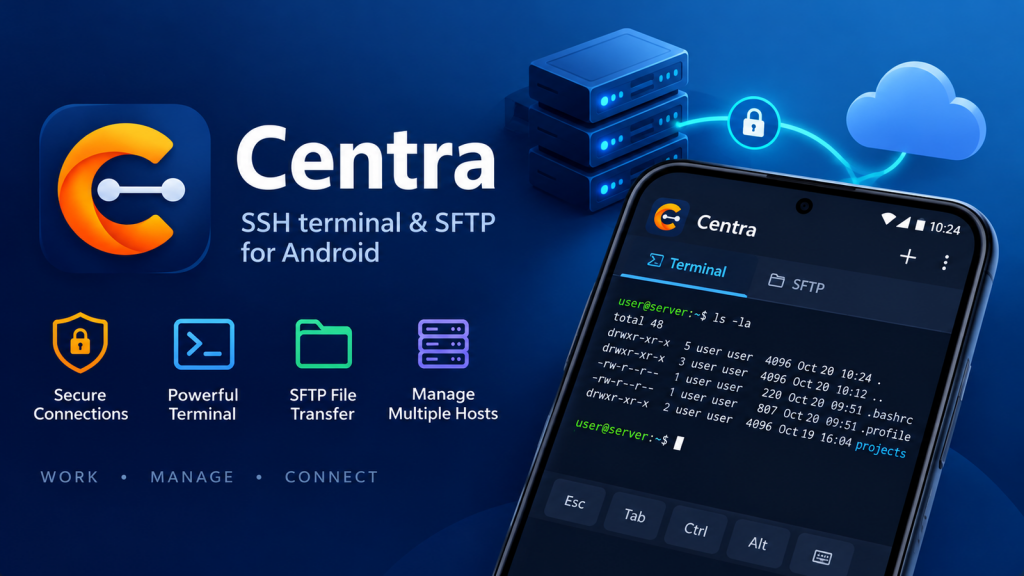
The alert always arrives at the wrong moment. A disk is filling up, a service has stopped answering, a deploy needs rolling back — and the laptop is at home. Everyone who looks after a server has, at some point, tried to fix one from a phone and found out how much a phone keyboard leaves out. Centra, now live on Google Play, is our answer: an SSH client for Android built to be the tool you reach for in that moment, not a toy you put up with.
What a phone SSH client has to get right
Connecting is the easy part. The hard part is everything that happens after the prompt appears, on a screen the width of your hand:
- The terminal has to be real. Not a line-by-line chat window, but a full terminal that
htop,vim,nanoandlesscan draw on. Centra is a true xterm-256color terminal with true colour and 5,000 lines of scrollback, so full-screen programs look the way they do on a desktop. - The missing keys have to be there. You cannot leave vim without Esc, or stop a runaway process without Ctrl. Centra’s extra keys row puts Esc, Tab, Ctrl, Alt, the arrows, Home/End, PgUp/PgDn, the F-keys and the common shell symbols one tap away — and a hardware keyboard works too.
- It has to be readable. Pinch to zoom the text, long-press to select and copy, one tap to paste.
- It has to stay connected. Switching to a chat app to read the error someone sent you should not drop your session. Centra keeps several sessions open in tabs and keeps them connected in the background, with a notification that disconnects them all when you are done.
Jump hosts: reaching the servers that are not on the internet
Well-run networks rarely expose every machine to the internet. The database server, the build box and the internal tools sit on a private network, and the only way in is through one hardened machine at the edge — a bastion, or jump host. On a desktop, OpenSSH makes that a single flag:
ssh -J [email protected] [email protected]
or a couple of lines in ~/.ssh/config:
Host db-internal
    HostName 10.42.16.83
    User admin
    ProxyJump bastion.example.com
Centra does the same from a menu. Edit a server, choose another saved server as its jump host, and Centra connects through it — chains of several jump hosts work too. Each server in the chain keeps its own login, its own saved password or key, and its own host key check, so trusting the bastion does not mean trusting whatever sits behind it. The terminal, the file manager and the monitor all work through the jump, and each server card says which route it takes (“via bastion”). When something fails, Centra says where: errors name the jump host involved, and explain when a server closes the connection before login or a jump host cannot forward to the target.
Centra — SSH Terminal & SFTP for Android
Centra puts a real xterm-256color terminal, an SFTP file manager, jump hosts, a live server monitor and SSH key management on your phone. Every server’s host key is verified with SHA-256 fingerprints, saved passwords and keys are encrypted with a hardware-backed key and never leave the device, and an optional fingerprint or screen lock guards it all. Free for one server; no ads, no tracking, no account.
Host keys: the check most people click straight past
The first time you connect to a server, SSH shows you a fingerprint and asks whether to trust it. Most people say yes without reading it — and that is exactly the moment a man-in-the-middle attack would rely on. The fingerprint is the server proving who it is; once it is saved, every later connection is checked against it.
Centra takes that check seriously. A new server shows its SHA-256 fingerprint and the familiar OpenSSH visual randomart — the little ASCII picture that is far easier to compare by eye than a string of hex. If you want to be sure, compare it with the server’s own copy:
ssh-keygen -lv -f /etc/ssh/ssh_host_ed25519_key.pub
And if a saved server ever presents a different key, Centra does not quietly carry on. It warns that someone could be intercepting the connection, and refuses unless you deliberately choose to trust the new key. Keys change for innocent reasons too — a server is reinstalled, say — which is why the decision is yours, made with the warning in front of you, rather than a dialog you dismiss by habit.
Keys instead of passwords, without the copy-and-paste
Public key login is safer than a password and quicker once it is set up — the setup is what puts people off. On a desktop it is ssh-keygen followed by ssh-copy-id. In Centra it is the Keys tab: generate an Ed25519, ECDSA or RSA key (with an optional passphrase), or import an existing one in OpenSSH, PEM or PuTTY format, then install the public key on a server with one tap. You can also copy or share a public key from its card. Centra supports password, keyboard-interactive (including two-factor prompts) and public key login, so it fits however your servers are set up today.
Files and health checks, without another app
Fixing a server is rarely only typing commands. Centra’s SFTP file manager runs over the same SSH connection: browse remote folders with permissions, sizes and dates, upload from and download to your phone with progress, create folders, rename and delete. And the server monitor answers “is it actually struggling?” at a glance on Linux hosts — live CPU, memory, swap and disk, uptime, load average, OS and kernel, and the top processes — with nothing to install on the server.
Your credentials stay on your phone
An SSH client holds the keys to everything you run, so where it keeps them matters. Centra stores saved passwords and private keys encrypted with a hardware-backed key from Android Keystore, and they never leave your phone. Turn on the optional app lock and Centra asks for your fingerprint, face, pattern, PIN or password before a server opens. There are no ads, no tracking and no accounts: Centra connects only to the servers you add.
Free, and what Pro adds
| Free | Centra Pro | |
|---|---|---|
| Saved servers | One | ✅ Unlimited |
| Terminal, SFTP, monitor, SSH keys | ✅ Included | ✅ Included |
| Host key verification, encrypted storage, app lock | ✅ Included | ✅ Included |
| Jump hosts | — | ✅ Yes, chains included |
Quick connect to any user@host:port |
— | ✅ Yes |
| Ads | ✅ None | ✅ None |
Pro is prepaid, monthly or yearly: you pay once for the time you choose and nothing renews automatically. Add more time whenever you like, and it is restored from your Google account on a new phone.
Centra — SSH Terminal & SFTP for Android
Centra puts a real xterm-256color terminal, an SFTP file manager, jump hosts, a live server monitor and SSH key management on your phone. Every server’s host key is verified with SHA-256 fingerprints, saved passwords and keys are encrypted with a hardware-backed key and never leave the device, and an optional fingerprint or screen lock guards it all. Free for one server; no ads, no tracking, no account.
Key takeaways
- Centra 1.1.0 is live on Google Play — an SSH client for Android with a real xterm-256color terminal, an extra keys row, tabs, pinch to zoom and sessions that stay connected in the background.
- Jump hosts work like
ssh -J: reach private servers through a bastion, chains included, with every hop keeping its own login and host key check. - Every host key is verified with SHA-256 fingerprints and randomart, and a changed key is refused unless you choose to trust it.
- SSH keys, SFTP and a live server monitor are built in — generate or import a key and install it on a server with one tap.
- Passwords and keys are encrypted on your phone and never leave it; there are no ads, no tracking and no account. Free for one server, with Pro prepaid and never auto-renewing.
The next time the alert arrives at the wrong moment, the fix can start from your pocket. Get Centra on Google Play.
Leave a Reply