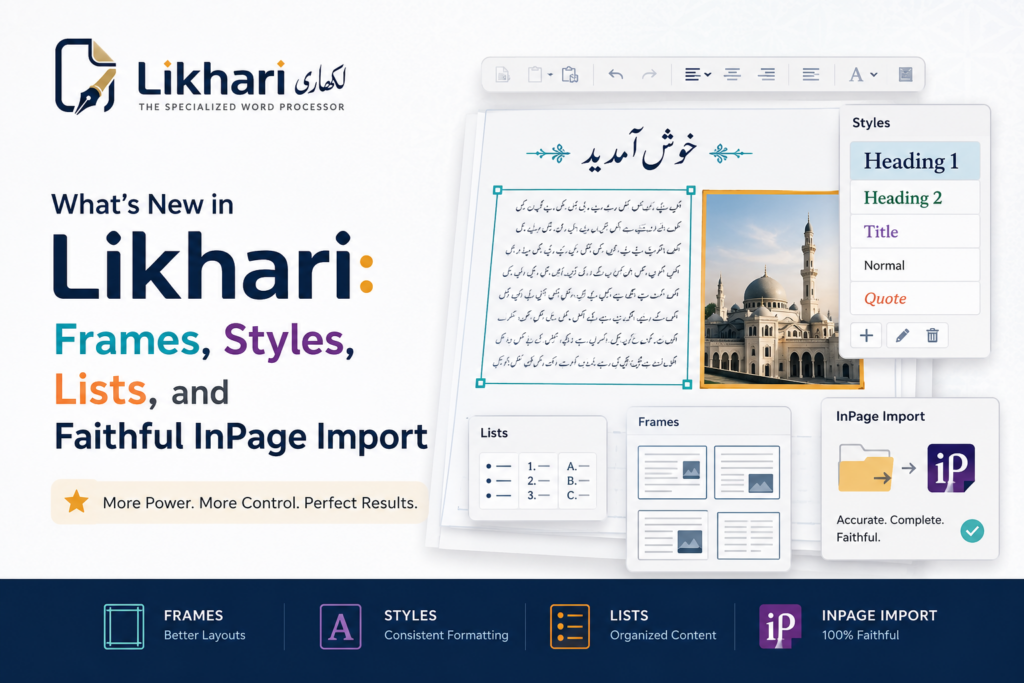
When Likhari launched, it did one hard thing very well: it rendered real Nastaliq for Urdu, Pashto, Arabic and Sindhi, with letters that join the way they should and justified lines that stretch with kashida instead of tearing apart. That was the foundation. Since then it has grown into a full word processor — the kind of tool you can lay out a newsletter, a report or a book chapter in without switching to anything else. If you tried Likhari early on, here is everything that is new.
Frames — pull quotes, notices and sidebars
You can now put a paragraph in a frame: a box that sits on the page while the rest of the text wraps around it. It is exactly what you reach for when you want a pull quote, a highlighted notice, or a sidebar running alongside the main story. Drop your cursor in the paragraphs, choose Frame Selected Paragraphs, then drag the frame’s border to move it and its handles to resize it. The text inside a frame stays ordinary document text — you type in it, format it, search it and undo in it just like anywhere else. Turn off Text Wraps Around to let text run behind it, or let the box Grow with Text. Remove the frame and the paragraphs simply rejoin the flow; the words are never lost.
Named styles that update everywhere at once
Likhari now has linked named styles, the way a mature word processor should. Capture the current paragraph’s formatting as a style, give it a name, and apply it wherever you like. Redefine that style later and every paragraph using it re-styles at once — change your heading once and every heading in the document follows. A paragraph’s own direct formatting always wins over its style, and deleting a style just leaves each paragraph with the look it already had.
Bulleted and numbered lists — in Urdu digits
Lists are here, and they behave the way lists should. Turn paragraphs into a bulleted or numbered list, and pressing Enter carries the list to the next line. Numbering looks after itself: insert, delete or reorder items and the rest renumber automatically, and nested levels count on their own. The details are what make it feel native — numbers are written in Urdu digits (۱، ۲، ۳) in a right-to-left paragraph and Western digits in a left-to-right one, and the bullet sits on the side the text starts from. Because Urdu typefaces rarely include a bullet glyph, bullets are drawn as clean shapes — a dot, then a ring, then a square as you nest deeper.
A complete table toolkit
Tables were always in Likhari; now you can actually build and shape them properly:
- Insert and delete rows and columns around the current cell — and everything in the cells (text, fills, formatting, merged spans) is carried across the reshape.
- Merge and split cells, respecting right-to-left direction so “merge right” means what you see.
- Per-cell borders and background fills, so you can shade a header row or highlight a cell.
- Column widths and row heights — make one column twice as wide, or give a row a minimum height (it still grows for content).
- Table placement — a table no longer has to fill the width of the page; give it a width and sit it against a margin or centred, with a gap between columns.
A contextual toolbar appears the moment your cursor lands in a cell, gathering all of these in one place, and greys out the actions that do not apply.
Likhari — Nastaliq Word Processor for Urdu, Pashto, Arabic & Sindhi
Likhari renders true Nastaliq for Urdu, Pashto, Arabic and Sindhi, with phonetic and positional on-screen keyboards, mixed right-to-left/left-to-right text, kashida justification, columns, frames, styles, lists, tables and images — plus WYSIWYG PDF/PNG export that matches the screen exactly, and it opens your old InPage files. Free to use, with a one-time Pro unlock that removes the small export watermark. Works fully offline.
Precise typography: tab stops, spacing and decorations
For documents that need to line up exactly, Likhari now gives you real control:
- Tab stops you set right on the ruler — click to place one, drag to move it, drag it off to remove it. Stops are measured from the side the text starts on, so in an Urdu paragraph the columns march right-to-left, exactly as they should.
- Paragraph rules and shading — a line above or below a paragraph and a shaded background, each spanning either the indents or just the text.
- Pagination control — keep a paragraph’s lines together, keep a heading with the paragraph that follows it, break before a paragraph, and set widow/orphan minimums so no single line is stranded at the top or bottom of a page.
- Character-level typography — letter spacing, horizontal scaling of the letterforms, and baseline shift, plus decorations like underline, double underline, overline, and outlined (hollow) glyphs.
Page numbers that speak your language
The page number can now go in the header or the footer, sit left, centred or right, and — the part that matters for Urdu — be written in ۱ ۲ ۳ (Urdu numerals), Arabic numerals, or Roman and lettered forms. It carries its own font, size and colour, separate from the rest of the band, so an Urdu document can show Urdu page numbers while the footer stays in whatever face you chose. It is just the number by default; the “of 9” total is now an option you can switch on.
Room to work: zoom and dockable panels
The editor now zooms from 25% to 400% with a slider in the status bar and the usual keyboard shortcuts — zoom is purely a view setting, so it never changes the document. Two collapsible panels frame the page: a left tool-windows panel with an embedded Find / Replace and a live Document readout (file name, page, word and character counts, page size), and a right tool-palettes panel of icon buttons for tables, formatting and inserting. Both remember how you left them between sessions. And a proper colour picker — a saturation/brightness plate, hue strip, live preview, hex box and a 40-colour palette — now appears everywhere a colour is chosen, opening on the colour you are already in.
Open your old InPage documents
This is the big one for anyone with years of work locked in InPage files. Likhari opens .inp documents and brings them across with their layout intact: the fonts each run was written in, text and cell colours from the document’s own palette, tables with their real column widths, borders, fills and merged cells, embedded pictures at their proper size and position, the page size and margins, and even the running header and footer that InPage keeps on its master page. Tab-built tables, paragraph rules, line spacing, and stretched headings survive the trip. It is the most faithful InPage import we have shipped, and it keeps improving with every release.
Everything else
Alongside the headline features, a lot of everyday polish landed: the toolbar’s font, size, bold and italic now follow your cursor instead of showing the document default; choosing a font or size with nothing selected sets what you type next; number fields have spinners; and the whole app now installs cleanly from the Microsoft Store. Under the surface, Likhari also grew a proper user guide covering everything from typing Urdu to frames.
Key takeaways
- Likhari has grown from a Nastaliq editor into a full word processor — frames, named styles, lists, and a complete table toolkit.
- Lists and page numbers use Urdu digits and respect right-to-left layout, so documents read the way they should.
- New tab stops, paragraph rules, pagination control and character-level typography give precise control over serious documents.
- Zoom, dockable tool panels and a full colour picker make the editor comfortable to work in all day.
- Likhari now opens your old InPage files with their layout, tables, fonts, colours and images intact.
- Still free to use, with a one-time Pro unlock to remove the export watermark, and still fully offline. On the Microsoft Store now.
If you last looked at Likhari when it was “the app that gets Nastaliq right,” it is worth another look — it now gets the whole document right too.
Likhari — Nastaliq Word Processor for Urdu, Pashto, Arabic & Sindhi
Likhari renders true Nastaliq for Urdu, Pashto, Arabic and Sindhi, with phonetic and positional on-screen keyboards, mixed right-to-left/left-to-right text, kashida justification, columns, frames, styles, lists, tables and images — plus WYSIWYG PDF/PNG export that matches the screen exactly, and it opens your old InPage files. Free to use, with a one-time Pro unlock that removes the small export watermark. Works fully offline.
Leave a Reply