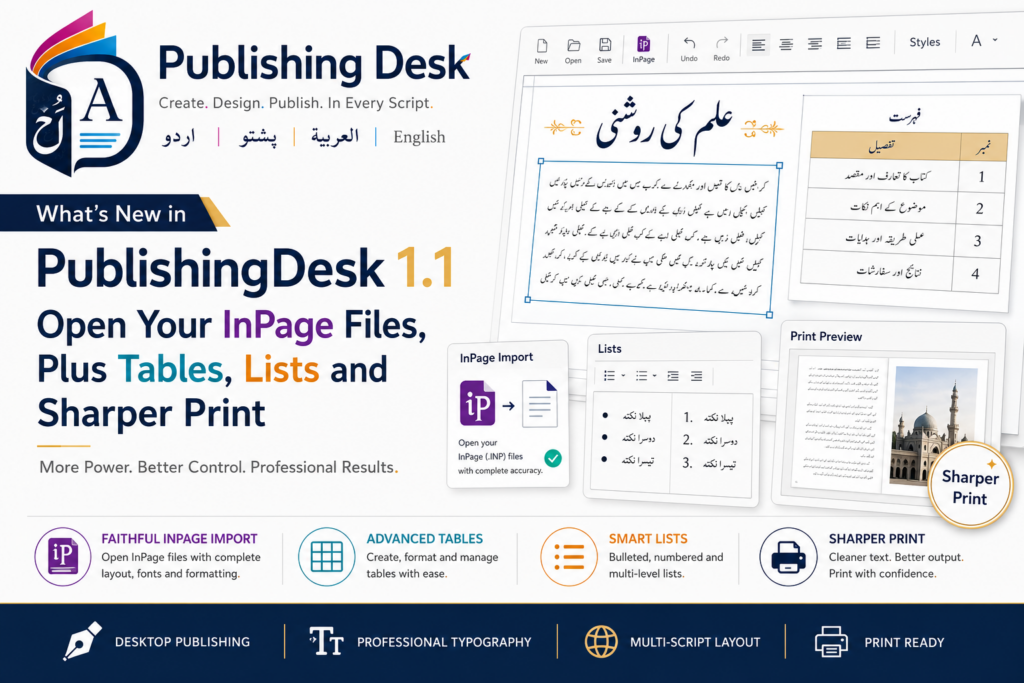
When PublishingDesk launched, it did the hard thing first: real Nastaliq typesetting for Urdu, Arabic, Persian and Pashto — correct joining, correct dot placement, and kashida justification that stretches the script instead of the spaces — inside a modern, layered page-layout tool. Version 1.1 builds on that foundation with the feature people asked for most, plus a set of everyday tools that make it a fuller designer. Here is what’s new.
The headline: open your old InPage files
If you have years of work locked in InPage .inp files, this is the update for you. PublishingDesk now opens them directly — and not as a flat picture or a wall of plain text, but as a real, editable layout.
Use File → Open and pick the .inp file (PublishingDesk recognises an InPage document by its contents, so it works even if the extension is odd), or File → Import InPage Document. What comes across:
- pages and page setup, and master pages;
- every frame with its position, size, rotation, columns, border and background;
- linked, threaded text that still flows from one box to the next;
- per-word formatting — font, size, bold/italic, colour, decoration;
- paragraph settings — alignment, indents, spacing and tab stops;
- tables, including merged cells and column widths;
- pictures, rules and lines, and your ruler guides.
Files from InPage 2.21 through 2024 are supported. Import is deliberately one-way: the result opens as a new untitled document, so Save can never write back over your original .inp. Save it as a .pubdesk file when you’re happy, and from there it behaves like anything else you’ve made — undo, autosave and recovery all included.
PublishingDesk — Multilingual Desktop Publishing for Windows
PublishingDesk typesets proper Urdu, Arabic, Persian and Pashto Nastaliq with real kashida (kasheeda) justification, mixes right-to-left and English on one line, and lays it all out with layers, master pages, tables and multi-page documents — now it also opens your old InPage (.inp) files and exports to print-ready PDF. Free to use, with a one-time Pro upgrade for print output. No subscription, no ads, works offline.
A note on fidelity
One honest caveat worth knowing up front: the classic Noori / Jameel-class Nastaliq fonts that InPage documents are set in can’t legally be shipped inside another app. So PublishingDesk substitutes its bundled Noto Nastaliq and rescales the text to compensate — which means an imported page looks close, but lines may break in slightly different places. For the closest possible match, add Jameel Noori Nastaleeq yourself (Help → Open Fonts Folder, drop in the font, restart) and apply it to the imported frames. It takes two minutes and is well worth it for anything you intend to publish. A few things still come through simplified — hatch/pattern fills, arrowheads on lines, and picture frames clipped to an ellipse — but the structure, text and tables all arrive editable.
Tables you can actually build
Tables are now visible and editable throughout. A dedicated Table menu inserts, edits and deletes a table at the cursor, with cell fills, per-cell borders (solid, dashed or dotted), column widths and merged cells — drawn identically on screen and in every export, so a column-spanning heading cell keeps its rule from running through it. Whether you’re building a price list from scratch or bringing one across from InPage, it comes out looking right.
Bulleted and numbered lists
Turn paragraphs into a bulleted or numbered list and set the level, and the numbering looks after itself — it counts per level and nests, so an indented sub-list resumes its parent’s sequence afterwards. The details are what make it feel native: numbers are written in Urdu digits (۱، ۲، ۳) in a right-to-left paragraph, and where a Nastaliq face has no bullet glyph, PublishingDesk draws the bullet itself as a disc, ring or square that cycles with depth.
Finer control, and a sharper page
A handful of smaller additions round out the release:
- Ruler guides you can place, move and snap to — drag out of the top or left ruler to drop a guide, drag it to reposition, or drag it off the page to remove it, and objects snap to it as you work. Guides never print or export.
- A Character dialog for the detail work — decoration (underline, double underline, overline, box, pattern or reverse), letter-spacing, horizontal scale and baseline shift — plus editable tab stops in the Paragraph dialog.
- Sharper printing. Pages now print at your printer’s own resolution instead of a fixed lower one, so fine Nastaliq hairlines and thin rules stay crisp — and a printed page no longer looks worse than the PDF export.
Quality fixes worth calling out
Two fixes matter enough to name. First, colouring or bolding part of an Urdu word no longer breaks its cursive join — styling half of a joined word used to split it into disconnected pieces, and now the word is shaped as a whole and its glyphs divided only for drawing, so the letters stay joined on screen, in every export, and on justified lines. Second, Pro now survives being offline: a paying customer no longer loses their unlocked features and watermark-free export just because the Store can’t be reached at launch. A complex-script frame’s background and border also now reach every export, and .pubdesk and .inp files open by double-clicking them in Explorer.
Free vs Pro
Everything above is in the free app — InPage import, tables, lists, guides and the typography tools are all unlocked, with PNG and PDF export carrying a small watermark. A one-time Pro upgrade removes the watermark and unlocks PDF for Print (bleed + crop marks), SVG export and Preflight. Pro is a one-time purchase, not a subscription, and re-unlocks on your other Windows devices signed in to the same store account.
Key takeaways
- PublishingDesk 1.1 opens your old InPage (.inp) files as real, editable layouts — pages, frames, threaded text, tables and pictures intact (InPage 2.21–2024), one-way so your original is never touched.
- Tables are now visible and editable — cell fills, per-cell borders, column widths and merged cells, drawn the same on screen and in export.
- Bulleted and numbered lists count per level, nest, and use Urdu digits in right-to-left text.
- Ruler guides, a Character dialog and sharper printing add precision; and colouring part of an Urdu word no longer breaks its join.
- Still free to use, with a one-time Pro upgrade for print-ready output, and still fully offline.
If you’ve been waiting to move your InPage work into something modern, layered and offline — without a subscription — version 1.1 is the one to try.
PublishingDesk — Multilingual Desktop Publishing for Windows
PublishingDesk typesets proper Urdu, Arabic, Persian and Pashto Nastaliq with real kashida (kasheeda) justification, mixes right-to-left and English on one line, and lays it all out with layers, master pages, tables and multi-page documents — now it also opens your old InPage (.inp) files and exports to print-ready PDF. Free to use, with a one-time Pro upgrade for print output. No subscription, no ads, works offline.
Leave a Reply