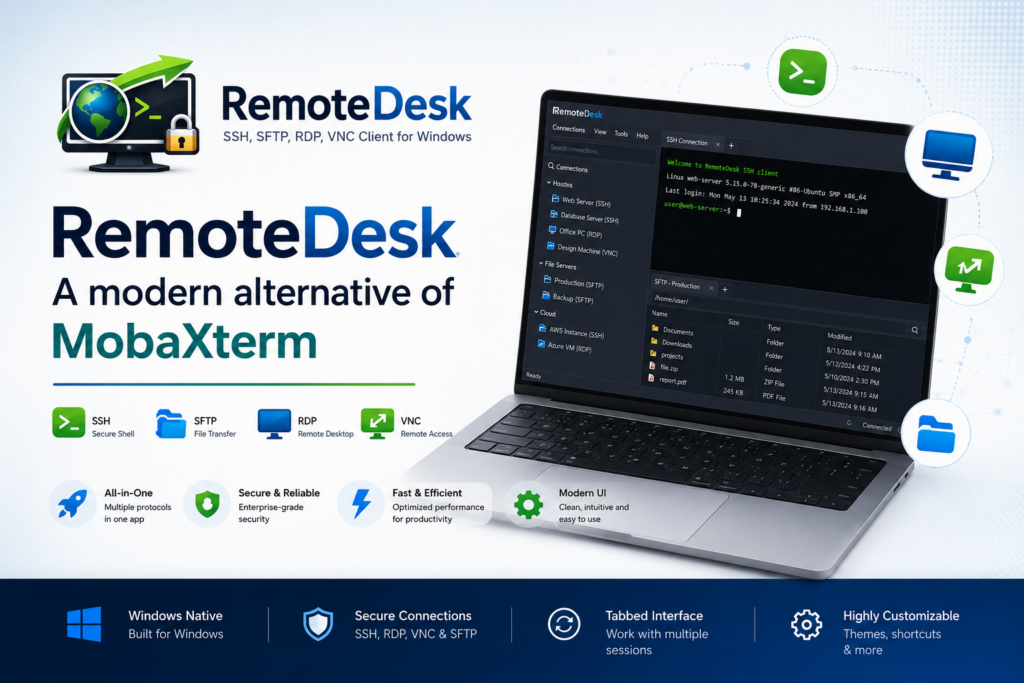
For more than a decade, MobaXterm has been the default answer to “what do I use to connect to my servers from Windows?” It bundles SSH, an X server, file transfer and a dozen network tools into one window, and it earned its place on millions of desktops. But the way we work has moved on — and a remote-access client built for today can do the same job with a tighter, safer, more focused experience, for a fraction of the price. That client is RemoteDesk.
This article is an honest comparison. MobaXterm is a genuinely good tool, and we will say where it still shines. But if you spend your day jumping between Linux boxes, Windows servers and VM consoles, here is why RemoteDesk is worth a serious look.
One window, every protocol — actually embedded
Both apps promise “all your remote access in one place.” The difference is in the word embedded.
In RemoteDesk, SSH, SFTP, RDP and VNC all render inside the tab. The remote desktop draws directly in the window — there is no external mstsc.exe popping up, no separate VNC viewer process, no extra taskbar entry, and on Windows 11 no “Opening Remote Desktop Connection” security prompt every time you connect. You get one clean, tabbed workspace where every session — terminal or full desktop — lives side by side. Toggle split view and every open tab renders at once in an auto-laid grid, so you can watch four servers on one screen.
RemoteDesk — SSH, SFTP, RDP & VNC in One App
RemoteDesk is a modern Windows remote-access client that puts SSH, SFTP, RDP and VNC in one tabbed window — with an encrypted session vault, automatic SSH-tunneled VNC, jump-host chains, and MobaXterm session import so you can move every server over in minutes. Free 7-day trial on the Microsoft Store, one-time purchase, no subscription.
Feature comparison at a glance
| Capability | RemoteDesk | MobaXterm |
|---|---|---|
| SSH terminal | ✅ Modern terminal, multi-paste, smart-paste confirmation | ✅ Yes |
| SFTP file browser | ✅ Dual-pane, drag-drop, recursive transfers, live throughput | ✅ Side panel |
| RDP | ✅ Embedded in tab, HiDPI-correct, live resize | ✅ Yes |
| VNC | ✅ Embedded in tab, Send-keys menu | ✅ Yes |
| Automatic SSH-tunneled VNC | ✅ Add a jump host — tunneling is automatic | ⚠️ Manual setup |
| Multi-hop jump-host chains | ✅ Any number of hops, per-hop error attribution | ⚠️ Single SSH gateway |
| Encrypted credential vault | ✅ AES-256-GCM, master password, on by default | ⚠️ Optional master password |
| Idle auto-lock | ✅ Configurable; open sessions keep running | ❌ No |
| Split view (all tabs at once) | ✅ Auto-laid grid | ⚠️ Limited |
| MobaXterm session import | ✅ Reads .mxtsessions, keeps folders & jump hosts |
— |
| Telemetry / cloud sync | ✅ None — everything stays on your machine | ✅ Local-first |
| Pricing | Low one-time price, 7-day free trial, no subscription | Free (Home, limited) / pricey paid Professional license |
| Built-in X server, Telnet, Serial, Mosh, WSL | ❌ Not (yet) | ✅ Yes |
Comparison reflects typical configurations at the time of writing. MobaXterm is a trademark of Mobatek; RemoteDesk is not affiliated with or endorsed by Mobatek.
Where RemoteDesk pulls ahead
1. Security that is on by default, not opt-in
RemoteDesk stores every server, credential, jump-host chain and host-key fingerprint inside a single encrypted vault, protected by a master password from the very first launch. The encryption is AES-256-GCM with key derivation hardened against brute force (PBKDF2-SHA256, 600,000 iterations). Writes are atomic, so an interrupted save never corrupts your vault, and key material is wiped from memory the moment you lock or quit.
There is no “remember this device,” no cloud backup, and no master-password reset. That is deliberate: it is exactly what keeps your saved passwords sealed if your laptop is lost or stolen. Add an idle auto-lock that seals the vault after a configurable period — while leaving your already-open terminals running — and you have a credential store that behaves the way a 2026 tool should.
2. Jump-host chains, done properly
Bastions and management networks are a fact of life. RemoteDesk lets you chain any number of SSH gateways before the target, each with its own credentials (password or key), and applies the same chain to SSH, SFTP and VNC. When a connection fails, the error tells you the exact hop and auth method that rejected you — no more guessing which link in the chain broke.
3. VNC that secures itself
VNC is famously plaintext. In RemoteDesk, the moment you add a jump host to a VNC session, the traffic automatically rides inside SSH encryption — there is no “use SSH tunnel” checkbox to remember. It even handles the awkward libvirt / QEMU / Proxmox case where the console is bound to the hypervisor’s 127.0.0.1, via a loopback-gateway hop. Connecting to an unprotected host still works for LAN-only setups, but you get a clear warning before you type a password.
4. A workspace built around tabs
A hierarchical sidebar with groups, live search by user@host:port, multi-select and drag-to-reorder keeps hundreds of sessions tidy. Open ten SSH tabs from a multi-selection in one action, drag tabs to reorder them, and flip on split view to see everything at once. Because RDP and VNC are embedded, a full Windows desktop is just another tab next to your terminals.
5. A price that actually respects your budget
This is where the gap is hard to ignore. MobaXterm’s free Home edition is deliberately limited — capped sessions, capped tunnels, no proper customization — and the moment you outgrow it, the Professional license is genuinely expensive, sold per-user with paid yearly upgrades to stay current. For a small team that adds up fast.
RemoteDesk takes the opposite approach: a single low one-time purchase on the Microsoft Store, with a 7-day free trial and no subscription, no per-seat upsell, and no annual renewal to keep using the version you bought. You get every feature — the encrypted vault, embedded RDP and VNC, jump-host chains, MobaXterm import — in one tier, at a price that does not flinch when your server count grows. For most admins, RemoteDesk costs a fraction of what an equivalent MobaXterm Professional setup does, while giving you the more modern client.
Switching is a five-minute job
The biggest reason people stay on a tool they have outgrown is the cost of moving. RemoteDesk removes it. Export your sessions from MobaXterm to a .mxtsessions file, import it, and RemoteDesk brings in your SSH, SFTP, RDP and VNC sessions — preserving your folder structure and single-hop jump hosts. Supported protocols are pre-checked; anything it cannot import yet (Telnet, Mosh, Serial and friends) is listed with an “Unsupported” tag, so you see exactly what carried over and what did not. Passwords are not imported — MobaXterm seals them with its own key — so you are prompted for each one inline on first connect, and then they live safely in your new encrypted vault.
Where MobaXterm still makes sense
Credit where it is due. If you depend on MobaXterm’s built-in X11 server to forward Linux GUI applications, or you regularly use Telnet, Serial, Mosh, RSH or WSL sessions, MobaXterm still covers ground RemoteDesk does not yet. Its bundled Unix command toolkit is also handy if you want a local busybox-style shell on Windows. RemoteDesk is deliberately focused on doing SSH, SFTP, RDP and VNC exceptionally well rather than being a Swiss-army knife — so choose based on which of those features you actually reach for.
Who should switch
- Sysadmins & DevOps who want one tabbed client for every Linux box, Windows server and VM console.
- Network engineers who tunnel through bastion chains and never want to type a jump-host password twice.
- MSPs & consultants who want one encrypted vault per customer and a fast way to migrate existing sessions.
- Security-conscious teams who need credentials encrypted at rest with no cloud sync and no telemetry.
- Anyone on Windows 11 who is tired of the “Opening Remote Desktop Connection” prompt and stray
mstscwindows.
Key takeaways
- RemoteDesk puts SSH, SFTP, RDP and VNC in one tabbed window, with RDP and VNC embedded directly in the tab.
- Security is on by default: an AES-256-GCM encrypted vault, idle auto-lock, no cloud, no telemetry.
- Multi-hop jump-host chains and automatic SSH-tunneled VNC handle real bastion and hypervisor setups without fuss.
- One-click MobaXterm import brings your sessions, folders and jump hosts across in minutes.
- Far more affordable: one low one-time price with every feature included, versus MobaXterm’s pricey per-user Professional license.
- MobaXterm still wins if you need a built-in X server, Telnet/Serial/Mosh, or its bundled Unix toolkit.
If your daily work is SSH, SFTP, RDP and VNC, RemoteDesk gives you a cleaner, safer, more modern home for all of it — and you can try it free for 7 days on the Microsoft Store.
RemoteDesk — SSH, SFTP, RDP & VNC in One App
RemoteDesk is a modern Windows remote-access client that puts SSH, SFTP, RDP and VNC in one tabbed window — with an encrypted session vault, automatic SSH-tunneled VNC, jump-host chains, and MobaXterm session import so you can move every server over in minutes. Free 7-day trial on the Microsoft Store, one-time purchase, no subscription.
Leave a Reply