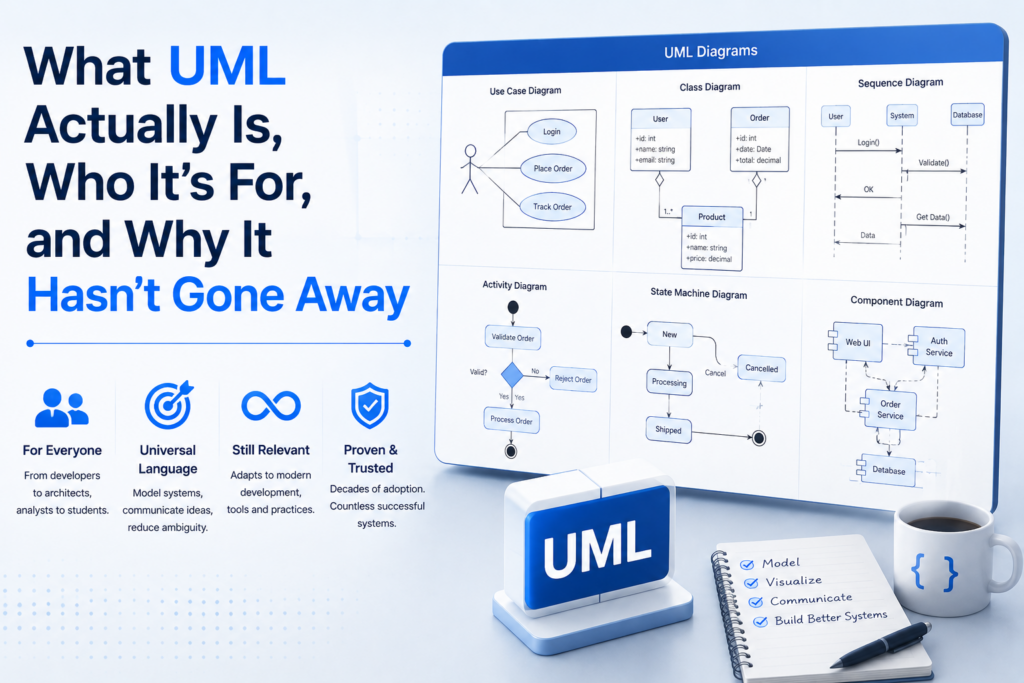
It is a strange time to make the case for UML. The orthodoxy says diagrams are dead, because nobody draws box-and-line pictures for code that an LLM can write in fifteen seconds. The orthodoxy is half right. Speculative whiteboard architecture for a feature you haven’t built is the part that died. But the harder problem — understanding a system already written by twelve different hands, half of them autonomous — has only got worse, and a precise visual notation for systems is exactly what that problem needs. UML, far from being a relic, is finally pulling its weight.
This is what UML actually is, who genuinely needs it in 2026, and what a modern UML designer should look like — with ERPDesk as our take on it.

What UML actually is
The Unified Modeling Language is a visual notation for software systems, published by the Object Management Group (OMG) and standardised through several revisions, currently UML 2.5. It is, deliberately, a notation — not a methodology, not a process, not a checklist of artefacts you must produce. UML doesn’t care whether you’re running Scrum, Shape Up, or a waterfall plan from 2003; it cares that when you do choose to draw a system, the boxes and lines mean the same thing to the next person who reads them.
The full specification defines fourteen diagram types. In practice, four families do almost all the real work:
- Structural diagrams — class diagrams and entity-relationship (ER) diagrams, describing what the system is: tables, classes, attributes, relationships, cardinality, inheritance.
- Behavioural diagrams — sequence diagrams, describing how parts of the system talk to each other: who calls whom, in what order, with what return.
- Process / activity diagrams — flowcharts with the precision UML adds (decision gateways, data stores, swim lanes), describing how a workflow moves.
- State diagrams — how an object or feature transitions between states, useful for protocols and finite-state logic.
You don’t need the other ten. You need to be fluent in these four.
Who genuinely needs UML in 2026
The skeptic position — that UML belongs to a 2003 enterprise architect with a Visio licence — is, in 2026, the reverse of the truth. The people who need it are the people doing the work the AI can’t do for them:
- Software architects and senior engineers who have to onboard new contributors to a system without sitting them down for a week. A sequence diagram of how a request flows through the stack is still the fastest path from nothing to useful.
- Database designers and backend engineers who need an ER diagram of the data model before generating the migrations. Tables, columns, foreign keys, cardinality — the shape of the data is the shape of the system. (And, helpfully: generate the SQL from the diagram, don’t hand-type it.)
- Business analysts and product managers who need to describe a process to engineering, ops and finance at the same time, without ambiguity. A standardised activity diagram is the closest thing to a contract.
- Students and educators learning OO design, databases, and software architecture, where UML is still the lingua franca of the textbook.
- Anyone reviewing AI-generated code at scale. If the agent produced ten services and a schema, the question is no longer “does this compile?” (it does) but “does this make sense at the level of the system?” A class diagram and an ER diagram are how you find out in five minutes instead of three days.
Why diagrams are quietly making a comeback
Three forces are pushing UML back into daily use:
- AI writes the code; humans review the system. The bottleneck has moved from typing to comprehension. Reviewing a diff means very little if you don’t have a mental model of the system. A diagram is a mental model in a portable form.
- Microservices and distributed everything. A single feature now spans services, queues, schemas and side-effects. You cannot hold the wiring of even a small modern system in your head; an up-to-date sequence diagram is cheaper than the meeting that replaces it.
- Schemas got serious again. “Schemaless” was a phase. PostgreSQL, MySQL, SQL Server and SQLite are back at the centre of how teams ship product. ER diagrams — especially ones that can generate the DDL — are the natural medium for working on a schema, and the natural medium for reviewing one.
ERPDesk — UML Designer for Windows
ERPDesk is a clean, fast UML designer for ER, class, business-process and sequence diagrams — with multi-diagram projects, a properties panel instead of modal dialogs, SQL DDL generation for PostgreSQL, MySQL, SQL Server and SQLite, SQL reverse engineering, OMG-standard XMI 2.1 / UML 2.x interchange, auto-layout, and export to PNG / SVG / PDF. Runs 100% offline.
What a modern UML designer should look like
The old UML tools — Rational Rose, early Visual Paradigm, MagicDraw — were heavyweights built for the era of architects-as-priesthood. A modern designer should be the opposite: a fast, focused desktop app that gets out of your way. Specifically:
- One project, many diagrams. A real system needs an ER diagram, a class diagram and a flowchart in the same file — not three separate files that drift out of sync.
- Properties panel, not modal dialogs. Click a shape, edit its attributes in a sidebar that follows your selection. No round-trip through “Edit Shape…”.
- Tables that generate real SQL. If a tool can’t emit a working
CREATE TABLEfor your chosen dialect — with correct identifier quoting, type mapping and auto-increment idiom — it isn’t doing the job that matters. - SQL reverse engineering. The other direction matters too: paste a
CREATE TABLE, get a laid-out diagram. Most real diagrams start from existing schemas, not blank canvases. - OMG-standard interchange. XMI 2.1 / UML 2.x export means your model isn’t locked into the tool. Other UML tools — Enterprise Architect, StarUML, Modelio, Visual Paradigm, MagicDraw, ArgoUML — can read it.
- Auto-layout. Dragging boxes is fine for ten of them. Beyond that, a layered Sugiyama-style arrange that doesn’t overlap is mandatory.
- Offline, no account. Diagrams of your data model are some of the most sensitive artefacts your team produces. They should not require a cloud subscription, an organisation account, or a network round-trip.
Our take: ERPDesk
ERPDesk is our answer to the “modern designer” checklist. It’s a Windows desktop app, free trial on the Microsoft Store, fully offline, designed for the four diagram families that actually do the work.
What it gives you, in the same shape as the checklist:
- Full UML shape catalogue — ER entities (with weak entities, multivalued and derived attributes), classes (regular / abstract / interface / enum), processes (start / end / task / gateway / data object / data store), and sequence lifelines with activations and combined fragments.
- Multi-diagram projects — a saved
.umlprojholds many diagrams in one file. Tab strip above the canvas to switch between them, plus a Model Explorer tree to jump to any element from anywhere. - Toolbox with search and recents — a tab per diagram type, a flat search box, and a Recently Used row so the shapes you keep reaching for are always close at hand.
- Properties panel — right sidebar follows the selection. Name, italic / abstract, stereotype, fill, border colour, border style, font size, edge routing, line style, arrowheads.
- SQL DDL generation for PostgreSQL, MySQL, SQL Server and SQLite — the structured Table (SQL) shape carries name, type, length / scale, PK / FK / nullable / unique / auto-increment and default; ERPDesk emits the right dialect with the right quoting and the right auto-increment idiom, and warns about tables without a primary key, dangling foreign keys, and duplicate names.
- SQL reverse engineering — paste a
CREATE TABLEscript (or load a.sqlfile) and ERPDesk parses tables, columns, primary keys and foreign keys, draws them on a new diagram, and auto-lays it out. - XMI 2.1 / UML 2.x interchange — export to OMG-standard XMI so Enterprise Architect, StarUML, Modelio, MagicDraw, Visual Paradigm or ArgoUML can read it. ERPDesk round-trips losslessly via an extension block that carries layout, colours and column metadata.
- Auto-layout — layered Sugiyama-style arrange, overlap-free, cycle-safe, deterministic, one click. Applied automatically when you import SQL.
- Infinite canvas with snap, Ctrl + scroll to zoom to the cursor, middle-drag to pan, rubber-band multi-select, eight-handle resize, fit-to-screen.
- Export to PNG, SVG, PDF — or just the selected shapes, or Copy as Image to paste into another app.
- Light and dark themes, bounded undo / redo, auto-save every couple of minutes, and a “?” cheat sheet for shortcuts.
- 100% offline — no telemetry, no cloud, no accounts. Settings live in
%AppData%\ERPDesk.
Key takeaways
- UML is a visual notation — not a methodology — standardised by the OMG. Four diagram families do almost all the real work: class, ER, sequence, and process / activity.
- The people who need UML in 2026 are not the architects-as-priesthood of 2003 — they’re architects, backend engineers, database designers, analysts, students, and anyone reviewing AI-generated systems at the level of the system.
- The bottleneck has moved from typing to comprehension. A diagram is a portable mental model of a system — and a fast way to get one.
- A modern UML designer should give you multi-diagram projects, a properties panel (not modal dialogs), real SQL out and in for ER models, OMG-standard XMI interchange, auto-layout, and full offline operation.
- ERPDesk is our take on all of that — on Windows, fully offline, with a free trial on the Microsoft Store.
If you’ve been writing more code per week than you can remember by Friday, the answer is probably to draw it.
ERPDesk — UML Designer for Windows
ERPDesk — ER, class, process and sequence diagrams in one project, with SQL generation across four dialects, SQL reverse engineering, XMI 2.1 round-trip, auto-layout and PNG / SVG / PDF export. Free trial on the Microsoft Store.
Leave a Reply