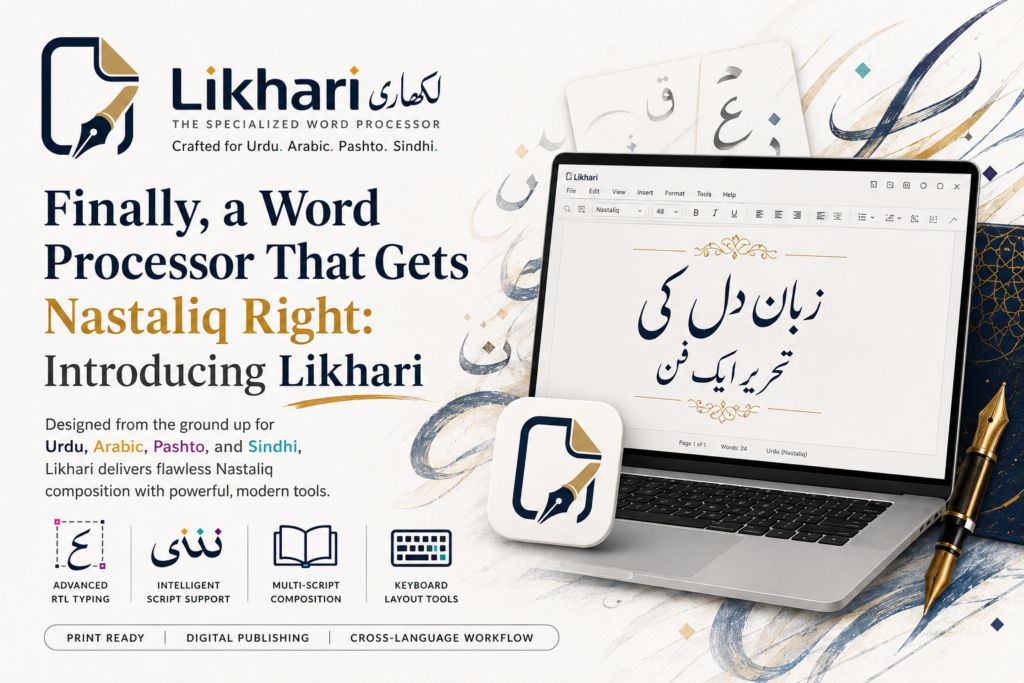
Anyone who writes in Urdu on a computer knows the feeling. You open a familiar word processor, switch to an Urdu font, and start typing — and it looks wrong. The letters sit in a stiff, disconnected line instead of the flowing, slanted Nastaliq hand that Urdu is meant to be written in. The dots land awkwardly. Justify a paragraph and it either does nothing useful or tears gaps between the words. The tool was built for Latin text, and Urdu was bolted on afterwards. Pashto, Sindhi and even Arabic often fare little better.
Likhari takes the opposite approach: it is a word processor designed around these scripts from the start. Urdu, Pashto, Arabic and Sindhi are the point, not an afterthought — and everything from the keyboard to the export is built to make writing in them feel natural.
The difference is real Nastaliq
Most software renders Arabic-script text in the flat Naskh style, or leans on the operating system’s basic shaping. Likhari does proper Nastaliq — the calligraphic, “hanging” style Urdu readers expect — with letters that join and stack correctly and dots placed where they belong. The same engine handles Pashto and Sindhi, and Arabic sits comfortably alongside them.
You can freely mix right-to-left script with left-to-right English words and numbers on the same line, and each runs the correct direction automatically. And when you justify a paragraph, Likhari uses kashida (kasheeda) — it fills the line by stretching the connecting strokes of the script, the way authentic Nastaliq typesetting does, rather than pulling the words apart.
Likhari — Nastaliq Word Processor for Urdu, Pashto, Arabic & Sindhi
Likhari renders true Nastaliq for Urdu, Pashto, Arabic and Sindhi, with phonetic and positional on-screen keyboards, mixed right-to-left/left-to-right text, kashida justification, columns, tables and images — and WYSIWYG PDF/PNG export that matches the screen exactly. Free to use, with a one-time Pro unlock that removes the small export watermark. Works fully offline.
Type the way that suits you
Getting the characters onto the page is half the battle in Urdu computing. Likhari gives you a choice of built-in keyboards, each with a live on-screen preview so you can see exactly what a key produces:
- Phonetic (Roman → Urdu) — type the sounds in Roman letters and Likhari converts them to script, ideal if you think in transliteration.
- Positional layouts for Urdu, Pashto and Sindhi — the traditional key positions for each language.
- Direct — use your own Windows input method with no translation.
Crucially, that keyboard works everywhere — not just in the body text, but inside table cells, headers and footers, and the Find & Replace box — so you never fall back to raw English in a dialog.
A real document tool, not just a text box
Nastaliq is the headline, but Likhari is a full word processor for real documents — letters, reports, newsletters, forms:
- Columns — one, two or three newspaper-style columns with a configurable gutter; text flows down one and continues at the top of the next.
- Tables — inline in the text flow, floating with text wrapping around them, or full-page, with border styles you can set and editable cells. A tall table splits cleanly across pages with proper continuation borders.
- Images — inline as their own block, or floating with text wrapping around the left or right, embedded right in the document so the file stays self-contained.
- Per-character formatting — bold, italic, colour, font and size applied to exactly the text you select.
- Headers, footers & page numbers, with Page Setup for A4, Letter or a custom size, plus rulers to place things precisely.
- Find & Replace, an Open Recent list, an unsaved-changes prompt, and crash recovery that offers your work back after an unexpected close.
What you see is what you export
Here is the part that trips up so many Urdu documents: you lay everything out beautifully on screen, export to PDF, and the columns, tables or images come out wrong. Likhari exports to PDF and PNG that match the screen exactly — the same columns, the same tables (including ones that split across pages), the same inline and floating images, the same per-character formatting, and the same header/footer bands with page numbers. The editor and the export share the same page engine, so they cannot drift apart. What you see really is what you get.
Free, with a one-time Pro unlock
The entire word processor is free — every language, keyboard, table, column, image and export feature is unlocked, with no time limit. The only difference in the free tier is a small “Created with Likhari” watermark along the bottom of exported and printed pages. A one-time Likhari Pro purchase removes it. Pro is a one-time purchase, not a subscription, and re-unlocks on your other Windows devices signed in to the same store account.
And like everything from BackendSide, Likhari works entirely offline — no account, no sign-in, no telemetry — so your documents stay on your device.
Key takeaways
- Mainstream word processors treat Urdu and other Nastaliq scripts as an afterthought; Likhari is built around them.
- It renders true Nastaliq for Urdu, Pashto, Arabic and Sindhi, with correct joining, dot placement and kashida justification.
- Built-in phonetic and positional keyboards with live previews work everywhere, including dialogs.
- It is a complete document tool — columns, tables, images, per-character formatting, headers/footers — with WYSIWYG PDF/PNG export that matches the screen exactly.
- Free to use, with a one-time Pro unlock to remove the export watermark; works fully offline. On the Microsoft Store now.
If you have ever fought a word processor to make Urdu look the way it should, Likhari was built for exactly that.
Likhari — Nastaliq Word Processor for Urdu, Pashto, Arabic & Sindhi
Likhari renders true Nastaliq for Urdu, Pashto, Arabic and Sindhi, with phonetic and positional on-screen keyboards, mixed right-to-left/left-to-right text, kashida justification, columns, tables and images — and WYSIWYG PDF/PNG export that matches the screen exactly. Free to use, with a one-time Pro unlock that removes the small export watermark. Works fully offline.
Leave a Reply