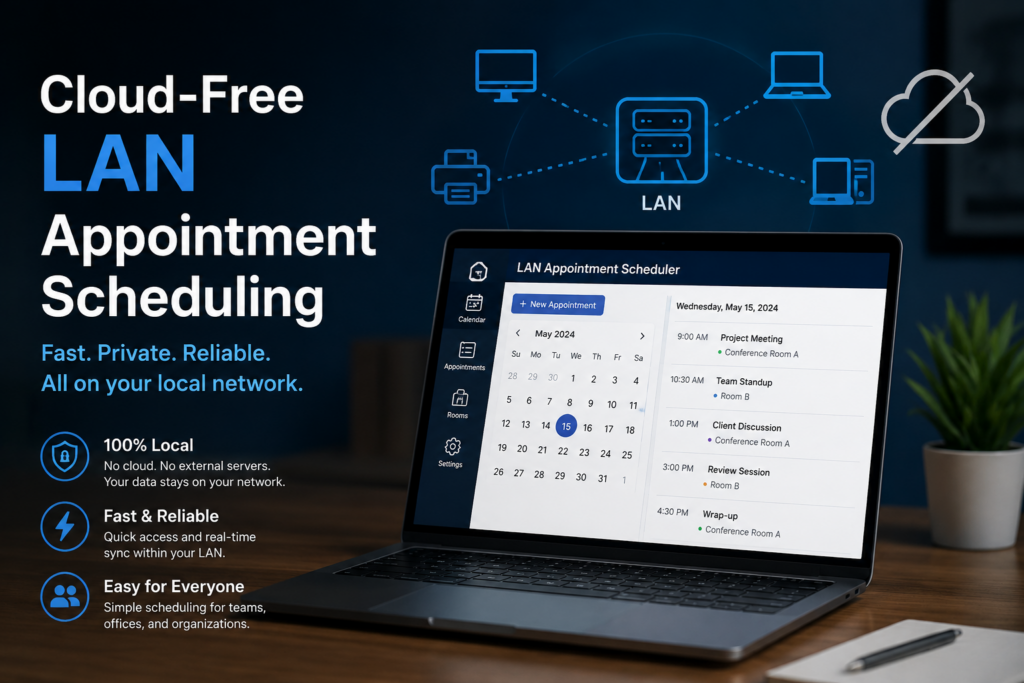
For a decade the default advice for any small business software has been “put it in the cloud.” For a lot of use cases that is the right call. But for a clinic — or a dental practice, a physio, a small hospital — running your appointment book and patient records on someone else’s servers is a decision worth questioning. There is a quieter, increasingly popular alternative: keep the whole system on your own local network, self-hosted, cloud-free. Here is why practices are taking a second look, and how LAN-based scheduling actually works.
What “cloud-free, LAN-based” actually means
In a cloud setup, your scheduling software runs on a vendor’s servers on the internet, and every appointment your front desk books travels out to those servers and back. In a LAN-based setup, the software runs on a computer inside your own premises — typically one PC acting as the server — and the other devices in the clinic connect to it over your local area network: the same Wi-Fi and cabling that already links your machines. Your data never has to leave the building to book an appointment.
The modern version of this is not the clunky “install the app on every machine” model of the past. A well-designed local system runs a small web server on the host PC, and everyone else simply opens a web browser and points it at that PC’s address on the network. The reception desktop, the doctor’s laptop, a tablet in a consulting room — each just loads a page. There is nothing to install on the client devices at all.
Why practices choose local over cloud
1. It keeps working when the internet does not
An internet outage should not stop you booking patients. With a cloud system, a dropped connection means your schedule, your records and your front desk all freeze until the line comes back. A LAN-based system depends only on your local network, so it keeps running through any internet interruption — the appointment book is always available, because it is right there in the building.
2. Patient data stays on your premises
Health information is among the most sensitive and heavily regulated data there is. When the entire system lives on a machine you own, on your own network, you know exactly where your patients’ records are: on that computer, in that room. There is no third-party operator storing them, no question of which country a data centre sits in, and a far smaller exposure surface than a service reachable from the public internet. For many practices, that clarity is reason enough on its own.
3. No per-seat subscription creeping upward
Cloud scheduling is almost always a recurring, usually per-user, monthly fee — and it only goes one direction over time. A self-hosted system you own does not bill you again every month simply to keep using it. For a small practice watching its overheads, replacing an open-ended subscription with software you actually own can change the maths considerably.
4. You are not at the mercy of a vendor’s changes
When your data and workflow live on someone else’s platform, they set the terms — price changes, feature removals, forced migrations, or the service shutting down entirely. Self-hosting keeps you in control of your own tools and your own timeline.
ClinicDesk — Self-Hosted, Multi-User Clinic Management
ClinicDesk runs on one Windows PC in your clinic and serves a browser-based interface to doctors, secretaries and admins over your own network — no software to install on the client side. Appointment scheduling with full status tracking, patient and visit records, invoicing, role-based access control, a tamper-evident audit log, and a concurrent multi-user database, all on hardware you control. 30-day free trial on the Microsoft Store.
But it has to be genuinely multi-user
The catch with “keep it local” is that a clinic is not one person. The receptionist is booking while a doctor is reviewing a chart and an admin is running a report — all at the same moment, all needing to see the same, up-to-date schedule. A single-user desktop program pointed at a shared file does not cut it; you need a system built for concurrent access, where several people read and write the same data safely without stepping on each other.
That is the real dividing line for LAN-based clinic software. It should offer:
- Simultaneous multi-user access so the whole team works from one live schedule.
- Role-based access control so a secretary, a doctor and an administrator each see and do only what their role allows — enforced on the server, not just hidden in the interface.
- Browser-based clients so any device on the network can connect with nothing to install.
- An audit trail so every change to an appointment or record is logged — important for accountability and for meeting healthcare record-keeping expectations.
What this looks like in practice
ClinicDesk is built exactly on this model. You install it on one Windows PC in the clinic, and it hosts a browser-based interface that doctors, secretaries and admins reach from any device on the network — no client install anywhere. It handles the full appointment workflow with status tracking (pending, confirmed, completed, cancelled, no-show), alongside patient profiles, clinical visit records, document attachments, invoicing and payment tracking, and filterable reports served straight to the browser.
Underneath, role-based access control is checked on the server for every action, a tamper-evident audit log records what happened and when, and the database uses a concurrent-access mode so the reception desk, the consulting rooms and the back office can all work at once without conflicts. Everything sits on hardware you own, on your own network — the cloud-free model, done properly.
What to watch out for when you self-host
Local hosting moves a few responsibilities onto you, and it is worth being clear-eyed about them:
- Backups are yours to run. With no cloud provider copying your data, you must back up the host PC regularly — ideally automatically, to a separate drive or location — so a hardware failure never means a lost appointment book.
- Secure the network. Keep the server PC on your private network, protected by a strong password and your firewall; do not casually expose it to the open internet.
- Mind the host machine. The server PC needs to be on during clinic hours and kept updated. It does not need to be powerful — but it should be reliable.
None of these are onerous, and for most practices they are a fair trade for keeping patient data in-house, staying online through internet outages, and owning the software outright.
Key takeaways
- LAN-based scheduling runs on a PC in your clinic and serves the team over your own network — no dependence on the public internet to book a patient.
- You gain resilience to internet outages, on-premises control of sensitive patient data, no per-seat subscription, and independence from a vendor’s platform.
- It only works if the software is genuinely multi-user — concurrent access, server-side role-based permissions, browser clients and an audit trail.
- ClinicDesk delivers this model: one host PC, browser-based clients with nothing to install, full appointment and patient management, and a concurrent multi-user database on hardware you own.
- Self-hosting means you own the backups and network security — a manageable trade for keeping everything in-house.
ClinicDesk — Self-Hosted, Multi-User Clinic Management
ClinicDesk runs on one Windows PC in your clinic and serves a browser-based interface to doctors, secretaries and admins over your own network — no software to install on the client side. Appointment scheduling with full status tracking, patient and visit records, invoicing, role-based access control, a tamper-evident audit log, and a concurrent multi-user database, all on hardware you control. 30-day free trial on the Microsoft Store.
Leave a Reply